# 👋 Welcome to Wanchain
Wanchain is a global leader in decentralised blockchain interoperability and creator of the blockchain industry’s first decentralised cross-chain bridge. Since its founding in 2017, Wanchain has remained committed to driving blockchain adoption by establishing a unified decentralised network of blockchains built on industry-wide standards and specifications. Wanchain’s cross-chain infrastructure, renowned for its engineering rigour and industry-best uptime, empowers developers to build truly decentralised cross-chain applications to power the future of Web3. Today, this decentralised infrastructure supports countless products across dozens of EVM and non-EVM networks.
## Supported chains
Mainnet
WanBridge
XFlows
XPort
QUiX
Bitcoin
✅
✅
🚫
🚫
Ethereum
✅
✅
✅
✅
Wanchain
✅
✅
✅
✅
5ire
🚫
🚫
✅
🚫
Arbitrum
✅
✅
✅
✅
Astar
✅
✅
🚫
🚫
Avalanche
✅
✅
✅
✅
Base
✅
✅
✅
🚫
Blast
✅
✅
🚫
🚫
BNB Chain
✅
✅
✅
✅
Cardano
✅
🚫
🚫
🚫
Celo
✅
✅
✅
🚫
Dogecoin
✅
🚫
🚫
🚫
edeXa
🚫
🚫
✅
🚫
Energi
🚫
🚫
✅
🚫
Fantom
✅
🚫
🚫
🚫
Kava
✅
🚫
🚫
🚫
Linea
✅
✅
✅
🚫
Litecoin
✅
🚫
🚫
🚫
Metis
✅
✅
🚫
🚫
Moonbeam
✅
🚫
🚫
🚫
Moonriver
✅
🚫
🚫
🚫
Odyssey
🚫
🚫
✅
🚫
OP Mainnet
✅
✅
✅
✅
Plasma
✅
✅
✅
🚫
Polkadot
✅
🚫
🚫
🚫
Polygon
✅
✅
✅
✅
Sei
✅
🚫
🚫
🚫
Shido
🚫
🚫
✅
🚫
Solana
✅
✅
🚫
🚫
Songbird
✅
🚫
🚫
🚫
Sonic
✅
✅
✅
🚫
Sui
✅
🚫
🚫
🚫
Telos
✅
🚫
🚫
🚫
Tron
✅
✅
🚫
🚫
Unichain
✅
🚫
🚫
🚫
VeChain
✅
🚫
✅
🚫
VinuChain
✅
🚫
🚫
🚫
Waterfall
🚫
🚫
✅
🚫
World Chain
✅
✅
✅
🚫
X Layer
✅
✅
✅
🚫
XDC Network
✅
🚫
🚫
🚫
XRP Ledger
✅
🚫
🚫
🚫
zkSync Era
✅
✅
🚫
🚫
# WanBridge
WanBridge is Wanchain’s decentralised, direct, non-custodial value-transfer bridge. It is a network of smart contracts that can lock, mint, burn, and unlock fungible tokens and NFTs on both EVM and non-EVM networks without requiring any intermediary blockchains or centralised intervention. WanBridge cross-chain transactions are executed and secured by the Wanchain Bridge Node Group.
Try WanBridge at .
# Bridge-to-Earn
Bridge-to-Earn is [WanBridge](/products/wanbridge)’s bounty board and incentive mechanism. It rewards users for completing specific cross-chain transactions – called tasks – that help generate or rebalance cross-chain liquidity. Importantly, it allows users to contribute to the entire Wanchain ecosystem without locking their funds.
Each Bridge-to-Earn task specifies the following details:
* Source chain: the blockchain where assets originate
* Destination chain: the blockchain receiving the assets
* Asset: the coin or token being transferred
* Transfer Amount: the quantity of the asset to be moved
* Reward Amount: the tokens to be earned
* Pledge Amount: the quantity of XP or [WAN coin](/cross-chain-infrastructure/wan-coin) needed to claim the task
Tasks can involve cross-chain transactions including both EVM and non-EVM chains, with values ranging from a few dollars to tens of thousands of dollars. While BTC, ETH, USDC and USDT are most common, tasks may use any coin or token. Rewards may be of any asset, though are typically paid in of BTC, ETH, USDC, USDT or xWAN.
To claim a task, users must either spend XP – earned automatically by using [WanBridge](/products/wanbridge) or [XFlows](/products/xflows) – or burn [WAN coin](/cross-chain-infrastructure/wan-coin). New tasks are added regularly.
Try Bridge-to-earn at
# Tutorial
# Circle CCTP
Circle's [Cross-Chain Transfer Protocol](https://www.circle.com/pressroom/circle-delivers-usdc-interoperability-across-ecosystems-with-mainnet-launch-of-cross-chain-transfer-protocol) (CCTP) is a permissionless on-chain utility that facilitates USDC transfers between blockchains via native burning and minting. CCTP eliminates the need for bridges to lock assets during cross-chain transfers. With CCTP:
1. USDC is burned on the source chain
2. A signed attestation is fetched from Circle
3. USDC in minted on the destination chain
Wanchain served as a launch partner during the initial launch of CCTP in 2023. Since then. CCTP has been integrated seamlessly in [WanBridge](https://bridge.wanchain.org/). When a user initiates USDC cross-chain transfers using the [WanBridge](https://bridge.wanchain.org/), the bridge will default to CCTP if it is available. If CCTP is not available, the bridge will use [WanBridge](https://bridge.wanchain.org/)’s standard lock, mint, burn, and unlock mechanisms.
## Supported Chains
| Mainnet | CCTP V1 | CCTP V2 |
| :---------: | :-----: | :-----: |
| Arbitrum | ✅ | ✅ |
| Avalanche | ✅ | ✅ |
| Base | ✅ | ✅ |
| Ethereum | ✅ | ✅ |
| Linea | 🚫 | ✅ |
| Noble | ✅ | 🚫 |
| Op Mainnet | ✅ | ✅ |
| Polygon | ✅ | ✅ |
| Sei | 🚫 | ✅ |
| Solana | ✅ | 🚫 |
| Sonic | 🚫 | ✅ |
| Sui | ✅ | 🚫 |
| Unichain | 🚫 | ✅ |
| World Chain | 🚫 | ✅ |
| XDC Network | 🚫 | ✅ |
# XP
Wanchain’s XP is a non-transferable reputation system that tracks and measures user participation throughout the Wanchain ecosystem. XP is earned automatically whenever a user completes a cross-chain transaction using one of Wanchain’s cross-chain products, such as [WanBridge](/products/wanbridge) and [XFlows](/products/xflows).
XP is earned with each cross-chain transactions, based on the following formula:
* 100 XP per cross-chain transaction
* 1 XP for every $1 value transferred
* 100 XP for every $1 value of [bridge fees](/the-convert-n-burn-system/bridge-fees) paid
XP cannot be sold or moved between wallets. XP can be used to claim [Bridge-to-Earn](/products/wanbridge/bridge-to-earn) tasks and earn rewards. Other use cases are in development.
# QUiX
Cross-Chain Swaps in 30 Seconds or Less!
QUiX is a an intent-based upgrade available on WanBridge and XFlows. It enables high-speed cross-chain transactions across multiple EVM and non-EVM networks. QUiX leverages a network of independent "solvers" to complete transactions as quickly as possible. QUiX transactions are routinely completed in under 30 seconds.
QUiX currently supports the following assets:
* ETH
* USDC
* USDT
Try QUiX on WanBridge at [https://bridge.wanchain.org/](https://bridge.wanchain.org/AssetBridge) or on XFlows at .
# XFlows
XFlows is Wanchain’s canonical cross-chain swap platform. It enables decentralised native-to-native asset swaps across multiple EVM and non-EVM networks. XFlows seamlessly selects between multiple route types to ensure that users benefit from the best possible rates.
Try XFlows at .
# Tutorial
# QUiX
Cross-Chain Swaps in 30 Seconds or Less!
QUiX is an intent-based option available on WanBridge and XFlows. It enables high-speed cross-chain transactions across multiple EVM and non-EVM networks. QUiX leverages a network of independent "solvers" to complete transactions as quickly as possible. QUiX transactions are routinely completed in under 30 seconds.
QUiX currently supports the following assets:
* ETH
* USDC
* USDT
Try QUiX on WanBridge at [https://bridge.wanchain.org/](https://bridge.wanchain.org/AssetBridge) or on XFlows at .
# XPort
XPort is Wanchain’s cross-chain data transfer protocol. It enables arbitrary data to be passed from one blockchain to another. It is composed of two basic elements: a robust off-chain relayer and a set of rudimentary on-chain smart contracts called Cross-Chain Gateways that send and receive data.
The off-chain relayer is the same Bridge Node Group that secures all cross-chain transactions executed using the Wanchain Bridge. These permissionless Bridge Nodes are rotated and re-elected monthly. They use Multiparty Computation and Shamir’s Secret Sharing cryptography to transfer messages and arbitrary data across chains.
The Cross-Chain Gateways are a set of smart contracts deployed on each supported blockchain. These have limited functionality — they can essentially only send and receive data. They serve as the point of contact for all 3rd party developers.
Importantly, XPort is designed to be compliant with the [Enterprise Ethereum Alliance’s Distributed Ledger Technology Interoperability Specification](https://entethalliance.org/specs/dlt-interop/), co-authored by Wanchain’s VP on Engineering Dr. Weijia Zhang.
# XPort Developer Handbook
## 0. Quick Start
To get started with the XPort EVM cross-chain token transfer demo, visit and follow the instructions provided.
## 1. Background
### 1.1. This Handbook
Welcome to the XPort Handbook! This handbook serves as a straightforward guide to help you understand and leverage XPort, Wanchain's Cross-Chain Data Transfer Protocol, to build decentralised cross-chain applications. Whether you're a seasoned cross-chain developer or someone taking their first steps into the world of blockchain technology, this handbook caters to all levels of expertise. We're excited to witness the innovative cross-chain applications you can envision and bring to life!
### 1.2. Cross-Chain Data Transfers
Cross-Chain Data Transfer Protocols enable data to be passed from one blockchain to another. Rather than only moving fungible and non-fungible tokens, which are a specific type of data structure, Cross-chain data transfer protocols can move any type of data. Importantly, Cross-Chain Data Transfer Protocols can feed data into 3rd party smart contracts to seamlessly execute on-chain logic and create novel cross-chain applications.
### 1.3. XPort: Wanchain's Cross-Chain Data Transfer Protocol
XPort, Wanchain's Cross-Chain Data Transfer Protocol, is composed of two basic elements: one robust off-chain relayer and a set of rudimentary on-chain smart contracts called Cross-Chain Gateways.
1. The off-chain relayer is the same Bridge Node Group that secures all cross-chain transactions executed using the WanBridge. These permissionless Bridge Nodes are rotated and re-elected monthly. They use Multiparty Computation and Shamir’s Secret Sharing cryptography to transfer messages and arbitrary data across chains.
2. A single smart contract, called a Cross-Chain Gateway, is deployed on each supported blockchain. These Cross-Chain Gateways have limited functionality – they can essentially only send and receive messages and arbitrary data. They serve as the point of contact for all 3rd party developers.
## 2. Getting Started
This section establishes a solid foundation to get you using XPort, Wanchain's Cross-Chain Data Transfer Protocol, as quickly as possible. It will outline a few necessary preparations before demonstrating how to perform a few of XPort's basic operations. This handbook will use [https://remix.ethereum.org/](https://remix.ethereum.org/), an online Solidity IDE, as the development environment.
### 2.1. Necessary Preparations
1. Open your browser and visit [https://remix.ethereum.org/](https://remix.ethereum.org/).
2. Click the File Explorer icon in the left navigation bar of Remix.
3. Click the "+" icon to create a new workspace. Name your workspace anything you like.
4. Create a new .sol smart contract and name it something that's easy to remember like "MyContract.sol".
### 2.2. Basic Operations
1. In your new .sol smart contract, import WmbApp.sol. Use `is` to indicate that your contract inherits WmbApp. This allows your smart contract to access all public and protected members from WmbApp. For example, you can declare your contract as follows:
```solidity
// SPDX-License-Identifier: MIT
pragma solidity 0.8.18;
import "@wandevs/message@0.2.1/contracts/app/WmbApp.sol";
contract MyContract is WmbApp {
// Your contract codes
}
```
2. Override the `_wmbReceive` function in your smart contract. `_wmbReceive` is a protected function provided by WmbApp. It will be called when your smart contract receives a cross-chain message. Customise the `_wmbReceive` function to meet your application's specific needs. `_wmbReceive` defines how your contract will behave when it receives a cross-chain message.
```solidity
function _wmbReceive(
bytes calldata data,
bytes32 messageId,
uint256 fromChainId,
address fromSC
) internal override {
// do something you want...
}
```
3. When initializing your smart contract contract, call the WmbApp `initialize` function. `initialize` takes two parameters: `admin` and `_wmbGateway`. Pass in the address of the administrator account as `admin` and the address of the WmbGateway as `_wmbGateway`. For example:
```solidity
constructor(address admin, address _wmbGateway) WmbApp() {
initialize(admin, _wmbGateway);
// Your initialization code
}
```
4. In your smart contract, you may need to send messages or contract calls to other chains. For this, call the `_dispatchMessage` function. `_dispatchMessage` is a protected function provided by WmbApp. It can send messages to any chain or contract you specify. `_dispatchMessage` takes four parameters:
* `toChainId`: The ID of the chain that will receive the message.
* `toAddress`: The address of the smart contract that will receive the message.
* `msgData`: The message data you want to send.
* `feeAmount`: The fee you want to pay.
For example, you can call the `_dispatchMessage` function like this:
function sendMessage(
	uint256 toChainId, address toAddress, bytes memory msgData,
	uint feeAmount) public payable {
    _dispatchMessage(toChainId, toAddress, msgData, feeAmount);
}
*Note: In this example, the `sendMessage` function takes the above parameters and simply calls the `_dispatchMessage` function. You can customise the function in your own smart contract and call the `_dispatchMessage` function in accordance with your needs. Before calling the `_dispatchMessage` function, use the `estimateFee` function to estimate the fee.*
5. `estimateFee` is a public function provided by WmbApp. It can help you calculate the fee required to send a cross-chain message. `estimateFee` takes two parameters:
* `toChain`: The BIP44 ChainId of the chain that will receive the message.
* `gasLimit`: The gas limit required to execute the contract call on the receiving chain.
Use the fee value returned by the `estimateFee` function as the `feeAmount` parameter of the `_dispatchMessage` function. You can use `msg.value` to pass in the native token of your chain as the fee, or use the balance of your smart contract as the fee.
For example, you can call the `_dispatchMessage` function like this:
*Note: In this example, the `sendMessage` function adds the `gasLimit` parameter and calls the `estimateFee` function to calculate the fee inside the function. Then, the smart contract checks whether `msg.value` is greater than or equal to the calculated fee. If it is not enough, an exception is thrown. Finally, the `_dispatchMessage` function is called and uses `msg.value` as the fee.*
### 2.3. Additional Operations
1. WmbApp provides a function called `_dispatchMessageBatch`. It can be used to send transactions in batches to different contract addresses on the target chain. `_dispatchMessageBatch` can also be used to interact with multiple different contracts or to ensure the sequential execution of multiple operations. `_dispatchMessageBatch` takes three parameters:
* `toChainId`: the ID of the chain that will receive the message.
* `messages`: an array containing multiple Message structures. Each Message structure contains a target address and a message data.
* `fee`: The fee you want to pay.
For example, you can call the `_dispatchMessageBatch` function like this:
```solidity
function sendMessageBatch(
uint256 toChainId, Message[] memory messages, uint256 gasLimit)
public payable {
uint256 fee = estimateFee(toChainId, gasLimit);
require(msg.value >= fee, "Insufficient fee");
_dispatchMessageBatch(toChainId, messages, msg.value);
}
```
*Note: In this example, the `sendMessageBatch` function calculates the fee using the `estimateFee` function. It then checks if `msg.value` is greater than or equal to the calculated fee. If it is not, an exception is thrown. Finally, the `_dispatchMessageBatch` function is called using `msg.value` as the fee.*
2. After your smart contract is deployed and initialized, the administrator needs to call the `setTrustedRemotes` function to explicitly specify which chains and contracts have permission to send cross-chain messages to your contract. This is an important step to ensure the security of your contract. The `setTrustedRemotes` function accepts three parameters:
* `fromChainIds`: an array containing multiple chain IDs, each of which is a uint type.
* `froms`: an array containing multiple contract addresses, each of which is an address type. Each address corresponds to the chain ID at the same position in the `fromChainIds` array.
* `trusted`: an array containing multiple Boolean values, each of which represents whether the corresponding chain and contract is trusted and can send cross-chain messages to your contract.
### 2.4 Before Moving On
After completing the above operations, your smart contract is ready to receive and send cross-chain messages. Please note that it is your responsibility to ensure the security of your smart contract. You can compile and deploy your smart contract to a blockchain using Remix and MetaMask.
Now that you have an understanding of the basics of XPort, Wanchain's Cross-Chain Data Transfer Protocol, you can customise your smart contracts to receive and send cross-chain messages to serve the unique needs of your application or use case.
## 3. Supported Blockchains
Note: While this handbook strives to be comprehensive, please refer to for an up-to-date list of supported networks.
### 3.1 Mainnets
| Index | Network | Address | Bip44 chainId |
| ----- | ----------------- | ------------------------------------------ | ------------- |
| 1 | Polygon | 0x7280E3b8c686c68207aCb1A4D656b2FC8079c033 | 2147484614 |
| 2 | BSC | 0x7280E3b8c686c68207aCb1A4D656b2FC8079c033 | 2147484362 |
| 3 | Wanchain | 0x7280E3b8c686c68207aCb1A4D656b2FC8079c033 | 2153201998 |
| 4 | Avalanche | 0x7280E3b8c686c68207aCb1A4D656b2FC8079c033 | 2147492648 |
| 5 | Optimism | 0x7280E3b8c686c68207aCb1A4D656b2FC8079c033 | 2147484262 |
| 6 | Arbitrum | 0x7280E3b8c686c68207aCb1A4D656b2FC8079c033 | 1073741826 |
| 7 | Energi | 0x7280E3b8c686c68207aCb1A4D656b2FC8079c033 | 2147493445 |
| 8 | Bitrock | 0x7280E3b8c686c68207aCb1A4D656b2FC8079c033 | 2154655314 |
| 9 | Ethereum | 0x7280E3b8c686c68207aCb1A4D656b2FC8079c033 | 2147483708 |
| 10 | Meld (deprecated) | 0x7280E3b8c686c68207aCb1A4D656b2FC8079c033 | 1073741847 |
| 11 | Plyr | 0x7280E3b8c686c68207aCb1A4D656b2FC8079c033 | 1073741849 |
| 11 | Base | 0x7280E3b8c686c68207aCb1A4D656b2FC8079c033 | 1073741841 |
| 12 | Waterfall | 0x7280E3b8c686c68207aCb1A4D656b2FC8079c033 | 1073741851 |
| 13 | DIONE Mainnet | 0x7280E3b8c686c68207aCb1A4D656b2FC8079c033 | 1073741848 |
| 14 | 5ire | 0x7280E3b8c686c68207aCb1A4D656b2FC8079c033 | 1073741853 |
| 15 | Polygon zkEVM | 0x7280E3b8c686c68207aCb1A4D656b2FC8079c033 | 1073741838 |
| 16 | Linea | 0x7280E3b8c686c68207aCb1A4D656b2FC8079c033 | 1073741842 |
| 17 | X Layer | 0x7280E3b8c686c68207aCb1A4D656b2FC8079c033 | 1073741835 |
| 18 | Celo | 0x7280E3b8c686c68207aCb1A4D656b2FC8079c033 | 2147536400 |
| 19 | edeXa | 0x7280E3b8c686c68207aCb1A4D656b2FC8079c033 | 1073741850 |
### 3.2 Testnets
**Testnet**
| Index | Chain Name | Gateway | Chain ID |
| ----- | ------------------------ | ------------------------------------------ | ---------- |
| 1 | Avalanche Fuji Testnet | 0xDDddd58428706FEdD013b3A761c6E40723a7911d | 2147492648 |
| 2 | Wanchain Testnet | 0xDDddd58428706FEdD013b3A761c6E40723a7911d | 2153201998 |
| 3 | XDC Apothem Testnet | 0xDDddd58428706FEdD013b3A761c6E40723a7911d | 2147484198 |
| 4 | Ethereum Sepolia Testnet | 0xDDddd58428706FEdD013b3A761c6E40723a7911d | 2147483708 |
| 5 | Arbitrum Sepolia | 0xDDddd58428706FEdD013b3A761c6E40723a7911d | 1073741826 |
| 6 | Optimism Sepolia | 0xDDddd58428706FEdD013b3A761c6E40723a7911d | 2147484262 |
| 7 | polygon amoy | 0xDDddd58428706FEdD013b3A761c6E40723a7911d | 2147484614 |
| 8 | energi | 0xDDddd58428706FEdD013b3A761c6E40723a7911d | 2147493445 |
| 9 | bitrock | 0xDDddd58428706FEdD013b3A761c6E40723a7911d | 2154655314 |
| 10 | BSC Testnet | 0xDDddd58428706FEdD013b3A761c6E40723a7911d | 2147484362 |
| 11 | DIONE Odyssey Testnet | 0xDDddd58428706FEdD013b3A761c6E40723a7911d | 1073741848 |
| 12 | PLYR TAU Testnet | 0xDDddd58428706FEdD013b3A761c6E40723a7911d | 1073741849 |
| 13 | edeXa Testnet | 0xDDddd58428706FEdD013b3A761c6E40723a7911d | 1073741850 |
| 14 | Base Sepolia Testnet | 0xDDddd58428706FEdD013b3A761c6E40723a7911d | 1073741841 |
| 15 | Waterfall Testnet 9 | 0xDDddd58428706FEdD013b3A761c6E40723a7911d | 1073741851 |
| 16 | 5ire Testnet | 0xDDddd58428706FEdD013b3A761c6E40723a7911d | 1073741853 |
| 17 | Lummio Testnet | 0xDDddd58428706FEdD013b3A761c6E40723a7911d | 1073741854 |
| 18 | Linea | 0xDDddd58428706FEdD013b3A761c6E40723a7911d | 1073741842 |
| 19 | Polygon zkEVM | 0xDDddd58428706FEdD013b3A761c6E40723a7911d | 1073741838 |
| 20 | Immutable zkEVM | 0xDDddd58428706FEdD013b3A761c6E40723a7911d | 1073741855 |
| 21 | Shido | 0xDDddd58428706FEdD013b3A761c6E40723a7911d | 1073741856 |
| 22 | Vechain | 0xa1Dd5cBF77e1E78C307ecbD7c6AEea90FC71499e | 2147484466 |
*Note: When writing smart contracts and performing cross-chain operations, ensure that you use the correct ChainId value.*
## 4. Appendix: XPort, Wanchain's Cross-Chain Data Transfer Protocol Composition
### 4.1 Basic Elements
True to its legacy, XPort, Wanchain’s Cross-Chain Data Transfer Protocol is deceptively simple. It simply detects data on the source chain then repeats it on the destination chain in the correct format.
XPort is composed of two basic elements: one robust off-chain relayer and a set of rudimentary on-chain smart contracts called Cross-Chain Gateways.
1. The off-chain relayer is the exact same Bridge Node Group that secures all cross-chain transactions executed using the WanBridge. These permissionless Bridge Nodes are rotated and re-elected monthly. They use Multiparty Computation and Shamir’s Secret Sharing cryptography to transfer messages and arbitrary data across chains.
2. A single smart contract, called a Cross-Chain Gateway, is deployed on each supported blockchain. These Cross-Chain Gateways have limited functionality – they can essentially only send and receive messages and arbitrary data. They serve as the point of contact for all 3rd party developers.
### 4.2 XPort Transaction Flow
The basic flow of XPort, Wanchain's Cross-Chain Data Transfer Protocol, is as follows:
1. A message is sent – A 3rd party application sends a transaction to XPort's Cross-Chain Gateway on the source chain to initiate a cross-chain message request. In addition to the message itself, this request includes several bits of additional data including the destination chain ID, a target smart contract address on the destination chain, and more. XPort's Cross-Chain Gateway generates a unique messageID to differentiate each cross-chain message request and, after checking that all the required data is complete, records the request on the source chain as an Event.
2. A message in transit – The Wanchain Bridge Node Group detects this Event and verifies that all the required data is complete. Then, using Wanchain’s unique blend of Multiparty Computation and Shamir’s Secret Sharing cryptography, the Bridge Node Group signs the cross-chain message and sends a transaction to XPort's Cross-Chain Gateway on the destination chain.
3. A message arrives – XPort's Cross-Chain Gateway on the destination chain verifies that the signature is valid and confirms that all the required data is complete. It then forwards the cross-chain message to the target smart contract address on the destination chain. The smart contract can then execute customised on-chain logic using the received message.
### **4.3 Cross-Chain Gateway Smart Contract Design**
#### **4.3.1 EIP-5164**
XPort, Wanchain's Cross-Chain Data Transfer Protocol, follows the specifications laid out in EIP-5164. EIP-5164 details a cross-chain execution interface for EVM-based blockchain. It defines two components: the `MessageDispatcher` and the `MessageExecutor`. The `MessageDispatcher` lives on the origin chain and dispatches messages to the `MessageExecutor` for execution. The `MessageExecutor` lives on the destination chain and executes dispatched messages. Using this interface, developers can create smart contracts on one chain that can call contracts on another chain by sending a cross-chain message.
The interface defines several methods, events, executions and errors types:
*MessageDispatcher Methods*
1. `dispatchMessage`: Used to send a single cross-chain message. Parameters include target chain ID, target contract address, and message data. Returns a unique messageId.
2. `dispatchMessageBatch`: Used to send a batch of cross-chain messages. Parameters include target chain ID and message array. Returns a unique messageId.
*MessageDispatcher Events*
1. `MessageDispatched`: Triggered when a cross-chain message is successfully sent with messageId, sender address, target chain ID, target contract address, and message data included.
2. `MessageBatchDispatched`: Triggered when a batch of cross-chain messages are successfully sent with messageId, sender address, target chain ID, and message array included.
3. `MessageIdExecuted`: Triggered when a cross-chain message is successfully executed with the source chain ID and messageId included.
*MessageExecutor Executions*
1. `MessageExecutor` must append the ABI-packed (`messageId`, `fromChainId`, `from`) to the calldata for each cross-chain message being executed.
*Error Types*
1. `MessageIdAlreadyExecuted`: An error triggered when attempting to execute an already executed messageId.
2. `MessageFailure`: An error triggered when a message execution fails. Contains the message ID and error data.
3. `MessageBatchFailure`: An error triggered when batch message execution fails. Contains the message ID, message index, and error data.
#### **4.3.2 Gateway Contract Interface**
The `IWmbGateway` file is the interface definition of the Wanchain's Cross-Chain Data Transfer Protocol Cross-Chain Gateway contract. The interface extends and expands the EIP-5164 interface and includes the following interfaces:
1. `dispatchMessage`: Used to a message to a specified address on a specified chain and attach the corresponding data. Parameters include toChainID, to and data. Returns a unique messageId.
* `toChainId` (uint256): The chain ID of the target chain.
* `to` (address): The address of the target contract on the target chain.
* `data` (bytes): The data sent to the target contract.
* `messageId` (bytes32): The unique identifier of the sent message.
```solidity
function dispatchMessage(
uint256 toChainId,
address to,
bytes calldata data
) external payable returns (bytes32 messageId);
```
2. `dispatchMessageBatch`: Used to send a batch of messages to a specified chain. Returns a unique messageId.
* `toChainId` (uint256): The chain ID of the target chain.
* `messages` (Message\[]): An array containing the target addresses and data to be sent to each target contract.
* `messageId` (bytes32): The unique identifier of the sent message batch.
```solidity
function dispatchMessageBatch(
uint256 toChainId,
Message[] calldata messages
) external payable returns (bytes32 messageId);
```
3. `receiveMessage`: Used to receive a message from another link and verify the sender's signature.
* `messageId` (bytes32): The unique identifier of the message to prevent replay attacks.
* `sourceChainId` (uint256): The chain ID of the source chain.
* `sourceContract` (address): The address of the source contract on the source chain.
* `targetContract` (address): The address of the target contract on the target chain.
* `messageData` (bytes): The data sent in the message.
* `gasLimit` (uint256): The maximum gas consumption for the message call.
* `smgID` (bytes32): Wanchain Storeman Group ID that signed the message.
* `r` (bytes): R component of the SMG MPC signature.
* `s` (bytes32): S component of the SMG MPC signature.
```solidity
function receiveMessage(
bytes32 messageId,
uint256 sourceChainId,
address sourceContract,
address targetContract,
bytes calldata messageData,
uint256 gasLimit,
bytes32 smgID,
bytes calldata r,
bytes32 s
) external;
```
4. `receiveBatchMessage`: Used to receive a batch of messages from another link and verify the sender's signature.
* `messageId` (bytes32): The unique identifier of the message to prevent replay attacks.
* `sourceChainId` (uint256): The chain ID of the source chain.
* `sourceContract` (address): The address of the source contract on the source chain.
* `messages` (Message\[]): An array of messages containing the target addresses and data to be sent to each target contract.
* `gasLimit` (uint256): The maximum gas consumption for the message call.
* `smgID` (bytes32): Wanchain Storeman Group ID that signed the message.
* `r` (bytes): R component of the SMG MPC signature.
* `s` (bytes32): S component of the SMG MPC signature.
```solidity
function receiveBatchMessage(
bytes32 messageId,
uint256 sourceChainId,
address sourceContract,
Message[] calldata messages,
uint256 gasLimit,
bytes32 smgID,
bytes calldata r,
bytes32 s
) external;
```
5. `estimateFee`: Used to estimate the fee required to send a message to the target chain. Parameters include targetChainId and gasLimit. Returns a fee.
* `targetChainId` (uint256): The chain ID of the target chain.
* `gasLimit` (uint256): The maximum gas consumption for the message call when calling a third-party DApp contract during cross-chain message transmission.
* `fee` (uint256): The estimated fee required for cross-chain message transmission.
```solidity
function estimateFee(
uint256 targetChainId,
uint256 gasLimit
) external view returns (uint256 fee);
```
Other public read-only interfaces are shown in the following table:
| Variable name | Meaning |
| ----------------------- | ------------------------------------------------------------------------------------------------------------------------------ |
| chainId | The slip-0044 standard chainId of the local chain |
| maxGasLimit | The maximum global gas limit for messages |
| minGasLimit | The minimum global gas limit for messages |
| defaultGasLimit | The default gas limit for messages |
| maxMessageLength | The maximum message length |
| signatureVerifier | The address of the signature verification contract |
| wanchainStoremanAdminSC | The address of the Wanchain Storeman Admin contract |
| messageExecuted | The mapping of message ID to execution status |
| baseFees | The mapping of target chain ID to basic fees for obtaining the target chain's fee benchmark |
| messageGasLimit | The mapping of message ID to gas limit, storing the gas limit value set for each message |
| nonces | The mapping of source chain ID -> target chain ID -> source contract -> target contract -> nonce for preventing replay attacks |
| supportedDstChains | The mapping of target chain ID to support status |
#### **4.3.3 Gas Limit and Fee Estimation**
Cross-chain transactions require a fee. The calculation of fees needs to consider the gas limit value of the target chain. When estimating fees, it is necessary to consider the gas limit value of the target chain and the size of the transaction data. Fees need to be independently configured to account for different target chains.
The formula for calculating fees is as follows:
```
estimatedFee = gasLimit * baseFee
```
gasLimit is the target smart contract call gasLimit passed when calling the send interface. baseFee is the unit price. When setting baseFee, three points should be considered:
1. The price difference between the source chain and the target chain: The value of different native coins on different chains may differ greatly. When calculating fees, it is necessary to adjust according to the actual coin price.
2. The default gasPrice of the target chain: The gas price of each chain is different, and the transaction fee needs to consider the gasPrice of the target chain to calculate the cross-chain transaction fee more accurately.
3. The profit margin: In order to ensure sustainable, long-term operations, fees should result in a desired profit margin. When configuring baseFee, developers should ensure that they are not consistently operating at a loss.
*Note: In cases where the gasLimit is set but the target chain's gasLimit is insufficient, third-party DApps can retry failed transactions. When retrying failed transactions, DApps are not limited by the gas limit, which can avoid transaction failures due to insufficient gas limit.*
#### **4.3.4 Error Handling**
When calling the target chain smart contract, the try-catch interface can be used to handle transaction failures. When a transaction fails, according to EIP-5164, an Error containing the MessageId and error information will be directly reverted. If the reason for the failure is insufficient gas, the DApp can resubmit the transaction with a higher gasLimit. If a developer does not want the failed transaction to be re-executed, they need to capture errors and actively restrict them in the DApp contract.
#### **4.3.5 App Contract Inheritance Template**
Third-party DApps can inherit and develop their own cross-chain applications from the APP template, and all interactions with the Gateway are encapsulated in the APP template. The APP template is divided into two types: 1) WmbApp simple template; 2) WmbRetryableApp App template that can retry errors.
1. The simple template directly forwards the message without any error caching. Failed transactions cannot be retried within the contract.
2. The retryable template caches error transactions and can retry or read the messageId information that occurred in the error within the contract.
#### **4.3.6 Guaranteed Message Execution Order**
For messages with strict execution order requirements, the `dispatchMessageBatch` interface can be used to send batch messages. The execution order in this interface can be strictly guaranteed. If any one message fails, the entire transaction will be rolled back. The ordinary dispatchMessage interface does not guarantee strict sequential execution. If the third party wants to guarantee the order, it can customize the contract code in its DApp.
#### **4.3.7 Basic Smart Contract Security Considerations**
1. Prevent reentrancy attacks: Use the nonReentrant function to restrict reentrancy for the interfaces that involve sending messages, because these interfaces contain refund callback sender operations.
2. Prevent replay attacks: Use a globally unique messageId recorded in the contract to prevent possible replay attacks.
3. Administrator permissions: Use the AccessControl library to restrict function access.
## 5. Advanced Usage
A few simple example smart contracts designed to work with XPort, Wanchain's Cross-Chain Data Transfer Protocol, can be found here: [https://github.com/wanchain/message-bridge-contracts/tree/main/contracts/examples](https://github.com/wanchain/message-bridge-contracts/tree/main/contracts/examples)
### 5.1 Cross-Chain Applications with On-Chain Recording and Retry
Inherit from the RetryableApp contract to implement a cross-chain application that can record error messages on-chain and customise retry rules.
See: `examples/CCPoolV2.sol`
## 6. Practical Examples
A few simple example smart contracts designed to work with XPort, Wanchain's Cross-Chain Data Transfer Protocol, can be found here: [https://github.com/wanchain/message-bridge-contracts/tree/main/contracts/examples](https://github.com/wanchain/message-bridge-contracts/tree/main/contracts/examples)
### 6.1 Cross-Chain Token Issuance
Based on cross-chain burn-and-mint mechanism, developers can issue a new token on multiple blockchains and perform unrestricted cross-chain transfers without wrapping or liquidity pools.
See an example: `examples/mcToken.sol`
### 6.2 Permissionless Cross-Chain Transfers
Developers can enable perform permissionless cross-chain transfers for existing tokens by leveraging XPort, Wanchain's Cross-Chain Data Transfer Protocol.
See an example: `examples/ccPoolV1.sol`
### 6.3 Refundable Token Cross-Chain
When the cross-chain fails due to insufficient balance in the pool, developers can choose to refund the assets to the user's wallet on the source chain.
See an example: `examples/ccPoolV2.sol`
## 7. FAQ
**Q1:** What happens if across-chain transaction fails on the target chain?
A: Third-party DApp smart contracts need to consider possible failure scenarios in advance during the design phase, including whether failed transactions need to be retried, whether failed transactions need to be recorded on-chain, and whether feedback messages need to be sent to the original chain. XPort's default off-chain relayer, the Wanchain Bridge Node Group, will not automatically retry failed transactions. DApps need to handle failure scenarios according to its needs.
**Q2:** Is there a way to make end users pay the cross-chain transaction fee themselves?
A: Yes. Simply send the transaction fee as a payable value along with the transaction when building it.
**Q3:** Is there a way to make cross-chain transactions free for end users? to make users use message cross-chain for free and let the project bear the cross-chain transaction fee?
A: Yes. A developer can subsidise cross-chain fees by depositing sufficient native coins in the DApp smart contract. This balance can be used to pay transaction fees.
# XPort Fee Center User Guide
## 1. Overview
**XPort** is the core messaging cross-chain mechanism within the Wanchain Cross-chain Bridge. In **XPort V1**, the bridge charges a certain amount of **native coin on the source chain** as a bridge fee, which is used to cover gas costs incurred when processing messages on the **destination chain**. Over the past year, XPort has seen significant growth and adoption across the blockchain community.
However, with increased usage, the V1 fee model has shown some limitations:
* The native coin charged on the source chain differs from the gas coin consumed on the destination chain;
* In volatile market conditions, the price gap between the collected and spent tokens can grow significantly, causing losses and reducing sustainability.
To address this, **XPort V2** introduces a more robust and flexible fee model:
* The **project pays in the same token** that the Agent uses to process the transaction on the destination chain;
* Projects can freely specify which token to charge end users on the source chain;
* This eliminates token price fluctuation risks and improves long-term sustainability.
## 2. Workflow
In XPort V2, when a user initiates a cross-chain message, the **cross-chain Agent** will **cover the gas fee on the destination chain**. The corresponding token amount will then be deducted from the **Fee Contract account on Wanchain**.
#### Example:
For a message from **Arbitrum to Avalanche**:
1. **Source Chain (Arbitrum)**: The user triggers the cross-chain message and pays the cross-chain fee to the project. The token used for the cross-chain fee is defined by the project.
2. **Destination Chain (Avalanche)**: The Agent pays the gas fee in AVAX, the native coin of the destination chain.
3. **Wanchain**: The equivalent AVAX amount (actual fee + platform service fee) is deducted from the Fee Contract account.
## 3. XPort Fee Center Platform
Homepage
To simplify fee management, Wanchain provides the **XPort Fee Center**, a unified portal for project teams to map their dapp contracts with spender, manage fee deposits, and check the fee spendings.
#### XPort Fee Center Access:
* **Mainnet**: [https://xport.wanchain.org](https://xport.wanchain.org/)
* **Testnet**: [https://xport-testnet.wanchain.org](https://xport-testnet.wanchain.org/)
> Please connect your wallet and ensure your network is set to **Wanchain** or **Wanchain Testnet**.
### 3.1 Asset Management
#### 3.1.1 Token Balances
This section displays the current token balance recorded in the Fee Contract for the connected wallet address.
It allows for:
* Depositing tokens;
* Withdrawing unused tokens;
* Transferring admin rights.
For example, to support cross-chain messages to Avalanche, the project team must deposit `wanAVAX` into the Fee Contract. `AVAX` is the native coin of Avalanche for gas. Other destination chains are similar, that is, **whichever token the target chain uses as gas, you should make sure the balance is enough for that minted token on Wanchain.**
#### 3.1.2 Bridge
Project teams can use WanBridge ([bridge.wanchain.org](https://bridge.wanchain.org/)) to transfer the required fee tokens to Wanchain.
#### 3.1.2 Deposit
After the required tokens are bridged to Wanchain via WanBridge, you can use the **Deposit** to fund the Fee Contract. In this way, you will be able to see the balance of the token.
**Note:** If the remaining balance in the Fee Contract is not enough to cover the user's cross-chain transaction, the transaction will remain in a pending state. Therefore, please make sure to replenish the balance in a timely manner when it is insufficient, ensuring that the Fee Contract account always has enough funds.
#### 3.1.3 Withdraw
Use **Withdraw** to retrieve any unused fees from the Fee Contract if necessary.
#### 3.1.4 Transfer Admin
Use this function to transfer admin rights of the Fee Contract to another wallet address.
### 3.2 Spenders Management
#### 3.2.1 Add Spender
A **Spender** is a DApp smart contract address on the source chain that initiates cross-chain messages.
* You must associate the contract address with the correct source chain.
* Incorrect configuration will result in stuck or failed cross-chain messages.
For example, if your DApp supports message crosschain from Wanchain to Ethereum, add the contract address to the New Spender Address and select the **Wanchain** chain as source.
#### 3.2.2 Remove Spender
If a DApp is no longer active, you could remove its contract address from the spender list.
### 3.3 Transaction History
This section displays all relevant operations and historic data, including:
* **My Deposits**
* **My Withdrawals**
* **Fee Deductions Records**
* **Admin Transfers**
## 4. Developing Cross-chain Fee Charging From End Users
The XPort Fee Center provides a comprehensive platform for unified management of payments and prepayments between the XPort protocol and the project teams. However, as a project team, you still need to develop your own contracts or tools based on your praticial DApp, so that when an end user initiates a cross-chain message on the source chain, you can collect the required cross-chain fees from the user.
For any technical questions, feel free to contact ****.
# XStake
XStake is Wanchain’s web-based staking platform. It houses a variety of infrastructure-supporting staking opportunities. Using XStake, users can easily help secure the Wanchain Layer 1 blockchain by delegating WAN to Wanchain PoS Validator Nodes participating in Galaxy Consensus. This staking option encourages participation in the Wanchain Layer 1 blockchain and creates a more democratic and resilient network. Users can also support all of Wanchain’s cross-chain solutions by delegating WAN to Wanchain Bridge Nodes. Both these staking options yield daily rewards and bolster the robustness and security of the Wanchain ecosystem.
Try XStake at .
# Tutorial
# IntentX
XIntents is Wanchain’s
web-based staking platform. It houses a variety of infrastructure-supporting staking opportunities. Using XStake, users can easily help secure the Wanchain Layer 1 blockchain by delegating WAN to Wanchain PoS Validator Nodes participating in Galaxy Consensus. This staking option encourages participation in the Wanchain Layer 1 blockchain and creates a more democratic and resilient network. Users can also support all of Wanchain’s cross-chain solutions by delegating WAN to Wanchain Bridge Nodes. Both these staking options yield daily rewards and bolster the robustness and security of the Wanchain ecosystem.
# QUiX
QUiX is a an intent-based upgrade available on WanBridge and XFlows. It enables high-speed cross-chain transactions across multiple EVM and non-EVM networks. QUiX leverages a network of independent "solvers" to complete transactions as quickly as possible. QUiX transactions are routinely completed in under 30 seconds.
Supported Assets:
* ETH
* USDC
* USDT
Try QUiX on WanBridge at [https://bridge.wanchain.org/](https://bridge.wanchain.org/AssetBridge) or on XFlows at .
# Wanchain Bridge Node Group
The Wanchain Bridge Node Group is a collection of 25 decentralised, permissionless bridge nodes that are rotated and re-elected monthly. Bridge nodes use a combination of Secure Multiparty Computation (sMPC) and Shamir’s Secret Sharing cryptography to execute cross-chain transactions, secure cross-chain assets, and transfer messages and arbitrary data between EVM and non-EVM blockchains.
The Wanchain Bridge Node Group uses a 17-of-25 threshold, meaning a minimum of 17 bridge nodes must agree to validate and execute a cross-chain transaction.
The cross-chain component of all Wanchain products, including [WanBridge](/products/wanbridge), [XFlows](/products/xflows) and [XPort](/products/xport), is secured by the Wanchain Bridge Node Group.
As a permissionless system, anyone can deploy a Wanchain Bridge node. Click [here](/wanchain-bridge-nodes/deploy-a-bridge-node) to learn more.
# How to deploy a Wanchain Bridge node
# Wanchain L1 blockchain
The Wanchain L1 Blockchain is a sustainable Layer 1 PoS blockchain. It is a full Ethereum-like environment that works with industry standard Ethereum tools, DAPPs and protocols. The Wanchain L1 Blockchain uses a Proof of Stake consensus algorithm called Galaxy Consensus that leverages a variety of cryptographic schemes including distributed secret sharing and threshold signatures to improve random number generation and block production mechanisms. Galaxy Consensus, developed by world-class researchers and academics, is a continuation of Cardano’s Ouroboros.
As a permissionless system, anyone can deploy a Wanchain PoS Node. Click [here](/pos-validator-nodes/mainnet-node-setup-quick-start) to learn more.
\
# Network information
## Mainnet Network Details
* Network Name: Wanchain
* RPC URL:
* Chain ID: 888
* Currency Symbol: WAN
* Block Explorer URL:
Other RPCs available on [Chainlist](https://chainlist.org/?search=wanchain\&testnets=true).
## Testnet Network Details
* Network Name: Wanchain Testnet
* New RPC URL:
* Chain ID: 999
* Currency Symbol: WAN
* Block Explorer URL:
# How to deploy a Wanchain PoS node
# WAN coin
The WAN coin is the native asset of the Wanchain L1 Blockchain. WAN coins enable several functions including regular transactions and smart contract interactions on the [Wanchain L1 Blockchain](broken://pages/ZiJoxkixshZnOyHGATRR). A small amount of WAN is burned alongside every transaction. WAN coin’s max supply is 210,000,000.
WAN coins also have utility beyond the Wanchain L1 Blockchain. For instance:
* WAN coins can be staked to deploy Wanchain PoS Validator Nodes
* WAN coins can be [delegated](/products/xstake) to existing Wanchain PoS Validator Nodes
* WAN coins can be staked to deploy Wanchain Bridge Nodes
* WAN coins can be [delegated](/products/xstake) to existing Wanchain Bridge Nodes
* WAN coins can be used to propose and vote on Community Treasury proposal \[in development]
Additionally, holding or [staking](/products/xstake) WAN coins grants discounts on cross-chain transactions. Fees collected from all cross-chain transactions are also converted to WAN coins programatically via Wanchain's Convert n' Burn mechanism. A portion of these are burned.
# How to get WAN coins
The primary centralised and decentralised exchanges trading WAN coins include:
* [Binance](https://www.binance.com/en/trade/WAN_USDT)
* [Kucoin](https://trade.kucoin.com/WAN-BTC)
* [XFlows](https://xflows.wanchain.org/)
* [WanSwap](https://wanswap.finance/)
See a comprehensive list [here](https://coinmarketcap.com/currencies/wanchain/markets/).
# WAN coin faucets
## Telegram-based faucets
Mainnet: [@wan\_faucet\_bot](https://t.me/wan_faucet_bot)
Testnet: [@wan\_testnet\_faucet\_bot](https://t.me/wan_testnet_faucet_bot)
## Web-based faucets
Mainnet:
Testnet:
## Automatic cross-chain faucet
Mainnet: The automatic cross-chain faucet ensures that anyone who completes a cross-chain transaction to the [Wanchain L1 blockchain](broken://pages/ZiJoxkixshZnOyHGATRR) will always have at least 0.0005 [WAN coin](/cross-chain-infrastructure/wan-coin) — enough to cover several transactions.
# xWAN
xWAN is a [WAN coin](/cross-chain-infrastructure/wan-coin) derivative. It is an escrowed token, corresponding to staked [WAN coin](/cross-chain-infrastructure/wan-coin). It has several use cases throughout the Wanchain Ecosystem, including:
* Farming rewards on [XFlows](/products/xflows)
* Rewards for [Bridge-to-Earn](/products/wanbridge/bridge-to-earn)
* Staking on [XStake](/products/xstake) \[in development]
[WAN coin](/cross-chain-infrastructure/wan-coin) can be instantly and freely converted into xWAN at a 1:1 ratio using . The xWAN contract address is: 0x2eA407Aa69be7367BF231E76B51fab9eC436766c.
Redeeming xWAN for [WAN coin](/cross-chain-infrastructure/wan-coin) involves a linear vesting period, selected by the user. The longer the vesting period, the more [WAN coin](/cross-chain-infrastructure/wan-coin) is received:
* The minimum vesting period of 0 days will provide a 1:0.25 ratio
* The maximum vesting period of 90 days will provide a 1:1 ratio
Users can cancel the redemption at any time before the selected vesting period ends. Cancelling will return the full xWAN amount to the user.
Redeem xWAN at [https://xflows.wanchain.org/vesting/](https://xflows.wanchain.org/vesting)
# Overview
Convert n’ Burn is Wanchain’s Bridge Fees, Discounts and Benefits system. It was designed with two primary goals in mind: to offset the on-chain costs incurred by the Wanchain Bridge and to create value for the entire Wanchain ecosystem. It achieves both these goals by standardising fees on [WanBridge](/products/wanbridge), converting the bulk of collected fees to [WAN coins](/cross-chain-infrastructure/wan-coin), and redistributing the value throughout the entirety of the Wanchain ecosystem.
By aligning every component of the Wanchain ecosystem, including but not limited to Wanchain’s industry-leading [cross-chain infrastructure](/cross-chain-infrastructure/wanchain-bridge-node-group), the [Wanchain L1 blockchain](broken://pages/ZiJoxkixshZnOyHGATRR), the [WAN coin](/cross-chain-infrastructure/wan-coin) and the Wanchain community, Convert n’ Burn is a shining example of the kinds of synergies that form when the whole works in unison.
# Bridge fees
Wanchain’s cross-chain infrastructure is supported by two types of fees: a Network Fee and a Service Fee.
## Network Fee
The Network Fee is designed to cover the incurred on-chain costs associated with each cross-chain transaction. Depending on the destination chain, these can range from fractions of a cent to dozens of dollars per transaction. The Network Fee covers this cost and is routinely adjusted to reflect current market conditions.
## Service Fee
The Service Fee is calculated as a percentage of the user’s cross-chain transaction value. The base Service Fee is set below 0.2% for most routes.
The Service Fee has lower and upper limits. For most assets, the Service Fee’s lower and upper limits are set to $0.2 and $100, respectively.
*Note: In case of any discrepancies, the fees listed on* [*bridge.wanchain.org*](https://bridge.wanchain.org/) *shall prevail.*
# Conversion and distribution
Because Wanchain connects so many networks, bridge fees are collected in a variety of coins and tokens on the various chains. For example, fees may be collected in BTC, BNB, ETH, USDC, USDT or any number of other assets. On an ongoing basis, the [Convert n’ Burn](/the-convert-n-burn-system/overview) system converts collected fees to [WAN coins](/cross-chain-infrastructure/wan-coin) and automatically distributes them to 5 wallet addresses on the [Wanchain L1 blockchain](broken://pages/ZiJoxkixshZnOyHGATRR):
* Wallet 1: [0x008F9e7398782D716C3c11c1E2b29D85d38ca970](https://wanscan.org/address/0x008F9e7398782D716C3c11c1E2b29D85d38ca970)
* This is the Community Treasury wallet. 30% of collected fees are converted to WAN and transferred to this address for management by the Wanchain community. This lays the foundation for greater community ownership.
* Wallet 2: [0x5C58D5FC282cE287d812C37A85F0fc39776d5E90](https://wanscan.org/address/0x5C58D5FC282cE287d812C37A85F0fc39776d5E90)
* This is the Ongoing Operations wallet. 30% of collected fees are transferred to this address. These are held as network coins and stablecoins to cover gas fees on multiple networks. This helps the long-term development of the Wanchain Bridge and related cross-chain infrastructure.
* Wallet 3: [0xf3AE69E850946063Efd3A1DAc8c463c077C79a0c](https://wanscan.org/address/0xf3AE69E850946063Efd3A1DAc8c463c077C79a0c)
* This is the Bridge Nodes & Delegators wallet. 10% of collected fees are converted to WAN and transferred to this address. Assets in this wallet are reserved to incentivise Wanchain Bridge Nodes and delegators.
* Wallet 4: [0x7Fcc859a755579f91FAEAb3C53703600a985Bd3C](https://wanscan.org/address/0x7Fcc859a755579f91FAEAb3C53703600a985Bd3C)
* This is the PoS Nodes & Delegators wallet. 10% of collected fees are converted to WAN and transferred to this address. Assets in this wallet are reserved to incentivise Wanchain PoS Nodes and delegators.
* Wallet 5: [0x000000000000000000000000000000000000dead](https://wanscan.org/address/0x000000000000000000000000000000000000dead)
* This is the Burn address. 10% of collected fees are converted to WAN and transferred to this address. These assets are removed from circulation and can never be retrieved.
* Wallet 6: [0x1E77D1aFa336c70781f947f7E7741cB641e73e1C](https://wanscan.org/address/0x1e77d1afa336c70781f947f7e7741cb641e73e1c)
* This is the xWAN Staking Collection address. 10% of collected fees are transferred to this address, and these assets are used as farming rewards for the xWAN pools on XStake.
# Discounts
Users can stake or hold WAN coins to receive discounts on cross-chain transactions. Discounts function differently depending on the type of network involved in any given cross-chain transaction. In short: the more WAN you have, the greater the discount.
## Transactions from EVM networks
For cross-chain transactions from EVM networks (i.e., from Ethereum), if either the sending or the receiving address has at least 10,000 [WAN coins](/cross-chain-infrastructure/wan-coin) on the [Wanchain L1 blockchain](broken://pages/ZiJoxkixshZnOyHGATRR), you will receive a discount on the [Service Fee](/the-convert-n-burn-system/bridge-fees). The address’ [WAN coin](/cross-chain-infrastructure/wan-coin) balance on the [Wanchain L1 blockchain](broken://pages/ZiJoxkixshZnOyHGATRR) and any [WAN coin](/cross-chain-infrastructure/wan-coin) that it has [staked/delegated to a Wanchain Bridge Node](/products/xstake) are counted. Discounts are tiered as follows:
| Threshold | Service Fee Discount |
| :-----------: | :------------------: |
| 10,000 WAN | 10% |
| 25,000 WAN | 25% |
| 50,000 WAN | 50% |
| 100,000 WAN | 60% |
| 500,000 WAN | 70% |
| 1,000,000 WAN | 80% |
## Transactions from non-EVM networks
For cross-chain transactions from non-EVM networks (i.e., from Bitcoin), if the receiving address has at least 10,000 [WAN coins](/cross-chain-infrastructure/wan-coin) on the [Wanchain L1 blockchain](broken://pages/ZiJoxkixshZnOyHGATRR), you will receive a discount on the [Service Fee](/the-convert-n-burn-system/bridge-fees). The address’ [WAN coin](/cross-chain-infrastructure/wan-coin) balance on the [Wanchain L1 blockchain](broken://pages/ZiJoxkixshZnOyHGATRR) and any [WAN coin](/cross-chain-infrastructure/wan-coin) that it has [staked/delegated to a Wanchain Bridge Node](/products/xstake) are counted. Discounts are tiered as follows:
| Threshold | Service Fee Discount |
| :-----------: | :------------------: |
| 10,000 WAN | 10% |
| 25,000 WAN | 25% |
| 50,000 WAN | 50% |
| 100,000 WAN | 60% |
| 500,000 WAN | 70% |
| 1,000,000 WAN | 80% |
## The Fineprint
* The discount also applies to the Service Fee’s lower and upper limits. Without the discount, the lower and upper limits are set to $0.2 and $100, respectively. With a 50% discount applied, the lower and upper limits would be $0.1 and $50.
* While both an address’ WAN balance on the Wanchain L1 blockchain and any WAN that it has staked/delegated to a Wanchain Bridge Node count towards the discount thresholds, WAN staked in PoS Validator Nodes and WAN bridged to other networks are not included.
# WanBridge API
# 1. Information Retrieval
Users can use the following API endpoints to retrieve the necessary information based on their requirements.
**API\_ENDPOINT**: `https://bridge-api.wanchain.org`
# 1.1 Supported Chains and Tokens
This section provides APIs to query the chains and tokens currently supported by the Wanchain Bridge.
There are two primary endpoints:
* `tokenPairs`
* `tokenPairsHash`
The `tokenPairs` endpoint returns detailed information about all supported chains and cross-chain tokens. Since this response can be large, it is recommended to first retrieve `tokenPairsHash` and compare it with the previously stored value. If there is no change, the locally cached data can be used to avoid unnecessary network requests each time.
**tokenPairs Endpoint**
**URL:**
[`https://bridge-api.wanchain.org/api/tokenPairs`](https://bridge-api.wanchain.org/api/tokenPairs)
**Response Example:**
```json
{
"success": true,
"data": [
{
"tokenPairID": "453",
"symbol": "USDC",
"fromChain": {
"chainId": "0xa4b1",
"slip44ChainID": "0x40000002",
"chainType": "ARETH",
"chainName": "Arbitrum"
},
"toChain": {
"chainId": "0x38",
"slip44ChainID": "0x800002ca",
"chainType": "BNB",
"chainName": "BNB Chain"
},
"fromToken": {
"address": "0xaf88d065e77c8cc2239327c5edb3a432268e5831",
"name": "USD Coin",
"symbol": "USDC",
"decimals": "6"
},
"toToken": {
"address": "0x8ac76a51cc950d9822d68b83fe1ad97b32cd580d",
"name": "USD Coin",
"symbol": "USDC",
"decimals": "18"
}
},
...
]
}
```
As shown above, the returned data is an array containing all supported cross-chain token pairs on Wanchain, totaling over 300 items. You can apply local filtering based on your requirements before using the data. For instance, you can filter by `fromToken` and `toToken` addresses.
It is important to note that the `tokenPairs` data is bidirectional, meaning you do not need to consider the direction of `from` and `to`—as long as the chain and token addresses match, the pair is valid.
**tokenPairsHash Endpoint**
**URL:**
**Response Example:**
```json
{
"success": true,
"data": "39736194f3b3ecedb401fdfa6e4410b0"
}
```
This endpoint is used to check whether the tokenPairs data has changed before fetching the full dataset from the `tokenPairs` endpoint.
# 1.2 Cross-chain Quota and Fees
#### 1.2.1. Querying Cross-chain Quota
The available quota for each token must be queried separately. The API endpoint is as follows:
```json
```
Use the values returned by the `tokenPairs` API for `fromChainType`, `toChainType`, and `symbol` in the request parameters.
**Example:**
[`https://bridge-api.wanchain.org/api/quota?fromChainType=WAN&toChainType=ARETH&symbol=USDC`](https://bridge-api.wanchain.org/api/quota?fromChainType=WAN\&toChainType=ARETH\&symbol=USDC)
**Response Example:**
```json
{
"success": true,
"data": {
"symbol": "USDC",
"minQuota": "0",
"maxQuota": "5000000000"
}
}
```
**Usage Notes**
* Choose the appropriate `chainType` based on the desired cross-chain direction.
* For instance, when transferring from Arbitrum to BSC, set `fromChainType=ARETH` and `toChainType=BNB`. Conversely, when transferring from BSC to Arbitrum, use `fromChainType=BNB` and `toChainType=ARETH`.
* The `maxQuota` value in the response is expressed using the decimals of `fromToken`.
#### 1.2.2 Querying Cross-chain Fees
The fee API returns two types of fees:
* **networkFee**: Charged in the native token of the blockchain (e.g., ETH on Ethereum, BNB on BSC).
* **operationFee**: Charged in the token being transferred (e.g., USDT is charged when it is being transferred).
**Fee Calculation Rules**
* If `isPercent` is `false`, the fee is charged as a fixed amount based on the `value` field.
* If `isPercent` is `true`, the `value` represents a percentage and must be multiplied by the transfer amount.
* When fees are percentage-based, `minFeeLimit` and `maxFeeLimit` define the minimum and maximum fee thresholds.
**API Endpoint:**
```json
```
Use the values from `tokenPairs` for `fromChainType`, `toChainType`, and `tokenPairID`.
**Example 1: Querying Fees for USDT Transfer from Arbitrum to Ethereum**
```json
```
**Response Example:**
```json
{
"success": true,
"data": {
"networkFee": {
"value": "7000000000000000",
"isPercent": false
},
"operationFee": {
"value": "0",
"isPercent": true
}
}
}
```
This means a network fee of `7000000000000000` wei (0.007 ETH) is charged on Arbitrum.
**Example 2: Querying Fees for BTC Transfer from Ethereum to Bitcoin**
```json
```
**Response Example:**
```json
{
"success": true,
"data": {
"networkFee": {
"value": "0",
"isPercent": false
},
"operationFee": {
"value": "0.006",
"isPercent": true,
"minFeeLimit": "35000",
"maxFeeLimit": "50000000"
}
}
}
```
This means no network fee is charged, and BTC is charged at 0.6% of the transfer amount, with a minimum fee of 35000 satoshis (0.00035 BTC) and a maximum fee of 50000000 satoshis (0.5 BTC).
#### 1.2.3 Aggregated Query for Cross-chain Quota and Fees (quotaAndFee API)
**API Endpoint:**
[`https://bridge-api.wanchain.org/api/quotaAndFee?fromChainType=[fromChainType]&toChainType=[toChainType]&tokenPairID=[tokenPairID]&symbol=[symbol]`](https://bridge-api.wanchain.org/api/quotaAndFee?fromChainType=%5BfromChainType%5D\&toChainType=%5BtoChainType%5D\&tokenPairID=%5BtokenPairID%5D\&symbol=%5Bsymbol%5D)
**Example:**
```jsx
```
**Response Example:**
```jsx
{
"success": true,
"data": {
"symbol": "BTC",
"minQuota": "0",
"maxQuota": "5061694752",
"networkFee": {
"value": "0",
"isPercent": false
},
"operationFee": {
"value": "0.006",
"isPercent": true,
"minFeeLimit": "35000",
"maxFeeLimit": "50000000"
}
}
}
```
# 1.3 Asset Lock Address
**API Endpoint:**
[`https://bridge-api.wanchain.org/api/tvl`](https://bridge-api.wanchain.org/api/tvl)
**Response Example:**
```json
{
"success": true,
"data": {
"address": {
"btc": "bc1pn67y87rzhsr4k29wxgxvle6vls68hj36x2kraxefjap06neuqp0s6yj9j0",
"doge": "DEGZvGze5i5uCMwLoFuZSpekCXPkLrm2QR",
"ltc": "LUMReEMprxRfvASuEouJB5YuXc2jBw2Hdu",
"dot": "12bV7RH7uuR27kJLkei5nK33tMTydwgSK15DedDgz4tMuGVD",
"xrp": "rK59uzYMXZnavYM5PhKZBQ9QDZxynPPJia",
"wanchain": "0xe85b0d89cbc670733d6a40a9450d8788be13da47",
"ethereum": "0xfceaaaeb8d564a9d0e71ef36f027b9d162bc334e",
"bsc": "0xc3711bdbe7e3063bf6c22e7fed42f782ac82baee",
"avalanche": "0x74e121a34a66d54c33f3291f2cdf26b1cd037c3a",
"moonriver": "0xde1ae3c465354f01189150f3836c7c15a1d6671d",
"moonbeam": "0x6372aec6263aa93eacedc994d38aa9117b6b95b5",
"polygon": "0x2216072a246a84f7b9ce0f1415dd239c9bf201ab",
"arbitrum": "0xf7ba155556e2cd4dfe3fe26e506a14d2f4b97613",
"fantom": "0xccffe9d337f3c1b16bd271d109e691246fd69ee3",
"optimism": "0xc6ae1db6c66d909f7bfeeeb24f9adb8620bf9dbf",
"xdc": "0xf7ba155556e2cd4dfe3fe26e506a14d2f4b97613",
"tron": "TZ9grqg3LwBKiddGra3WGHPdddJz3tow8N",
"okexchain": "0xf7ba155556e2cd4dfe3fe26e506a14d2f4b97613",
"clover": "0xf7ba155556e2cd4dfe3fe26e506a14d2f4b97613",
"astar": "0x592de30bebff484b5a43a6e8e3ec1a814902e0b6",
"telos": "0x201e5de97dfc46aace142b2009332c524c9d8d82",
"functionx": "0xdf935552fac687123c642f589296762b632a9aaf",
"gather": "0xc6ae1db6c66d909f7bfeeeb24f9adb8620bf9dbf",
"base": "0x2715aa7156634256ae75240c2c5543814660cd04",
"metis": "0xc6ae1db6c66d909f7bfeeeb24f9adb8620bf9dbf",
"celo": "0x14ca89ac9cd73b01bf71a3af3f8cf8fd224d6a1d",
"blast": "0xc21e5553c8dddf2e4a93e5bedbae436d4291f603",
"linea": "0xffb876bd5bee99e992cac826a04396002f5f4a65",
"opbnb": "0xd6b24d0867753082e40778addb13e462a02689de",
"zksync": "0x102f0ce7a439d51247167d6233a0a44c3f8389a1",
"polygonZkEvm": "0xb13afe3e965dcd483022b1cc3adf03eea039a754",
"xlayer": "0xc21e5553c8dddf2e4a93e5bedbae436d4291f603"
},
...
```
# 1.4 Storeman Group ID (smgID)
**API Endpoint:**
[`https://bridge-api.wanchain.org/api/smgID`](https://bridge-api.wanchain.org/api/smgID)
Return value:
```json
{
"success": true,
"data": "0x000000000000000000000000000000000000000000000041726965735f303331"
}
```
The `data` field contains the `smgID` required for contract interactions. This ID applies to all chains and is generally updated every 30 days. It uniquely identifies the active OpenStoreman group.
For verification, visit: [Wanscan OpenStoreman Group Info](https://www.wanscan.org/osmgroupinfo/0x000000000000000000000000000000000000000000000041726965735f303331)
**Recommended Update Frequency**
* `smgID` is updated on the 9th of each month.
* `smgID` remains static for the remaining days of the month and can be retrieved once per day.
* On the 9th, it is recommended to query `smgID` on an hourly basis.
# 2. Creating Cross-chain Transactions for WanBridge
Users can choose to interact with contracts or directly use the cross-chain API to create cross-chain transactions according to their needs.
# 2.1 Direct Interaction with On-chain Contracts
#### 2.1.1 EVM Compatible Chains
There are two contract interfaces available: `userLock` and `userBurn`.
* For tokens whose names include `@` (e.g., `wanUSDT@wanchain`,`WAN@ethereum`), which are WanBridge Wrapped Tokens, the `userBurn` interface needs to be called.
* For all other tokens, the `userLock` interface should be used.
* For all ERC-20 tokens, an `approve` transaction must be executed first.
```json
function userLock(bytes32 smgID, uint tokenPairID, uint value, bytes userAccount)
external
payable
function userBurn(bytes32 smgID, uint tokenPairID, uint value, uint fee, address tokenAccount, bytes userAccount)
external
payable
```
#### 2.1.2 Tron
The process for Tron follows the same structure as described in **2.1.1 EVM-Compatible Chains**.
#### 2.1.3 Solana
There are two transaction types: `userLock` and `userBurn`. For tokens on Solana, users must determine whether they are Solana-native tokens or Wanchain-mapped tokens.
**Determining Token Type and Transaction Type**
* If the token is a Wanchain-mapped token, use the `userBurn` transaction type.
* If the token is a Solana-native token, use the `userLock` transaction type.
**General Transaction Requirements**
For cross-chain transactions, you can build transactions using your preferred wallet and Solana libraries such as `solana-web3.js` and `anchor`.
#### 2.1.3.1 userLock Transaction Type
**Program requirements**
* **programId**: `E3iKvJgGNycXrmsh2aryY25z29PpU4dvo4CBuXCKQiGB`
**Instruction Definition**
```
pub fn user_lock(ctx: Context, smg_id: [u8; 32], token_pair_id: u32, amount: u64, user_account: Vec)
```
**Accounts Requirements**
* **user:** User wallet account
* **sol\_vault**: `AKXdNCG4GcTQ1knC7kno9bggHuq8MG9CCb8yQd8Nx2vL`
* **programId:** `E3iKvJgGNycXrmsh2aryY25z29PpU4dvo4CBuXCKQiGB`
* **seeds**: `[Buffer.from("vault", "utf8")]`
* **user\_ata:** Token ATA account for the user wallet; null if the cross-chain token is SOL
* **token\_vault:** Token ATA account for `sol_vault`; null if the cross-chain token is SOL
* **mapping\_token\_mint**: Cross-chain token account; null if the cross-chain token is SOL
* **fee\_receiver:** `CXxYYAtiUhdUagJNQ6UAB9gmHdxeujUPdn4iRg9HeuSz`
* **admin\_board\_program:** `7jYCM8k5Nvwg5vyPpLk2yjivQhexPDMXuK8CSbUKqL6B`
* **config\_account:** `9o7zWu1n3q1MCAQp5y8RYmhhVjNpkfhpbSDMeYvjwhZP`
* **token\_pair\_account:** Token pair account for the token pair ID
* **programId:** **7jYCM8k5Nvwg5vyPpLk2yjivQhexPDMXuK8CSbUKqL6B**
* **seeds:** `[Buffer.from("TokenPairInfo", "utf8"), new BN(tokenPairId).toArrayLike(Buffer, "le", 4)]`
* **cctp\_admin\_board\_fee\_account:** Chain fee account for the target chain ID from token pair info
* **programId:** `dFYBRAFvZKq9F4mYGkLQu8DbfZRFrmi5dNSTDfwC3a8`
* **seeds:** `[Buffer.from("FeeData", "utf8"), new BN(toChainId).toArrayLike(Buffer, "le", 4)]`
* **token\_program:** `TokenkegQfeZyiNwAJbNbGKPFXCWuBvf9Ss623VQ5DA`
* **associated\_token\_program:** `ATokenGPvbdGVxr1b2hvZbsiqW5xWH25efTNsLJA8knL`
* **system\_program:** `11111111111111111111111111111111`
#### 2.1.3.2 userBurn Transaction Type
**Program Requirements**
* **programId:** `E3iKvJgGNycXrmsh2aryY25z29PpU4dvo4CBuXCKQiGB`
**Instruction Definition**
```
pub fn user_burn(ctx: Context, smg_id: [u8; 32], token_pair_id: u32, amount: u64, fee: u64, token_account: Pubkey, user_account: Vec)
```
**Accounts Requirements**
* **user:** User wallet account
* **user\_ata:** Token ATA account for the user wallet
* **mapping\_token\_mint:** Cross-chain token account
* **config\_account:** `9o7zWu1n3q1MCAQp5y8RYmhhVjNpkfhpbSDMeYvjwhZP`
* **token\_manager\_program:** `6PcqfvWkBv3m9F5XBU2kMAedycs6BPzDGfi8zcWam3kH`
* **fee\_receiver:** `CXxYYAtiUhdUagJNQ6UAB9gmHdxeujUPdn4iRg9HeuSz`
* **admin\_board\_program:** `7jYCM8k5Nvwg5vyPpLk2yjivQhexPDMXuK8CSbUKqL6B`
* **token\_pair\_account:** Token pair account for the token pair ID
* **programId:** `7jYCM8k5Nvwg5vyPpLk2yjivQhexPDMXuK8CSbUKqL6B`
* **seeds:** `[Buffer.from("TokenPairInfo", "utf8"), new BN(tokenPairId).toArrayLike(Buffer, "le", 4)]`
* **cctp\_admin\_board\_fee\_account:** Chain fee account for the target chain ID from token pair info
* **programId:** `dFYBRAFvZKq9F4mYGkLQu8DbfZRFrmi5dNSTDfwC3a8`
* **seeds:** `[Buffer.from("FeeData", "utf8"), new BN(toChainId).toArrayLike(Buffer, "le", 4)]`
* **token\_program:** `TokenkegQfeZyiNwAJbNbGKPFXCWuBvf9Ss623VQ5DA`
* **associated\_token\_program:** `ATokenGPvbdGVxr1b2hvZbsiqW5xWH25efTNsLJA8knL`
* **system\_program:** `11111111111111111111111111111111`
#### 2.1.3.3 References
**PublicKey.findProgramAddressSync**
*
**Solana Documentation**
*
#### 2.1.4 ADA
There are two types of transactions: `userLock` and `userBurn`. For tokens on the Cardano network, the user must determine whether they are Cardano native tokens or Wanchain-mapped tokens.
**Determine Cardano Token Types and Transaction Types**
* If the token policy ID is `25c5de5f5b286073c593edfd77b48abc7a48e5a4f3d4cd9d428ff935`, the token is a Wanchain-mapped token, and the `userBurn` transaction type should be used.
* If the token policy ID is any other value, the token is a Cardano native token, and the `userLock` transaction type should be used.
**General Transaction Requirements**
For cross-chain transactions, users can build transactions using their preferred wallet along with the Lucid library or other libraries.
* If a network fee is required, the transaction must include an additional output UTXO in ADA with the actual `networkFee`, sent to the fee receiver address: `addr1qyxqtjnck8f0gyzys6kwpydd5lrcjue6tg8f2elqhs65ffy7trczz375trxwfgc7zvkvxrxcr4plz8tnqv6qre7u722qhe650r`
#### **2.1.4.1 userLock Transaction Type**
**Metadata Requirements for Cross-Chain Information**
```haskell
let data = {
1: {
type: TX_TYPE.userLock,
tokenPairID: Number(tokenPairID),
fromAccount: this.tool.splitMetadata(fromAccount),
toAccount,
smgID
}
};
data = this.wasm.encode_json_str_to_metadatum(JSON.stringify(data), this.wasm.MetadataJsonSchema.BasicConversions);
return this.wasm.GeneralTransactionMetadata.from_bytes(data.to_bytes());
```
**Metadata Example from Cardano Explorer**
```json
1
{
"type": 1,
"smgID": "0x000000000000000000000000000000000000000000000041726965735f303333",
"toAccount": "0x8b157b3ffead48c8a4cdc6bddbe1c1d170049da4",
"fromAccount": [
"addr1q8nd57644dctpmh5z49u9kxdsr6t2px0jg0es4gjpy7kvzk2decd8n4d28t",
"9helaqh6eq8tqpqxjn5km60dxreegmzuqesanym"
],
"tokenPairID": 553
}
```
**Output Requirements to Locked Account of Cardano Contract**
* Only one output UTXO to the locked address is allowed.
* Inline Datum:
```
let ls = wasm.PlutusList.new();
ls.add(wasm.PlutusData.new_integer(wasm.BigInt.from_str('1')));
return wasm.PlutusData.new_constr_plutus_data(
wasm.ConstrPlutusData.new(
wasm.BigNum.from_str('0'),
ls
)
)
```
**Inline Datum Example from Cardano Explorer**
```json
{
"fields": [
{
"int": 1
}
],
"constructor": 0
}
```
#### **2.1.4.2 userBurn Transaction Type**
**Metadata Requirements for Cross-Chain Information**
```haskell
let data = {
1: {
type: TX_TYPE.userBurn,
tokenPairID: Number(tokenPairID),
fromAccount: this.tool.splitMetadata(fromAccount),
toAccount,
smgID
}
};
data = this.wasm.encode_json_str_to_metadatum(JSON.stringify(data), this.wasm.MetadataJsonSchema.BasicConversions);
return this.wasm.GeneralTransactionMetadata.from_bytes(data.to_bytes());
```
**Metadata Example from Cardano Explorer**
```json
1
{
"type": 8,
"smgID": "0x000000000000000000000000000000000000000000000041726965735f303335",
"toAccount": "0xca077dff2499ca3338d039abdc1939c287ca8690",
"fromAccount": [
"addr1qyrpkudmpvwyy79senufvfzc6dfq5qszkp6h099wrjcngp3zvct9scn6xme",
"ks504tjgkmdd4wjjk9j6y3k6g9cthjlusuy3lpm"
],
"tokenPairID": 510
}
```
**Minting Requirements**
* The transaction must include only one token mint for the cross-chain token and amount.
#### 2.1.4.3 References
Referene codes for Cardano transaction handling in cross-chain SDK:
*
*
*
Reference cross-chain transaction examples:
*
*
*
# 2.2 Creating Cross-Chain Transactions Using API
#### 2.2.1 EVM Compatible Chains
The transaction generation API allows the server to quickly fill in cross-chain parameters and return cross-chain transaction data that is ready for user signing.
[`https://bridge-api.wanchain.org/api/createTx`](https://bridge-api.wanchain.org/api/createTx)
**Example:**
```bash
curl -X POST -H "Content-Type: application/json" --data '{"fromChain":"OETH", "toChain":"ETH", "fromToken":"0x0000000000000000000000000000000000000000", "toToken":"0x0000000000000000000000000000000000000000", "toAccount":"0x4Cf0A877E906DEaD748A41aE7DA8c220E4247D9e", "amount": "0.01"}'
```
**Parameter explanation:**
Use the HTTP POST method and provide the following JSON payload:
```json
{
"fromChain": "OETH",
"toChain": "ETH",
"fromToken": "0x0000000000000000000000000000000000000000",
"toToken": "0x0000000000000000000000000000000000000000",
"fromAccount": "0x4Cf0A877E906DEaD748A41aE7DA8c220E4247D9e",
"toAccount": "0x4Cf0A877E906DEaD748A41aE7DA8c220E4247D9e",
"amount": "0.01"
}
```
* **fromChain / toChain**: Specify either the `chainType` or `chainId` from the table below (do not mix them).
* **fromToken / toToken**: Token contract address; use `0x0000000000000000000000000000000000000000` for native coins.
* **toAccount**: Destination wallet address on the target chain.
* **amount**: Amount to transfer, represented as a decimal string.
**Supported Chains:**
| Index | Chain Name | Chain Type | Chain ID |
| ----- | ----------------- | ---------- | ---------- |
| 1 | Bitcoin | BTC | 2147483648 |
| 2 | Litecoin | LTC | 2147483650 |
| 3 | Dogecoin | DOGE | 2147483651 |
| 4 | Ethereum | ETH | 2147483708 |
| 5 | XRPL | XRP | 2147483792 |
| 6 | EOS | EOS | 2147483842 |
| 7 | Tron | TRX | 2147483843 |
| 8 | Polkadot | DOT | 2147484002 |
| 9 | XinFin.Network | XDC | 2147484198 |
| 10 | Optimism | OETH | 2147484262 |
| 11 | BSC | BNB | 2147484362 |
| 12 | Astar | ASTR | 2147484458 |
| 13 | Polygon | MATIC | 2147484614 |
| 14 | Telos | TLOS | 2147484625 |
| 15 | OKT Chain | OKT | 2147484644 |
| 16 | Fantom | FTM | 2147484655 |
| 17 | Cardano | ADA | 2147485463 |
| 18 | Avalanche C-Chain | AVAX | 2147492648 |
| 19 | Energi | NRG | 2147493445 |
| 20 | Wanchain | WAN | 2153201998 |
| 21 | Bitrock | BROCK | 2154655314 |
| 22 | Moonriver | MOVR | 1073741825 |
| 23 | Arbitrum | ARETH | 1073741826 |
| 24 | Moonbeam | GLMR | 1073741828 |
| 25 | f(x)Core | FX | 1073741830 |
| 26 | Gather | GTH | 1073741833 |
| 27 | Metis | METIS | 1073741834 |
| 28 | Songbird | SGB | 1073741836 |
| 29 | zkSync Era | ZKETH | 1073741837 |
| 30 | Horizen EON | ZEN | 1073741839 |
| 31 | VinuChain | VC | 1073741840 |
| 32 | BASE | BASEETH | 1073741841 |
| 33 | Linea | LINEAETH | 1073741842 |
**Response Example:**
```json
{
"success": true,
"data": {
"approveCheck": {
"from": "0x4Cf0A877E906DEaD748A41aE7DA8c220E4247D9e",
"token": "0xc2132d05d31c914a87c6611c10748aeb04b58e8f",
"to": "0x2216072A246A84f7b9CE0f1415Dd239C9bF201aB",
"amount": "10000"
},
"tx": {
"from": "0x4Cf0A877E906DEaD748A41aE7DA8c220E4247D9e",
"to": "0x2216072A246A84f7b9CE0f1415Dd239C9bF201aB",
"value": "0xde0b6b3a7640000",
"data": "0x257011b6000000000000000000000000000000000000000000000041726965735f30333600000000000000000000000000000000000000000000000000000000000000bb0000000000000000000000000000000000000000000000000000000000002710000000000000000000000000000000000000000000000000000000000000008000000000000000000000000000000000000000000000000000000000000000144cf0a877e906dead748a41ae7da8c220e4247d9e000000000000000000000000"
},
"receiveAmount": "0.01",
"chainId": 137,
"txDataDetail": {
"func": "userLock(bytes32,uint256,uint256,bytes)",
"params": [
"0x000000000000000000000000000000000000000000000041726965735f303336",
"187",
"10000",
"0x4Cf0A877E906DEaD748A41aE7DA8c220E4247D9e"
]
},
"feeAndQuota": {
"symbol": "USDT",
"minQuota": "0",
"maxQuota": "28543742384",
"networkFee": {
"value": "1000000000000000000",
"isPercent": false
},
"operationFee": {
"value": "0",
"isPercent": true
}
}
}
}
```
* If unsuccessful, `success: false`, and the reason for the error is returned.
* The `tx` in the return value is the transaction body that can be used for wallet signing. Only the necessary parts are filled in, and the remaining parts can be automatically filled in by estimation on the chain.
* If the `approveCheck` field exists, the ERC20 allowance must be checked first according to its contents. If the allowance is insufficient, an approve transaction needs to be sent first, followed by the tx.
* `receiveAmount` is the expected amount of tokens to be received on the target chain.
* `txDataDetail` is the detailed information of the packed transaction data field.
* `feeAndQuota` is the details of the current cross-chain quota and fees, used for UI display.
Moreover, **Partners can use the following API to record partner information for cross-chain initiations**:
[`https://bridge-api.wanchain.org/api/createTx2`](https://bridge-api.wanchain.org/api/createTx2)
You must fill in the partner's name within the body data.
Below is an example JSON request:
```jsx
{
"fromChain": "ETH",
"toChain": "BNB",
"fromAccount": "0xdce713ec124daaeb25a458ef6dc51a5b48bcdbd8",
"toAccount": "0xdce713ec124daaeb25a458ef6dc51a5b48bcdbd8",
"amount": "100",
"fromToken": "0xdac17f958d2ee523a2206206994597c13d831ec7",
"toToken": "0x55d398326f99059ff775485246999027b3197955",
"partner": "wanlend"
}
```
The response data format is the same as the regular `createTx`. In the returned transaction, the `to` address is replaced with `crossWrapper` to record the cross-chain partner information. Currently, the chains that support recording partner information include: **WAN, ARETH, AVAX, ETH, MATIC, LINEAETH, PLYR, MOVR, GLMR, FTM, OETH, OKB, VC, ZEN, MATICETH, METIS, BLASTETH, XDC, FX, BASEETH, OPBNB, BNB, SGB.**
* **Demo UI:**
* **Demo UI Source Code:**
**TRX Chain Transaction**
Transactions from the TRX chain differ from those from EVM-compatible chains.
Below is the API response format:
```json
{
"success": true,
"data": {
"approveCheck": {
"from": "0x4Cf0A877E906DEaD748A41aE7DA8c220E4247D9e",
"token": "41a614f803b6fd780986a42c78ec9c7f77e6ded13c",
"to": "41fe464ebd5bb5d95731f90aa7b9e39df920a61c97",
"amount": "10000"
},
"tx": {
"from": "0x4Cf0A877E906DEaD748A41aE7DA8c220E4247D9e",
"to": "41fe464ebd5bb5d95731f90aa7b9e39df920a61c97",
"abi": [
{
"inputs": [
{
"internalType": "bytes32",
"name": "smgID",
"type": "bytes32"
},
{
"internalType": "uint256",
"name": "tokenPairID",
"type": "uint256"
},
{
"internalType": "uint256",
"name": "value",
"type": "uint256"
},
{
"internalType": "bytes",
"name": "userAccount",
"type": "bytes"
}
],
"name": "userLock",
"outputs": [],
"stateMutability": "payable",
"type": "function"
}
],
"functionSelector": "userLock(bytes32,uint256,uint256,bytes)",
"rawParameter": "0x000000000000000000000000000000000000000000000041726965735f30333900000000000000000000000000000000000000000000000000000000000001110000000000000000000000000000000000000000000000000000000000002710000000000000000000000000000000000000000000000000000000000000008000000000000000000000000000000000000000000000000000000000000000144cf0a877e906dead748a41ae7da8c220e4247d9e000000000000000000000000",
"params": [
"0x000000000000000000000000000000000000000000000041726965735f303339",
"273",
"10000",
"0x4Cf0A877E906DEaD748A41aE7DA8c220E4247D9e"
],
"value": "0x13ab6680"
},
"receiveAmount": "0.01",
"feeAndQuota": {
"symbol": "USDT",
"minQuota": "1",
"maxQuota": "953399472649",
"networkFee": {
"value": "330000000",
"isPercent": false
},
"operationFee": {
"value": "0",
"isPercent": false
}
}
}
}
```
The API response doesn't return the data for `tx`, but it returns ABI, smart contract (SC) address, function name and function params for TronLink to use. You can use the ABI and SC address to call the function by TronLink in your frontend code. Here is an exaple:
```jsx
import { decodeFunctionData, parseAbi } from 'viem';
async function sendTronTx({
toAddr,
functionSelector,
callValue,
data, // raw tx.data
params, // arrays, function params
}) {
if (!window.tronWeb?.ready) {
console.log('[TRON_TX] Requesting TronLink authorization...');
const res = await window.tronLink.request({ method: 'tron_requestAccounts' });
console.log('[TRON_TX] TronLink authorization result:', res);
if (res.code !== 200) {
throw new Error(`TronLink authorization failed: ${res.message}`);
}
}
const isMobile = window.innerWidth <= 768;
const abi = parseAbi(['function ' + functionSelector]);
let decoded;
if (data) {
decoded = decodeFunctionData({
abi,
data: data
});
} else if (params) {
decoded = {args: params};
}
console.log('function args', abi, decoded.args);
abi[0].stateMutability = "payable";
const sendParams = {
feeLimit: 300_000_000,
callValue: Number(callValue),
shouldPollResponse: !isMobile,
keepTxID: true,
};
console.log('sendParams', sendParams);
const contract = await window.tronWeb.contract(abi, toAddr);
const result = await contract[functionSelector.split('(')[0]](...decoded.args).send(
sendParams
);
console.log('send tx', result);
return result;
}
let txResult = await sendTronTx({
toAddr: tx.to,
functionSelector: tx.functionSelector,
callValue: tx.value,
params: tx.params,
});
console.log('tron tx result', txResult);
let txHash = Array.isArray(txResult) ? txResult[0] : txResult;
```
#### 2.2.3 Bitcoin Chain Cross-chain API
**2.2.3.1 Using Unisat Extension Wallet**
(This method currently supports cross-chain transactions between EVM chains and Bitcoin.)
**API endpoint:**
* **Mainnet:** `https://bridge-api.wanchain.org/api/createTx2`
* **Testnet:**
`https://bridge-api.wanchain.org/api/testnet/createTx2`
**Request Body Example:**
```json
{
"fromChain": "BTC",
"toChain": "WAN",
"fromAccount": "bc1qugvdunxxzqvy80hysz9y77nx50240n7ghhz3rd",
"fromToken": "0x0000000000000000000000000000000000000000",
"toToken": "0x50c439B6d602297252505a6799d84eA5928bCFb6",
"toAccount": "0x4Cf0A877E906DEaD748A41aE7DA8c220E4247D9e",
"amount": "0.001",
"partner": "tester"
}
```
**Response Example:**
```json
{
"success": true,
"data": {
"tx": {
"fromAccount": "bc1qugvdunxxzqvy80hysz9y77nx50240n7ghhz3rd",
"toAccount": "bc1pqnxalrglv6jglj9w9kg0dk9tyvkraw2xlj6cpzz8t3kxjl6pywesxqdfpg",
"value": 100000,
"memo": "01000f4cf0a877e906dead748a41ae7da8c220e4247d9e"
},
"receiveAmount": "0.00064",
"feeAndQuota": {
"symbol": "BTC",
"minQuota": "72000",
"maxQuota": "100000000",
"networkFee": {
"value": "0",
"isPercent": false
},
"operationFee": {
"value": "0.002",
"isPercent": true,
"minFeeLimit": "36000",
"maxFeeLimit": "320000",
"discountPercent": "1"
}
}
}
}
```
Sign the transaction using Unisat Wallet:
```tsx
await (window as any).unisat.requestAccounts();
await (window as any).unisat.switchNetwork(isBtcTestnet ? 'testnet' : 'livenet');
const txData = result.data.tx;
const tx = await (window as any).unisat.sendBitcoin(txData.toAccount, txData.value, {
memo: txData.memo
});
```
**Demo UI:** \[`https://bridge-api-demo-ui.vercel.app/]()`
**2.2.3.2 Using One-Time Address**
**Step 1: Generate a One-Time Address**
**1) Send Request**
* **Request Endpoint:** [`https://bridge-api.wanchain.org/api/createBtcOta`](https://bridge-api.wanchain.org/api/createBtcOta)
* **Request Method:** HTTP POST
* **Request Type:** `Content-Type: application/json`
**Request Body Example:**
```jsx
{
"fromChainType":"BTC",
"toAddress":"0x4Cf0A877E906DEaD748A41aE7DA8c220E4247D9e",
"toChainType":"ETH",
"amount":"0.03",
"tokenPairID":"416"
}
```
Please fill in the correct values as required:
* **fromChainType:** Fixed as `BTC`.
* **toAddress:** Recipient's address. **Ensure the address is correct to avoid asset loss**.
* **toChainType:** Destination chain type.
* **amount:** Amount to transfer (in BTC).
* **tokenPairID:** Cross-chain pair ID.
**2) Response Request**
* **Success**
* Successful return with HTTP status code: `200`
* Successful return with data:
```jsx
{
"success":true,
"data":{
"ota":"bc1p0s57ehsgnva826zff0p4l6dajsp7cdac9uw78j2vwcqhew3cvgvqvhm6z3"
}
}
```
* **Failure**
* Failed return with HTTP status code: `400` (Input parameter error) or `500` (Internal server error).
* Failed return with data: `{success: false, error: "XXXXXXX"}`
**Step 2: Submit cross-chain ID (txHash)**
After completing the BTC transfer to the one-time address using the front-end wallet (e.g., OKX extension wallet), this API is used to submit the transaction ID (`txid`) for tracking and monitoring.
**1) Send Request**
* **Request Endpoint:** [`https://bridge-api.wanchain.org/api/submitBtcOrder`](https://bridge-api.wanchain.org/api/submitBtcOrder)
* **Request Method:** HTTP POST
* **Request Type:** `Content-Type: application/json`
**Request Body Example:**
```jsx
{
"fromChainType":"BTC",
"toAddress":"0x4Cf0A877E906DEaD748A41aE7DA8c220E4247D9e",
"toChainType":"ETH",
"amount":"0.03",
"tokenPairID":"416",
"ota":"bc1p0s57ehsgnva826zff0p4l6dajsp7cdac9uw78j2vwcqhew3cvgvqvhm6z3",
"txid":"0e9086c7568b6892bbbd1e407791749b2ed04efd7d1302f54236875a94b23dad",
}
```
Please fill in the correct values as required. The information is the same as the previous step, with the addition of the `ota` and `txid` fields:
* **fromChainType:** Fixed as `BTC`.
* **toAddress:** Recipient's address. **Ensure the address is correct to avoid asset loss**.
* **toChainType:** Destination chain type.
* **amount:** Amount to transfer (in BTC).
* **tokenPairID:** Cross-chain pair ID.
* **ota:** One-time address generated in Step 1.
* **txid:** Transaction ID of the user's transfer to the one-time address.
**2) Response Request**
* **Success**
* **Successful return with HTTP status code:** `200`
* **Successful return with data:**
```jsx
{
"success":true
}
```
* **Failure**
* **Failed return with HTTP status code:** `400` (Input parameter error) or `500` (Internal server error).
* **Failed return with data:** `{success: false, error: "XXXXXXX"}`
**Step 3: Query cross-chain status**
The status query API uses the transaction ID (`txid`) as the key for querying the cross-chain status.
The query interface and return value rules for cross-chain status are the same as those for other cross-chain status queries, with TXID as the key value for querying.
**Example:**
```json
```
**Response:**
```json
{
"success": true,
"data": {
"timestamp": 1715244313,
"tokenPair": "14",
"lockHash": "c3bf5e2d50bbb5574659014478b691c1173fc783f82143105519e876d42f1443",
"redeemHash": null,
"status": "Processing",
"sendAmount": "620000",
"receiveAmount": "450000"
}
}
```
#### 2.2.3 Solana Cross-chain API
The API requires **Base64** format for both the token address and user address.
**API Endpoint:**
\[`https://bridge-api.wanchain.org/api/createTx2]()`
**Example:**
```
{
"fromChain": "SOL",
"toChain": "WAN",
"fromAccount": "2SFMj2XNzFCTzeQE8rEk82MxBq3A4u4J6uQvEnpmcqyh",
"fromToken": "Es9vMFrzaCERmJfrF4H2FYD4KCoNkY11McCe8BenwNYB",
"toToken": "0x11e77e27af5539872efed10abaa0b408cfd9fbbd",
"toAccount": "0x4Cf0A877E906DEaD748A41aE7DA8c220E4247D9e",
"amount": "100",
"partner": "tester"
}
```
**Response:**
```jsx
{
"success": true,
"data": {
"tx": "AQAAAAAAAAAAAAAAAAAAAAAAAAAAAAAAAAAAAAAAAAAAAAAAAAAAAAAAAAAAAAAAAAAAAAAAAAAAAAAAAAAAAAABAAkQFVNw5ypthVgz8lFRPNfRPMe/ufQ6BixH/73YR4GegvARmRgCboMLEMpUIcrDJaFrT4GCoPLTAasQxQbfGF0hBYp4RFa7pb2pvCGzouPhTK/JjmCmAjbAyeRbZYwlN7IBq17IstiexWxlH5f1eUaTIUFwyRjo2Jgy/OIrGqOCkbvOAQ5gr+2yJxe9YxkvVBRaP5ZaM7uC0scCnrLOHiCCZPhDqGSG9NzvJAMjouHzKK6fXYMZ7xqdRKf3uzsun46y9OK3dD15Njl2BIn/TZRozoWixzhnIbCG0CkSCmmjy3sAAAAAAAAAAAAAAAAAAAAAAAAAAAAAAAAAAAAAAAAAACSwg0+FVMmk6FXkLPjnIEQ+TzLKfJflaFCjyd8PEuNaZAvJ3zPF3TuKHxCJuoD0D12vyiNb33Pn7X9aQQr1uVh3YW5fcGFydG5lcjp0ZXN0ZXIAAAAAAAAAAAAAAAAAAIKuHjxKyDYGsUdRHhJStJ+ig4GshjU9tRes6hpJ9C5mjJclj04kifG7PRApFI4NgwtaE5na/xCEBI572Nvp+FkDBkZv5SEXMv/srbpyw5vnvIzlu8X3EmssQ5s6QAAAAMHZ0b/TXl3f9PqMZ5KMpkjVm5YHFgVTF3+dEkEumuJMBt324ddloZPZy+FGzut5rBy0he1fWzeROoz1hX7/AKmcldRJK8MokqBJ+Nqmh+6Aa6vYo/toVwRHbm2r0+UehgIODgACAQUEAwkLBggPDAcKYkIR1n7rhVJyAAAAAAAAAAAAAAAAAAAAAAAAAAAAAABBcmllc18wNTFTAwAAAOH1BQAAAAAqAAAAMHg0Q2YwQTg3N0U5MDZERWFENzQ4QTQxYUU3REE4YzIyMEU0MjQ3RDllDQAFAkBCDwA=",
"receiveAmount": "99.8",
"chainId": "0x384",
"feeAndQuota": {
"symbol": "USDT",
"minQuota": "400000",
"maxQuota": "7174693343715",
"networkFee": {
"value": "100000",
"isPercent": false
},
"operationFee": {
"value": "0.002",
"isPercent": true,
"minFeeLimit": "200000",
"maxFeeLimit": "100000000"
}
}
}
}
```
**Usage:**
```jsx
const rawTx = ret.data.tx; // defautl base64
const data = xxxx; // base58 (Optional) (OKX api return in this format)
export async function sendSolanaTx({rawTx, data}) {
console.log('Send Solana tx', {rawTx});
const provider = window.solana;
const connection = new Connection('https://YOUR_SOLANA_RPC');
// Deserialize the transaction using VersionedTransaction
const buffer = rawTx ? Buffer.from(rawTx, 'base64') : Buffer.from(bs58.decode(data));
const tx = VersionedTransaction.deserialize(new Uint8Array(buffer));
const { blockhash } = await connection.getLatestBlockhash();
tx.message.recentBlockhash = blockhash;
console.log('Deserialized Solana transaction:', tx);
// Sign and send transaction
const signature = await provider.signAndSendTransaction(tx, {skipPreflight: false, maxRetries: 20});
console.log('Transaction sent successfully', 'success');
const signatureStr = typeof signature === 'object' ? signature.signature?.toString() : signature.toString();
console.log('Transaction signature:', 'info', signatureStr);
// sleep 3 seconds
await sleep(3000);
return signatureStr;
}
```
#### 2.2.4 Cardano Cross-chain API
This section details the API for transferring tokens from a user's Cardano account to another blockchain. The Cardano account can be either a payment address or a base address (also referred to as an enterprise address, which combines payment and stake addresses).
* **API Endpoint**: [`https://bridge-api.wanchain.org/api/createTx2`](https://bridge-api.wanchain.org/api/createTx2)
* **Testnet Endpoint:** `https://bridge-api.wanchain.org/api/testnet/createTx2`
* **HTTP Request Method**: POST
* **HTTP Request Content Type**: `Content-Type: application/json`
**Request Body**
**Example:**
```json
{
"fromChain": "ADA",
"toChain": "ETH",
"fromAccount": "addr_test1vq......",
"toAccount": "0x1bBdd8f.....",
"amount": "1.118",
"fromToken": "0x0000000000000000000000000000000000000000",
"toToken": "0xfdee9454b39419a17b151e2922778df3712d0026",
"partner": "newDex"
}
```
**Parameters**:
* **fromChain**: The source chain, fixed as `ADA`.
* **toChain**: The destination chain name. Refer to **Section 2.2.1** or retrieve it from token-pair information.
* **fromAccount**: The user's Cardano wallet address, which can be either a payment address or a base address.
* **toAccount**: The recipient's address on the destination chain. **Ensure the address is correct to avoid asset loss.**
* **amount**: The transfer amount, which supports decimal values (e.g., `"1.12345"`).
* **fromToken**: The coin or token address on the ADA chain. Use `0x0000000000000000000000000000000000000000` for ADA coins or the encoded `unit` value for tokens. Retrieve this from token-pair information.
* **toToken**: The token address on the destination chain. Ensure it matches the token-pair information.
* **partner**: Optional field for partner identification.
**Response Example:**
```json
{
"success": true,
"data": {
"tx": "84a50081825...7479706501",
"receiveAmount": "1.118",
"chainId": "0x385",
"feeAndQuota": {
"symbol": "ADA",
"minQuota": "400000",
"maxQuota": "7174693343715",
"networkFee": {
"value": "100000",
"isPercent": false
},
"operationFee": {
"value": "0.002",
"isPercent": true,
"minFeeLimit": "200000",
"maxFeeLimit": "100000000"
}
}
}
}
```
{% hint style="info" %}
The `data.tx` field is the full transaction hex string.
{% endhint %}
**Usage:**
```jsx
import * as CardanoWasm from "@emurgo/cardano-serialization-lib-asmjs-gc";
// Example for reference to process the txHex return from endpoint
async function signAndSendTransaction(txHex) {
if (window.cardano && window.cardano.lace) {
const handler = async function (walletApi) {
try {
const tx = CardanoWasm.Transaction.from_hex(txHex);
// 1) sign transaction
const witnessSetHex = await walletApi.signTx(txHex);
const witnessSet = CardanoWasm.TransactionWitnessSet.from_hex(witnessSetHex);
const redeemers = tx.witness_set().redeemers();
if (redeemers) {
witnessSet.set_redeemers(redeemers);
}
const signedTx = CardanoWasm.Transaction.new(tx.body(), witnessSet, tx.auxiliary_data());
// 2) send
let txHash = await walletApi.submitTx(signedTx.to_hex());
console.debug("sendTransaction() got txHash: %O", txHash);
return txHash;
} catch (error) {
console.error("Failed to sign transaction:", error);
throw error; // Re-throw error for handling in the caller
}
}
const walletApi = await window.cardano.lace.enable().catch((err) => {
console.error("Cardano wallet is not enabled");
throw new Error("Cardano wallet not enabled");
});
return handler(walletApi);
} else {
console.error("Cardano wallet is not found");
throw new Error("Cardano wallet not found");
}
}
```
{% hint style="info" %}
You need to install `"@emurgo/cardano-serialization-lib-asmjs-gc": "^12.0.1"` to process the transaction hex string returned by this API. Other versions may fail when submitting transactions, so please verify compatibility on your own.
{% endhint %}
#### 2.2.6 Vechain Cross-chain
Testnet API path: `https://bridge-api.wanchain.org/api/testnet/createTx2`
HTTP POST request body:
```jsx
{
"fromChain": "VET",
"toChain": "WAN",
"fromAccount": "0xF6eB3CB4b187d3201AfBF96A38e62367325b29F9",
"fromToken": "0x0000000000000000000000000000456e65726779",
"toToken": "0x91cb1718bb65aef73e16deb6b068aea5dd4fcad1",
"toAccount": "0xF6eB3CB4b187d3201AfBF96A38e62367325b29F9",
"amount": "1"
}
```
API Response:
```jsx
{
"success": true,
"data": {
"approveCheck": {
"from": "0xF6eB3CB4b187d3201AfBF96A38e62367325b29F9",
"token": "0x0000000000000000000000000000456e65726779",
"to": "0x8dc369fa992f2f3c38474e84b0a93cc9957b1b73",
"amount": "1000000000000000000"
},
"tx": {
"from": "0xF6eB3CB4b187d3201AfBF96A38e62367325b29F9",
"to": "0x8dc369fa992f2f3c38474e84b0a93cc9957b1b73",
"value": "0x0",
"data": "0x257011b6000000000000000000000000000000000000000000000000006465765f32323800000000000000000000000000000000000000000000000000000000000003a60000000000000000000000000000000000000000000000000de0b6b3a764000000000000000000000000000000000000000000000000000000000000000000800000000000000000000000000000000000000000000000000000000000000014f6eb3cb4b187d3201afbf96a38e62367325b29f9000000000000000000000000"
},
"receiveAmount": "1.0",
"chainId": "0x186aa",
"txDataDetail": {
"func": "userLock(bytes32,uint256,uint256,bytes)",
"params": [
"0x000000000000000000000000000000000000000000000000006465765f323238",
"934",
"1000000000000000000",
"0xF6eB3CB4b187d3201AfBF96A38e62367325b29F9"
]
},
"feeAndQuota": {
"symbol": "VTHO",
"minQuota": "0",
"maxQuota": "1160075277287119653415045092614",
"networkFee": {
"value": "0",
"isPercent": false
},
"operationFee": {
"value": "0",
"isPercent": false,
"discountPercent": "1"
}
}
}
}
```
Front end code example:
```jsx
import { DAppKit } from '@vechain/dapp-kit';
import { ABIContract, Address, Clause } from '@vechain/sdk-core';
async function getVechainProvider(isTestnet: boolean) {
console.log('Getting Vechain provider...', isTestnet);
const DefaultProvider = {
mainnet: "",
testnet: ""
}
const kit: DAppKit = new DAppKit({ // { thor, vendor, wallet }
nodeUrl: DefaultProvider[isTestnet ? 'testnet' : 'mainnet'],
genesis: (isTestnet) ? 'test' : 'main'
});
kit.wallet.setSource('veworld');
let {account} = await kit.wallet.connect();
if (!account) {
throw new Error('Failed to connect to wallet');
}
console.log('account', account);
return kit;
}
async function sendVeTransaction(kit: DAppKit, clauses: Connex.VM.Clause[], sender: string) {
console.log('Sending transaction...', clauses, sender);
let tx = await kit.vendor.sign('tx', clauses).signer(sender);
let { txid } = await tx.request();
return txid;
}
function generatorErc20ApproveData(erc20Addr: string, spenderAddr: string, value: string) {
let clauses = [Clause.callFunction(
Address.of(erc20Addr),
ABIContract.ofAbi(ERC20_ABI as any).getFunction('approve'),
[spenderAddr, value]
)];
return clauses;
}
if (formData.fromChain === 'VET') {
const kit = await getVechainProvider(isTestnet);
if (result.data.approveCheck) {
const rpcUrl = isTestnet ? '' : '';
let provider = new ethers.JsonRpcProvider(rpcUrl);
const clauses = generatorErc20ApproveData(result.data.approveCheck.token, result.data.approveCheck.to, result.data.approveCheck.amount);
let txHash = await sendVeTransaction(kit, clauses, formData.fromAccount);
await provider.waitForTransaction(txHash);
}
let tx = await sendVeTransaction(kit, [
{
to: result.data.tx.to,
data: result.data.tx.data,
value: result.data.tx.value || '0x0',
}
], formData.fromAccount);
}
```
**API Demo UI code:**
**API Demo UI:**
# 3. Circle CCTP Cross-Chain
Circle officially provides the CCTP protocol to enable USDC cross-chain transfers.
WanBridge has encapsulated and improved the CCTP interface to help users complete the CLAIM operation on the target chain.
# 3.1 EVM Compatible Chains
The following table lists the contract addresses and corresponding domain values for supported EVM-compatible chains:
| **Chain Name** | **Contract Address** | **domainValue** |
| -------------- | ------------------------------------------ | --------------- |
| Ethereum | 0xeC0D8Cfd081ccce2D6Ed4E3dd8f248D3cAa3d24B | 0 |
| Avalanche | 0x0D4d2595B1d83AB6110b4291816D62d1417C5A8B | 1 |
| OP Mainnet | 0x592dE30Bebff484B5a43A6E8E3ec1a814902E0b6 | 2 |
| Arbitrum | 0xD4B5f10D61916Bd6E0860144a91Ac658dE8a1437 | 3 |
| Base | 0x012297F3d1Cb0D685B195A70231730F4c8c86F86 | 6 |
| Polygon PoS | 0x30b8d9e757595B5cbAEcdFD81e9Eeccf4B31e53D | 7 |
The usage method of WanBridge's CCTP is as follows:
1. Call the contract interface `estimateFee` on the From chain to get the cross-chain fee (native coin). Provide the `domainValue` of the To chain as input.
2. Call the contract interface `depositForBurn` function on the From chain to initiate the USDC cross-chain transfer, pass the native coin fee as `payableAmount`, the cross-chain amount as `amount`, the domain value as `destinationDomain`, the receiving address on the To chain as `mintRecipient`, and the USDC token address on the From chain as `burnToken`.
3. The WanBridge backend will monitor events and help users complete the **claim** operation on the To chain.
# 4. Status Query
### 4.1 Asset Cross-Chain
**Endpoint**
[`https://bridge-api.wanchain.org/api/status/[lockHash]`](https://bridge-api.wanchain.org/api/status/%5BlockHash%5D)
* **lockHash**: The transaction hash of the cross-chain operation on the source chain or destination chain.
**Response Exmaple:**
```json
{
"success": true,
"data": {
"timestamp": 1687940507,
"tokenPair": "235",
"lockHash": "0x1d07dcaeb345405232684e3c3fcffe979bd4b7e59da1ca42edf71dbc6cefc449",
"redeemHash": "0x41796eff520763922b2e2fe099b6d7ed7f6657a8ff124fa9d2d497267f62d36c",
"status": "Success",
"sendAmount": "433876192000000000000",
"receiveAmount": "433876192"
}
}
```
Notes:
* The `status` value includes: `NotFound`, `Success`, `Processing`, `Trusteeship`, and `Refund`.
* If `Trusteeship` is returned, it means the transaction information was filled in incorrectly, such as missing tag information in XRP cross-chain. Manual intervention is required to resolve the issue.
* The `Amount` value is in **wei** units and needs to be converted according to the decimals of fromToken and toToken.
* If `sendAmount` and `receiveAmount` differ, the difference represents the fee deducted during the transaction.
**API Usage Example:**
[`https://bridge-api.wanchain.org/api/status/0x1d07dcaeb345405232684e3c3fcffe979bd4b7e59da1ca42edf71dbc6cefc449`](https://bridge-api.wanchain.org/api/status/0x1d07dcaeb345405232684e3c3fcffe979bd4b7e59da1ca42edf71dbc6cefc449)
You need to add: target chain hash, cross-chain amount, and fee deduction details.
If the cross-chain address is under risk control, the cross-chain transaction automatically refunds, and the query status can be obtained:
```json
{
"success": true,
"data": {
"timestamp": 1717089815,
"tokenPair": "245",
"lockHash": "0xda36824c1dd500ba351b7a029adf615fd5fc529653dd9895ea937414201dc3eb",
"redeemHash": "0xda5f0f4bcd55e2b1f288764f2292bab312410813dfef32e24c25264724f9b5de",
"status": "Refund",
"sendAmount": "37753912373",
"receiveAmount": "37753912373"
}
}
```
# XFlows API
## 1. Overview
### **What is XFlows?**
XFlows is Wanchain’s canonical cross-chain swap platform. It enables decentralized native-to-native asset swaps across multiple EVM and non-EVM networks.
### **Core Technical Features**
#### **Native-to-Native Transfers**
XFlows' standout feature is its ability to facilitate true native-to-native cross-chain asset conversions. This means users can move assets between different blockchains while maintaining their native properties, eliminating the need for wrapped tokens or other intermediary forms.
#### **Decentralized Liquidity Pool Mechanism**
The protocol leverages decentralized liquidity pools to provide liquidity support for cross-chain transfers. This design eliminates dependence on centralized exchanges, enhancing both security and decentralization of the system.
### **Technical Advantages**
#### **Non-Custodial Nature**
XFlows provides easy, non-custodial transfers, ensuring users maintain complete control over their assets throughout the entire cross-chain process without needing to custody assets with third parties.
#### **Cross-Chain Bridge Infrastructure**
The protocol leverages Wanchain's powerful cross-chain bridge technology to provide users with secure and efficient cross-chain experiences. As the world's original decentralized blockchain interoperability solution, Wanchain's technical foundation provides reliable support for XFlows.
### **Practical Use Cases**
XFlows is particularly suitable for users and developers who need to frequently move native assets between multiple blockchain networks. Through this protocol, users can:
* Achieve fast, cost-effective cross-chain asset swaps
* Maintain native asset properties
* Avoid complex wrapping and unwrapping processes
* Enjoy decentralized security guarantees
### **Market Impact and Innovation**
XFlows represents a significant innovation in Wanchain's cross-chain technology portfolio, contributing importantly to the development of Web3 ecosystem interoperability. The protocol addresses the growing need for seamless asset movement across different blockchain networks while maintaining security and decentralization principles.
The launch of XFlows demonstrates Wanchain's commitment to building comprehensive cross-chain infrastructure that empowers developers to build the future of Web3 applications with enhanced interoperability capabilities.
### Foundational Technology
XFlows is built using multiple decentralised cross-chain technologies. It also aggregates select existing cross-chain products. As shown in the figure below, XFlows leverages WanBridge, Wanchain’s decentralised, direct, non-custodial value-transfer bridge, and XPort, Wanchain’s cross-chain data transfer protocol, amongst others.
Cross-chain Swap Working Principle:
QUiX Working Principle:
This document describes the interfaces and methods for accessing and using XFlows products through API-based integration.
XFlows supports six working modes:
1. A standard cross-chain bridge transaction to the target chain, using WanBridge;
2. A rapid cross-chain bridge transaction to the target chain, using QUiX;
3. A standard cross-chain bridge transaction to the target chain, followed by a swap on the target chain;
4. A standard cross-chain bridge transaction an intermediary chain (the Wanchain L1 blockchain), followed by a swap on the intermediary chain, followed by a standard cross-chain bridge transaction to the target chain;
5. A standard DEX swap on the Wanchain L1 blockchain or on other chains, using select 3rd party DEX aggregators;
6. A standard DEX swap on the Wanchain L1 blockchain, followed by a standard cross-chain bridge transaction to the target chain.
## 2. Quick Start
XFlows Cross-Chain Integration Process:
1. **Get Cross-Chain Asset Quote Information**
* API Endpoint:
* Purpose: Retrieve cross-chain support status and quote information for specified assets across different chains.
2. **Build Cross-Chain Transaction Data**
* API Endpoint:
* Purpose: Generate ready-to-use cross-chain swap transaction data based on user-selected cross-chain direction and parameters.
* Usage: The returned data can be directly passed to the user's wallet for signing and execution.
3. **Query Cross-Chain Transaction Status**
* API Endpoint:
* Purpose: Track the execution progress of cross-chain transactions, including statuses such as initiated, processing, completed, or failed.
4. **Parameter Acquisition Methods for APIs**
| Parameter | Description |
| ---------------- | ---------------------------------------------------------------------------------------------------------------------------------------------------------------------------------------------------------------------------------------------------------------------- |
| fromChainId | Source chain ID, obtain the corresponding ChainID through API `https://xflows.wanchain.org/api/v3/supported/chains` (e.g., `1`: Ethereum) |
| toChainId | Target chain ID, same acquisition method as fromChainId (e.g., `56`: BNB Smart Chain) |
| fromTokenAddress | Source token contract address (e.g., `0xc02aaa39b223fe8d0a0e5c4f27ead9083c756cc2`). Obtain TokenAddress through API `https://xflows.wanchain.org/api/v3/supported/tokens`. Note: TokenAddress is the WanBridge-encoded tokenContractAddress, not the asciiTokenAddress |
| toTokenAddress | Target token contract address (e.g., `0xc02aaa39b223fe8d0a0e5c4f27ead9083c756cc2`). Same acquisition method as fromTokenAddress |
| fromAddress | Source chain wallet address, must be a valid user address that conforms to the corresponding chain's address format |
| toAddress | Target chain wallet address, same requirements as source chain |
| bridge | Optional, specify a particular Bridge to use, default value is wanbridge, optional values include wanbridge or quix, obtain supported Bridges through API `https://xflows.wanchain.org/api/v3/supported/bridges` |
| dex | Optional, specify a particular DEX to use, e.g., "wanchain" or "rubic", automatically selected by default, obtain supported Dex through API `https://xflows.wanchain.org/api/v3/supported/dexes` |
5. **OpenAPI Specification**
The full OpenAPI specification is available at:
* Swagger UI:[https://xflows-open-api.wanscan.org](https://xflows-open-api.wanscan.org/)
* OpenAPI JSON: Use it to auto-generate types, clients, or import into tools like Postman.
**XFlows API Usage Demo:**
## 3. Getting Supported Information
### 3.1 Getting Supported Chains
Get the information of the chain that supports cross-chain exchange, and return the target chain that supports cross-in by request.
**Request address**
**GET** `https://xflows.wanchain.org/api/v3/supported/chains`
**Request Parameters**
| Parameter | type | Required | Description |
| --------- | ------- | -------- | ------------------------------------------------------------------------------------------------------------------------------------------------------------------------------------------------------ |
| chainId | String | No | The unique identifier of the chain. Passing null returns all supported chains by default. Pass the id of the specified chain to return the information of the corresponding chain. e.g. `1`: Ethereum. |
| id | String | No | Random number to identify the order of the request. |
| quix | Boolean | No | default is false, if pass true, then only return the quix supported chains. |
**Response Parameter**
| Parameter | Type of parameter | Descripción |
| ---------------- | ----------------- | ---------------------------------------------------- |
| chainId | String | Unique identifier of the chain. (e.g. `1`: Ethereum) |
| chainName | String | The name of the chain (e.g. `Optimism` ). |
| String chainName | String | Logo icon of the chain |
| symbol | String | Native coin symbol of the chain (e.g. `ETH` ). |
| decimals | Number | Native coin decimals of the chain (e.g. `18` ) |
| chainType | String | chainType Tag for Wan Bridge |
**Example Request.**
```jsx
GET https://xflows.wanchain.org/api/v3/supported/chains
```
**Example Response.**
```jsx
{
"success": true,
"data": [
{
"chainId": 1,
"chainName": "Ethereum",
"logo": "https://xflows.wanchain.org/Chain/Ethereum.png",
"symbol": "ETH",
"chainType": "ETH"
},
{
"chainId": 10,
"chainName": "Optimism",
"logo": "https://xflows.wanchain.org/Chain/Optimism.png",
"symbol": "ETH",
"chainType": "OETH"
},
...
]
}
```
### 3.2 Get list of Tokens
Get the list of Tokens supported by XFlows.
**Request address**
GET `https://xflows.wanchain.org/api/v3/supported/tokens`
**Request Parameters**
| Parameters | Type of request | Required | Descripción |
| ---------- | --------------- | -------- | ---------------------------------------------------------------------------------------------- |
| chainId | String | No | (e.g. `1`: Ethereum), if not fill this value, it will return all supported chain’s token list. |
| quix | Boolean | No | default is false, if pass true, then only return the quix supported chains. |
**Response Parameters**
| Parameters | Type | Description |
| -------------------- | ------ | --------------------------------------------------------------------------------------- |
| chainId | Number | The ID of the chain used for the API request. |
| decimals | String | Currency precision (e.g.: `18` ) |
| tokenContractAddress | String | The address of the token contract (e.g.: `0x382bb369d343125bfb2117af9c149795c6c65c50` ) |
| tokenLogoUrl | String | Coin Logo (e.g. ) |
| tokenName | String | Full name of the token (e.g.: `Tether` ) |
| tokenSymbol | String | Short name of the currency (e.g. `USDT` ) |
| asciiTokenAddress | String | Only used for non-EVM address friendly display, no API input needed. |
| wanBridgeOnly | Bool | default: undefined; true: Only support cross-chain, not cross-chain Swap. |
**Example Request #1.**
```jsx
GET https://xflows.wanchain.org/api/v3/supported/tokens?chainId=10
```
**Example Response #1.**
```jsx
{
"success": true,
"data": [
{
"decimals": "6",
"tokenContractAddress": "0x94b008aA00579c1307B0EF2c499aD98a8ce58e58",
"tokenLogoUrl": "https://xflows.wanchain.org/Token/USDT.png",
"tokenName": "Tether USD",
"tokenSymbol": "USDT",
"asciiTokenAddress": "0x94b008aA00579c1307B0EF2c499aD98a8ce58e58"
},
{
"decimals": "6",
"tokenContractAddress": "0x0b2c639c533813f4aa9d7837caf62653d097ff85",
"tokenLogoUrl": "https://xflows.wanchain.org/Token/USDC.png",
"tokenName": "usdc",
"tokenSymbol": "USDC",
"asciiTokenAddress": "0x0b2c639c533813f4aa9d7837caf62653d097ff85"
},
{
"decimals": "18",
"tokenContractAddress": "0x0000000000000000000000000000000000000000",
"tokenLogoUrl": "https://xflows.wanchain.org/Token/ETH.png",
"tokenName": "ETH",
"tokenSymbol": "ETH",
"asciiTokenAddress": "0x0000000000000000000000000000000000000000"
},
{
"decimals": "8",
"tokenContractAddress": "0x68f180fcCe6836688e9084f035309E29Bf0A2095",
"tokenLogoUrl": "https://xflows.wanchain.org/Token/WBTC.png",
"tokenName": "Wrapped BTC",
"tokenSymbol": "WBTC",
"asciiTokenAddress": "0x68f180fcCe6836688e9084f035309E29Bf0A2095"
}
]
}
```
**Example Request #2.**
```jsx
GET https://xflows.wanchain.org/api/v3/supported/tokens
```
**Example Response #2.**
```jsx
{
"success": true,
"data": [
{
"chainId": 1,
"tokens": [
{
"decimals": "6",
"tokenContractAddress": "0xdac17f958d2ee523a2206206994597c13d831ec7",
"tokenLogoUrl": "https://xflows.wanchain.org/Token/USDT.png",
"tokenName": "Tether",
"tokenSymbol": "USDT",
"asciiTokenAddress": "0xdac17f958d2ee523a2206206994597c13d831ec7"
},
{
"decimals": "6",
"tokenContractAddress": "0xa0b86991c6218b36c1d19d4a2e9eb0ce3606eb48",
"tokenLogoUrl": "https://xflows.wanchain.org/Token/USDC.png",
"tokenName": "USDC",
"tokenSymbol": "USDC",
"asciiTokenAddress": "0xa0b86991c6218b36c1d19d4a2e9eb0ce3606eb48"
},
...
```
### 3.3 **Get a list of pairs that are only bridged via wan bridge**
Get a list of pairs that support cross-chaining (no swapping) directly via XFlows only.
**The request address is**
**GET** `https://xflows.wanchain.org/api/v3/supported/pairs`
**Request Parameters**
| Parameters | Type | Required | Description |
| ----------- | ------ | -------- | ----------------------------- |
| fromChainId | String | Yes | Chain ID (e.g. `1`: Ethereum) |
| toChainId | String | No | Chain ID (e.g. `56`: BSC) |
**Response Parameters**
| Parameters | type | Descripción |
| ---------------- | ----------- | ------------------------------------------------------------------------------------------- |
| fromChainId | String | Source chain ID (e.g. `1`: Ethereum, more can be obtained using the API) |
| toChainId | String | Destination chain ID (e.g. `1`: Ethereum, more can be obtained using API) |
| fromTokenAddress | String | Address of the cryptocurrency contract (e.g. `0xc02aaa39b223fe8d0a0e5c4f27ead9083c756cc2` ) |
| toTokenAddress | String | Target currency contract address (e.g. `0xc02aaa39b223fe8d0a0e5c4f27ead9083c756cc2` ) |
| fromTokenSymbol | String | Short name of the source token (e.g. `USDC` ) |
| toTokenSymbol | String | Short name of the target token (e.g. `USDC` ) |
| tokenPairId | tokenPairId | Token Pair ID of the WanBridge cross-chain. |
| symbol | String | Generic Symbol, Ancestor Coin Symbol |
**Example Request.**
```jsx
GET https://xflows.wanchain.org/api/v3/supported/pairs?fromChainId=56
```
**Example Response.**
```jsx
{
"success": true,
"data": [
{
"fromChainId": "56",
"toChainId": "888",
"fromTokenAddress": "0x55d398326f99059ff775485246999027b3197955",
"toTokenAddress": "0x11e77e27af5539872efed10abaa0b408cfd9fbbd",
"fromTokenSymbol": "USDT",
"toTokenSymbol": "wanUSDT",
"tokenPairId": "184",
"symbol": "USDT"
},
{
"fromChainId": "56",
"toChainId": "1",
"fromTokenAddress": "0x55d398326f99059ff775485246999027b3197955",
"toTokenAddress": "0xdac17f958d2ee523a2206206994597c13d831ec7",
"fromTokenSymbol": "USDT",
"toTokenSymbol": "USDT",
"tokenPairId": "189",
"symbol": "USDT"
},
{
"fromChainId": "56",
"toChainId": "137",
"fromTokenAddress": "0x55d398326f99059ff775485246999027b3197955",
"toTokenAddress": "0xc2132d05d31c914a87c6611c10748aeb04b58e8f",
"fromTokenSymbol": "USDT",
"toTokenSymbol": "USDT0",
"tokenPairId": "200",
"symbol": "USDT"
},
...
]
}
```
### 3.4 Supported Bridges
Get the list of bridges supported by the XFlows API to perform cross-chain transactions.
**Request Address**
**GET** `https://xflows.wanchain.org/api/v3/supported/bridges`
**Request Parameters**
None.
**Response Parameters**
| Parameter | type | Description |
| --------- | ------ | ----------- |
| key | String | bridge key |
| String | String | bridge name |
**Example Request.**
```jsx
GET https://xflows.wanchain.org/api/v3/supported/bridges
```
**Example Response.**
```jsx
{
"success": true,
"data": [
{
"key": "wanbridge",
"name": "WanBridge"
},
{
"key": "quix",
"name": "QUiX"
}
]
}
```
### 3.5 Supported DEX
Get the list of supported DEXs for the current XFlows API execution transaction.
**Request Address**
**GET** `https://xflows.wanchain.org/api/v3/supported/dexes`
**Request Parameters**
None.
**Response Parameters**
| Parameter | type | Description |
| --------- | ------ | ----------- |
| key | String | dex key |
| dex name | name | dex name |
**Example Request.**
```jsx
GET https://xflows.wanchain.org/api/v3/supported/dexes
```
**Example Response.**
```jsx
{
"success": true,
"data": [
{
"key": "wanchain",
"name": "Wanchain L1 Swap"
},
{
"key": "rubic",
"name": "Rubic"
}
]
}
```
## 4. Query the best quote
Get the quote and fee information for a specified route.
### 4.1 Interface
**Request Address**
POST `https://xflows.wanchain.org/api/v3/quote`
**Request Parameters**
| Parameters | Type | Required | Description |
| ---------------- | ------ | -------- | ---------------------------------------------------------------------------------------------------- |
| id | String | No | Random number to be returned with the return value to identify the order of the request. |
| fromChainId | Number | Yes | ID of the source chain (e.g. `1`: Ethereum, more can be retrieved using the API). |
| toChainId | Number | Yes | Destination Chain ID (e.g. `56`: BNB Smart Chain, more can be obtained using API) |
| fromTokenAddress | String | Yes | The address of the requesting currency contract (e.g. `0xc02aaa39b223fe8d0a0e5c4f27ead9083c756cc2` ) |
| toTokenAddress | String | Yes | Target currency contract address (e.g. `0xc02aaa39b223fe8d0a0e5c4f27ead9083c756cc2` ) |
| fromAddress | String | Yes | Source chain wallet address |
| toAddress | String | Yes | Destination chain wallet address |
| fromAmount | String | Yes | fromAmount, e.g., "123.45" |
| bridge | String | No | Optional, specify a bridge to use, e.g. "wanbridge" or "quix". |
| dex | No | No | Optional, specify a DEX to be used, e.g. "wanchain" or "rubic". |
| slippage | Number | No | Optional, the maximum slippage allowed, default value is 0.01 (represents 1%) |
**Response Parameter**
| Parameter | type | Required | Descripción |
| --------------- | ------ | -------- | ----------------------------------------------------------------------------------------------------------------------------------------------------- |
| id | String | No | Random number, same as input, used to identify the order of request. |
| amountOut | String | Yes | The estimated number of tokens to be received. For example, "122.45". |
| amountOutRaw | String | Yes | The estimated amount of toToken received. The amount should include precision, e.g. 0.001 DAI returns: "1000000000000000". |
| slippage | Number | Yes | Same as the input value. |
| amountOutMin | String | Yes | The minimum amount of money that can be received after a slippage. For example, "120.45" |
| amountOutMinRaw | String | Yes | The minimum amount of money that can be received after a slippage. The amount needs to include precision, e.g. 0.001 DAI returns: "1000000000000000". |
| priceImpact | Number | Yes | priceImpact, as a percentage, returns -1.3 for -1.3% |
| approvalAddress | String | No | The source chain needs to perform approval authorization for this address, if it is empty, no approval is needed. |
| workMode | Number | Yes | Return Value: |
1. directly cross the chain, go to wan-bridge;
2. directly cross the chain, go to quix;
3. cross the chain first, then do Swap on the target chain (e.g. cross to Wanchain);
4. cross the chain to Wanchain first, do Swap on Wanchain, then cross the chain to the target chain;
5. Swap only, e.g. do Swap on Wanchain. Swap only, e.g. Swap on Wanchain, or Swap on other chains based on Rubic (not supported by OKX or 1inch for now);
6. Swap first and then cross chain, e.g. Swap from Wanchain and cross out to other chains; (not supported by OKX or 1inch for now) | | bridge | String | No | Optional, specify the use of a certain Bridge, for example: "wanbridge" or "quix", if not fill in the default is wanbridge. | | dex | String | No | Use dex: wanchain, rubic | | error | String | No | If an error is returned, this field returns the error message. | | nativeFees | \[] | No | Stores information about the fees charged in Native Coin. | | nativeFeeAmount | String | No | The total amount of Native Coin Fees that need to be paid in the source chain, e.g. networkFee for Wan Bridge, message fee for XPort etc. The amount should include precision, e.g. 0.001 ETH returns: "1000000000000000". | | nativeFeeSymbol | String | No | Example: ETH | | nativeFeeDecimals | Number | No | Example: 18 | | tokenFees | \[] | No | Stores information about the fees charged in token. | | tokenFeeAmount | String | No | e.g. Quantity needs to include precision, e.g. 0.001 DAI returns: "1000000000000000". | | tokenFeeDecimals | Number | No | e.g. 18 | | tokenFeeContract | String | No | Example: `0xc02aaaa39b223fe8d0a0e5c4f27ead9083c756cc2` | | tokenFeeSymbol | String | No | e.g. USDT | | extraData | {} | No | Additional details. | | |- directPair | {} | No | If workMode is 1: cross-chain tokenPair information. | | |- quotaAndFee | {} | No | If workMode is 1: information about the remaining available cross-chain credit and common cross-chain fee rules for the current direction. | | |- minQuota | String | No | If workMode is 1: the minimum amount of cross-chain money. The amount should include precision, e.g. 0.001 ETH Return: "1000000000000000". | | |- maxQuota | String | No | If workMode is 1: the current maximum available cross-chain amount. Quantity needs to include precision, e.g. 0.001 USDT returns: "1000". | | |- networkFee | {} | No | extra info about native fee. | | |- serviceFee | {} | No | extra info about token fee. | | |- quix | {} | No | If workMode is 2: additional reference information for quix. | | |- dex | No {} | No | Additional reference information for dex. | | |- priceImpact | Number | No | The price impact of the dex. | | |- path | \[No] | No | The swap path and fee of the dex. |
### 4.2 Request Examples
#### **1) Example Request: (WorkMode 1)**
```jsx
POST https://xflows.wanchain.org/api/v3/quote
BODY
{
"fromChainId": 43114,
"toChainId": 56,
"fromTokenAddress": "0x9702230a8ea53601f5cd2dc00fdbc13d4df4a8c7",
"toTokenAddress": "0x55d398326f99059ff775485246999027b3197955",
"fromAddress": "0x2fb4D46372Ea1748ec3c29Bd2C7B536019DF5200",
"toAddress": "0x2fb4D46372Ea1748ec3c29Bd2C7B536019DF5200",
"fromAmount": "10"
}
```
**Example Response: (WorkMode 1)**
```jsx
{
"success": true,
"data": {
"amountOut": "9.8",
"amountOutRaw": "9800000000000000000",
"slippage": 0.01,
"amountOutMin": "9.8",
"amountOutMinRaw": "9800000000000000000",
"approvalAddress": "0x88888dd82A91f0406ED42BF750bAF881e64894F6",
"priceImpact": 0,
"workMode": 1,
"bridge": "wanbridge",
"nativeFees": [
{
"nativeFeeAmount": "6500000000000000",
"nativeFeeSymbol": "AVAX",
"nativeFeeDecimals": 18
}
],
"tokenFees": [
{
"tokenFeeAmount": "200000",
"tokenFeeSymbol": "USDT",
"tokenFeeDecimals": 18,
"tokenFeeContract": "0x55d398326f99059ff775485246999027b3197955"
}
],
"extraData": {
"directPair": {
"fromChainId": "43114",
"toChainId": "56",
"fromTokenAddress": "0x9702230a8ea53601f5cd2dc00fdbc13d4df4a8c7",
"toTokenAddress": "0x55d398326f99059ff775485246999027b3197955",
"fromTokenSymbol": "USDt",
"toTokenSymbol": "USDT",
"tokenPairId": "235",
"symbol": "USDT"
},
"quotaAndFee": {
"symbol": "USDT",
"minQuota": "400000",
"maxQuota": "61318064549",
"networkFee": {
"value": "6500000000000000",
"isPercent": false
},
"operationFee": {
"value": "0.002",
"isPercent": true,
"minFeeLimit": "200000",
"maxFeeLimit": "100000000"
}
}
}
}
}
```
#### **2) Example Request: (WorkMode 2)**
```jsx
POST https://xflows.wanchain.org/api/v3/quote
BODY
{
"fromChainId": 10,
"toChainId": 56,
"fromTokenAddress": "0x94b008aA00579c1307B0EF2c499aD98a8ce58e58",
"toTokenAddress": "0x55d398326f99059ff775485246999027b3197955",
"fromAddress": "0x2fb4D46372Ea1748ec3c29Bd2C7B536019DF5200",
"toAddress": "0x2fb4D46372Ea1748ec3c29Bd2C7B536019DF5200",
"fromAmount": "10",
"bridge": "quix"
}
```
**Example Response: (WorkMode 2)**
```jsx
{
"success": true,
"data": {
"amountOut": "8",
"amountOutRaw": "8000000000000000000",
"slippage": 0.01,
"amountOutMin": "8",
"amountOutMinRaw": "8000000000000000000",
"approvalAddress": "0x4bBcA1e55E99fF75a5F35152BAFE110F15123EA3",
"priceImpact": 0,
"workMode": 2,
"bridge": "quix",
"nativeFees": [
{
"nativeFeeAmount": "64000000000000",
"nativeFeeSymbol": "ETH",
"nativeFeeDecimals": 18
}
],
"tokenFees": [
{
"tokenFeeAmount": "2000000000000000000",
"tokenFeeSymbol": "USDT",
"tokenFeeDecimals": 18,
"tokenFeeContract": "0x55d398326f99059ff775485246999027b3197955"
}
],
"extraData": {
"quix": {
"outAmount": "8",
"fee": "2",
"networkFee": "0.000064",
"operationFee": "0.2",
"walletChainId": 10,
"intentInfo": {
"intentType": 0,
"nonce": "0",
"fromChainId": "2147484262",
"toChainId": "2147484362",
"from": "0x2fb4D46372Ea1748ec3c29Bd2C7B536019DF5200",
"to": "0x2fb4D46372Ea1748ec3c29Bd2C7B536019DF5200",
"fromToken": "0x94b008aA00579c1307B0EF2c499aD98a8ce58e58",
"fromAmount": "10000000",
"toToken": "0x55d398326f99059ff775485246999027b3197955",
"toAmount": "8000000000000000000",
"relayer": "0x25309635Fd36CF2A85712B5be4f38Fa887e002CC",
"deadline": "1756978402",
"extraData": "0x000000000000000000000000000000000000000000000041726965735f303537000000000000000000000000000000000000000000000000000000000000017300000000000000000000000000000000000000000000000088009813ced40000"
},
"intentId": "0xf173c471c3ece5cbd8b925fe85fc39b8ee9623b74e59cea464f6dc27305714c2",
"signature": "0x4da7b7e862169d100739dd047732b4c8f83cc9aabe0981e77ab38d6c4c6da80f2cb895262fd04f77471659174990f3ccbc05bffbd74887a029c1aea26af89f021b",
"needApprove": true,
"transactions": [
{
"to": "0x94b008aA00579c1307B0EF2c499aD98a8ce58e58",
"data": "0x095ea7b30000000000000000000000004bbca1e55e99ff75a5f35152bafe110f15123ea30000000000000000000000000000000000000000000000000000000000989680"
},
{
"to": "0x4bBcA1e55E99fF75a5F35152BAFE110F15123EA3",
"data": "0x4f2ecca60000000000000000000000000000000000000000000000000000000000000040000000000000000000000000000000000000000000000000000000000000026000000000000000000000000000000000000000000000000000000000000000000000000000000000000000000000000000000000000000000000000000000000000000000000000000000000000000000000000000000000000000008000026600000000000000000000000000000000000000000000000000000000800002ca0000000000000000000000002fb4d46372ea1748ec3c29bd2c7b536019df52000000000000000000000000002fb4d46372ea1748ec3c29bd2c7b536019df520000000000000000000000000094b008aa00579c1307b0ef2c499ad98a8ce58e58000000000000000000000000000000000000000000000000000000000098968000000000000000000000000055d398326f99059ff775485246999027b31979550000000000000000000000000000000000000000000000006f05b59d3b20000000000000000000000000000025309635fd36cf2a85712b5be4f38fa887e002cc0000000000000000000000000000000000000000000000000000000068b95ce200000000000000000000000000000000000000000000000000000000000001a00000000000000000000000000000000000000000000000000000000000000060000000000000000000000000000000000000000000000041726965735f303537000000000000000000000000000000000000000000000000000000000000017300000000000000000000000000000000000000000000000088009813ced4000000000000000000000000000000000000000000000000000000000000000000414da7b7e862169d100739dd047732b4c8f83cc9aabe0981e77ab38d6c4c6da80f2cb895262fd04f77471659174990f3ccbc05bffbd74887a029c1aea26af89f021b00000000000000000000000000000000000000000000000000000000000000",
"value": "64000000000000"
}
]
}
}
}
}
```
#### **3) Example Request: (WorkMode 3) #1 Cross Swap to Wanchain**
```jsx
POST https://xflows.wanchain.org/api/v3/quote
BODY
{
"fromChainId": 43114,
"toChainId": 888,
"fromTokenAddress": "0x9702230a8ea53601f5cd2dc00fdbc13d4df4a8c7",
"toTokenAddress": "0x52A9CEA01c4CBDd669883e41758B8eB8e8E2B34b",
"fromAddress": "0x2fb4D46372Ea1748ec3c29Bd2C7B536019DF5200",
"toAddress": "0x2fb4D46372Ea1748ec3c29Bd2C7B536019DF5200",
"fromAmount": "1000",
"slippage": 0.001
}
```
**Example Request: (WorkMode 3) #1 Cross Swap to Wanchain**
```jsx
{
"success": true,
"data": {
"amountOut": 990.745427,
"amountOutRaw": "990745427",
"slippage": 0.001,
"amountOutMin": 989.754681573,
"amountOutMinRaw": "989754682",
"priceImpact": -0.6572,
"approvalAddress": "0xAeCbF30602caF42467e7120C04271EDcC843f3c7",
"workMode": 3,
"bridge": "wanbridge",
"dex": "wanchain",
"nativeFees": [],
"tokenFees": [],
"extraData": {
"dex": {
"path": [
[
"0x11e77E27Af5539872efEd10abaA0b408cfd9fBBD",
"0xdabD997aE5E4799BE47d6E69D9431615CBa28f48",
"0x52A9CEA01c4CBDd669883e41758B8eB8e8E2B34b"
],
[
500,
500
]
],
"amountOut": "990745427",
"priceImpact": 0.6572,
"mode": "CrossSwapToWan",
"params": {
"fromChain": "0x80002328",
"toChain": "0x8057414e",
"fromToken": "0x9702230A8Ea53601f5cD2dc00fDBc13d4dF4A8c7",
"refundAddress": "0x2fb4D46372Ea1748ec3c29Bd2C7B536019DF5200",
"fromAmount": "1000000000",
"toAddress": "0x2fb4D46372Ea1748ec3c29Bd2C7B536019DF5200",
"amountOutMin": "989754682",
"wrappedFromToken": "0x11e77e27af5539872efed10abaa0b408cfd9fbbd",
"wrappedToToken": "0x52a9cea01c4cbdd669883e41758b8eb8e8e2b34b",
"smgID": "0x000000000000000000000000000000000000000000000041726965735f303537",
"tokenPairID0": "233",
"networkFee0": "0",
"serviceFee0": "0",
"crossType0": 0,
"tokenPairID1": "80",
"crossType1": 1,
"messageFee": "13460135000000",
"gasStation": 0,
"swapFee0": 500,
"swapFee1": 500
},
"fees": {
"networkFee": "0",
"serviceFee": "0",
"discount": "1000000000000000000"
}
}
}
}
}
```
#### 4) **Example Request: (WorkMode 4)**
```jsx
POST https://xflows.wanchain.org/api/v3/quote
BODY
{
"fromChainId": 43114,
"toChainId": 10,
"fromTokenAddress": "0x9702230a8ea53601f5cd2dc00fdbc13d4df4a8c7",
"toTokenAddress": "0x0b2c639c533813f4aa9d7837caf62653d097ff85",
"fromAddress": "0x2fb4D46372Ea1748ec3c29Bd2C7B536019DF5200",
"toAddress": "0x2fb4D46372Ea1748ec3c29Bd2C7B536019DF5200",
"fromAmount": "1000",
"slippage": 0.001
}
```
**Example Request: (WorkMode 4)**
```jsx
{
"success": true,
"data": {
"amountOut": 986.728488,
"amountOutRaw": "986728488",
"slippage": 0.001,
"amountOutMin": 985.7417595119999,
"amountOutMinRaw": "985741760",
"priceImpact": -0.6593,
"approvalAddress": "0xAeCbF30602caF42467e7120C04271EDcC843f3c7",
"workMode": 4,
"bridge": "wanbridge",
"dex": "wanchain",
"nativeFees": [
{
"nativeFeeAmount": "13460135000000",
"nativeFeeSymbol": "AVAX",
"nativeFeeDecimals": 18
},
{
"nativeFeeAmount": "290000000000000000",
"nativeFeeSymbol": "WAN",
"nativeFeeDecimals": 18
}
],
"tokenFees": [
{
"tokenFeeAmount": "3962765",
"tokenFeeSymbol": "USDC",
"tokenFeeDecimals": "6",
"tokenFeeContract": "0x0b2c639c533813f4aa9d7837caf62653d097ff85"
}
],
"extraData": {
"dex": {
"path": [
[
"0x11e77E27Af5539872efEd10abaA0b408cfd9fBBD",
"0xdabD997aE5E4799BE47d6E69D9431615CBa28f48",
"0x52A9CEA01c4CBDd669883e41758B8eB8e8E2B34b"
],
[
500,
500
]
],
"amountOut": "990691253",
"priceImpact": 0.6593,
"mode": "CrossSwap",
"params": {
"fromChain": "0x80002328",
"toChain": "0x80000266",
"fromToken": "0x9702230A8Ea53601f5cD2dc00fDBc13d4dF4A8c7",
"refundAddress": "0x2fb4D46372Ea1748ec3c29Bd2C7B536019DF5200",
"fromAmount": "1000000000",
"toAddress": "0x2fb4D46372Ea1748ec3c29Bd2C7B536019DF5200",
"amountOutMin": "985741760",
"wrappedFromToken": "0x11e77e27af5539872efed10abaa0b408cfd9fbbd",
"wrappedToToken": "0x52a9cea01c4cbdd669883e41758b8eb8e8e2b34b",
"smgID": "0x000000000000000000000000000000000000000000000041726965735f303537",
"tokenPairID0": "233",
"networkFee0": "0",
"serviceFee0": "0",
"crossType0": 0,
"tokenPairID1": "557",
"crossType1": 1,
"messageFee": "13460135000000",
"gasStation": 0,
"swapFee0": 500,
"swapFee1": 500
},
"fees": {
"networkFee0": "0",
"networkFee1": "290000000000000000",
"serviceFee0": "0",
"serviceFee1": "3962765",
"discount": "1000000000000000000"
}
}
}
}
}
```
#### **5) Example Request: (WorkMode 5) #1 on Wanchain**
```jsx
POST https://xflows.wanchain.org/api/v3/quote
BODY
{
"fromChainId": 888,
"toChainId": 888,
"fromTokenAddress": "0x11e77E27Af5539872efEd10abaA0b408cfd9fBBD",
"toTokenAddress": "0x52A9CEA01c4CBDd669883e41758B8eB8e8E2B34b",
"fromAddress": "0x2fb4D46372Ea1748ec3c29Bd2C7B536019DF5200",
"toAddress": "0x2fb4D46372Ea1748ec3c29Bd2C7B536019DF5200",
"fromAmount": "1000",
"slippage": 0.02
}
```
**Example Response: (WorkMode 5) #1 on Wanchain**
```jsx
{
"success": true,
"data": {
"amountOut": "991.933388",
"amountOutRaw": "991933388",
"slippage": 0.02,
"amountOutMin": "972.09472",
"amountOutMinRaw": "972094720",
"priceImpact": -0.6476,
"approvalAddress": "0xBc2e48073CE79553C4C8125878EeB7f8845975aa",
"workMode": 5,
"dex": "wanchain",
"nativeFees": [],
"tokenFees": [],
"extraData": {
"dex": {
"path": [
[
"0x11e77E27Af5539872efEd10abaA0b408cfd9fBBD",
"0xdabD997aE5E4799BE47d6E69D9431615CBa28f48",
"0x52A9CEA01c4CBDd669883e41758B8eB8e8E2B34b"
],
[
500,
500
]
],
"amountOut": "991933388",
"priceImpact": 0.6476
}
}
}
}
```
**Example Request: (WorkMode 5) #2 on other EVM chains by Rubic**
```jsx
POST https://xflows.wanchain.org/api/v3/quote
BODY
{
"fromChainId": 43114,
"toChainId": 43114,
"fromTokenAddress": "0x9702230a8ea53601f5cd2dc00fdbc13d4df4a8c7",
"toTokenAddress": "0xB97EF9Ef8734C71904D8002F8b6Bc66Dd9c48a6E",
"fromAddress": "0x2fb4D46372Ea1748ec3c29Bd2C7B536019DF5200",
"toAddress": "0x2fb4D46372Ea1748ec3c29Bd2C7B536019DF5200",
"fromAmount": "1000",
"slippage": 0.001
}
```
**Example Response: (WorkMode 5) #2**
```jsx
{
"success": true,
"data": {
"amountOut": "999.642648",
"amountOutRaw": "999642648",
"slippage": 0.001,
"amountOutMin": "998.643005",
"amountOutMinRaw": "998643005",
"priceImpact": -0.05,
"approvalAddress": "0x3335733c454805df6a77f825f266e136FB4a3333",
"workMode": 5,
"dex": "rubic",
"rubicId": "e63e6368-db2e-473e-ab33-1182d27d35d8",
"nativeFees": [],
"tokenFees": [],
"extraData": {
"dex": {
"estimate": {
"destinationTokenAmount": "999.642648",
"destinationTokenMinAmount": "998.643005",
"destinationUsdAmount": 999.49,
"destinationUsdMinAmount": 998.5,
"destinationWeiAmount": "999642648",
"destinationWeiMinAmount": "998643005",
"durationInMinutes": 5,
"priceImpact": null,
"slippage": 0.001
},
"fees": {
"gasTokenFees": {
"gas": {
"baseFee": "809959425",
"gasLimit": "1658354",
"gasPrice": null,
"maxFeePerGas": "1788282159",
"maxPriorityFeePerGas": "168363309",
"totalUsdAmount": 0.08,
"totalWeiAmount": "2965605586819150"
},
"nativeToken": {
"address": "0x0000000000000000000000000000000000000000",
"blockchain": "AVALANCHE",
"blockchainId": 43114,
"decimals": 18,
"name": "AVAX",
"price": 24.11,
"symbol": "AVAX"
},
"protocol": {
"fixedAmount": "0",
"fixedUsdAmount": 0,
"fixedWeiAmount": "0"
},
"provider": {
"fixedAmount": "0",
"fixedUsdAmount": 0,
"fixedWeiAmount": "0"
}
},
"percentFees": {
"percent": 0.05,
"token": {
"address": "0x9702230A8Ea53601f5cD2dc00fDBc13d4dF4A8c7",
"blockchain": "AVALANCHE",
"blockchainId": 43114,
"decimals": 6,
"name": "TetherToken",
"price": 1,
"symbol": "USDt"
}
}
},
"providerType": "ONE_INCH",
"routing": [
{
"path": [
{
"address": "0x9702230A8Ea53601f5cD2dc00fDBc13d4dF4A8c7",
"amount": "999.5",
"blockchain": "AVALANCHE",
"blockchainId": 43114,
"decimals": 6,
"name": "TetherToken",
"symbol": "USDt",
"price": 1
},
{
"address": "0xB97EF9Ef8734C71904D8002F8b6Bc66Dd9c48a6E",
"amount": "999.642648",
"blockchain": "AVALANCHE",
"blockchainId": 43114,
"decimals": 6,
"name": "USD Coin",
"symbol": "USDC",
"price": 1
}
],
"provider": "ONE_INCH",
"type": "on-chain"
}
],
"swapType": "on-chain",
"tokens": {
"from": {
"address": "0x9702230A8Ea53601f5cD2dc00fDBc13d4dF4A8c7",
"amount": "999.5",
"blockchain": "AVALANCHE",
"blockchainId": 43114,
"decimals": 6,
"name": "TetherToken",
"price": 1,
"symbol": "USDt"
},
"to": {
"address": "0xB97EF9Ef8734C71904D8002F8b6Bc66Dd9c48a6E",
"blockchain": "AVALANCHE",
"blockchainId": 43114,
"decimals": 6,
"name": "USD Coin",
"price": 1,
"symbol": "USDC"
}
},
"transaction": {
"approvalAddress": "0x3335733c454805df6a77f825f266e136FB4a3333"
},
"useRubicContract": true,
"warnings": [],
"id": "e63e6368-db2e-473e-ab33-1182d27d35d8",
"requestParams": {
"dstTokenAddress": "0xB97EF9Ef8734C71904D8002F8b6Bc66Dd9c48a6E",
"dstTokenBlockchain": "AVALANCHE",
"referrer": "xflows.wanchain.org",
"srcTokenAddress": "0x9702230A8Ea53601f5cD2dc00fDBc13d4dF4A8c7",
"srcTokenAmount": "1000",
"srcTokenBlockchain": "AVALANCHE",
"nativeBlacklist": [
"lifi",
"symbiosis",
"xy",
"squidrouter",
"celer_bridge",
"rango",
"dln",
"bridgers",
"changenow",
"orbiter_bridge",
"meson",
"owl_to_bridge",
"arbitrum",
"stargate_v2",
"archon_bridge",
"pulsechain_bridge",
"router",
"across",
"retro_bridge",
"unizen",
"simple_swap",
"changelly",
"tele_swap",
"xflows",
"relay",
"orbiter_bridge_v2",
"wormhole",
"exolix"
],
"fromAddress": "0x2fb4D46372Ea1748ec3c29Bd2C7B536019DF5200",
"slippage": 0.001,
"receiver": "0x2fb4D46372Ea1748ec3c29Bd2C7B536019DF5200",
"integratorAddress": "0x82bf94d159b15a587c45c9d70e0fab7fd87889eb"
}
}
}
}
}
```
#### **6) Example Request: (WorkMode 6)**
```jsx
POST https://xflows.wanchain.org/api/v3/quote
BODY
{
"fromChainId": 888,
"toChainId": 10,
"fromTokenAddress": "0x11e77E27Af5539872efEd10abaA0b408cfd9fBBD",
"toTokenAddress": "0x0b2c639c533813f4aa9d7837caf62653d097ff85",
"fromAddress": "0x2fb4D46372Ea1748ec3c29Bd2C7B536019DF5200",
"toAddress": "0x2fb4D46372Ea1748ec3c29Bd2C7B536019DF5200",
"fromAmount": "1000",
"slippage": 0.001
}
```
**Example Response: (WorkMode 6)**
```jsx
{
"success": true,
"data": {
"amountOut": "986.736558",
"amountOutRaw": "986736558",
"slippage": 0.001,
"amountOutMin": 985.749821442,
"amountOutMinRaw": "985749821",
"priceImpact": -0.6518,
"approvalAddress": "0x2d0217c700843Ba0CA44998d8C70e16b2a03B28f",
"workMode": 6,
"bridge": "wanbridge",
"dex": "wanchain",
"nativeFees": [],
"tokenFees": [],
"extraData": {
"dex": {
"path": [
[
"0x11e77E27Af5539872efEd10abaA0b408cfd9fBBD",
"0xdabD997aE5E4799BE47d6E69D9431615CBa28f48",
"0x52A9CEA01c4CBDd669883e41758B8eB8e8E2B34b"
],
[
500,
500
]
],
"amountOut": "990699355",
"priceImpact": 0.6518,
"mode": "CrossSwapFromWan",
"params": {
"fromChain": "0x8057414e",
"toChain": "0x80000266",
"fromToken": "0x11e77E27Af5539872efEd10abaA0b408cfd9fBBD",
"refundAddress": "0x2fb4D46372Ea1748ec3c29Bd2C7B536019DF5200",
"fromAmount": "1000000000",
"toAddress": "0x2fb4D46372Ea1748ec3c29Bd2C7B536019DF5200",
"amountOutMin": "985749821",
"wrappedFromToken": "0x11e77e27af5539872efed10abaa0b408cfd9fbbd",
"wrappedToToken": "0x52a9cea01c4cbdd669883e41758b8eb8e8e2b34b",
"smgID": "0x000000000000000000000000000000000000000000000041726965735f303537",
"tokenPairID0": "81",
"networkFee0": 0,
"serviceFee0": 0,
"crossType0": 0,
"tokenPairID1": "557",
"crossType1": 1,
"messageFee": 0,
"gasStation": 0,
"swapFee0": 500,
"swapFee1": 500
},
"fees": {
"networkFee": "290000000000000000",
"serviceFee": "3962797",
"discount": "1000000000000000000"
}
}
}
}
}
```
## 5. Creating Transactions
Create a cross-chain Swap transaction in the specified direction for the user's wallet signature and cross-chain completion. For EVM chain approve transaction, we need to check the allowance and create ERC20 approve transaction data by ourselves. This API only builds cross-chain Swap transaction, before execution, please make sure you have done approve operation and the allowance value is enough.
The request parameters are exactly the same as the `api/v3/quote` interface, so you can reuse the request data directly.
### 5.1 Interface Description
**Request address**
POST `https://xflows.wanchain.org/api/v3/buildTx`
**Request Parameters**
| Parameters | Type | Required | Description of the request |
| ---------------- | ------ | -------- | ------------------------------------------------------------------------------------------------------ |
| id | String | No | Random number to be returned with the return value to identify the order of the request. |
| fromChainId | Number | Yes | ID of the source chain (e.g. `1`: Ethereum, more can be retrieved using the API). |
| toChainId | Number | Yes | Destination Chain ID (e.g. `56`: BNB Smart Chain, more can be obtained using API) |
| fromTokenAddress | String | Yes | The address of the requesting currency contract (e.g. `0xc02aaa39b223fe8d0a0e5c4f27ead9083c756cc2` ) |
| toTokenAddress | String | Yes | Target currency contract address (e.g. `0xc02aaa39b223fe8d0a0e5c4f27ead9083c756cc2` ) |
| fromAddress | String | Yes | Source chain wallet address |
| toAddress | String | Yes | Destination chain wallet address |
| fromAmount | String | Yes | fromAmount, e.g., "123.45" |
| bridge | String | No | Optional, specify a bridge to be used, e.g. "wanbridge" or "quix", default is wanbridge if not filled. |
| dex | String | No | Optional, specify a DEX to be used, e.g. "wanchain" or "rubic". |
| slippage | Number | No | Optional, the maximum slippage allowed, default value is 0.01 (represents 1%) |
| partner | String | No | Optional, the label of the partner. |
**Response Parameters**
| Parameters | type | Required | Descripción |
| ---------- | ------------------------------------------ | -------- | ---------------------------------------------------------------- |
| id | String | No | Random number, same as input, to identify the order of requests. |
| chainId | chainId | Yes | The chainId of the sending transaction |
| tx | {} | Yes | Constructed transaction data |
| | - value | String | No |
| | - to | String | No |
| | - data | String | No |
| | - approvalAddress | String | No |
| | - memo | String | No |
| | - serializedTx | String | No |
| | - abi / params / functionSelector / params | {} | No |
### 5.2 Request Examples
#### **1) Example Request: (from EVM chains)**
```jsx
POST https://xflows.wanchain.org/api/v3/buildTx
BODY
{
"fromChainId": 43114,
"toChainId": 888,
"fromTokenAddress": "0x9702230a8ea53601f5cd2dc00fdbc13d4df4a8c7",
"toTokenAddress": "0x52A9CEA01c4CBDd669883e41758B8eB8e8E2B34b",
"fromAddress": "0x2fb4D46372Ea1748ec3c29Bd2C7B536019DF5200",
"toAddress": "0x2fb4D46372Ea1748ec3c29Bd2C7B536019DF5200",
"fromAmount": "1000",
"slippage": 0.001
}
```
**Example Response: (from EVM chains)**
```jsx
{
"success": true,
"data": {
"chainId": 43114,
"tx": {
"value": "13460135000000",
"to": "0xAeCbF30602caF42467e7120C04271EDcC843f3c7",
"data": "0x4bcb403a00000000000000000000000000000000000000000000000000000000000000200000000000000000000000000000000000000000000000000000000080002328000000000000000000000000000000000000000000000000000000008057414e0000000000000000000000009702230a8ea53601f5cd2dc00fdbc13d4df4a8c70000000000000000000000002fb4d46372ea1748ec3c29bd2c7b536019df5200000000000000000000000000000000000000000000000000000000003b9aca000000000000000000000000000000000000000000000000000000000000000280000000000000000000000000000000000000000000000000000000003b1a88ff00000000000000000000000011e77e27af5539872efed10abaa0b408cfd9fbbd00000000000000000000000052a9cea01c4cbdd669883e41758b8eb8e8e2b34b000000000000000000000000000000000000000000000041726965735f30353700000000000000000000000000000000000000000000000000000000000000e90000000000000000000000000000000000000000000000000000000000000000000000000000000000000000000000000000000000000000000000000000000000000000000000000000000000000000000000000000000000000000000000000000000000000000000000000000000000000000000000000000000000000050000000000000000000000000000000000000000000000000000000000000000100000000000000000000000000000000000000000000000000000c3dee90b7c0000000000000000000000000000000000000000000000000000000000000000000000000000000000000000000000000000000000000000000000000000001f400000000000000000000000000000000000000000000000000000000000001f400000000000000000000000000000000000000000000000000000000000000142fb4d46372ea1748ec3c29bd2c7b536019df5200000000000000000000000000"
}
}
}
```
#### **2) Example Request: (from Bitcoin)**
```jsx
POST https://xflows.wanchain.org/api/v3/buildTx
BODY
{
"fromChainId": 2147483648,
"toChainId": 888,
"fromTokenAddress": "0x0000000000000000000000000000000000000000",
"toTokenAddress": "0x50c439b6d602297252505a6799d84ea5928bcfb6",
"fromAddress": "bc1qugvdunxxzqvy80hysz9y77nx50240n7ghhz3rd",
"toAddress": "0x2fb4D46372Ea1748ec3c29Bd2C7B536019DF5200",
"fromAmount": "0.002",
"partner": "xflows"
}
```
**Example Response: (from EVM chains)**
```jsx
{
"success": true,
"data": {
"tx": {
"to": "bc1p64ekpgpmfzu7qag4eze8h775hwgc5fzzvt2g6w2wv4rdmmgk44dqny9plg",
"value": 200000,
"memo": "07000f000078666c6f77732fb4d46372ea1748ec3c29bd2c7b536019df5200"
}
}
}
```
#### **3) Example Request: (from Cardano)**
```jsx
POST https://xflows.wanchain.org/api/v3/buildTx
BODY
{
"fromChainId": 2147485463,
"toChainId": 42161,
"fromTokenAddress": "0x32356335646535663562323836303733633539336564666437376234386162633761343865356134663364346364396434323866663933352e3535353334343534",
"toTokenAddress": "0xfd086bc7cd5c481dcc9c85ebe478a1c0b69fcbb9",
"fromAddress": "addr1q80p2p4a08kmd4fn5p6er8unu25n6302x3wrzajnl46as0nx3yflzt76nqydq2x6603wt96cvtuuj7ealj6j5r7qepmskkhetk",
"toAddress": "0x2fb4D46372Ea1748ec3c29Bd2C7B536019DF5200",
"fromAmount": "5",
"partner": "xflows"
}
```
**Example Response.**
```jsx
{
"success": true,
"data": {
"tx": {
"serializedTx": "84ab00828258204bdf1401cf3ce3279ee243a042c9d03601254674b6f3013f1b4c7bcb2d80b24a008258204dc625598a7f98a1911edfdf30c5a11f71cd4d966747c0ed170bf225227251e2000182825839010c05ca78b1d2f4104486ace091ada7c789733a5a0e9567e0bc3544a49e58f02147d458cce4a31e132cc30cd81d43f11d73033401e7dcf2941a001e848082583901de1506bd79edb6d533a075919f93e2a93d45ea345c317653fd75d83e668913f12fda9808d028dad3e2e5975862f9c97b3dfcb52a0fc0c877821a007a45c5a1581c25c5de5f5b286073c593edfd77b48abc7a48e5a4f3d4cd9d428ff935a244555344431a04c4b40044555344541a1c9c3800021a00054c8c031a09dc286a07582060bb27af0ed7ba5c7f715e876007127afad9c28965d0199d7b92768ebf389fd109a1581c25c5de5f5b286073c593edfd77b48abc7a48e5a4f3d4cd9d428ff935a144555344543a1dcd64ff0b5820d58636216b8b0d5b03f816c97dfd289631bee10a965ddff42806db51e2bdfff90d828258204bdf1401cf3ce3279ee243a042c9d03601254674b6f3013f1b4c7bcb2d80b24a008258204dc625598a7f98a1911edfdf30c5a11f71cd4d966747c0ed170bf225227251e2001082583901de1506bd79edb6d533a075919f93e2a93d45ea345c317653fd75d83e668913f12fda9808d028dad3e2e5975862f9c97b3dfcb52a0fc0c877821a0093e9a9a1581c25c5de5f5b286073c593edfd77b48abc7a48e5a4f3d4cd9d428ff935a244555344431a04c4b40044555344541a3a699d00111a000a2d281281825820fffb1b66bd78837ea0136587c354ee6a0991b6d0a2954e48d46a476b3ce683df00a10581840100d87980821a001626e41a12bca33cf5a101a66b66726f6d4163636f756e748278406164647231713830703270346130386b6d6434666e357036657238756e7532356e36333032783377727a616a6e6c34366173306e783379666c7a7437366e7179782764713278363630337774393663767475756a3765616c6a366a3572377165706d736b6b6865746b67706172746e65726678666c6f777365736d6749445820000000000000000000000000000000000000000000000041726965735f30353769746f4163636f756e74542fb4d46372ea1748ec3c29bd2c7b536019df52006b746f6b656e5061697249441901f1647479706508"
}
}
}
```
#### **4) Example Request: (from Solana)**
```jsx
POST https://xflows.wanchain.org/api/v3/buildTx
BODY
{
"fromChainId": 501,
"toChainId": 888,
"fromTokenAddress": "0x45506a465764643541756671535371654d32714e31787a7962617043384734774547476b5a77795444743176",
"toTokenAddress": "0x52a9cea01c4cbdd669883e41758b8eb8e8e2b34b",
"fromAddress": "2SFMj2XNzFCTzeQE8rEk82MxBq3A4u4J6uQvEnpmcqyh",
"toAddress": "0x2fb4D46372Ea1748ec3c29Bd2C7B536019DF5200",
"fromAmount": "5",
"partner": "xflows"
}
```
**Example Response: (from Solana)**
```jsx
{
"success": true,
"data": {
"tx": {
"serializedTx": "AQAAAAAAAAAAAAAAAAAAAAAAAAAAAAAAAAAAAAAAAAAAAAAAAAAAAAAAAAAAAAAAAAAAAAAAAAAAAAAAAAAAAAABAAkQFVNw5ypthVgz8lFRPNfRPMe/ufQ6BixH/73YR4GegvAhp6wFY40Ym+DdCl+oPDp4Vnoe257XWFLaQOYgcHCjyTzNc87IXADsuI2Qy8ak0jE9M0IRAhqD5DGJjETI9jAkRVafPC5c97vWwprgSq0wN+0wjwtmsREyFIRIifa2M6mKeERWu6W9qbwhs6Lj4UyvyY5gpgI2wMnkW2WMJTeyAateyLLYnsVsZR+X9XlGkyFBcMkY6NiYMvziKxqjgpG7xvp6877brTo9ZfNqq8l0MbG75MLS9uDkfKYCA0UvXWEAAAAAAAAAAAAAAAAAAAAAAAAAAAAAAAAAAAAAAAAAACSwg0+FVMmk6FXkLPjnIEQ+TzLKfJflaFCjyd8PEuNaZAvJ3zPF3TuKHxCJuoD0D12vyiNb33Pn7X9aQQr1uVh3YW5fcGFydG5lcjp4Zmxvd3MAAAAAAAAAAAAAAAAAAIKuHjxKyDYGsUdRHhJStJ+ig4GshjU9tRes6hpJ9C5mjJclj04kifG7PRApFI4NgwtaE5na/xCEBI572Nvp+FkDBkZv5SEXMv/srbpyw5vnvIzlu8X3EmssQ5s6QAAAAMHZ0b/TXl3f9PqMZ5KMpkjVm5YHFgVTF3+dEkEumuJMBt324ddloZPZy+FGzut5rBy0he1fWzeROoz1hX7/AKlWl3S6oS4QNSl1zKlvSB9sLUm16WT9HCJwqj8pZwtgvQIODgAEAgEGBQkLAwgPDAcKYkIR1n7rhVJyAAAAAAAAAAAAAAAAAAAAAAAAAAAAAABBcmllc18wNTc9AwAAQEtMAAAAAAAqAAAAMHgyZmI0RDQ2MzcyRWExNzQ4ZWMzYzI5QmQyQzdCNTM2MDE5REY1MjAwDQAFAkBCDwA="
}
}
}
```
#### **5) Example Request: (from SUI)**
```jsx
POST https://xflows.wanchain.org/api/v3/buildTx
BODY
{
"fromChainId": 2147484432,
"toChainId": 8453,
"fromTokenAddress": "0x3078646261333436373265333063623036356231663933653361623535333138373638666436666566363663313539343263396637636238343665326639303065373a3a757364633a3a55534443",
"toTokenAddress": "0x833589fcd6edb6e08f4c7c32d4f71b54bda02913",
"fromAddress": "0x09212c719c1c62cd75a33a1cd70f34468b6096a26179f9e943621953168adbfc",
"toAddress": "0x2fb4D46372Ea1748ec3c29Bd2C7B536019DF5200",
"fromAmount": "5",
"partner": "xflows"
}
```
**Example Response.**
```jsx
{
"success": true,
"data": {
"tx": {
"serializedTx": "{\n \"version\": 2,\n \"sender\": null,\n \"expiration\": null,\n \"gasData\": {\n \"budget\": null,\n \"price\": null,\n \"owner\": null,\n \"payment\": [\n {\n \"objectId\": \"0xfab1f6005a5746ab02d882a0a63bc5ac740f80c2d28157ba20a238dffd3b0372\",\n \"version\": \"590132835\",\n \"digest\": \"9DEQ7Y4DvypHFMBrjTWpVciRSx5RzyvmFdwnNAvPcAVP\"\n }\n ]\n },\n \"inputs\": [\n {\n \"Pure\": {\n \"bytes\": \"AGOfAgAAAAA=\"\n }\n },\n {\n \"UnresolvedObject\": {\n \"objectId\": \"0x29a4f741448020f36301feffefbee6d4367d25f054147960a0713a3002e9d1f1\"\n }\n },\n {\n \"Pure\": {\n \"bytes\": \"QEtMAAAAAAA=\"\n }\n },\n {\n \"UnresolvedObject\": {\n \"objectId\": \"0x1706cef6192f49db4d5650eb93a912ae81694d0f8b90f591e6f489959829b987\"\n }\n },\n {\n \"UnresolvedObject\": {\n \"objectId\": \"0xc22e2bf69d38889a92559f45fd8769838d98dfc85f9e42925c0cb34bd7da06c7\"\n }\n },\n {\n \"UnresolvedObject\": {\n \"objectId\": \"0x8a47c0bcca85466f679a0f5b1e1e1ca0bed02a1ea33dad829fa22e8bfa97bf54\"\n }\n },\n {\n \"UnresolvedObject\": {\n \"objectId\": \"0xfd6f639b37679637d77389038bcfad8e7a128122c18a9b0706d101670af21505\"\n }\n },\n {\n \"UnresolvedObject\": {\n \"objectId\": \"0xbb93514a7e8774a4f9aca575793f766e3a21d0a936785129be4f99c0263e1d0f\"\n }\n },\n {\n \"UnresolvedObject\": {\n \"objectId\": \"0x30e1529ff5b1bcaac4dcdc9095ea5a3562c6a26607e6b26b0dfd296ed230c2d1\"\n }\n },\n {\n \"UnresolvedObject\": {\n \"objectId\": \"0x0000000000000000000000000000000000000000000000000000000000000006\"\n }\n },\n {\n \"Pure\": {\n \"bytes\": \"IAAAAAAAAAAAAAAAAAAAAAAAAAAAAAAAQXJpZXNfMDU3\"\n }\n },\n {\n \"Pure\": {\n \"bytes\": \"+AMAAAAAAAA=\"\n }\n },\n {\n \"Pure\": {\n \"bytes\": \"KjB4MmZiNEQ0NjM3MkVhMTc0OGVjM2MyOUJkMkM3QjUzNjAxOURGNTIwMA==\"\n }\n },\n {\n \"Pure\": {\n \"bytes\": \"BnhmbG93cw==\"\n }\n },\n {\n \"Pure\": {\n \"bytes\": \"CSEscZwcYs11ozoc1w80RotglqJhefnpQ2IZUxaK2/w=\"\n }\n }\n ],\n \"commands\": [\n {\n \"SplitCoins\": {\n \"coin\": {\n \"GasCoin\": true\n },\n \"amounts\": [\n {\n \"Input\": 0\n }\n ]\n }\n },\n {\n \"SplitCoins\": {\n \"coin\": {\n \"Input\": 1\n },\n \"amounts\": [\n {\n \"Input\": 2\n }\n ]\n }\n },\n {\n \"MoveCall\": {\n \"package\": \"0x1c8b984b5d896a916b356171ee7c48eb5b62d8685ffe8da6f5ac30cc1def8c6a\",\n \"module\": \"cross\",\n \"function\": \"user_lock\",\n \"typeArguments\": [\n \"0xdba34672e30cb065b1f93e3ab55318768fd6fef66c15942c9f7cb846e2f900e7::usdc::USDC\"\n ],\n \"arguments\": [\n {\n \"Input\": 3\n },\n {\n \"Input\": 4\n },\n {\n \"Input\": 5\n },\n {\n \"Input\": 6\n },\n {\n \"Input\": 7\n },\n {\n \"Input\": 8\n },\n {\n \"Input\": 9\n },\n {\n \"Input\": 10\n },\n {\n \"Input\": 11\n },\n {\n \"Input\": 12\n },\n {\n \"NestedResult\": [\n 1,\n 0\n ]\n },\n {\n \"NestedResult\": [\n 0,\n 0\n ]\n },\n {\n \"Input\": 13\n }\n ]\n }\n },\n {\n \"TransferObjects\": {\n \"objects\": [\n {\n \"NestedResult\": [\n 0,\n 0\n ]\n }\n ],\n \"address\": {\n \"Input\": 14\n }\n }\n }\n ]\n}"
}
}
}
```
#### **6) Example Request: (from Tron)**
```jsx
POST https://xflows.wanchain.org/api/v3/buildTx
BODY
{
"fromChainId": 195,
"toChainId": 1,
"fromTokenAddress": "0xa614f803b6fd780986a42c78ec9c7f77e6ded13c",
"toTokenAddress": "0xdac17f958d2ee523a2206206994597c13d831ec7",
"fromAddress": "TEKTPLcABzoq8nthP6yV55kE94irztW2dW",
"toAddress": "0x2fb4D46372Ea1748ec3c29Bd2C7B536019DF5200",
"fromAmount": "5",
"partner": "xflows"
}
```
**Example Response: (from Tron) Example Response: (from Tron)**
```jsx
{
"success": true,
"data": {
"tx": {
"to": "41fe464ebd5bb5d95731f90aa7b9e39df920a61c97",
"abi": [
{
"inputs": [
{
"internalType": "bytes32",
"name": "smgID",
"type": "bytes32"
},
{
"internalType": "uint256",
"name": "tokenPairID",
"type": "uint256"
},
{
"internalType": "uint256",
"name": "value",
"type": "uint256"
},
{
"internalType": "bytes",
"name": "userAccount",
"type": "bytes"
}
],
"name": "userLock",
"outputs": [],
"stateMutability": "payable",
"type": "function"
}
],
"functionSelector": "userLock(bytes32,uint256,uint256,bytes)",
"rawParameter": "0x000000000000000000000000000000000000000000000041726965735f303537000000000000000000000000000000000000000000000000000000000000011100000000000000000000000000000000000000000000000000000000004c4b40000000000000000000000000000000000000000000000000000000000000008000000000000000000000000000000000000000000000000000000000000000142fb4d46372ea1748ec3c29bd2c7b536019df5200000000000000000000000000",
"params": [
"0x000000000000000000000000000000000000000000000041726965735f303537",
"273",
"5000000",
"0x2fb4D46372Ea1748ec3c29Bd2C7B536019DF5200"
],
"value": "0x4a62f80"
}
}
}
```
## 6. Status Query
Get the status of XFlows transaction execution.
### 6.1 Interface Description
The input parameters of the interface are the same as those of the quote interface, except that the slippage is replaced by a hash value, which refers to the hash of the transaction sent by the source chain.
**Request address**
POST `https://xflows.wanchain.org/api/v3/status`
**Request Parameters**
| Parameters | Type | Mandatory | Description of the request |
| ---------------- | ------ | --------- | ---------------------------------------------------------------------------------------------------- |
| id | String | No | Random number to be returned with the return value to identify the order of the request. |
| fromChainId | Number | Yes | ID of the source chain (e.g. `1`: Ethereum, more can be retrieved using the API). |
| toChainId | Number | Yes | Destination Chain ID (e.g. `56`: BNB Smart Chain, more can be obtained using API) |
| fromTokenAddress | String | Yes | The address of the requesting currency contract (e.g. `0xc02aaa39b223fe8d0a0e5c4f27ead9083c756cc2` ) |
| toTokenAddress | String | Yes | Target currency contract address (e.g. `0xc02aaa39b223fe8d0a0e5c4f27ead9083c756cc2` ) |
| fromAddress | String | Yes | Source chain wallet address |
| toAddress | String | Yes | Destination chain wallet address |
| fromAmount | String | Yes | fromAmount, e.g., "123.45" |
| bridge | String | No | Optional, specify a bridge to use, e.g. "wanbridge" or "quix". |
| dex | String | No | Optional, specify a DEX to be used, e.g. "wanchain" or "rubic". |
| hash | Number | Yes | The transaction hash of the source chain. |
**Response Parameters**
| Parameters | type | Required | Description |
| ---------- | ------ | -------- | -------------------------------------------------------------------- |
| id | String | No | Random number, same as input, used to identify the order of request. |
| statusCode | Number | Yes | Current status code of the transaction: |
* **1**: `Success`
* **2**: `Failed`
* **3**: `Processing`
* **4/5**: `Refunded`
* 6: `Trusteeship`
* **7**: `Risk transaction`
Among them, the Trusteeship status indicates that there may be issues with the 'to' address filled in by the user, and the cross-chain process enters a manual intervention process. Users need to contact for manual processing. Refunded status indicates that the transaction has been refunded, possibly due to slippage not being met, causing intermediate process failure and triggering a refund. There are two types of refund situations: 4 represents refund to the source chain, and 5 represents refund to the user's address on Wanchain. Risk transaction indicates that the user's address has AML risk, the transaction cannot continue, and has been refunded. | | statusMsg | String | Yes | Status message: Success, Processing, Failed, Refunded, Risk transaction | | receiveAmount | String | No | The number of toTokens actually received. For example, "122.45". (This value is not returned when the toToken is a native coin) | | receiveAmountRaw | String | No | The number of toTokens actually received. Amount should include precision, e.g. 0.001 DAI return: "1000000000000000". (This value is not returned when the toToken is a native coin.) | | workMode | Number | Yes | Return Value: 1. directly cross-chain, go to wan-bridge; 2. directly cross-chain, go to quix; 3. cross-chain first, then do Swap in target chain (e.g. cross to Wanchain); 4. cross-chain to Wanchain first, do Swap on Wanchain, then cross-chain to target chain; 5. only Swap, e.g. on Wanchain, Swap. Swap only, e.g. Swap on Wanchain, or Swap on other chains based on Rubic (not supported by OKX or 1inch for now); 6. Swap first and then cross chain, e.g. Swap from Wanchain and cross out to other chains; (not supported by OKX or 1inch for now) | | error | String | No | If an error is returned, this field returns the error message | | sourceHash | String | No | Source chain hash | | destinationHash | String | No | destinationHash | | swapHash | String | No | Swap hash | | refundHash | String | No | Refund hash in case of a refund | | String Start time in seconds. timestamp | Number | No | Start time in seconds. | | extraData | {} | No | Other relevant auxiliary information |
### 5.2 Request Examples
#### **1) Example Request: (workMode1)**
```jsx
POST https://xflows.wanchain.org/api/v3/status
BODY
{
"fromChainId": 10,
"toChainId": 42161,
"fromTokenAddress": "0x94b008aa00579c1307b0ef2c499ad98a8ce58e58",
"toTokenAddress": "0xfd086bc7cd5c481dcc9c85ebe478a1c0b69fcbb9",
"fromAddress": "0x2fb4D46372Ea1748ec3c29Bd2C7B536019DF5200",
"toAddress": "0x2fb4D46372Ea1748ec3c29Bd2C7B536019DF5200",
"fromAmount": "4.5015",
"hash": "0x969eb35d16435b8bdd261804c74201454c7d95b348a8033b297278b55fae4590"
}
```
**Example Response: (workMode1)**
```jsx
{
"success": true,
"data": {
"statusCode": 1,
"statusMsg": "Success",
"receiveAmount": "4.3015",
"receiveAmountRaw": "4301500",
"workMode": 1,
"sourceHash": "0x969eb35d16435b8bdd261804c74201454c7d95b348a8033b297278b55fae4590",
"destinationHash": "0xc29d7f9abcff581ccd776a4ea88d4417cbe3ec7485dbcf01dd56c7f3087644e8",
"timestamp": 1757045459,
"extraData": {
"timestamp": 1757045459,
"tokenPair": "373",
"lockHash": "0x969eb35d16435b8bdd261804c74201454c7d95b348a8033b297278b55fae4590",
"redeemHash": "0xc29d7f9abcff581ccd776a4ea88d4417cbe3ec7485dbcf01dd56c7f3087644e8",
"status": "Success",
"sendAmount": "4501500",
"receiveAmount": "4301500"
}
}
}
```
#### **2) Example Request: (workMode2)**
```jsx
POST https://xflows.wanchain.org/api/v3/status
BODY
{
"fromChainId": 56,
"toChainId": 888,
"fromTokenAddress": "0x8ac76a51cc950d9822d68b83fe1ad97b32cd580d",
"toTokenAddress": "0x52a9cea01c4cbdd669883e41758b8eb8e8e2b34b",
"fromAddress": "0x2fb4D46372Ea1748ec3c29Bd2C7B536019DF5200",
"toAddress": "0x2fb4D46372Ea1748ec3c29Bd2C7B536019DF5200",
"fromAmount": "10",
"bridge": "quix",
"hash": "0x670d61f9be47ab83f359835c017468524eeeb6cc0d6a50d258a4c896727c12e7"
}
```
**Example Response.**
```jsx
{
"success": true,
"data": {
"statusCode": 1,
"statusMsg": "Success",
"receiveAmount": "3.789",
"receiveAmountRaw": "3789000",
"workMode": 2,
"sourceHash": "0x670d61f9be47ab83f359835c017468524eeeb6cc0d6a50d258a4c896727c12e7",
"destinationHash": "0xeb550bef1cb343fac5f57b06199080729d805215ce78fd98dd5d03bb96ea3ff5",
"timestamp": 1750130177,
"extraData": {
"_id": "6850de01da4efa011aa928fc",
"intentId": "0xf779a3bf64aca2bff8dd3982160ceb0548ffdc3be1093d7f9f47c1269882fd0d",
"chain": "Wanchain",
"chainId": 888,
"txHash": "0xeb550bef1cb343fac5f57b06199080729d805215ce78fd98dd5d03bb96ea3ff5",
"status": "executed",
"claimed": true,
"intentInfo": {
"intentType": 0,
"nonce": "2",
"fromChainId": "2147484362",
"toChainId": "2153201998",
"from": "0x4Cf0A877E906DEaD748A41aE7DA8c220E4247D9e",
"to": "0x4Cf0A877E906DEaD748A41aE7DA8c220E4247D9e",
"fromToken": "0x8AC76a51cc950d9822D68b83fE1Ad97B32Cd580d",
"fromAmount": "5789000000000000000",
"toToken": "0x52A9CEA01c4CBDd669883e41758B8eB8e8E2B34b",
"toAmount": "3789000",
"relayer": "0x25309635Fd36CF2A85712B5be4f38Fa887e002CC",
"deadline": "1750389342",
"extraData": "0x000000000000000000000000000000000000000000000041726965735f30353500000000000000000000000000000000000000000000000000000000000000f60000000000000000000000000000000000000000000000000000000000585548"
},
"createdAt": "2025-06-17T03:16:17.262Z",
"__v": 0,
"claimTxHash": "0x333f0f4e8c42b84a390a0be3ab43857a81e25047113799b91ea75a0d5830685a"
}
}
}
```
#### **3) Example Request: (workMode3)**
```jsx
POST https://xflows.wanchain.org/api/v3/status
BODY
{
"fromChainId": 42161,
"toChainId": 888,
"fromTokenAddress": "0xfd086bc7cd5c481dcc9c85ebe478a1c0b69fcbb9",
"toTokenAddress": "0x52A9CEA01c4CBDd669883e41758B8eB8e8E2B34b",
"fromAddress": "0x2fb4D46372Ea1748ec3c29Bd2C7B536019DF5200",
"toAddress": "0x2fb4D46372Ea1748ec3c29Bd2C7B536019DF5200",
"fromAmount": "1000",
"hash": "0x679883ca0c353a8888651dc436092fa2e61443016492607ded9d59904d75585c"
}
```
**Example Response.**
```jsx
{
"success": true,
"data": {
"workMode": 3,
"statusCode": 1,
"statusMsg": "Success",
"receiveAmount": "3.784275",
"receiveAmountRaw": "3784275",
"sourceHash": "0x679883ca0c353a8888651dc436092fa2e61443016492607ded9d59904d75585c",
"destinationHash": "0x480a4497145a0eac531f79c32308034efb27d6fdd3d8e642fe2959931b1d3ba3",
"swapHash": "0x480a4497145a0eac531f79c32308034efb27d6fdd3d8e642fe2959931b1d3ba3",
"extraData": {
"_id": "68be7811660c0261a65b00f0",
"messageId": "0x221e041d36548c1bb872dde4ae7a1ac73026c7ce982ae2be70d44e1ef70d8868",
"lockHash": "0x679883ca0c353a8888651dc436092fa2e61443016492607ded9d59904d75585c",
"timestamp": "2025-09-08T06:30:41.144Z",
"status": 1,
"details": [
1073741826,
2153201998,
"0xFd086bC7CD5C481DCC9C85ebE478A1C0b69FCbb9",
"0x2fb4D46372Ea1748ec3c29Bd2C7B536019DF5200",
3786353,
"0x2fb4d46372ea1748ec3c29bd2c7b536019df5200",
3746523,
"0x11e77E27Af5539872efEd10abaA0b408cfd9fBBD",
"0x52A9CEA01c4CBDd669883e41758B8eB8e8E2B34b",
"0x000000000000000000000000000000000000000000000041726965735f303537",
186,
0,
0,
0,
80,
1,
111086000000,
0,
500,
500
],
"__v": 0,
"processTxHash": "0x480a4497145a0eac531f79c32308034efb27d6fdd3d8e642fe2959931b1d3ba3"
}
}
}
```
#### **4) Example Request: (workMode4)**
```jsx
POST https://xflows.wanchain.org/api/v3/status
BODY
{
"fromChainId": 42161,
"toChainId": 10,
"fromTokenAddress": "0xaf88d065e77c8cC2239327C5EDb3A432268e5831",
"toTokenAddress": "0x94b008aA00579c1307B0EF2c499aD98a8ce58e58",
"fromAddress": "0x2fb4D46372Ea1748ec3c29Bd2C7B536019DF5200",
"toAddress": "0x2fb4D46372Ea1748ec3c29Bd2C7B536019DF5200",
"fromAmount": "1000",
"hash": "0x32cb5524d67fd43c4a5e1170e54319fadaef4094f13fa8e5e3ac6db5ea14cab9"
}
```
**Example Response.**
```jsx
{
"success": true,
"data": {
"workMode": 4,
"sourceHash": "0x32cb5524d67fd43c4a5e1170e54319fadaef4094f13fa8e5e3ac6db5ea14cab9",
"timestamp": 1757321487,
"swapHash": "0x8bbea570e673f6f950c438c9d0fa9f2328c20f52e0dc5c681ff10970f264f9ed",
"statusCode": 1,
"statusMsg": "Success",
"receiveAmount": "6.76251",
"receiveAmountRaw": "6762510",
"destinationHash": "0x5c22efce1e8d8583e2712cfa2a960227bc2be3e28bf4ba36ee5d4ca5f8b6a39f",
"extraData": {
"timestamp": 1757321595,
"tokenPair": "370",
"lockHash": "0x8bbea570e673f6f950c438c9d0fa9f2328c20f52e0dc5c681ff10970f264f9ed",
"redeemHash": "0x5c22efce1e8d8583e2712cfa2a960227bc2be3e28bf4ba36ee5d4ca5f8b6a39f",
"status": "Success",
"sendAmount": "6762510",
"receiveAmount": "6762510"
}
}
}
```
#### **5) Example Request: (workMode5#1)**
```jsx
POST https://xflows.wanchain.org/api/v3/status
BODY
{
"fromChainId": 888,
"toChainId": 888,
"fromTokenAddress": "0x0000000000000000000000000000000000000000",
"toTokenAddress": "0x11e77E27Af5539872efEd10abaA0b408cfd9fBBD",
"fromAddress": "0x2fb4D46372Ea1748ec3c29Bd2C7B536019DF5200",
"toAddress": "0x2fb4D46372Ea1748ec3c29Bd2C7B536019DF5200",
"fromAmount": "1000",
"hash": "0xbe8202b461739e91244e7b905565e83d3eb4482185472bd8a94a181fa2fb528f"
}
```
**Example Response.**
```jsx
{
"success": true,
"data": {
"workMode": 5,
"swapHash": "0xbe8202b461739e91244e7b905565e83d3eb4482185472bd8a94a181fa2fb528f",
"receiveAmount": "0.720547",
"receiveAmountRaw": "720547",
"statusCode": 1,
"statusMsg": "Success",
"extraData": {
"dex": "wanchain"
}
}
}
```
#### **6) Example Request: (workMode5#2)**
```jsx
POST https://xflows.wanchain.org/api/v3/status
BODY
{
"fromChainId": 42161,
"toChainId": 42161,
"fromTokenAddress": "0x0000000000000000000000000000000000000000",
"toTokenAddress": "0xaf88d065e77c8cC2239327C5EDb3A432268e5831",
"fromAddress": "0x2fb4D46372Ea1748ec3c29Bd2C7B536019DF5200",
"toAddress": "0x2fb4D46372Ea1748ec3c29Bd2C7B536019DF5200",
"fromAmount": "1000",
"hash": "0x54971b0566abea9c77a4d71672287f07ec9625ba8557191690265d5fb58616d5"
}
```
**Example Response.**
```jsx
{
"success": true,
"data": {
"workMode": 5,
"swapHash": "0x54971b0566abea9c77a4d71672287f07ec9625ba8557191690265d5fb58616d5",
"receiveAmount": "4.376184",
"receiveAmountRaw": "4376184",
"statusCode": 1,
"statusMsg": "Success"
}
}
```
#### **7) Example Request: (workMode6)**
```jsx
POST https://xflows.wanchain.org/api/v3/status
BODY
{
"fromChainId": 888,
"toChainId": 42161,
"fromTokenAddress": "0x52A9CEA01c4CBDd669883e41758B8eB8e8E2B34b",
"toTokenAddress": "0xfd086bc7cd5c481dcc9c85ebe478a1c0b69fcbb9",
"fromAddress": "0x2fb4D46372Ea1748ec3c29Bd2C7B536019DF5200",
"toAddress": "0x2fb4D46372Ea1748ec3c29Bd2C7B536019DF5200",
"fromAmount": "1000",
"hash": "0xf9a4cfec864570c5d831c7684e77c6bed7f00826da2c369f0ffcf9d43a0e4342"
}
```
**Example Response.**
```jsx
{
"success": true,
"data": {
"workMode": 6,
"statusCode": 1,
"statusMsg": "Success",
"receiveAmount": "5.791341",
"receiveAmountRaw": "5791341",
"sourceHash": "0xf9a4cfec864570c5d831c7684e77c6bed7f00826da2c369f0ffcf9d43a0e4342",
"destinationHash": "0x0ec4d403cf9585eb0ab70a0d689e482cdd052a1ece49bf5c36fbe6ad00f95368",
"swapHash": "0xf9a4cfec864570c5d831c7684e77c6bed7f00826da2c369f0ffcf9d43a0e4342",
"timestamp": 1757314260,
"extraData": {
"timestamp": 1757314260,
"tokenPair": "186",
"lockHash": "0xf9a4cfec864570c5d831c7684e77c6bed7f00826da2c369f0ffcf9d43a0e4342",
"redeemHash": "0x0ec4d403cf9585eb0ab70a0d689e482cdd052a1ece49bf5c36fbe6ad00f95368",
"status": "Success",
"sendAmount": "5991341",
"receiveAmount": "5791341"
}
}
}
```
# XFlows API (old)
# 1.1 Basic Information
* **Endpoint**: `https://xflows.wanchain.org/api/v1/quote`
* **Method**: `POST`
* **Content-Type**: `application/json`
# 1.2 Request Parameters
| Parameter | Type | Required | Description |
| ----------- | ------ | -------- | ----------------------------------------------------------------- |
| id | number | Yes | Request identifier |
| fromChain | number | Yes | Source chain ID (e.g., 43114 for Avalanche) |
| toChain | number | Yes | Destination chain ID (e.g., 42161 for Arbitrum) |
| fromToken | string | Yes | Source token contract address |
| toToken | string | Yes | Destination token contract address |
| fromAddress | string | Yes | Sender's address |
| toAddress | string | Yes | Recipient's address |
| amount | string | Yes | Transaction amount |
| gasStation | string | Yes | Gas subsidy station setting (0 for disabled). Currently, it is 0. |
| slippage | number | Yes | Slippage tolerance (e.g., 0.01 for 1%) |
# 1.3 Response Parameters
#### Top-level Structure
| Parameter | Type | Description |
| --------- | ------- | ---------------------------------- |
| success | boolean | Whether the request was successful |
| data | array | Response data array |
| id | number | Request identifier |
#### Data Array Elements
#### 1. XFlows Quote Information (First Element)
| Parameter | Type | Description |
| --------- | ------- | ------------------- |
| name | string | Service name |
| success | boolean | Whether successful |
| data | object | Detailed quote data |
#### Data Object Structure
| Parameter | Type | Description |
| --------- | ------ | --------------------------------------------------- |
| amountOut | number | Estimated amount to receive |
| extraInfo | object | Additional information (including path, fees, etc.) |
| tx | object | Transaction information |
#### Transaction Object Structure
| Parameter | Type | Description |
| --------- | ------ | ----------------------- |
| value | string | Transaction value |
| to | string | Target contract address |
| data | string | Transaction data |
#### 2. Risk Detection Information (Second Element)
| Parameter | Type | Description |
| --------- | ------- | -------------------------------- |
| name | string | Detection service name |
| success | boolean | Whether detection was successful |
| isRisk | boolean | Whether risk was detected |
# 1.4 Examples
#### Request Example
```json
{
"id": 1742287332481,
"fromChain": 43114,
"toChain": 42161,
"fromToken": "0x9702230A8Ea53601f5cD2dc00fDBc13d4dF4A8c7",
"toToken": "0xaf88d065e77c8cC2239327C5EDb3A432268e5831",
"fromAddress": "0x7521EDa00E2Ce05aC4a9d8353d096CCB970d5188",
"toAddress": "0x7521EDa00E2Ce05aC4a9d8353d096CCB970d5188",
"amount": "100",
"gasStation": "0",
"slippage": 0.01
}
```
#### Response Example
```json
{
"success": true,
"data": [
{
"name": "Wanchain XFlows + XPort",
"success": true,
"data": {
"amountOut": 99.684212,
"extraInfo": {
"path": [
[
"0x11e77E27Af5539872efEd10abaA0b408cfd9fBBD",
"0xdabD997aE5E4799BE47d6E69D9431615CBa28f48",
"0x52A9CEA01c4CBDd669883e41758B8eB8e8E2B34b"
],
[
500,
500
]
],
"amountOut": "100044371",
"mode": "CrossSwap",
"params": {
"fromChain": "0x80002328",
"toChain": "0x40000002",
"fromToken": "0x9702230A8Ea53601f5cD2dc00fDBc13d4dF4A8c7",
"refundAddress": "0x7521EDa00E2Ce05aC4a9d8353d096CCB970d5188",
"fromAmount": "100000000",
"toAddress": "0x7521EDa00E2Ce05aC4a9d8353d096CCB970d5188",
"amountOutMin": "98687370",
"wrappedFromToken": "0x11e77e27af5539872efed10abaa0b408cfd9fbbd",
"wrappedToToken": "0x52a9cea01c4cbdd669883e41758b8eb8e8e2b34b",
"smgID": "0x000000000000000000000000000000000000000000000041726965735f303532",
"tokenPairID0": "233",
"networkFee0": "0",
"serviceFee0": "180000",
"crossType0": 0,
"tokenPairID1": "449",
"crossType1": 1,
"messageFee": "13460135000000",
"gasStation": "0",
"swapFee0": 500,
"swapFee1": 500
},
"fees": {
"networkFee0": "0",
"networkFee1": "54000000000000000",
"serviceFee0": "180000",
"serviceFee1": "360159",
"discount": "900000000000000000"
}
},
"tx": {
"value": "13460135000000",
"to": "0xAeCbF30602caF42467e7120C04271EDcC843f3c7",
"data": "0x4bcb403a0000000000000000000000000000000000000000000000000000000000000020000000000000000000000000000000000000000000000000000000008000232800000000000000000000000000000000000000000000000000000000400000020000000000000000000000009702230a8ea53601f5cd2dc00fdbc13d4df4a8c70000000000000000000000007521eda00e2ce05ac4a9d8353d096ccb970d51880000000000000000000000000000000000000000000000000000000005f5e10000000000000000000000000000000000000000000000000000000000000002800000000000000000000000000000000000000000000000000000000005e1d98a00000000000000000000000011e77e27af5539872efed10abaa0b408cfd9fbbd00000000000000000000000052a9cea01c4cbdd669883e41758b8eb8e8e2b34b000000000000000000000000000000000000000000000041726965735f30353200000000000000000000000000000000000000000000000000000000000000e90000000000000000000000000000000000000000000000000000000000000000000000000000000000000000000000000000000000000000000000000002bf20000000000000000000000000000000000000000000000000000000000000000000000000000000000000000000000000000000000000000000000000000001c1000000000000000000000000000000000000000000000000000000000000000100000000000000000000000000000000000000000000000000000c3dee90b7c0000000000000000000000000000000000000000000000000000000000000000000000000000000000000000000000000000000000000000000000000000001f400000000000000000000000000000000000000000000000000000000000001f400000000000000000000000000000000000000000000000000000000000000147521eda00e2ce05ac4a9d8353d096ccb970d5188000000000000000000000000"
}
}
},
{
"name": "Risk Detect",
"success": true,
"isRisk": false
}
],
"id": 1742287332481
}
```
You can use the `tx` data from the response to initiate a transaction on the source chain by calling the smart contract to complete the transaction. Please note that if you're dealing with an ERC20 Token, you need to approve the 'to' address beforehand.
**Additional technical note:** For ERC20 tokens, you must call the `approve()` function on the token contract to authorize the smart contract to spend your tokens before executing the main transaction. This is a standard security measure in the ERC20 token standard.
**Example flow:**
1. First approve: `token.approve(tx.to, amount)`
2. Then execute the main transaction with the provided tx data
# 1.5 Notes
1. All EVM address parameters must include the "0x" prefix
2. Amount parameters use string format to avoid precision loss
3. The `amountOut` in the response represents the estimated token amount to receive after all fees deducted.
4. The API automatically performs risk detection, with security status reflected in the `isRisk` field. If `isRisk` is `true`, please DO NOT initiate any transactions.
5. The chainID used by EVM chains is the wallet chainID, for example, ethereum is 1, bsc is 56. The chainID for non-EVM chains is a custom chainID, which can refer to the table below. If it's not in the table, you can press F12 on the network page of the [xflows.wanchain.org](http://xflows.wanchain.org/) website to capture the required chainID value in real-time getQuotes API calls.
| Chain Name | Custom ChainID |
| ---------- | -------------- |
| Solana | 501 |
| Tron | 195 |
| Cardano | 2147485463 |
| Bitcoin | 2147483648 |
| SUI | 2147484432 |
# 1.6 Status Query
You can use the following APIs to check the status of an XFlows cross-swap transaction using the source chain transaction hash:
**Example:**
```json
curl -XGET
curl -XGET
curl -XGET
```
**API Endpoints:**
* **Cross status query:** `https://bridge-api.wanchain.org/api/status/{sourceChainTxHash}`
* **Message status query:** `https://bridge-api.wanchain.org/api/status/msg/{sourceHash}`
* **Execution status query:** `https://dex.wanscan.org/api/xflows/status/{sourceChainTxHash}`
**Status Code:**
* **0**: Pending
* **1**: Success
* **2**: Failed
* **3**: Processing
* **4/5**: Refunded
* **7**: Risk transaction
# Important Terms and Parameter
## Terms
The Wanchain PoS Consensus [research paper](https://www.wanchain.org/files/Wanchain-Galaxy-Consensus-V1.0.pdf) contains an in depth explanation of Galaxy consensus. Below is a simplified summary of important terms from the paper. Refer to the original paper for more detailed explanations:
**Wancoin (WAN)** — The Wancoin is the native currency staked by Validator nodes to secure and run Wanchain’s network. Validator nodes will gain “Staking Power” (see below) in Wanchain’s Proof of Stake consensus by staking more WAN and by committing to a longer period of staking. In return for Validators and Delegators staking in Wanchain’s network, both groups will be rewarded with Wancoins when their node is selected to produce a given set of blocks in an epoch (see “epoch” below). Validators and Delegators are also rewarded with transaction fees during the epoch, as the Wancoin is also used for network transaction fees in decentralized applications and cross-blockchain transactions.
**Validators** — Validators on the Wanchain network secure the network by playing one of two roles (see RNP and EL below) in the process of proposing, validating, and finalizing blocks. Validators can take two forms in the Galaxy consensus, either taking delegation or being a non-delegating node (below). An epoch lasts \~1 day, so there are approximately 30 epochs per month. To run a standard Validator node that can accept delegation, it will require a larger amount of WAN than it will to run a non-delegating validator.
**Delegators** — Delegators are anyone who delegates their stake to a Validator node. See Partners > Staking.
**Validator Delegate Ratio** — This is the ratio of stake between Validator and Delegators. Once the ratio has been reached, the Validator will need to increase their stake to make more room for additional delegation. For example, if the ratio is 1:10 and a validator has 100,000 WAN staked, then the validator may receive up to but no more than 1,000,000 WAN in delegations.
**Non-Delegating Validators** — Non-delegating Validator nodes are nodes with a lower minimum WAN required and cannot accept delegation. There is no difference in how the two types of nodes participate in consensus, only in their ability to receive delegations. In order to become a Validator node, a larger amount of WAN must be staked by the node operator than the Non-Delegating node.
**Epoch** — An epoch is one protocol cycle, which is roughly one day in length. Nodes participating in the epoch (with each epoch having no more than 17280 blocks), will be rewarded for their contributions as Random Number Proposers or Epoch Leaders.
**Random Number Proposer (RNP)** — The RNP group is responsible for the critical work of jointly generating a random number for each block, to be used as an important seed for selecting which nodes make up the Epoch Leader groups to produce a given block. More technical detail in the Galaxy consensus research paper.
**Epoch Leader (EL)** — Similar to the RNP nodes, the Epoch Leader nodes are selected using the probability according to the proportion of each node’s Staking Power compared to all other nodes. The EL group is responsible for validating transactions and packaging them into blocks.
**Staking Power** — Staking Power, unique to Wanchain’s Galaxy consensus and referred to as wanstake in the research paper, is earned by Validators mainly by the amount of WAN staked in the node. However, there is also a time multiplier applied when Validators commit to a longer lock period for their node.
**Withdraw Delay** — Validators have a 1–2 day withdraw delay at the end of their staking period. Delegators can withdraw at any time, but there is a delay of approximately 3-4 days to avoid long range attacks.
**Commission Rate** — The commission rate is the fee charged by Validators for their service to delegators.
## Parameters
| **Parameter** | **Value** |
| -------------------------------------------------------------- | --------------------------------------------------------------------------------------------------------------------------------------------------------------------------------------------------------------------------------------------------------------------------------------------------------------------------- |
| Epoch Time | 24 Hours |
| Slots per epoch | 17280 |
| Delegating Node’s minimum staking amount | 50,000 WAN |
| Non-delegating Node’s minimum staking amount | 10,000 WAN, cannot accept delegations |
| Validator Delegate Ratio | 1:10 |
| The number of validator nodes chosen to participate each epoch | 75, of which 49 are open to the public. The Foundation temporarily reserves 26 for network security at launch (the Foundation’s nodes operate normally but will not receive rewards, and will gradually be phased out. |
| The maximum amount of stake for a single validator node | 10.5 million WAN. This value is the upper limit of the sum of the validator node’s own staking amount and the delegated amount received by the validator node. |
| Lifetime network reward | 21,000,000 WAN is reserved by the Foundation as PoS reward; 2,500,000 WAN will be distributed in the first year, and will then decrease by 12% per year. |
| Validator node’s locking period | 7 to 90 epochs/days, and can be freely chosen between this range. After the locking period expires, the staked WAN will become available within one day. |
| Delegators’ withdrawal delay | The withdrawal period for delegators is normally 3-4 days after they end delegation. Delegators may end delegation at any time, and may withdraw their funds after the withdrawal period. If delegation ends due to the validator's staking period finishing, then the withdrawal period for the delegator is only one day. |
## Protocol Timeline
The protocol is divided into 6 distinct 4 hour stages, with important work happening throughout each stage. The stages are divided according to which role is performing work, the Epoch Leader (EL) or the Random Number Proposer (RNP). The EL role participates in three stages: SMA1, SMA2, and Generate SMA stages. The RNP role participates in three different stages: DKG1, DKG2, and SIGN stages. See detailed explanations here.

# Recommended Hardware & Software
**Setup**
* We recommend using Linux or MacOS
* A wallet with the WAN you wish to stake + a small amount of WAN for service fees.
* You may use a cloud server such as AWS or run on bare metal. See our AWS getting started guide for more information.
* If using AWS, we recommend AWS m4.xlarge with the following configuration
* CPU: 4
* RAM:16G
* Disk 600G
*For manual setup you also need:*
* [Docker](https://www.docker.com/)
* Install Golang from and set GO environment variables `$GOPATH` and `$GOROOT` if you want to build from source code.
To get the most recent GWAN code from github:
```
$ mkdir -p $GOPATH/src/github.com/wanchain/
$ cd $GOPATH/src/github.com/wanchain/
$ git clone https://github.com/wanchain/go-wanchain.git
$ cd go-wanchain
$ git checkout develop
$ git pull
$ make
```
GWAN is compiled in this directory:**build/bin/gwan**
# Setup a PoS Node via XStake (Recommended)
## 0. Node Overview & Requirements
Before becoming a Wanchain PoS Validator (Galaxy Consensus Node), please ensure your environment meets the hardware and staking requirements below.
**Hardware Requirements**
| Item | Requirement (Minimum) |
| ---------------- | ---------------------- |
| CPUX | 4 cores |
| RAM | 8 GB |
| Disk Space | 200 GB |
| Operating System | Ubuntu 22.04 and above |
**Staking Requirements**
* **Minimum Stake:**
* **Delegating Validator:** 50,000 WAN
* **Non-delegating Validator:** 10,000 WAN
* **Staking Period:** You may freely choose any period between 7–90 days.
* **Node Exit:** After you initiate exit and your staking period has expired, you may withdraw your staked WAN at any time.
* **Registration Window:** There is no fixed registration window. You may register a Wanchain PoS node at any time.
**XStake Portal:** [https://xstake.wanchain.org](https://xstake.wanchain.org/)
## 1. Node Deployment
This section uses a Docker-based quickstart script. Running this process requires `sudo` privileges.
### 1.1 Execute Quickstart Script
Log in to your server via SSH and run the following command to initialize the deployment:
```
wget https://raw.githubusercontent.com/wanchain/scripts/main/pos/mainnet/deployMainnetValidator.sh && chmod +x deployMainnetValidator.sh && ./deployMainnetValidator.sh
```
**Interactive Prompts:**
1. **Validator Name:** Enter a display name (this will appear on [wanstats.io](https://wanstats.io)).
2. **Password:** Enter a secure password for the validator account. *Note: For security, characters will not appear on the screen as you type.*
3. **Confirm Password:** Re-enter the password.
> ⚠️ CRITICAL: Back up your password securely. If this password is lost, your funds and node access cannot be recovered.
#### 1.2 Save and Secure Your Credentials
Once the script completes, it will display vital information. **Copy and store these details in a secure location:**
* **Validator Address:** Used for node operations (not for staking funds).
* **Public Key 1 & Public Key 2:** Required for on-chain registration.
* **Keystore JSON:** Necessary for node recovery.
**Note:** Please remember to back up your password properly. If this password is lost, there is no way to recover it. Do not use your Validator Address as your Registration Address. Your Registration Address is the wallet address containing your staking funds (e.g., your MetaMask or Ledger address).
**The information together with your password is used to restore your node in case of corruption or loss of data, so it is vital that you store it safely.**
### 1.3 Verify Node Status
To monitor the node's progress and ensure it is synchronizing with the blockchain, use:
```
sudo docker logs -f gwan
```
**Stop log view by pressing Ctrl+C**
If you see the words Validator Start Success, the node has started successfully and chain synchronization is ongoing.
You can view the node information on the [WanStats](https://wanstats.io/).
### **1.4** Synchronizing in Archive Mode (Optional)
By default, the deployment script synchronizes the node in **Full Mode**. If you require **Archive Mode** to maintain a complete history of the blockchain, please execute the following command:
```
export GCMODEENV=archive
wget https://raw.githubusercontent.com/wanchain/scripts/main/pos/mainnet/deployMainnetValidator.sh && chmod +x deployMainnetValidator.sh && ./deployMainnetValidator.sh
```
Note: Archive Mode requires a minimum of **600 GB** of available disk space.
## 2. Register Your Node
1. Access XStake [https://xstake.wanchain.org](https://xstake.wanchain.org/)
2. Navigate to **Validator Node > Setup PoS Node**
3. Fill Registration Details on the Register page:
* **Public Keys:** Input Public Key 1 and Public Key 2 generated in Step 1.2.
* **Lock Period:** Select 7–90 days. *Note: Rewards increase linearly with the lock duration; a 90-day lock yields 1.5x the rewards of a 7-day lock.*
* **Accept Delegation:** Yes: Requires an initial stake of 50,000 WAN; No: Requires an initial stake of 10,000 WAN.
* **Max Fee:** The Max Fee represents the absolute upper limit for the Delegation Fee that a validator node can set. Note: Once the Max Fee is set, it is immutable and cannot be modified.
* **Delegation Fee:** The current commission rate taken from daily delegating rewards. Note: Increases are limited to a maximum of 1% per day and cannot exceed the Max Fee. Decreases are unrestricted.
* **Stake Amount:** Enter the total WAN you wish to stake from your connected wallet.
## 3. Post-Registration Maintenance
### 3.1 Fund Your Validator Address (Gas Fees)
Your Validator Address (Work Address) requires a small balance (e.g., 20 WAN) to pay for PoS-related transaction fees. Please fund your work address immediately.
### 3.2 Update Display Profile
To customize how your node appears on [wanscan.org](https://wanscan.org) (adding a logo, website, or description), please [fill out this official form](https://forms.office.com/pages/responsepage.aspx?id=VPnN3XSIEEqLYwFUDjqIlk-ycC0AzHBFlOYMrVpv55NUQUNRV1o5SDk3TTQwWlNYSkszWDFVVllNNS4u\&route=shorturl).
### 3.3 Monitoring Tools
* Network Health: Use [wanstats.io](https://wanstats.io) for global validator status.
* Explorer: Use [wanscan.org](https://wanscan.org) to view your node in the validator list.
# Mainnet Node Setup (Quick Start)
This tutorial will guide you through deploying and running a mainnet validator node on a newly created cloud server.
After the node is started, the validator node registration can be completed by through newest version of the [official light wallet](https://github.com/wanchain/wan-wallet-desktop/releases).
(This tutorial will use the latest docker image to start the node when the node starts. During the run, sudo privileges will be used. If you don't want to use sudo privileges, please see the manual setup tutorial.

## Quickstart Script
After logging in to the cloud server through ssh, run the following command:
```
wget https://raw.githubusercontent.com/wanchain/scripts/main/pos/mainnet/deployMainnetValidator.sh && chmod +x deployMainnetValidator.sh && ./deployMainnetValidator.sh
```
The script will prompt you to enter the name of the validator, which is used as the display name on the wanstats website.
The script will prompt you to enter the password for the validator account. When you enter the password, not seeing any input on the screen is normal. Press Enter when the input is complete.
The script will prompt you for a second password confirmation.
**Please remember to back up your password properly. If this password is lost, there is no way to recover it**
After the script is executed, the output will show:
* Validator address
* 2 public keys
* JSON content of the keystore.
**NOTE: The validator address should not be used as the registration address where staking funds come from. Don't mix up your validator address and your registration address you use to supply the staking funds.**
**Carefully backup all this information!**
This information together with your password is used to restore your node in case of corruption or loss of data, so it is vital that you store it safely.
You can view the work log using the following command:
```
sudo docker logs -f gwan
```
Stop log view by pressing Ctrl-C
If you see the words Validator Start Success, the node has started successfully and chain synchronization is ongoing.
You can view the node information on the [WanStats](https://wanstats.io/) website.
## Fund your validator address
You must fund your validator address with a small amount of WAN in order to pay for PoS transaction fees. As transactions fees are very small, for example, \~0.005 WAN, 100 WAN should be plenty to get started.
## Node Registration
You can register your node using the official [Wan Wallet](https://github.com/wanchain/wan-wallet-desktop/releases).
1. If this is the first time you run a light wallet, you will be prompted to create and back up your mnemonic phrase. Please **properly back up the mnemonic**, as it is the ONLY way to recover your wallet!
2. Transfer the WAN you will be staking to your funding account and wait for the transaction to complete.
3. Follow the registration instructions on the [wallet guide](https://github.com/wanchain/explore-wanchain/blob/master/wallet_and_tools/wanwallet_desktop.md#validator-node-registration).
4. After registering successfully, you can view the validator address just registered in the validator list on the [WanScan](https://wanscan.org/) website. (same as the address backed up above)
5. To update your validator display information on WanScan.org, fill in this [form](https://forms.office.com/r/EGENyXzyHU).
## Switching Node to a New Server
See FAQ
## Common Operations
For common operations such as restarting, updating, or deleting your node, see the commonly used scripts section.
# Mainnet Node Setup (Manually)
This tutorial shows you how to manually start a validator node using GWAN. This method does not require sudo privileges and does not require the use of docker.
This method is suitable for developers with the technical ability to flexibly customize and modify instructions according to their specific environment.
## Download gwan node
First get the latest gwan node, select the version for your operating system and download it at:
[https://github.com/wanchain/go-wanchain/releases/tag/v2.1.2](https://github.com/wanchain/go-wanchain/releases/tag/v2.1.2)
Here is the Linux version for your reference:
```
wget https://github.com/wanchain/go-wanchain/releases/download/v2.1.2/gwan-linux-amd64-2.1.2-e7e0f23d.tar.gz
tar -zxvf gwan-linux-amd64-2.1.2-e7e0f23d.tar.gz
cd gwan-linux-amd64-2.1.2-e7e0f23d
```
Check version information:
```
./gwan version
```
## Account Setup
Use the following script to setup a new account:
```
./gwan account new
```
Enter password twice and get the generated account addresses
Use the following command to get the account public key:
(assuming the address just created is AAA and the password is BBB)
```
./gwan account pubkeys AAA BBB
```
The obtained key1 and key3 are the two public keys that we need to create the validator node later.
**NOTE:key1 and key3, not key2**
## Starting GWAN Node
(assuming AAA is the address we just created)
```
./gwan --etherbase AAA --unlock AAA --mine
```
After entering the password as prompted, the node starts
**Note: At this time, the node is running in the foreground, and will be stopped after closing the terminal or Ctrl-C.**
If you need to run the node in the background, try running with pm2, nohup, screen or other background startup mode.
## Register Validator Node
You can register through the official [WanWallet](https://github.com/wanchain/wan-wallet-desktop/releases). See instructions here.
## Switching Node to a New Server
See FAQ
# Getting Started With AWS
## Create an AWS Account
AWS (Amazon Cloud) account creation Prerequisites:
* Credit card
* Landline or mobile phone
* Navigate to the [AWS official website](https://aws.amazon.com/) and click the “Sign Up” button.
* Fill in all registration information including your personal information and credit card details.
* Next, the system will call to confirm your phone number. Enter the 4-digit number (ending with #) displayed on the computer screen.
* If the account was successfully created, your card will be charged for $1 as part of the verification process (this will be refunded later).
## Create a Suitable EC2 Virtual Machine
EC2 virtual machine set up
**1. Create an AWS EC2 instance**
Log in to the [EC2 console](https://console.aws.amazon.com/ec2/):
Select the location of the machine in the upper right corner:

Find “Instances” in the menu on the left side of the page

Then click on the “Launch Instance” button:

Choose an Amazon system image: Ubuntu 22.04 is recommended

Select the instance type. We recommend the m4.large configuration.

Click the “Next: Configure Instance Details” button and input the following default configuration:

Click the “Next: Add Storage” button
The recommended setting is 80GB

Click the “Next: Add Tags” button to add tags for easy recall:

Click the “Next: Configure Security Group” button
Add firewall rule and then click the “Review and Launch” button to verify the instance:

Click the “Launch” button to launch the instance

Create a key, download the key pair and keep it in a safe place. You will use this key when logging in with SSH.

That completes the EC2 instance creation.
## SSH login to AWS EC2
To use the SSH login method under Linux, set the key file permissions with the following command (make sure to replace `your_keyfile.pem` with whatever you named your key file):
```
chmod 400 your_keyfile.pem
```
SSH login command (make sure to replace `your_EC2_ip_address` with your EC2 instance's IPv4 Public IP address:
```
ssh -i your_keyfile.pem ubuntu@your_EC2_ip_address
```
Windows users should use PuTTY to SSH in, see Amazon's [instructions](https://docs.aws.amazon.com/AWSEC2/latest/UserGuide/putty.html).
Now you are finished. If you would like set up a validator node, please follow the instructions here.
## How to Delete an EC2 instance
First terminate the instance:

Confirm termination:

After termination, check that the volume has been deleted to avoid any costs. In addition, the instance will remain in the list for a while after termination, and will generally disappear within half an hour.
# Common Operations (CLI)
### Common Operations (CLI)
**1) PoS account creation**
Before you run a PoS node you should create an account.
```bash
$ gwan console --exec "personal.newAccount('Your Password')"
// Or run after ipc attach
$ personal.newAccount('Your Password')
```
You can see your address created and printed in the screen, then you can press `Ctrl+C` to exit.
You will get a keystore file with three crypto key words in your path `~/.wanchain/keystore/` in Ubuntu or `~/Library/Wanchain/keystore/` in Mac OS.
And you can use a command to get the `Address Public Key` and `G1 Public Key` of your account.
```bash
$ gwan console --exec "personal.showPublicKey('Your Address', 'Your Password')"
// Or run after ipc attach
$ personal.showPublicKey('Your Address', 'Your Password')
```
These public keys will be used in staking registration.
**2) Check balance**
You can check your balance in the address when you attach a GWAN console in the `ipc` file or use a console mode at GWAN start.
```bash
// In ubuntu
$ gwan attach ~/.wanchain/gwan.ipc
// In MacOS
$ gwan attach ~/Library/Wanchain/gwan.ipc
```
After the node synchronization is finished you can check your balance using the following command.
```bash
$ eth.getBalance("Your Address Fill Here")
// Such as address example shown above.
$ eth.getBalance("0x8c35B69AC00EC3dA29a84C40842dfdD594Bf5d27")
```
**3) Registration and delegation**
If you have an account with WAN coins and you want to create a Galaxy Consensus validator, you should do it as in the diagram below:

You can register as a staking node through Stake register.
We have given a smart contract for registration and unregistration.
The contract interface is shown below.
```javascript
var cscDefinition = [{"constant":false,"inputs":[{"name":"addr","type":"address"}],"name":"stakeAppend","outputs":[],"payable":true,"stateMutability":"payable","type":"function"},{"constant":false,"inputs":[{"name":"addr","type":"address"},{"name":"lockEpochs","type":"uint256"}],"name":"stakeUpdate","outputs":[],"payable":false,"stateMutability":"nonpayable","type":"function"},{"constant":false,"inputs":[{"name":"secPk","type":"bytes"},{"name":"bn256Pk","type":"bytes"},{"name":"lockEpochs","type":"uint256"},{"name":"feeRate","type":"uint256"}],"name":"stakeIn","outputs":[],"payable":true,"stateMutability":"payable","type":"function"},{"constant":false,"inputs":[{"name":"secPk","type":"bytes"},{"name":"bn256Pk","type":"bytes"},{"name":"lockEpochs","type":"uint256"},{"name":"feeRate","type":"uint256"},{"name":"maxFeeRate","type":"uint256"}],"name":"stakeRegister","outputs":[],"payable":true,"stateMutability":"payable","type":"function"},{"constant":false,"inputs":[{"name":"addr","type":"address"},{"name":"renewal","type":"bool"}],"name":"partnerIn","outputs":[],"payable":true,"stateMutability":"payable","type":"function"},{"constant":false,"inputs":[{"name":"delegateAddress","type":"address"}],"name":"delegateIn","outputs":[],"payable":true,"stateMutability":"payable","type":"function"},{"constant":false,"inputs":[{"name":"delegateAddress","type":"address"}],"name":"delegateOut","outputs":[],"payable":false,"stateMutability":"nonpayable","type":"function"},{"constant":false,"inputs":[{"name":"addr","type":"address"},{"name":"feeRate","type":"uint256"}],"name":"stakeUpdateFeeRate","outputs":[],"payable":false,"stateMutability":"nonpayable","type":"function"},{"anonymous":false,"inputs":[{"indexed":true,"name":"sender","type":"address"},{"indexed":true,"name":"posAddress","type":"address"},{"indexed":true,"name":"v","type":"uint256"},{"indexed":false,"name":"feeRate","type":"uint256"},{"indexed":false,"name":"lockEpoch","type":"uint256"},{"indexed":false,"name":"maxFeeRate","type":"uint256"}],"name":"stakeRegister","type":"event"},{"anonymous":false,"inputs":[{"indexed":true,"name":"sender","type":"address"},{"indexed":true,"name":"posAddress","type":"address"},{"indexed":true,"name":"v","type":"uint256"},{"indexed":false,"name":"feeRate","type":"uint256"},{"indexed":false,"name":"lockEpoch","type":"uint256"}],"name":"stakeIn","type":"event"},{"anonymous":false,"inputs":[{"indexed":true,"name":"sender","type":"address"},{"indexed":true,"name":"posAddress","type":"address"},{"indexed":true,"name":"v","type":"uint256"}],"name":"stakeAppend","type":"event"},{"anonymous":false,"inputs":[{"indexed":true,"name":"sender","type":"address"},{"indexed":true,"name":"posAddress","type":"address"},{"indexed":true,"name":"lockEpoch","type":"uint256"}],"name":"stakeUpdate","type":"event"},{"anonymous":false,"inputs":[{"indexed":true,"name":"sender","type":"address"},{"indexed":true,"name":"posAddress","type":"address"},{"indexed":true,"name":"v","type":"uint256"},{"indexed":false,"name":"renewal","type":"bool"}],"name":"partnerIn","type":"event"},{"anonymous":false,"inputs":[{"indexed":true,"name":"sender","type":"address"},{"indexed":true,"name":"posAddress","type":"address"},{"indexed":true,"name":"v","type":"uint256"}],"name":"delegateIn","type":"event"},{"anonymous":false,"inputs":[{"indexed":true,"name":"sender","type":"address"},{"indexed":true,"name":"posAddress","type":"address"}],"name":"delegateOut","type":"event"},{"anonymous":false,"inputs":[{"indexed":true,"name":"sender","type":"address"},{"indexed":true,"name":"posAddress","type":"address"},{"indexed":true,"name":"feeRate","type":"uint256"}],"name":"stakeUpdateFeeRate","type":"event"}];
```
In the smart contract input parameters, the `feeRate` indicates the percentage of reward kept by the validator from the delegators' reward. 10000 indicates that the validator does not accept delegations.
If you want to be an delegator and accept delegations from others, you need to set a reasonable percentage for your `feeRate` to attract others to invest.
The `feeRate`'s value ranges from 0 to 10000 and indicates the amount of reward kept by the validator (1000 means the validator will take a 10% fee, and the delegator will keep 90% of the reward).
You can register your stake with a custom script or just modify the module's script in `loadScript/validatorRegister.js`.
The JavaScript file `loadScript/register.js` is used by validators for registration, and `loadScript/sendDelegate.js` is used by test WAN holders for sending their delegation.
In the script file, the password should be replaced with your own in `personal.unlockAccount`.
`secpub`, `secAddr`, `g1pub` should be filled with your account's address public key, account address, and G1 public key. These public keys can be found using the function `personal.showPublicKey` shown above.
`lockTime` should be filled with the stake locking time. The unit of time is epoch. Epoch time is equal to SlotTime \* SlotCount.
The `tranValue` should be filled with the amount of WAN you want to lock in the smart contract for stake registration. You can't get it back until the locking time is up.
**5) Check rewards**
You can check your balance as shown above to verify whether you have received a reward, and you can use the commands shown below to see which address was awarded and the reward amount for the specified epoch ID.
```bash
// In an attached IPC session to run for epoch 19000.
$ pos.getEpochIncentivePayDetail(19000)
```
**6) Unregister and Unlock**
Validators can use [`stakeUpdate.js`](https://github.com/wanchain/go-wanchain/blob/develop/loadScript/stakeUpdate.js) to set lock time to 0. It will be un-register at next period.
Delegators can use Wan wallet to delegate In or delegate Out.
### Common Operations (Web)
Various common staking operations may be accessed from the [MyWanWallet](https://mywanwallet.io) web wallet.
Make certain to select the 'Mainnet' network in the upper right corner.
Click on the 'Contracts' page and select the 'Staking' contract from the 'Select Existing Contract' drop down menu.
Click 'Select a function' to see the available functions.

`stakeIn` is the function used above to register as a validator and fund the intial stake on the network.

`stakeUpdate` is used to modify the length of the staking period. Validator nodes are set to auto renew at the end of each staking period for the same amount of time as the initial `lockEpochs` time specified when registering. In order to end staking and withdraw funds at the end of a staking period, the validator should use `stakeUpdate` to set the `lockEpochs` time to 0. This will be effective at the end of the current staking period.

`stakeAppend` is used to add additional stake to the validator node. Validators may add stake at any time, but may not reduce stake during their staking period.

`delegateIn` is a function available to normal WAN holders who wish to delegate to a validator through the web wallet interface. This function is available through the official WAN wallet, this is simply another option for users.

`delegateOut` is a function available to normal WAN holders who wish to withdraw their delegation from a validator node. They may withdraw at any time, although there will be a withdrawal period of several epochs before their funds will be unlocked.

# Delegation Guide
## Wallet Based Delegation
For simple delegation, please delegate through the official [WanWallet](https://github.com/wanchain/wan-wallet-desktop/releases) or [MyWanWallet](https://mywanwallet.nl/). See WanWallet delegation instructions to get started.
## Command Line Based Delegation
#### 1)Install docker(Ubuntu):
```
$ sudo wget -qO- https://get.docker.com/ | sh
$ sudo usermod -aG docker YourUserName
$ exit
```
#### 2)Create an account and find the validator node information.
*Please note that before using pos.getStakerInfo to get the validator node information you should confirm that it has been synchronized to the latest block. This can be viewed by eth.blockNumber.*
The verification node information can be found through the command line or through the explorer.
```
$ docker run -d -v /home/YourUserName/.wanchain:/root/.wanchain wanchain/wanpos /bin/gwan
YourContainerID
$ docker exec -it YourContainerID /bin/bash
root> gwan attach .wanchain/gwan.ipc
> personal.newAccount('YourPassword')
"YourAccountAddress"
> pos.getStakerInfo(eth.blockNumber)
[
{...},
{...},
{ Address: "DelegateAddress",
Amount: 2e+23,
Clients: [],
FeeRate: 10,
From: "...",
LockEpochs: 30,
PubBn256: "...",
PubSec256: "...",
StakingEpoch: 117
}
]
```
Through the above procedure, the local account `YourAccountAddress` and the validator node address `DelegateAddress` with the commission rate `FeeRate` are obtained.
#### 3)Make sure your test account address has sufficient WAN test coins (at least 100 clients)
#### 4)Create script /home/YourUserName/.wanchain/sendDelegate.js
```
//sendDelegate.js
// If you want to send to a delegate you can modify and use this script.
//-------INPUT PARAMS YOU SHOULD MODIFY TO YOURS--------------------
// tranValue is the value you want to stake in minValue is 100
var tranValue = "100000"
// delegateAddr is the validator address copied from the list of validators generated in Step 4
var delegateAddr = "DelegateAddress"
// baseAddr is the fund source account.
var baseAddr = "YourAccountAddress"
// passwd is the fund source account password.
var passwd = "YourPassword"
//-------INPUT PARAMS SHOULD BE REPLACED WITH YOURS--------------------
//------------------RUN CODE DO NOT MODIFY------------------
personal.unlockAccount(baseAddr, passwd)
var cscDefinition = [{"constant":false,"inputs":[{"name":"addr","type":"address"}],"name":"stakeAppend","outputs":[],"payable":true,"stateMutability":"payable","type":"function"},{"constant":false,"inputs":[{"name":"addr","type":"address"},{"name":"lockEpochs","type":"uint256"}],"name":"stakeUpdate","outputs":[],"payable":false,"stateMutability":"nonpayable","type":"function"},{"constant":false,"inputs":[{"name":"secPk","type":"bytes"},{"name":"bn256Pk","type":"bytes"},{"name":"lockEpochs","type":"uint256"},{"name":"feeRate","type":"uint256"}],"name":"stakeIn","outputs":[],"payable":true,"stateMutability":"payable","type":"function"},{"constant":false,"inputs":[{"name":"secPk","type":"bytes"},{"name":"bn256Pk","type":"bytes"},{"name":"lockEpochs","type":"uint256"},{"name":"feeRate","type":"uint256"},{"name":"maxFeeRate","type":"uint256"}],"name":"stakeRegister","outputs":[],"payable":true,"stateMutability":"payable","type":"function"},{"constant":false,"inputs":[{"name":"addr","type":"address"},{"name":"renewal","type":"bool"}],"name":"partnerIn","outputs":[],"payable":true,"stateMutability":"payable","type":"function"},{"constant":false,"inputs":[{"name":"delegateAddress","type":"address"}],"name":"delegateIn","outputs":[],"payable":true,"stateMutability":"payable","type":"function"},{"constant":false,"inputs":[{"name":"delegateAddress","type":"address"}],"name":"delegateOut","outputs":[],"payable":false,"stateMutability":"nonpayable","type":"function"},{"constant":false,"inputs":[{"name":"addr","type":"address"},{"name":"feeRate","type":"uint256"}],"name":"stakeUpdateFeeRate","outputs":[],"payable":false,"stateMutability":"nonpayable","type":"function"},{"anonymous":false,"inputs":[{"indexed":true,"name":"sender","type":"address"},{"indexed":true,"name":"posAddress","type":"address"},{"indexed":true,"name":"v","type":"uint256"},{"indexed":false,"name":"feeRate","type":"uint256"},{"indexed":false,"name":"lockEpoch","type":"uint256"},{"indexed":false,"name":"maxFeeRate","type":"uint256"}],"name":"stakeRegister","type":"event"},{"anonymous":false,"inputs":[{"indexed":true,"name":"sender","type":"address"},{"indexed":true,"name":"posAddress","type":"address"},{"indexed":true,"name":"v","type":"uint256"},{"indexed":false,"name":"feeRate","type":"uint256"},{"indexed":false,"name":"lockEpoch","type":"uint256"}],"name":"stakeIn","type":"event"},{"anonymous":false,"inputs":[{"indexed":true,"name":"sender","type":"address"},{"indexed":true,"name":"posAddress","type":"address"},{"indexed":true,"name":"v","type":"uint256"}],"name":"stakeAppend","type":"event"},{"anonymous":false,"inputs":[{"indexed":true,"name":"sender","type":"address"},{"indexed":true,"name":"posAddress","type":"address"},{"indexed":true,"name":"lockEpoch","type":"uint256"}],"name":"stakeUpdate","type":"event"},{"anonymous":false,"inputs":[{"indexed":true,"name":"sender","type":"address"},{"indexed":true,"name":"posAddress","type":"address"},{"indexed":true,"name":"v","type":"uint256"},{"indexed":false,"name":"renewal","type":"bool"}],"name":"partnerIn","type":"event"},{"anonymous":false,"inputs":[{"indexed":true,"name":"sender","type":"address"},{"indexed":true,"name":"posAddress","type":"address"},{"indexed":true,"name":"v","type":"uint256"}],"name":"delegateIn","type":"event"},{"anonymous":false,"inputs":[{"indexed":true,"name":"sender","type":"address"},{"indexed":true,"name":"posAddress","type":"address"}],"name":"delegateOut","type":"event"},{"anonymous":false,"inputs":[{"indexed":true,"name":"sender","type":"address"},{"indexed":true,"name":"posAddress","type":"address"},{"indexed":true,"name":"feeRate","type":"uint256"}],"name":"stakeUpdateFeeRate","type":"event"}];
var contractDef = eth.contract(cscDefinition);
var cscContractAddr = "0x00000000000000000000000000000000000000da";
var coinContract = contractDef.at(cscContractAddr);
var payloadDelegate = coinContract.delegateIn.getData(delegateAddr)
var tx2 = eth.sendTransaction({from:baseAddr, to:cscContractAddr, value:web3.toWin(tranValue), data:payloadDelegate, gas: 200000, gasprice:'0x' + (200000000000).toString(16)});
console.log("tx2=" + tx2)
//------------------RUN CODE DO NOT MODIFY------------------
```
#### 5)Run delegation script in GWAN to finish
```
$ docker exec -it YourContainerID /bin/bash
root> gwan attach .wanchain/gwan.ipc
> loadScript("/root/.wanchain/sendDelegate.js")
```
# Commonly Used Scripts
## Testnet Validator Node Setup Script
```
wget https://raw.githubusercontent.com/wanchain/go-wanchain/develop/loadScript/deployValidator.sh && chmod +x deployValidator.sh && ./deployValidator.sh
```
## Testnet Validator Node Update Script
```
rm updateValidator.sh
wget https://raw.githubusercontent.com/wanchain/go-wanchain/develop/loadScript/updateValidator.sh && chmod +x updateValidator.sh && ./updateValidator.sh
```
## Mainnet Validator Node Setup Script
```
wget https://raw.githubusercontent.com/wanchain/scripts/main/pos/mainnet/deployMainnetValidator.sh && chmod +x deployMainnetValidator.sh && ./deployMainnetValidator.sh
```
## Mainnet Validator Node Upgrade Script
```
rm updateMainnetValidator.sh
wget https://raw.githubusercontent.com/wanchain/scripts/main/pos/mainnet/updateMainnetValidator.sh && chmod +x updateMainnetValidator.sh && ./updateMainnetValidator.sh
```
## Node Restart Script
This script only works for non-deleted data restarts of docker nodes launched with the above startup and upgrade scripts.
```
rm updateMainnetValidator.sh
wget https://raw.githubusercontent.com/wanchain/scripts/main/pos/mainnet/updateMainnetValidator.sh && chmod +x updateMainnetValidator.sh && ./updateMainnetValidator.sh
```
## Delete Node Script
```
sudo pkill gwan
sudo docker rm gwan
```
# GWAN PoS API
## Wanchain GWAN PoS API Manual
The API interface can be called after a user links to a GWAN node through IPC or RPC.
This manual lists and explains all POS-APIs.
## Contents
* [1. PoS-API](broken://pages/JaOlhc6ZWyfiLLQCJ0Tb)
* [1.1. Basic Info Queries](broken://pages/JaOlhc6ZWyfiLLQCJ0Tb)
* [1.1.1. version](broken://pages/JaOlhc6ZWyfiLLQCJ0Tb)
* [1.1.2. getPosInfo](broken://pages/JaOlhc6ZWyfiLLQCJ0Tb)
* [1.1.3. getEpochID](broken://pages/JaOlhc6ZWyfiLLQCJ0Tb)
* [1.1.4. getEpochBlkCnt](broken://pages/JaOlhc6ZWyfiLLQCJ0Tb)
* [1.1.5. getEpochIDByTime](broken://pages/JaOlhc6ZWyfiLLQCJ0Tb)
* [1.1.6. getEpochIdByBlockNumber](broken://pages/JaOlhc6ZWyfiLLQCJ0Tb)
* [1.1.7. getSlotID](broken://pages/JaOlhc6ZWyfiLLQCJ0Tb)
* [1.1.8. getSlotCount](broken://pages/JaOlhc6ZWyfiLLQCJ0Tb)
* [1.1.9. getSlotIDByTime](broken://pages/JaOlhc6ZWyfiLLQCJ0Tb)
* [1.1.10. getSlotTime](broken://pages/JaOlhc6ZWyfiLLQCJ0Tb)
* [1.1.11. getChainQuality](broken://pages/JaOlhc6ZWyfiLLQCJ0Tb)
* [1.1.12. getLocalPK](broken://pages/JaOlhc6ZWyfiLLQCJ0Tb)
* [1.1.13. getMaxStableBlkNumber](broken://pages/JaOlhc6ZWyfiLLQCJ0Tb)
* [1.1.14. getReorgState](broken://pages/JaOlhc6ZWyfiLLQCJ0Tb)
* [1.1.15. getTimeByEpochID](broken://pages/JaOlhc6ZWyfiLLQCJ0Tb)
* [1.1.16. getWhiteListConfig](broken://pages/JaOlhc6ZWyfiLLQCJ0Tb)
* [1.1.17. getWhiteListbyEpochID](broken://pages/JaOlhc6ZWyfiLLQCJ0Tb)
* [1.2. Reward Info Queries](broken://pages/JaOlhc6ZWyfiLLQCJ0Tb)
* [1.2.1. getEpochIncentivePayDetail](broken://pages/JaOlhc6ZWyfiLLQCJ0Tb)
* [1.2.2. getEpochIncentiveBlockNumber](broken://pages/JaOlhc6ZWyfiLLQCJ0Tb)
* [1.2.3. getEpochIncentive](broken://pages/JaOlhc6ZWyfiLLQCJ0Tb)
* [1.2.4. getEpochGasPool](broken://pages/JaOlhc6ZWyfiLLQCJ0Tb)
* [1.2.5. getEpochRemain](broken://pages/JaOlhc6ZWyfiLLQCJ0Tb)
* [1.2.6. getIncentivePool](broken://pages/JaOlhc6ZWyfiLLQCJ0Tb)
* [1.3. Election Information Queries](broken://pages/JaOlhc6ZWyfiLLQCJ0Tb)
* [1.3.1. getEpochStakerInfo](broken://pages/JaOlhc6ZWyfiLLQCJ0Tb)
* [1.3.2. getEpochStakerInfoAll](broken://pages/JaOlhc6ZWyfiLLQCJ0Tb)
* [1.3.3. getEpochLeadersAddrByEpochID](broken://pages/JaOlhc6ZWyfiLLQCJ0Tb)
* [1.3.4. getEpochLeadersByEpochID](broken://pages/JaOlhc6ZWyfiLLQCJ0Tb)
* [1.3.5. calProbability](broken://pages/JaOlhc6ZWyfiLLQCJ0Tb)
* [1.3.6. getEpochStakeOut](broken://pages/JaOlhc6ZWyfiLLQCJ0Tb)
* [1.3.7. getLeaderGroupByEpochID](broken://pages/JaOlhc6ZWyfiLLQCJ0Tb)
* [1.3.8. getRandomProposersAddrByEpochID](broken://pages/JaOlhc6ZWyfiLLQCJ0Tb)
* [1.3.9. getRandomProposersByEpochID](broken://pages/JaOlhc6ZWyfiLLQCJ0Tb)
* [1.3.10. getSlStage](broken://pages/JaOlhc6ZWyfiLLQCJ0Tb)
* [1.3.11. getRbSignatureCount](broken://pages/JaOlhc6ZWyfiLLQCJ0Tb)
* [1.3.12. getRbStage](broken://pages/JaOlhc6ZWyfiLLQCJ0Tb)
* [1.3.13. getSlotLeaderByEpochIDAndSlotID](broken://pages/JaOlhc6ZWyfiLLQCJ0Tb)
* [1.3.14. getStakerInfo](broken://pages/JaOlhc6ZWyfiLLQCJ0Tb)
* [1.3.15. getValidRBCnt](broken://pages/JaOlhc6ZWyfiLLQCJ0Tb)
* [1.3.16. getValidSMACnt](broken://pages/JaOlhc6ZWyfiLLQCJ0Tb)
* [1.4. Random Number Query](broken://pages/JaOlhc6ZWyfiLLQCJ0Tb)
* [1.4.1. getRandom](broken://pages/JaOlhc6ZWyfiLLQCJ0Tb)
* [1.5. Activity Queries](broken://pages/JaOlhc6ZWyfiLLQCJ0Tb)
* [1.5.1. getActivity](broken://pages/JaOlhc6ZWyfiLLQCJ0Tb)
* [1.5.2. getSlotActivity](broken://pages/JaOlhc6ZWyfiLLQCJ0Tb)
* [1.5.3. getValidatorActivity](broken://pages/JaOlhc6ZWyfiLLQCJ0Tb)
* [1.6. Deprecated API](broken://pages/JaOlhc6ZWyfiLLQCJ0Tb)
* [1.6.1. getBootNodePK](broken://pages/JaOlhc6ZWyfiLLQCJ0Tb)
* [1.6.2. getIncentiveRunTimes](broken://pages/JaOlhc6ZWyfiLLQCJ0Tb)
* [1.6.3. getRBAddress](broken://pages/JaOlhc6ZWyfiLLQCJ0Tb)
* [1.6.4. getSlotCreateStatusByEpochID](broken://pages/JaOlhc6ZWyfiLLQCJ0Tb)
* [1.6.5. getSlotScCallTimesByEpochID](broken://pages/JaOlhc6ZWyfiLLQCJ0Tb)
* [1.6.6. getSmaByEpochID](broken://pages/JaOlhc6ZWyfiLLQCJ0Tb)
* [1.6.7. getTotalIncentive](broken://pages/JaOlhc6ZWyfiLLQCJ0Tb)
* [1.6.8. getTotalRemain](broken://pages/JaOlhc6ZWyfiLLQCJ0Tb)
## 1. PoS-API
### 1.1. Basic Info Queries
#### 1.1.1. version
Get version information of POS-API
```
> pos.version()
"1.0"
>
```
#### 1.1.2. getPosInfo
Obtain upgrade location information from the POW protocol to the POS protocol
```
> pos.getPosInfo()
{
firstBlockNumber: 3560000,
firstEpochId: 18078
}
```
Where `firstBlockNumber` is the block number of the first POS
`firstEpochId` is the Epoch ID under the first POS protocol. In the POW phase, this value is 0.
#### 1.1.3. getEpochID
Get current Epoch ID
```
> pos.getEpochID()
18108
```
#### 1.1.4. getEpochBlkCnt
Get the number of output blocks of the specified epoch, the input parameter is Epoch ID
```
> pos.getEpochBlkCnt(18107)
13753
```
#### 1.1.5. getEpochIDByTime
Epoch ID based on time, enter UTC time seconds, return Epoch ID
```
> Date.now()
1564546408833
> Date.now()/1000
1564546412.857
> pos.getEpochIDByTime(1564546412)
18108
```
#### 1.1.6. getEpochIdByBlockNumber
Get the Epoch ID based on the block number
```
> eth.blockNumber
4017608
> pos.getEpochIdByBlockNumber(4017608)
18108
```
#### 1.1.7. getSlotID
Get the current Slot ID
```
> pos.getSlotID()
3072
```
#### 1.1.8. getSlotCount
Get the number of slots in an epoch
```
> pos.getSlotCount()
17280
```
#### 1.1.9. getSlotIDByTime
Calculate the Slot ID based on time, enter the UTC time seconds, and return the Slot ID.
```
> Date.now()
1564546408833
> Date.now()/1000
1564546412.857
> pos.getSlotIDByTime(1564546412)
3042
```
#### 1.1.10. getSlotTime
Get the time span of a slot in seconds
```
> pos.getSlotTime()
5
```
#### 1.1.11. getChainQuality
Get chain quality information. Enter epoch ID and slot ID, return chain quality value is a thousand points, for example, 770 means 77.0%. Chain quality is based on node ping time and activeness parameters.
```
> pos.getChainQuality(18108,3072)
770
```
#### 1.1.12. getLocalPK
Get the public key of the staking account of the local node
```
> pos.getLocalPK()
"04088b71907178ad7392736e7b817f1945364d0798665279f9d829299726828285366a0107a75c53d1e0f90b5251f0e33ab3abf4ef907fe28d0493bfeaa81ba676"
>
```
#### 1.1.13. getMaxStableBlkNumber
Get the current maximum stable block number (block which will not roll back)
```
> pos.getMaxStableBlkNumber()
4018017
```
#### 1.1.14. getReorgState
Get the current epoch rollback status, enter the epoch id, returns the number of rollbacks and the maximum rollback length
```
> pos.getReorgState(18108)
[0, 0]
>
```
#### 1.1.15. getTimeByEpochID
Get the start time of the specified epoch, returns UTC time seconds
```
> pos.getTimeByEpochID(18108)
1564531200
> t=new Date(1564531200000)
>
```
#### 1.1.16. getWhiteListConfig
Obtain the configuration information of the Wanchain Foundation controlled nodes, including the effective epochID, the number of controlled nodes, and the starting sequence number.
```
> pos.getWhiteListConfig()
[{
EpochId: 0,
WlCount: 26,
WlIndex: 0
}]
```
#### 1.1.17. getWhiteListbyEpochID
Get the list of Wanchain Foundation controlled node public keys for the specified epoch
```
> pos.getWhiteListbyEpochID(18108)
["0x0451cffffa2fb947261efca509564768d909a4fefd450c0e00effc8d7cb848dbd08939e163a6a41bde571f4ae0056b876c2b01c18e1e2d6b7a4745b49f5f5912c0",
......
"0x04fdb485b566c2ddb40e2f4341b1e5746479a7c45e3d8101b1360b8bdba6206deee520ceecc9e9897e3b05b53e3ffa6fa659bef47c384984c0bc021a843df10847"]
```
### 1.2. Reward Info Queries
#### 1.2.1. getEpochIncentivePayDetail
Get the reward information for the specified epoch, enter epochID, return the reward payment details (including RNP reward, EL reward and block reward) for all verification nodes and delegators working at this epoch)
```
>pos.getEpochIncentivePayDetail(18106)
[{
address: "0xfb3b101776390f993f118cb959f38135c562c52a",
delegators: [{
address: "0x19ac9bb112cb2f903fe866b35c5eb59c4278fcbd",
incentive: "0x71e72f24a7e92afe",
type: "delegator"
}],
incentive: "0x271dbee21dc6d3e17",
stakeInFromAddr: "0x56664f3b65cc5daf4098ed10b66c4a86e58e21a4",
type: "validator"
},
......
]
```
#### 1.2.2. getEpochIncentiveBlockNumber
Get the block number where incentives are issued in the specified epoch, the input parameter is epochID
```
> pos.getEpochIncentiveBlockNumber(18106)
4003788
```
#### 1.2.3. getEpochIncentive
Get the total incentives amount issued in the specified epoch, enter epochID to return the incentives amount in Wei
```
> pos.getEpochIncentive(18106)
"3710904768743286494978"
> web3.fromWin(3710904768743286494978)
"3710.9047687432865"
```
#### 1.2.4. getEpochGasPool
Get the total transaction fees for the specified epoch in Wei
```
> pos.getEpochGasPool(18106)
"22306530114000000000"
```
#### 1.2.5. getEpochRemain
Get the remaining rewards that have not been issued in the specified epoch due to validator inactivity. This reward will be added to the total rewards for the next 365 epoch cycle.
```
> pos.getEpochRemain(18106)
"3160716829863864189953"
```
#### 1.2.6. getIncentivePool
Get the incentives pool sizes of the specified epoch, the return values are the total reward, the foundation reward, and the transaction fee reward
```
> pos.getIncentivePool(18106)
["6871621598607150684931", "6849315068493150684931", "22306530114000000000"]
```
### 1.3. Election Information Queries
#### 1.3.1. getEpochStakerInfo
Get the staking weight information of the specified validator of the specified epoch. The input parameters are epochID and validator address.
Where TotalProbability is the total weight value selected for this certifier
The Infors field contains the various sub-items in the total weight. The first sub-item is the validator itself, and the rest is its delegators.
```
> pos.getEpochStakerInfo(18106,'0x17d47c6ac4f72d43420f5e9533b526b2dee626a6')
{
Addr: "0x17d47c6ac4f72d43420f5e9533b526b2dee626a6",
FeeRate: 1000,
Infors: [{
Addr: "0x17d47c6ac4f72d43420f5e9533b526b2dee626a6",
Probability: "0x297116712be7b468800000"
}, {
Addr: "0x4e6b5f1abdd517739889334df047113bd736c546",
Probability: "0x849d149d594bdae800000"
}],
TotalProbability: "0x31bae7bb017c7217000000"
}
```
#### 1.3.2. getEpochStakerInfoAll
Get all the validator node information of the specified epoch, the input parameter is epochID
Individual fields are the same as getEpochStakerInfo
```
>pos.getEpochStakerInfoAll(18106)
[{
Addr: "0xa36576c856fe69faf1be738252febc3268075619",
FeeRate: 10000,
Infors: [{
Addr: "0xa36576c856fe69faf1be738252febc3268075619",
Probability: "0x84a079b60afeadbe80000"
}],
TotalProbability: "0x84a079b60afeadbe80000"
}, {
Addr: "0x158bae682e6278a16d09d7c7311074585d38b54d",
FeeRate: 1,
Infors: [{
Addr: "0x158bae682e6278a16d09d7c7311074585d38b54d",
Probability: "0x29db4e3b8931016a000000"
}],
TotalProbability: "0x29db4e3b8931016a000000"
}]
```
#### 1.3.3. getEpochLeadersAddrByEpochID
Get the list of epoch leader addresses for the specified epoch, the input parameter is EpochID.
#### 1.3.4. getEpochLeadersByEpochID
Get the list of epoch leader public keys of the specified epoch, the input parameter is EpochID
#### 1.3.5. calProbability
Calculate the number of election tickets awarded for a given amount of WAN and staking time in Epochs.
#### 1.3.6. getEpochStakeOut
Get amount of stake in WAN withdrawn for the indicated epoch.
```
> pos.getEpochStakeOut(18106)
[{
address: "0x74b7505ef4ee4a4783f446df8964b6cdd4c61843",
amount: "0x8f1d5c1cae3740000"
}]
```
#### 1.3.7. getLeaderGroupByEpochID
Get the list of EL and RNP addresses and public keys for the specified epoch.
Type is 0 for Epoch Leader, 1 for Random Number Proposer.
The pubBn256 value is 0x for the Wanchain Foundation controlled nodes.
```
pos.getLeaderGroupByEpochID(18106)
[{
pubBn256: "0x26f35218edefaf8e1547e9a463d14dd884cdc3dfc7e56b26167a50cb038367a10b9e3eaca8fa11624845f3d29f57219661df5b1ae388879815a01f920e838704",
pubSec256: "0x0459ce8b55d547f24c2c88a4a642a755ca714f5749e5f0e0d8ea5237f8efdb36063c449a8883bc3c36bd263fc1256f3484b33b1598340ab176faecd4499e9bcbba",
secAddr: "0x882c9c16c05496d7b5374840936aec1af2a16553",
type: 0
}]
```
#### 1.3.8. getRandomProposersAddrByEpochID
Get the address list of Random Number Proposers for the specified epoch
#### 1.3.9. getRandomProposersByEpochID
Get the public key 2 list of Random Number Proposer for the specified epoch (public key 2 is used for RNP operations)
#### 1.3.10. getSlStage
Obtain the indicated slot's EL work stage, enter slotID as parameter.
```
if slotId <= posconfig.Sma1End {
return 1
} else if slotId < posconfig.Sma2Start {
return 2
} else if slotId <= posconfig.Sma2End {
return 3
} else if slotId < posconfig.Sma3Start {
return 4
} else if slotId <= posconfig.Sma3End {
return 5
} else {
return 6
}
```
#### 1.3.11. getRbSignatureCount
Get the number of RNP signatures in the specified epoch, enter epochID and blockNumber, blockNumber is -1 for the latest block
```
> pos.getRbSignatureCount(18106, -1)
15
```
#### 1.3.12. getRbStage
Get the RNP working phases of the specified slot, the input parameter is slotID, there are a total of 6 phases
```
RbDkg1Stage
RbDkg1ConfirmStage
RbDkg2Stage
RbDkg2ConfirmStage
RbSignStage
RbSignConfirmStage
```
#### 1.3.13. getSlotLeaderByEpochIDAndSlotID
Get the Slot Leader public key of the specified epoch and specified slot
```
> pos.getSlotLeaderByEpochIDAndSlotID(18106,1)
"0484caedf55f668c4cbd966f4aa3c0c1a064e33b1c3ab6c0bc4de7323583893e0fc2cbfe6f4fa3a53f2b57a24f0420b337bcc2f7fa9f9fc4e5e9d95b5c3874360d"
>
```
#### 1.3.14. getStakerInfo
Get the validator details for the specified blockNumber
amount:principal stake of validator node
clients: list of delegators
votingPower: the validator's 'tickets' for the lottery for EL and RNP roles, determined by amount of stake and locking time
quitEpoch: The epoch number where delegators will receive their delegation back if the validator quits. Returns 0 when the validator is not quitting.
feeRate: Commission rate (an integer from 0 to 10000, so 500 would be a 5% commission)
feeRateChangedEpoch: The most recent epoch ID in which feeRate was changed
from: The funding account for the principal stake
lockEpochs: The current epoch locking period in epochs
maxFeeRate: Maximum fee rate
nextLockEpochs: The locking period of the next cycle in epochs. When this value is 0, it will exit in the next cycle and the principal will be refunded.
stakingEpoch: The epoch ID of the work starting time of this locking period
```
> pos.getStakerInfo(eth.blockNumber)
[{
address: "0xf92ba56ac2506cb97c1d9ce55a54c595e0599ebd",
amount: 5e+22,
clients: [{
address: "0x28f86db797a302b46fa04749faafb1b1c901ff19",
amount: 100000000000000000000,
quitEpoch: 0,
votingPower: 1.002e+23
}, {
address: "0xc91e50c0ce32bb024e7e359ae2e829c7f2451e0b",
amount: 1.248e+21,
quitEpoch: 0,
votingPower: 1.250496e+24
}, {
address: "0x7ed6135f81453059776ecbf3a838853103f3bf9d",
amount: 2e+21,
quitEpoch: 0,
votingPower: 2.004e+24
}, {
address: "0xb3850a2c15c208075197645fc9a4010f8f7634a0",
amount: 1.11e+22,
quitEpoch: 0,
votingPower: 1.11222e+25
}, {
address: "0x13944221112c8109be7dcd2adb6d47545dc45be3",
amount: 1.249e+21,
quitEpoch: 0,
votingPower: 1.251498e+24
}, {
address: "0x4e6b5f1abdd517739889334df047113bd736c546",
amount: 2.1e+23,
quitEpoch: 18109,
votingPower: 2.1042e+26
}],
feeRate: 2000,
feeRateChangedEpoch: 18088,
from: "0xf92ba56ac2506cb97c1d9ce55a54c595e0599ebd",
lockEpochs: 30,
maxFeeRate: 2000,
nextLockEpochs: 30,
partners: [],
pubBn256: "0x1c466cedd50c33fac011ad4a8f14a177ef5d243e0d7add5c231935f545b30eb80015184d74bc7295b512ffdf9c69824c9db536ae07f1ab14f7eb2eed9a4f1b19",
pubSec256: "0x041cd717ce3d97ff93d5dcd5f80d78897956dcded35dbaf7c7180bdaff3beb84b900c48b1fbd0c52feaef9aa5e3aae87707cc02eb0a0203b3b6f7911c2fb2bccdf",
stakingEpoch: 18088,
votingPower: 5.7e+25
}
```
#### 1.3.15. getValidRBCnt
Get the number of RNPs that execute the protocol in the specified epoch Enter epoch ID, returns the number of RNP nodes which have effectively participated in the DKG1, DKG2, and SIGN stages of random number generation for the specified epoch.
```
> pos.getValidRBCnt(18106)
[14, 14, 15]
```
#### 1.3.16. getValidSMACnt
Obtains the number of ELs participating in the POS protocol for the specified epoch, and returns the number of valid participants for SMA1 and SMA2 stages respectively.
```
> pos.getValidSMACnt(18106)
[40, 40]
```
### 1.4. Random Number Query
#### 1.4.1. getRandom
Query the random number generation result for the specified blockNumber and epoch. If blockNumber is -1, it indicates the latest block.
If the random number does not exist, Error: no random number exists is returned, indicating that the random number of the epoch has not been generated, or because the number of participating RNPs is below the required threshold, the generation fails. The default random number is used when it fails.
```
> pos.getRandom(18106,-1)
Error: no random number exists
at web3.js:3145:20
at web3.js:6381:15
at web3.js:5083:36
at :1:1
> pos.getRandom(18107,-1)
"0x7241916d8f2a68937783cc577a373e22d74686a6a36b72937c2cbe3c6b58529c"
>
```
### 1.5. Activity Queries
#### 1.5.1. getActivity
Get the activity information of the specified epoch, for historical epochs it is a fixed value, and for the current epoch it will update with the latest current value in real time.
Where epLeader is the epoch leader list of the epoch, and epActivity is whether the epoch leader in the corresponding list completes all EL protocol work.
rpLeader is the list of random number proposers of the epoch, rpActivity shows the activity of the RNPs of the corresponding list, with 1 indicating all work has been completed.
sltLeader is the selected list of exporters, which does not contain controlled nodes. slBlocks is the actual number of outbound blocks for each person in the sltLeader list.
slActivity is the activity of this epoch, which is the total number of produced blocks divided by the total number of slots in the epoch.
slCtrlCount is the number of blocks produced by the Wanchain Foundation controlled nodes in this epoch.
```
> pos.getActivity(18106)
{
epActivity: [0, 1, 1, 1, 1, 1, 0, 0, 1, 0, 0, 1, 0, 1, 1, 1, 1, 0, 1, 1, 0, 0, 0, 1],
epLeader: ["0x882c9c16c05496d7b5374840936aec1af2a16553", "0x3628bf135f36c6e26a824ec9152885505f3fbc2a", "0x4add297a1c2eea65e1ab5fd67e79647ecea8f36c", "0x4bf9fd7308d0849a62c3a7dd71c5190e57c28756", "0xb58230a7923a6a1941016aa1682e212def899ed1", "0x1779a2002402319821e05977ad989e1cc0d3fbc3", "0x93c8ea0326ef334bdc3011e74cd1a6d78ce0594d", "0x2bfd98be771eeeb4d69dd8767d200ba58252d925", "0x28c12c7b51860b9d5aec3a0ceb63c6e187c00aac", "0x882c9c16c05496d7b5374840936aec1af2a16553", "0x1b7740df685f9d34773d5a2aba6ab3a2c1407f40", "0xee1ad9c4f9d81f900221e95ee04246b6254b0c6f", "0x6273ce1f6f32e129f295f138d6e4ba6f0e19333e", "0x0b80f69fcb2564479058e4d28592e095828d24aa", "0x9ce4664e9d7346869797b7d9fc8c7a0212d5ff44", "0x2f78203c3161f1139edf2ba4b17b4e430ad2cbfa", "0x17d47c6ac4f72d43420f5e9533b526b2dee626a6", "0x742d898d2ee28a338f03af79c47762a908281a6a", "0xb901829c7e8b7d1de44d8bce086e7a5b0bcc7957", "0x39140deffdbd7c3b2415c29a40e0571365819f57", "0x60528316c553df7cae86d1294ca0d381ebb65cf0", "0x052e421be8e93d6f6c4d3d99defed914920fb3c4", "0x2c72d7a8c02752fcfafbaea5a63c53056cfaf547", "0x3dabf8331afbc553a1e458e37a6c9c819c452d55"],
rpActivity: [0, 0, 0, 0, 0, 1, 1, 1, 1, 0, 1, 1, 1, 1, 1, 0, 0, 1, 0, 1, 0, 0, 1, 1, 1],
rpLeader: ["0x20e5203a97b2e08c3dcc22c1c32e0dde3cc41da8", "0xbdada4f58d17ce602cb0d2db2a55c3e4f47e397f", "0xa923ac48439add7124763b3682f4505044c81ae3", "0x94ecbf26582455f5a7c88ab65a5a4ac05f6fe231", "0xdcefae3fdb94815f5d15111b46a5761a39b6ec9d", "0xf92ba56ac2506cb97c1d9ce55a54c595e0599ebd", "0x1b7740df685f9d34773d5a2aba6ab3a2c1407f40", "0xa4ebf5bbb131179b69bbf33319257728cdada5cf", "0x1a95e85e8ffcfd28eb61ee53a542dc98c57b337a", "0x266ddcfdbe3ded75e0e511e6356bca052b221c6b", "0xa4626e2bb450204c4b34bcc7525e585e8f678c0d", "0x533c13658591caa8a188211e73097adea7b94010", "0x0b80f69fcb2564479058e4d28592e095828d24aa", "0x1b7740df685f9d34773d5a2aba6ab3a2c1407f40", "0xa4626e2bb450204c4b34bcc7525e585e8f678c0d", "0xeeb157fdf2a72959f2f8be75ff500cf7a2104fbb", "0x4729672067e1ad8ca7f5770e3273747fe52affad", "0xcf34eb7f491fa7d18ba132938d7208e39da4b509", "0xcd54e0c35b122860d8fe2eb41f2e8e3e79c085ba", "0x28c12c7b51860b9d5aec3a0ceb63c6e187c00aac", "0xb64b60ba915bc16dc71ea59c9950c1538dcead9c", "0x36fad9acaf51a13527375b1ffc3d5a749153efdb", "0xdfd7aa554653ca236c197ad746edc2954ca172df", "0x4add297a1c2eea65e1ab5fd67e79647ecea8f36c", "0xc7afae3c9e99af27fe3eaa10f6ec73cd2dbe003b"],
slActivity: 0.794675925925926,
slBlocks: [331, 1338, 666, 338, 338, 323, 341, 364, 349, 368],
slCtrlCount: 8976,
sltLeader: ["0xfb3b101776390f993f118cb959f38135c562c52a", "0xee1ad9c4f9d81f900221e95ee04246b6254b0c6f", "0x026e37c00451428027ebbbc2c81dce7e280ae97d", "0x1a95e85e8ffcfd28eb61ee53a542dc98c57b337a", "0xc7afae3c9e99af27fe3eaa10f6ec73cd2dbe003b", "0x533c13658591caa8a188211e73097adea7b94010", "0x4bf9fd7308d0849a62c3a7dd71c5190e57c28756", "0xda8fa1aee77709d37f59fb96afd4cf10ccaeb6ce", "0xb019a99f0653973ddb2d983a26e0970587d08447", "0x2f78203c3161f1139edf2ba4b17b4e430ad2cbfa"]
}
>
```
#### 1.5.2. getSlotActivity
Get the activity for the blocks produced in the spefified epoch
sltLeader is the list of selected block producers, which does not contain Wanchain Foundation controlled nodes. slBlocks is the actual number of blocks for each node in the sltLeader list.
slActivity is the activity of this epoch, which is the total number of outbound blocks divided by the total number of slots in the epoch.
slCtrlCount The number of blocks produced by the Wanchain Foundation controlled nodes in this epoch.
```
> pos.getSlotActivity(18106)
{
slActivity: 0.794675925925926,
slBlocks: [338, 364, 349, 341, 331, 368, 323, 1338, 666, 338],
slCtrlCount: 8976,
sltLeader: ["0x1a95e85e8ffcfd28eb61ee53a542dc98c57b337a", "0xda8fa1aee77709d37f59fb96afd4cf10ccaeb6ce", "0xb019a99f0653973ddb2d983a26e0970587d08447", "0x4bf9fd7308d0849a62c3a7dd71c5190e57c28756", "0xfb3b101776390f993f118cb959f38135c562c52a", "0x2f78203c3161f1139edf2ba4b17b4e430ad2cbfa", "0x533c13658591caa8a188211e73097adea7b94010", "0xee1ad9c4f9d81f900221e95ee04246b6254b0c6f", "0x026e37c00451428027ebbbc2c81dce7e280ae97d", "0xc7afae3c9e99af27fe3eaa10f6ec73cd2dbe003b"]
}
```
#### 1.5.3. getValidatorActivity
Get the activity information of the specified Epoch's EL and RNP, for current epochs or future epochs returns null
Where epLeader is the epoch leader list of the epoch, and epActivity is whether the epoch leader in the corresponding list completes all required EL protocol work.
rpLeader is the list of random number proposers of the epoch, rpActivity shows whether the corresponding RNP has completed all work required by the protocol.
```
> pos.getValidatorActivity(18106)
{
epActivity: [0, 1, 1, 1, 1, 1, 0, 0, 1, 0, 0, 1, 0, 1, 1, 1, 1, 0, 1, 1, 0, 0, 0, 1],
epLeader: ["0x882c9c16c05496d7b5374840936aec1af2a16553", "0x3628bf135f36c6e26a824ec9152885505f3fbc2a", "0x4add297a1c2eea65e1ab5fd67e79647ecea8f36c", "0x4bf9fd7308d0849a62c3a7dd71c5190e57c28756", "0xb58230a7923a6a1941016aa1682e212def899ed1", "0x1779a2002402319821e05977ad989e1cc0d3fbc3", "0x93c8ea0326ef334bdc3011e74cd1a6d78ce0594d", "0x2bfd98be771eeeb4d69dd8767d200ba58252d925", "0x28c12c7b51860b9d5aec3a0ceb63c6e187c00aac", "0x882c9c16c05496d7b5374840936aec1af2a16553", "0x1b7740df685f9d34773d5a2aba6ab3a2c1407f40", "0xee1ad9c4f9d81f900221e95ee04246b6254b0c6f", "0x6273ce1f6f32e129f295f138d6e4ba6f0e19333e", "0x0b80f69fcb2564479058e4d28592e095828d24aa", "0x9ce4664e9d7346869797b7d9fc8c7a0212d5ff44", "0x2f78203c3161f1139edf2ba4b17b4e430ad2cbfa", "0x17d47c6ac4f72d43420f5e9533b526b2dee626a6", "0x742d898d2ee28a338f03af79c47762a908281a6a", "0xb901829c7e8b7d1de44d8bce086e7a5b0bcc7957", "0x39140deffdbd7c3b2415c29a40e0571365819f57", "0x60528316c553df7cae86d1294ca0d381ebb65cf0", "0x052e421be8e93d6f6c4d3d99defed914920fb3c4", "0x2c72d7a8c02752fcfafbaea5a63c53056cfaf547", "0x3dabf8331afbc553a1e458e37a6c9c819c452d55"],
rpActivity: [0, 0, 0, 0, 0, 1, 1, 1, 1, 0, 1, 1, 1, 1, 1, 0, 0, 1, 0, 1, 0, 0, 1, 1, 1],
rpLeader: ["0x20e5203a97b2e08c3dcc22c1c32e0dde3cc41da8", "0xbdada4f58d17ce602cb0d2db2a55c3e4f47e397f", "0xa923ac48439add7124763b3682f4505044c81ae3", "0x94ecbf26582455f5a7c88ab65a5a4ac05f6fe231", "0xdcefae3fdb94815f5d15111b46a5761a39b6ec9d", "0xf92ba56ac2506cb97c1d9ce55a54c595e0599ebd", "0x1b7740df685f9d34773d5a2aba6ab3a2c1407f40", "0xa4ebf5bbb131179b69bbf33319257728cdada5cf", "0x1a95e85e8ffcfd28eb61ee53a542dc98c57b337a", "0x266ddcfdbe3ded75e0e511e6356bca052b221c6b", "0xa4626e2bb450204c4b34bcc7525e585e8f678c0d", "0x533c13658591caa8a188211e73097adea7b94010", "0x0b80f69fcb2564479058e4d28592e095828d24aa", "0x1b7740df685f9d34773d5a2aba6ab3a2c1407f40", "0xa4626e2bb450204c4b34bcc7525e585e8f678c0d", "0xeeb157fdf2a72959f2f8be75ff500cf7a2104fbb", "0x4729672067e1ad8ca7f5770e3273747fe52affad", "0xcf34eb7f491fa7d18ba132938d7208e39da4b509", "0xcd54e0c35b122860d8fe2eb41f2e8e3e79c085ba", "0x28c12c7b51860b9d5aec3a0ceb63c6e187c00aac", "0xb64b60ba915bc16dc71ea59c9950c1538dcead9c", "0x36fad9acaf51a13527375b1ffc3d5a749153efdb", "0xdfd7aa554653ca236c197ad746edc2954ca172df", "0x4add297a1c2eea65e1ab5fd67e79647ecea8f36c", "0xc7afae3c9e99af27fe3eaa10f6ec73cd2dbe003b"]
}
```
### 1.6. Deprecated API
The following API interfaces have been deprecated and will be removed in subsequent releases.
#### 1.6.1. getBootNodePK
#### 1.6.2. getIncentiveRunTimes
#### 1.6.3. getRBAddress
#### 1.6.4. getSlotCreateStatusByEpochID
#### 1.6.5. getSlotScCallTimesByEpochID
#### 1.6.6. getSmaByEpochID
#### 1.6.7. getTotalIncentive
#### 1.6.8. getTotalRemain
# Partner Model Staking Guide
Tutorial for validators’ registration in partner model
### 1) Partner model main rules
1. Partner model has two roles: leader and partners;
2. The validator node’s PoS reward in the partner model is sent only to the leader's wallet address, therefore the distribution of PoS reward is “off-chain”;
3. The first person (Wanchain address) who registered the validator node is the leader, and Wanchain addresses other than the leader staking additional funds after the creation of the node, using partner model, are partners;
4. When the validator node no longer participates in the PoS consensus, the staking amount is returned automatically to the leader and partners’ respective wallet addresses, so there is no risk for partners to lose their staking amounts;
5. When the leader registers the validator node, the first staking amount must be no less than 10,000 WAN;
6. When partners inject funds into validator node using partner model, the first staking amount for each partner must be no less than 10,000 WAN, there is no minimum funding threshold when partners continue to inject funds after the first transaction;
7. Maximum number of partners for one single validator node is limited to 5. So maximum number of addresses injecting funds is 6, one leader plus 5 partners;
8. When the total staking amount of the leader and partners combined is less than 50,000 WAN, and the commission fee ratio is set to less than 100%, the validator node can not participate in the operation of the PoS protocol, thus will not receive PoS rewards;
9. Summary of partner model’s conditions: A) The validator node’s initial staking amount must be greater than 10,000 WAN, B) For each partner, initial staking amount must be greater than 10,000 WAN, C) When the commission fee ratio is set to less than 100% (“feeRate” value is set to less than 10000), the total staking amount of the leader and partners combined must be equal or higher than 50,000 WAN, otherwise validator node will not receive PoS rewards since it cannot participate in the PoS consensus. D) When the commission fee ratio is set to 100% (“feeRate” value is set to 10000), the total staking amount of the leader and partners combined must be equal or higher than 10,000 WAN, but it is obvious that this requirement is always met since initial staking amount of leader must be greater than 10,000 WAN.
### 2) Partner model instructions for partners using Mywanwallet
a. Access [https://mywanwallet.io/#contracts](https://mywanwallet.io/#contracts)
b. Verify that you are using the correct network (Mainnet, testnet)

c. Select “Staking” smart contract in the drop-down list

d. Click “Access” button

e. Select “PartnerIn” function in the drop-down list

f. Enter validator node’s address, select whether to renew the staking period or not.

If you choose “False” here in “renewal”, the staking amount will quit after the end of current lock period of the validator. For example, validator (leader) has set his “lockEpochs” value to be 30, which means the staking amount of leader will be locked for 30 epochs which equals roughly 30 days. And partner joined this node using partner model at day 10, and choose to not renew automatically, then this partner’s fund will be returned 20 days later (30 days – 10 days already passed).
g. Choose your wallet that will be used to inject funds accordingly

Once Mywanwallet has gained access to your wallet, click “WRITE” to confirm the operation and inject funds into validator using partner model.
# Staking FAQ
* Can delegators change delegation to different validators without unbonding first? Since unbond process takes one epoch now.
> In current version, delegators will need to unbond first before switching validators. And unbond process takes 2-3 epochs now.
* How validators can monitor that if their nodes are selected as among 49 candidates in current epoch, but their node is not participating in consensus process since, for now, Pos.getActivity(epoch) only shows the previous epoch, current epoch will show all as 0?
> They can use pos.getLeaderGroupByEpochID(epochID) API function to get selected leaders in next epoch after 4:00 UTC. See [instructions here](https://www.explorewanchain.org/#/staking/pos-api-manual-en?id=_137-getleadergroupbyepochid). And yes, the pos.getActivity(epoch) is only used for checking the old epoch’s activity.
* Sometimes a server reboot is required(maintenance). Can we reboot without losing any reward if we do this when the node is not selected for any role?
> Yes, you can reboot your validator node when it is not selected for any role. And you can reboot it after 23:00 UTC when you are selected but have completed all the work in the epoch.
* When you release new GWAN version and validator operators have to update, does this mean we will lose rewards for the epoch just because we had to update?
> Validators can update to a new gwan version before the fork block number, and update after 23:00 UTC to avoid losing rewards. If the new version is a hard fork version, anybody who doesn’t update gwan will lose their rewards. But we will not have many versions like this.
* What is the threshold for the "offline" status for nodes? For example, if the internet disconnects for 5 seconds is it considered being down (and lose reward)?
> No. 5 seconds disconnect will not affect online status. Only if the validator is selected and doesn’t do its work of EL or RNP will be considered not active in the current epoch. The important work times are 00:00, 4:00, 8:00, 12:00... every 4 hours in UTC time.
* Will it be possible to switch an active node from one server to another (e.g. AWS --> GCloud)?
> Yes, here are the instructions:
>
> 1. Set up the new server
> 2. Install Docker manually
> 3. Create folder at \~/.wanchain/keystore
> 4. Copy/paste the content of the JSON keystore content you got when first starting the validator node into a "keystore" file and put it into the folder created in step 3
> 5. Run updateMainnetValidator.sh with the name, address and password from the validator node first created.
>
> **Note:** In order not to lose staking rewards, take care about when in the protocol timeline you perform the switch. If your node has not been selected, you can do it anytime. If you are selected as Epoch Leader or Random Number Proposer, you should do it after 23:00 UTC and before 00:00 UTC, and if have been selected as Slot Leader, you should wait for next day.
* What does "Reorg len" mean on testnet.wanstats.io?
> When the network quality is poor, the blockchain will produce a temporary soft fork, and then reach agreement through fork rollback. Reorg len represents the maximum rollback length of the current epoch.
* I successfully deployed a contract on Ethereum. Can I directly deploy it on Wanchain with the previously compiled files?
> Yes, the bytecode is the same.
* I deployed a contract on the test chain, but I could not call the contract, what is the reason?
> Please change Solidity compiler to 0.5.1 or above.
* My validator node has been running for +8 days now, but it seems that the 'Total reward' is still 0. Is there something in the configuration that I forgot to do?
> Please update GWAN to the most recent version.
* What happens if I register the same pk1/pk2 from 2 addresses?
> The second register transaction will fail.
* The node syncing in GWAN is very slow.
> Update to the newest version of GWAN.
* Is it required to keep a copy of the keystore to receive rewards for the PoS Beta Testnet?
> Yes, please keep it. If you lose it, please get in touch with us at .
* How can I get the JSON keystore if I used the "Extended Setup" method?
> The keystore file is stored at \~/.wanchain/testnet/keystore by default.
* How can I update the display name, logo, and website of my node?
> Please use this [form](https://forms.office.com/Pages/ResponsePage.aspx?id=VPnN3XSIEEqLYwFUDjqIlhDN00eQ8opLu9Rbjur15g5UOTVCNFoxQ0dCRUNFTFQzTTVBVFFVMjI2OS4u). You may email if you experience any issues with the form.
* What is benefit if I have more than 25 peers?
> There is no benefit. The max peers defaults to 25, but may be modified.
* Why do we need 256GB of disk space for a validator node?
> This takes into account long term growth. 40GB should be sufficient for the first year.
* For the final release, will we be able to register from WAN Wallet so that the keystore file or mnemonic phrase never leaves the machine?
> Yes this will be available when PoS launches on the mainnet.
* I have my validator node's keystore, how can I import it to the Wan Wallet?
> The option is in the Wan Wallet menu under Wan Wallet > Developer > Assets > Wanchain > Import Keystore File.
* If a deployed a smart contract before the switch to POS, will it still be available after the switch on the mainnet?
> Yes, all smart contracts deployed before POS is rolled out on the mainnet will be unchanged by the rollout.
* Is ok that some nodes did not receive any reward in last epoch?
> This is normal. A total of 49 slots are open for nodes to be chosen to participate within each epoch, and the same node may potentially fill multiple slots, so at most 49 nodes (but often less than 49 nodes) will be chosen to participate and receive rewards each epoch. The process is probabilistic with the chance to be chosen going up with the amount of stake and locking time.
* I can see my node on but not on . Does the latter happen later?
> Yes, there can be a delay of several minutes. Also please verify your register transaction’s status at . Same for mainnet.
* What are some other options besides AWS for running a node?
> You can also try [Google Cloud](https://cloud.google.com/compute/), or other cloud computing providers.
* When registering my validator node through MyWanWallet.io, I keep getting a notice about insufficient funds. What should I do? Does my gas have to be a certain amount?
> Please wait for the gasLimit to be automatically estimated before making the transaction.
* Is a fixed IP needed for Wanchain Validator nodes?
> It is not needed.
* Can I use Ledger address to register as validator node?
> Ledger can be used from the stake funding account to register (lock WAN for staking), but can not be used for node operations.
# PoS Validator Disk Space Optimization
# Run RPC Node Guide
Running your own node is the most direct way to connect to and interact with the **Wanchain network**.\
This guide explains how to set up and run an RPC node step by step.
***
## System Requirements
| Hardware | Requirement |
| ------------------ | ----------- |
| **CPU** | 2 cores |
| **Memory** | 8 GB |
| **Disk (archive)** | 600 GB |
| **Disk (full)** | 200 GB |
***
## Supported Operating Systems
The following operating systems are supported:
* Linux (x64)
* Linux (ARM)
* Windows (x64)
* macOS (x64)
***
## Required Ports
A Wanchain node requires the following open ports:
* **17717** – for P2P communication
* **8545** – for RPC access
Please make sure these ports are open in your firewall.\
You can also configure the port numbers via CLI parameters.
***
## Running a Mainnet RPC Node (Binary)
{% stepper %}
{% step %}
### Download the latest binary
```bash
wget https://github.com/wanchain/go-wanchain/releases/download/v3.0.2/gwan-linux-amd64.tgz
```
{% endstep %}
{% step %}
### Extract and rename
```bash
tar zxf gwan-linux-amd64.tgz
mv gwan-linux-amd64 gwan
```
{% endstep %}
{% step %}
### Run the node (archive mode)
```bash
./gwan --http --http.addr 0.0.0.0 --http.port 8545
```
Or, to save disk space, run in full mode:
```bash
./gwan --gcmode=full --http --http.addr 0.0.0.0 --http.port 8545
```
{% endstep %}
{% endstepper %}
{% hint style="info" %}
The command-line interface is similar to Ethereum’s Geth client. Use `./gwan --help` to view additional parameters.
{% endhint %}
***
## Running a Testnet RPC Node (Binary)
To run a testnet node, add the `--testnet` flag.
{% stepper %}
{% step %}
### Download and extract the binary
Download and extract the binary as shown in the Mainnet Binary steps above.
{% endstep %}
{% step %}
### Start the testnet node
Archive mode:
```bash
./gwan --testnet --http --http.addr 0.0.0.0 --http.port 8545
```
Full mode (less disk usage):
```bash
./gwan --testnet --gcmode=full --http --http.addr 0.0.0.0 --http.port 8545
```
{% endstep %}
{% endstepper %}
***
## Running a Mainnet RPC Node (Docker)
```bash
sudo docker run -d --name wanchain-node -v /home/ubuntu/wanchain:/root -p 8545:8545 -p 17717:17717 wanchain/client-go:3.0.2 gwan --gcmode=full --http --http.addr 0.0.0.0 --http.port 8545
```
***
## Running a Testnet RPC Node (Docker)
```bash
sudo docker run -d --name wanchain-node -v /home/ubuntu/wanchain:/root -p 8545:8545 -p 17717:17717 wanchain/client-go:3.0.2 gwan --testnet --gcmode=full --http --http.addr 0.0.0.0 --http.port 8545
```
# Fact Sheet
### What are Wanchain Bridge Nodes?
Wanchain Bridge Nodes, sometimes called Storeman Nodes, are decentralised, permissionless nodes that are responsible for executing cross-chain transactions, securing cross-chain assets, and transferring messages and arbitrary data between EVM and non-EVM blockchains. Together, they form the Wanchain Bridge Node Group.
### How do Bridge Nodes sign transactions?
Bridge Nodes primarily use a combination of Multi-Party Computation (MPC) and Shamir’s Secret Sharing cryptography to create and sign transactions.
### How many Bridge Nodes are there?
At any given time, there are 25 active Bridge Nodes. These nodes are re-elected on a monthly cycle, ensuring that it is not always the same nodes securing, executing and verifying cross-chain transactions.
### Who runs the Bridge Nodes?
Wanchain Bridges Nodes are permissionless, meaning anyone can deploy a Wanchain Bridge Node at any time without any authorisation needed.
### Do Bridge Nodes use WAN?
All Bridge Nodes must stake WAN tokens as collateral. A minimum of 10,000 WAN is needed to deploy a Bridge Node. A minimum of 50,000 WAN is needed to accept user delegations.
### **How long does it take to unstake WAN delegated to a Bridge Node?**
All WAN that is unstaked before the end of a given calendar month will be returned to the user on the 10th of the following month. For example, if a user unstakes WAN on March 13th or March 29th, they will receive their WAN on April 10th. However, if a user unstakes their WAN on April 2nd, they will not receive their WAN until May 10th.
# Deploy a Bridge Node
To ensure the best operational experience and long-term maintainability, Wanchain provides two distinct paths for node management. Please choose the method that matches your current status:
**🟢** [**How to deploy a Bridge Node via XStake (Recommended)**](/wanchain-bridge-nodes/deploy-a-bridge-node/deploy-a-bridge-node-via-xstake-recommended)
**Best for: All new node registrations and modern maintenance.**
* Why choose this: This modern, web-based solution supports popular wallets like MetaMask and utilizes the Ethereum derivation path for addresses, offering superior compatibility and easier management for most users.
**⚪** [**How to deploy a Bridge Node via WanWallet Desktop (Legacy)**](/wanchain-bridge-nodes/deploy-a-bridge-node/how-to-deploy-a-bridge-node-via-wanwallet-desktop-legacy)
**Best for: Existing operators who previously created nodes via the Desktop wallet.**
* Why choose this: This guide is intended as a technical reference for users who already have nodes running on the desktop client.
* Note: We do not recommend this method for creating new nodes. It utilizes the Wanchain derivation path for addresses.
# Deploy a Bridge Node via XStake (Recommended)
## 0. Node Overview & Requirements
To become a Wanchain Bridge Validator (also known as a Storeman Node), please ensure your environment meets the following hardware and staking requirements.
**Hardware Specifications**
| Item | Minimum Requirements |
| ---------------- | ---------------------- |
| CPU | 2 cores |
| RAM | 8 GB |
| Disk Space | 80 GB |
| Operating System | Ubuntu 22.04 and above |
**Key Policy Details**
* **Minimum Stake:** 10,000 WAN
* **Staking Period:** \~30 days (from the 9th of each month to the 9th of the following month)
* **Node Selection:** Only the top 25 nodes by total stake will be selected as active validators. Unselected nodes may withdraw their funds after the 10th of each month.
* **Node Exit:** If you initiate an exit during the month, you can withdraw the staked WAN after the 10th of the following month.
* **Registration Window:** Monthly from 1st 04:00 a.m. UTC – 5th 04:00 a.m. UTC
## 1. Access the XStake Website
1. Visit the official XStake portal:
2. Navigate to **Validator Node** > **Setup Bridge Node**.
3. Review the requirements thoroughly before proceeding with the setup.
## 2. Registration and Selection Process
In order to form a WanBridge, **25 Storeman nodes** must work together. In order to choose which 25 nodes may form a WanBridge, there is a selection process based on the amount of stake in each node. The 25 nodes with the most WAN staked will be selected. In order to be considered for selection, node operators must register their node with a on-chain transaction.
Process Summary: You will run a script to generate a **Work Address**, **Public Key**, and **EnodeID**. These credentials are required for the registration step.
### 2.1 Generate Public Key and NodeID
Run the following commands in a secure Linux Ubuntu environment.
Note: Rename or delete `osm` if it already exists at `/home/user`
```shell
wget https://raw.githubusercontent.com/wanchain/scripts/refs/heads/main/storeman/mainnet/envSetup.sh && chmod +x envSetup.sh && ./envSetup.sh
```
**Post-Script Actions:**
1. A folder named `osm` will be generated at `/home/user`. This folder is critical for running your node.
2. **Backup both the script output and the osm folder. If you are running these scripts locally, you will later need to copy the `osm` folder generated by these scripts to your cloud server.**
The output will look similar to the example below; keep these values ready for the XStake registration.
```
!!!!!!!!!!!!!!! Important !!!!!!!!!!!!!!!
\==================================================
Please Backup Your Work Address
“0x733452e4b0b6e0ae2248b0b46918d64bc8771bf2”
\==================================================
Please Backup Your Work Public Key
\==================================================
Please Backup Your Keystore JSON String
{“address”:”733452e4B0B6E0AE2248B0b46918d64BC8771BF2",”crypto”:{“cipher”:”aes-128-ctr”,”ciphertext”:”c6d8fbe6a885b8471f4c22835db0cbac7fbfe0c9f2f397d1eadd9840e9e5d4f3",”cipherparams”:{“iv”:”8d569d4c96d6ddd69de9a3f8a36a4216"},”kdf”:”scrypt”,”kdfparams”:{“dklen”:32,”n”:262144,”p”:1,”r”:8,”salt”:”2f0c2c117891a3e9f26766b591a6998c1cfeb2aff9e411f301743d9bd1da7bdb”},”mac”:”93bf267476286be3b8296d665107f412c1f7eae56afc4fce9a78ca28bdeb4693"},”crypto2":{“cipher”:”aes-128-ctr”,”ciphertext”:”129e452adbd5bbd2ba9ae6bea7b54641e6c32064cb25d813dc62debbe4335070",”cipherparams”:{“iv”:”736febbacaf06e4e61c1d0cf8010f8e6"},”kdf”:”scrypt”,”kdfparams”:{“dklen”:32,”n”:262144,”p”:1,”r”:8,”salt”:”88e483a2fce18c6efc289111f70010fd6833fe9d579069902ae827c109017766"},”mac”:”a894cd1b61a6ab7d92d53da3ed9da07c7d6ddb83d29212f4ca44ad55468c0cdb”},”id”:”7cb62af2-d704–4d09–9c80–85cfa309ca82",”version”:3,”waddress”:”022d54ecef44b32fa8b7c6e8c1c4e64e2fbc96c98ee027cd7032f53d89a97be3c00315a46e2648cbf3adc080987846b030f3dbda9a3c9af1e753333ba185c6689511"}
\==================================================
Please Backup Your Nodekey String
6c99ddaaa5664bf8a0c36647b1a1a99dedb7f821415f6b6eeee9c1e60ac9d76b==================================================
Please Backup Your EnodeId String
0xa277dcfd46eaa436b795bdda227eb921ede625fd8560f33781a7ba273decfb4b09f5d41f9abdb3abedb10db15ef5b471b6405228a889e1e6d48faf0e2e9ed848
```
### 2.2 Staking WAN
**A) Register as a Storeman Candidate**
Once the Wanchain Foundation opens a new Storeman Group, the "Setup Bridge Node" section will activate.
1. **Input Credentials:** Enter the Public Key and EnodeID generated in step 2.1.
2. **Stake WAN:** Ensure your connected wallet has the required WAN. Enter your staking amount (minimum 10,000 WAN).
3. **Confirm:** Review the details and click Confirm to send the registration transaction.
**B) Increase Selection Chances**
After becoming a "Candidate," you can view your ranking on "My Bridge Staking". To improve your chances of reaching the top 25:
* **Top-up:** Add more self-staked WAN via My Bridge Staking.
* **Attract Delegations:** Open your node to community delegations to increase your total stake weight.
## 3. Selection Results and Cloud Server Configuration
### 3.1 Check Selection Result
Verify your status on the My Bridge Staking page:
* **Selected:** Your node has successfully entered the Storeman Group. Proceed to server setup.
* **Not Selected:** Your node failed to make the top 25. You may claim your WAN back.
### 3.2. Cloud Server Configuration
**Recommended Specifications**
A public IP without a proxy is required. Cloud and bare metal servers are both supported. The following table shows the requirements:
| | |
| ---------------- | ---------------------- |
| CPU | 2 cores |
| RAM | 8 GB |
| Disk Space | 80 GB |
| Operating System | Ubuntu 22.04 and above |
**Prepare Keystore and Nodekey**
If you ran the setup scripts locally, please copy the Keystore and Nodekey files which were generated at `/home/user` to the same path on your cloud server. (See Section 2 for how to generate Public Key and NodeID)
### 3.3 Install Storeman Service
**a) Fund Work Address for Gas Fee**
Your Work Address (generated in 2.1) needs a small amount of WAN (e.g., 20 WAN) to pay for gas fees during operation. If the balance is 0, the node will fail.
**b) Environment Setup**
**Open Ports:**
Log in to your cloud server platform (such as AWS). Enable the following ports in the firewall inbound settings: **TCP 37718/UDP 37718**, and enable the following ports in the firewall outbound settings: **TCP 26891/ TCP 26892/ TCP 30000 (By default, the outbound rule in most cloud platforms is set to open, so you just keep the default settings of outbound ports).** If you modify the ports of the scripts, please add the related port in your firewall.
* [AWS help doc](https://docs.aws.amazon.com/vpc/latest/userguide/VPC_SecurityGroups.html)
* [Google Cloud help doc](https://cloud.google.com/vpc/docs/firewalls)
* [Alibaba Cloud help doc](https://www.alibabacloud.com/help/zh/doc-detail/25471.htm)
**Initialize the environment:**
```
sudo chown $USER ~/osm
cd ~/osm
rm init_open_storeman_EnvV3.sh
wget https://raw.githubusercontent.com/wanchain/scripts/refs/heads/main/storeman/mainnet/init_open_storeman_EnvV3.sh && chmod +x init_open_storeman_EnvV3.sh && ./init_open_storeman_EnvV3.sh
rm startStoremanV5.sh
wget https://raw.githubusercontent.com/wanchain/scripts/refs/heads/main/storeman/mainnet/startStoremanV5.sh && chmod +x startStoremanV5.sh
```
**c) Start Storeman Agent**
Start Agent
```
cd ~/osm/
./startStoremanV5.sh
```
Follow the steps of scripts
* Choose the network of Storeman: mainnet

* Input Work Address (generated in section 2.1) of **YOUR** Storeman node (DO NOT input the following work address!!)

* Input the password of your Work Address. If it shows “Password match!”, it means that your password is correct
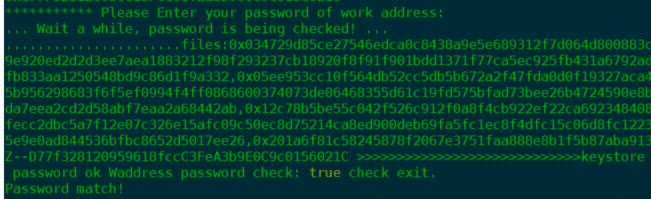
* Choose whether to use KMS to encrypt the private key fragments
AWS Key Management Service (AWS KMS) is a key management serevice provided by Amazon. It can be used to create and manage your master key. Users can choose whether to encrypt private key fragments by using KMS. (Encryption is recommended. It strengthens the security of funds).
If you want to create KMS, you could refer to
If you need to use KMS, please enter `Y` when running the scripts, and you need to provide the relevant information corresponding to the KMS. When it shows “KMS match!” , it means that the KMS-related information you entered is verified correctly.
> *User Access key ID: AKIAJPUJ\*\*\*\*\*\*\*\*\*\**
>
> *User Secret Access Key: KiHjz0g12a\*\*\*\*\*\*\*\*\*\*\**
>
> *KMS Key Region: us-east-1*
>
> *KMS Key ID (ARN): arn:aws:kms:us-east-1: \*\*\*\*\*:key/\*\*\*\*\**

If you don’t need KMS, please enter N when running the scripts and choose not to use KMS for encryption

When you choose not to use the KMS encryption service, please choose whether to save the password locally to support automatic update, which facilitates the automatic upgrade of the agent in the future. Please select Y for agree, and N for refuse.
 The script will automatically start Docker to create the Storeman service. If it displays Storeman Start Success, it means the service starts normally.
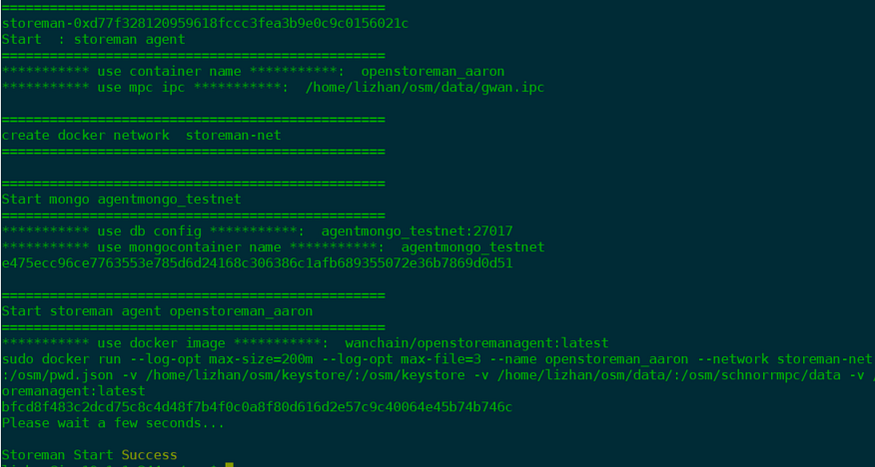
**d) Check Agent Container Status**
```
sudo docker exec -it openstoreman_mainnet pm2 l
```
Status of **online** and restart times of **0** represent normal status.
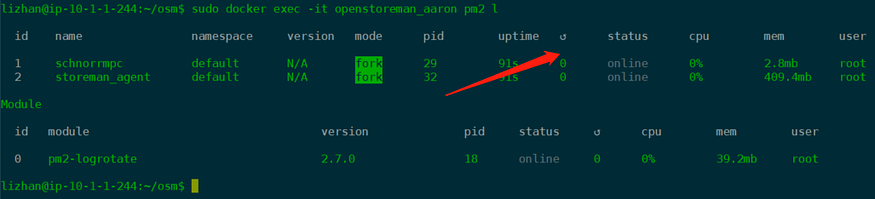
**e) Verify the connection number of Storeman Peers**
Open mpc console through ipc, and check the number of connected MPC nodes in console:
```
sudo docker exec -it openstoreman_mainnet ./schnorrmpc/bin/schnorrmpc attach ./schnorrmpc/data/gwan.ipc
admin.peers.length
```
Confirm the returned peer node information, which indicates the current number of MPC node connections. It should be 1 or 25. If the number is abnormal, please contact Wanchain techsupport team.
* In the Seleting Time for the Storeman Group, the peer number should be 1,
* In the Ready status for the Storeman Group, the peer number should be 25.
## Restart Service
If there is something wrong with your node, try to restart your service
```
cd ~/osm/
./startStoremanV5.sh
```
## 4. Storeman Group Running Period
On the My Bridge Staking page, you can monitor your node's real-time status, increase your stake, claim earned rewards, or initiate the exit process.
### 4.1 Top-up Stake
During the Storeman Group working period, you can top-up WAN to your Storeman.
### 4.2 Claim Rewards
You can claim your rewards every day. But the deposits can only be claimed when the entire Storeman Group period has concluded.
### 4.3 Exit
You can choose to enter the next round or exit the selection process before the next Storeman Group is formed.
You can top-up your staking amount at any time.
*(Note: a cycle is one month — cycle time subject to change in future)*
After a cycle completes, you can claim your both deposits and rewards, and enter the next round.
## 5 How to Delegate WAN to a Storeman Node
If you want to support a specific Storeman node through delegation, follow these steps:
1. Locate Delegation Section: Click the "Delegate to Bridge" button on XStake.
2. Select a Node: Browse the list to find the Storeman node you wish to support.
3. Manage Delegations:
* You can add more WAN to an existing delegation at any time during the operational period.
* Rewards: Delegators can withdraw their portion of the rewards daily.
* Withdrawal: Both the principal delegation and any unclaimed rewards become available for withdrawal after the cycle ends.
> Note on Selection Weight: Increasing the delegation amount improves the Storeman node’s "weight" (ranking), which enhances its chances of being selected for the next group. However, rewards only begin to accrue once the Storeman Group has successfully transitioned to the "Working" status.
## 6 Appendix
Here is an example of the results of runnin Public Key and EnodeID scripts
ubuntu@ip-10-1-1-105:~$ wget https://raw.githubusercontent.com/wanchain/two-way-bridge-contracts/master/helpscript/envSetup.sh &&  chmod +x envSetup.sh && ./envSetup.sh
\--2020-09-28 09:41:22--  [https://raw.githubusercontent.com/wanchain/two-way-bridge-contracts/master/helpscript/envSetup.sh](https://raw.githubusercontent.com/wanchain/two-way-bridge-contracts/master/helpscript/envSetup.sh)
Resolving raw.githubusercontent.com (raw.githubusercontent.com)... 151.101.52.133
Connecting to raw.githubusercontent.com (raw.githubusercontent.com)|151.101.52.133|:443... connected.
HTTP request sent, awaiting response... 200 OK
Length: 2946 (2.9K) \[text/plain\]
Saving to: ‘envSetup.sh.1’envSetup.sh.1                                        100%\[===================================================================================================================>\]   2.88K  --.-KB/s    in 0s      2020-09-28 09:41:22 (54.6 MB/s) - ‘envSetup.sh.1’ saved \[2946/2946\]==========================================
|  Welcome to Mainnet Validator Deploy   | !!!!!! WARNING Please Remember Your Password !!!!!!!!
 !!!!!!Otherwise You will lose all your assets!!!!!!!!
Enter your password of validator account:
Confirm your password of validator account:latest: Pulling from wanchain/openstoremanagent
419e7ae5bb1e: Already exists
848839e0cd3b: Already exists
de30e8b35015: Already exists
258fdea6ea48: Already exists
ca1b0e608d7b: Already exists
dd8cac1f0c02: Already exists
38a17b67fe0d: Already exists
e19d627f8e7d: Already exists
3944518be6fb: Already exists
31dfd4404907: Already exists
95d02f3cb2af: Pull complete
abe226af4359: Pull complete
62f13a73a9a6: Pull complete
2b43fcba66b2: Pull complete
Digest: sha256:d8bd070ebceaeba3be894a23d454fb138b9f16c4f1b8490b2597e9c0b9ad409c
Status: Downloaded newer image for wanchain/openstoremanagent:latest
docker.io/wanchain/openstoremanagent:latest
WARN \[09-28|09:41:40\] No etherbase set and no accounts found as default
INFO \[09-28|09:41:40\] Allocated cache and file handles         database=/osm/schnorrmpc/data/gwan/pos cache=16 handles=256
INFO \[09-28|09:41:40\] Allocated cache and file handles         database=/osm/schnorrmpc/data/gwan/rblocaldb cache=16 handles=256
INFO \[09-28|09:41:40\] Allocated cache and file handles         database=/osm/schnorrmpc/data/gwan/eplocaldb cache=16 handles=256
INFO \[09-28|09:41:40\] Starting peer-to-peer node               instance=gwan/v2.1.5/linux-amd64/go1.13.4
INFO \[09-28|09:41:40\] Allocated cache and file handles         database=/osm/schnorrmpc/data/gwan/chaindata cache=128 handles=8192
INFO \[09-28|09:41:40\] Writing default main-net genesis block
INFO \[09-28|09:41:40\] Initialised chain configuration          config="{ChainID: 1 Byzantium: 0 Engine: ethash}"
INFO \[09-28|09:41:40\] Disk storage enabled for ethash caches   dir=/osm/schnorrmpc/data/gwan/wanhash count=3
INFO \[09-28|09:41:40\] Disk storage enabled for ethash DAGs     dir=/root/.wanhash                    count=2
INFO \[09-28|09:41:40\] Initialising Wanchain protocol           versions="\[63 62\]" network=1
INFO \[09-28|09:41:40\] Loaded most recent local header          number=0 hash=0x0376899c001618fc7d5ab4f31cfd7f57ca3a896ccc1581a57d8f129ecf40b840 td=1048576
INFO \[09-28|09:41:40\] Loaded most recent local full block      number=0 hash=0x0376899c001618fc7d5ab4f31cfd7f57ca3a896ccc1581a57d8f129ecf40b840 td=1048576
INFO \[09-28|09:41:40\] Loaded most recent local fast block      number=0 hash=0x0376899c001618fc7d5ab4f31cfd7f57ca3a896ccc1581a57d8f129ecf40b840 td=1048576
INFO \[09-28|09:41:40\] loaded cq cache                          eclapsed=270ns length=0
INFO \[09-28|09:41:40\] Regenerated local transaction journal    transactions=0 accounts=0
INFO \[09-28|09:41:40\] Starting P2P networking
INFO \[09-28|09:41:40\] RLPx listener up                         self="enode://a277dcfd46eaa436b795bdda227eb921ede625fd8560f33781a7ba273decfb4b09f5d41f9abdb3abedb10db15ef5b471b6405228a889e1e6d48faf0e2e9ed848@\[::\]:17717?discport=0"
INFO \[09-28|09:41:40\] IPC endpoint opened: /osm/schnorrmpc/data/gwan.ipc
INFO \[09-28|09:41:45\] IPC endpoint closed: /osm/schnorrmpc/data/gwan.ipc
INFO \[09-28|09:41:45\] Blockchain manager stopped
INFO \[09-28|09:41:45\] Stopping Wanchain protocol
INFO \[09-28|09:41:45\] Wanchain protocol stopped
INFO \[09-28|09:41:45\] Transaction pool stopped
INFO \[09-28|09:41:45\] Database closed                          database=/osm/schnorrmpc/data/gwan/chaindata
"0x733452e4b0b6e0ae2248b0b46918d64bc8771bf2"
INFO \[09-28|09:41:46\] Allocated cache and file handles         database=/osm/schnorrmpc/data/gwan/pos cache=16 handles=256
INFO \[09-28|09:41:46\] Allocated cache and file handles         database=/osm/schnorrmpc/data/gwan/rblocaldb cache=16 handles=256
INFO \[09-28|09:41:46\] Allocated cache and file handles         database=/osm/schnorrmpc/data/gwan/eplocaldb cache=16 handles=256
INFO \[09-28|09:41:46\] Starting peer-to-peer node               instance=gwan/v2.1.5/linux-amd64/go1.13.4
INFO \[09-28|09:41:46\] Allocated cache and file handles         database=/osm/schnorrmpc/data/gwan/chaindata cache=128 handles=8192
INFO \[09-28|09:41:47\] Initialised chain configuration          config="{ChainID: 1 Byzantium: 0 Engine: ethash}"
INFO \[09-28|09:41:47\] Disk storage enabled for ethash caches   dir=/osm/schnorrmpc/data/gwan/wanhash count=3
INFO \[09-28|09:41:47\] Disk storage enabled for ethash DAGs     dir=/root/.wanhash                    count=2
INFO \[09-28|09:41:47\] Initialising Wanchain protocol           versions="\[63 62\]" network=1
INFO \[09-28|09:41:47\] Loaded most recent local header          number=0 hash=0x0376899c001618fc7d5ab4f31cfd7f57ca3a896ccc1581a57d8f129ecf40b840 td=1048576
INFO \[09-28|09:41:47\] Loaded most recent local full block      number=0 hash=0x0376899c001618fc7d5ab4f31cfd7f57ca3a896ccc1581a57d8f129ecf40b840 td=1048576
INFO \[09-28|09:41:47\] Loaded most recent local fast block      number=0 hash=0x0376899c001618fc7d5ab4f31cfd7f57ca3a896ccc1581a57d8f129ecf40b840 td=1048576
INFO \[09-28|09:41:47\] loaded cq cache                          eclapsed=310ns length=0
INFO \[09-28|09:41:47\] Loaded local transaction journal         transactions=0 dropped=0
INFO \[09-28|09:41:47\] Regenerated local transaction journal    transactions=0 accounts=0
INFO \[09-28|09:41:47\] Starting P2P networking
INFO \[09-28|09:41:47\] RLPx listener up                         self="enode://a277dcfd46eaa436b795bdda227eb921ede625fd8560f33781a7ba273decfb4b09f5d41f9abdb3abedb10db15ef5b471b6405228a889e1e6d48faf0e2e9ed848@\[::\]:17717?discport=0"
INFO \[09-28|09:41:47\] IPC endpoint opened: /osm/schnorrmpc/data/gwan.ipc
INFO \[09-28|09:41:49\] IPC endpoint closed: /osm/schnorrmpc/data/gwan.ipc
INFO \[09-28|09:41:49\] Blockchain manager stopped
INFO \[09-28|09:41:49\] Stopping Wanchain protocol
INFO \[09-28|09:41:49\] Wanchain protocol stopped
INFO \[09-28|09:41:49\] Transaction pool stopped
INFO \[09-28|09:41:49\] Database closed                          database=/osm/schnorrmpc/data/gwan/chaindata
INFO \[09-28|09:41:50\] Allocated cache and file handles         database=/osm/schnorrmpc/data/gwan/pos cache=16 handles=256
INFO \[09-28|09:41:50\] Allocated cache and file handles         database=/osm/schnorrmpc/data/gwan/rblocaldb cache=16 handles=256
INFO \[09-28|09:41:50\] Allocated cache and file handles         database=/osm/schnorrmpc/data/gwan/eplocaldb cache=16 handles=256
INFO \[09-28|09:41:50\] Starting peer-to-peer node               instance=gwan/v2.1.5/linux-amd64/go1.13.4
INFO \[09-28|09:41:50\] Allocated cache and file handles         database=/osm/schnorrmpc/data/gwan/chaindata cache=128 handles=8192
INFO \[09-28|09:41:50\] Initialised chain configuration          config="{ChainID: 1 Byzantium: 0 Engine: ethash}"
INFO \[09-28|09:41:50\] Disk storage enabled for ethash caches   dir=/osm/schnorrmpc/data/gwan/wanhash count=3
INFO \[09-28|09:41:50\] Disk storage enabled for ethash DAGs     dir=/root/.wanhash                    count=2
INFO \[09-28|09:41:50\] Initialising Wanchain protocol           versions="\[63 62\]" network=1
INFO \[09-28|09:41:50\] Loaded most recent local header          number=0 hash=0x0376899c001618fc7d5ab4f31cfd7f57ca3a896ccc1581a57d8f129ecf40b840 td=1048576
INFO \[09-28|09:41:50\] Loaded most recent local full block      number=0 hash=0x0376899c001618fc7d5ab4f31cfd7f57ca3a896ccc1581a57d8f129ecf40b840 td=1048576
INFO \[09-28|09:41:50\] Loaded most recent local fast block      number=0 hash=0x0376899c001618fc7d5ab4f31cfd7f57ca3a896ccc1581a57d8f129ecf40b840 td=1048576
INFO \[09-28|09:41:50\] loaded cq cache                          eclapsed=340ns length=0
INFO \[09-28|09:41:50\] Loaded local transaction journal         transactions=0 dropped=0
INFO \[09-28|09:41:50\] Regenerated local transaction journal    transactions=0 accounts=0
INFO \[09-28|09:41:50\] Starting P2P networking
INFO \[09-28|09:41:50\] RLPx listener up                         self="enode://a277dcfd46eaa436b795bdda227eb921ede625fd8560f33781a7ba273decfb4b09f5d41f9abdb3abedb10db15ef5b471b6405228a889e1e6d48faf0e2e9ed848@\[::\]:17717?discport=0"
INFO \[09-28|09:41:50\] IPC endpoint opened: /osm/schnorrmpc/data/gwan.ipc
INFO \[09-28|09:41:50\] IPC endpoint closed: /osm/schnorrmpc/data/gwan.ipc
INFO \[09-28|09:41:50\] Blockchain manager stopped
INFO \[09-28|09:41:50\] Stopping Wanchain protocol
INFO \[09-28|09:41:50\] Wanchain protocol stopped
INFO \[09-28|09:41:50\] Transaction pool stopped
INFO \[09-28|09:41:50\] Database closed                          database=/osm/schnorrmpc/data/gwan/chaindata
 !!!!!!!!!!!!!!! Important !!!!!!!!!!!!!!!
\==================================================
      Please Backup Your Validator Address
      "0x733452e4b0b6e0ae2248b0b46918d64bc8771bf2"
\==================================================
      Please Backup Your Validator Public Key
0x2d54ecef44b32fa8b7c6e8c1c4e64e2fbc96c98ee027cd7032f53d89a97be3c0a9a10377c9dc688be2b594000d0e914abbf11b8a476b63c0a6ab2be4a64c3792
\==================================================
      Please Backup Your Keystore JSON String{"address":"733452e4B0B6E0AE2248B0b46918d64BC8771BF2","crypto":{"cipher":"aes-128-ctr","ciphertext":"c6d8fbe6a885b8471f4c22835db0cbac7fbfe0c9f2f397d1eadd9840e9e5d4f3","cipherparams":{"iv":"8d569d4c96d6ddd69de9a3f8a36a4216"},"kdf":"scrypt","kdfparams":{"dklen":32,"n":262144,"p":1,"r":8,"salt":"2f0c2c117891a3e9f26766b591a6998c1cfeb2aff9e411f301743d9bd1da7bdb"},"mac":"93bf267476286be3b8296d665107f412c1f7eae56afc4fce9a78ca28bdeb4693"},"crypto2":{"cipher":"aes-128-ctr","ciphertext":"129e452adbd5bbd2ba9ae6bea7b54641e6c32064cb25d813dc62debbe4335070","cipherparams":{"iv":"736febbacaf06e4e61c1d0cf8010f8e6"},"kdf":"scrypt","kdfparams":{"dklen":32,"n":262144,"p":1,"r":8,"salt":"88e483a2fce18c6efc289111f70010fd6833fe9d579069902ae827c109017766"},"mac":"a894cd1b61a6ab7d92d53da3ed9da07c7d6ddb83d29212f4ca44ad55468c0cdb"},"id":"7cb62af2-d704-4d09-9c80-85cfa309ca82","version":3,"waddress":"022d54ecef44b32fa8b7c6e8c1c4e64e2fbc96c98ee027cd7032f53d89a97be3c00315a46e2648cbf3adc080987846b030f3dbda9a3c9af1e753333ba185c6689511"}==================================================
      Please Backup Your Nodekey String6c99ddaaa5664bf8a0c36647b1a1a99dedb7f821415f6b6eeee9c1e60ac9d76b==================================================
      Please Backup Your EnodeId String0xa277dcfd46eaa436b795bdda227eb921ede625fd8560f33781a7ba273decfb4b09f5d41f9abdb3abedb10db15ef5b471b6405228a889e1e6d48faf0e2e9ed848
Please properly back up information above such as Public Key, Keystore, Nodekey and EnodeID after running scripts.
# How to deploy a Bridge Node via WanWallet Desktop (Legacy)
### 1. Install the Wanchain Desktop Wallet
[WanWallet Desktop Download link](https://www.wanchain.org/getstarted/)

## 2. Storeman Selection
In order to form a wanBridge, 25 Storeman nodes must work together. In order to choose which 25 nodes may form a wanBridge, there is a selection process based on the amount of stake in each node. The 25 nodes with the most WAN staked will be selected. In order to be considered for selection, node operators must register their node with a on-chain transaction.
**Summary of the Storeman setup process:**
Run scripts to obtain a Storeman Work Address , Public Key (your Storeman registration in WanWallet will be used), EnodeId String (your Storeman registration in WanWallet will be used), and back up the folder generated by the scripts.
### 2.1 Generate Public Key and nodeID
**Run scripts in Linux Ubuntu environment, and make sure the environment is safe**
Rename or delete `osm` if it already exists at `/home/user`
```shell
wget https://raw.githubusercontent.com/wanchain/two-way-bridge-contracts/master/helpscript/envSetup.sh && chmod +x envSetup.sh && ./envSetup.sh
```
After you run the scripts above, there will be a folder `osm` generated at `/home/user`. The folder `osm` will be used when you start your Storeman node.
***Backup BOTH the script output and also the osm folder. If you are running these scripts locally, you will later need to copy the*** `**_osm_**` ***folder generated by these scripts to your cloud server.***
**Note:** The contents marked in bold will be used once you register your Storeman in WanWallet.
```
!!!!!!!!!!!!!!! Important !!!!!!!!!!!!!!!
\==================================================
Please Backup Your Work Address
“0x733452e4b0b6e0ae2248b0b46918d64bc8771bf2”
\==================================================
Please Backup Your Work Public Key
**0x2d54ecef44b32fa8b7c6e8c1c4e64e2fbc96c98ee027cd7032f53d89a97be3c0a9a10377c9dc688be2b594000d0e914abbf11b8a476b63c0a6ab2be4a64c3792
**\==================================================
Please Backup Your Keystore JSON String
{“address”:”733452e4B0B6E0AE2248B0b46918d64BC8771BF2",”crypto”:{“cipher”:”aes-128-ctr”,”ciphertext”:”c6d8fbe6a885b8471f4c22835db0cbac7fbfe0c9f2f397d1eadd9840e9e5d4f3",”cipherparams”:{“iv”:”8d569d4c96d6ddd69de9a3f8a36a4216"},”kdf”:”scrypt”,”kdfparams”:{“dklen”:32,”n”:262144,”p”:1,”r”:8,”salt”:”2f0c2c117891a3e9f26766b591a6998c1cfeb2aff9e411f301743d9bd1da7bdb”},”mac”:”93bf267476286be3b8296d665107f412c1f7eae56afc4fce9a78ca28bdeb4693"},”crypto2":{“cipher”:”aes-128-ctr”,”ciphertext”:”129e452adbd5bbd2ba9ae6bea7b54641e6c32064cb25d813dc62debbe4335070",”cipherparams”:{“iv”:”736febbacaf06e4e61c1d0cf8010f8e6"},”kdf”:”scrypt”,”kdfparams”:{“dklen”:32,”n”:262144,”p”:1,”r”:8,”salt”:”88e483a2fce18c6efc289111f70010fd6833fe9d579069902ae827c109017766"},”mac”:”a894cd1b61a6ab7d92d53da3ed9da07c7d6ddb83d29212f4ca44ad55468c0cdb”},”id”:”7cb62af2-d704–4d09–9c80–85cfa309ca82",”version”:3,”waddress”:”022d54ecef44b32fa8b7c6e8c1c4e64e2fbc96c98ee027cd7032f53d89a97be3c00315a46e2648cbf3adc080987846b030f3dbda9a3c9af1e753333ba185c6689511"}
\==================================================
Please Backup Your Nodekey String
6c99ddaaa5664bf8a0c36647b1a1a99dedb7f821415f6b6eeee9c1e60ac9d76b==================================================
Please Backup Your EnodeId String
**0xa277dcfd46eaa436b795bdda227eb921ede625fd8560f33781a7ba273decfb4b09f5d41f9abdb3abedb10db15ef5b471b6405228a889e1e6d48faf0e2e9ed848**
```
### 2.2 Stake WAN using WanWallet Desktop
**A) Go to the Storeman staking page**
Open WanWallet Desktop, go to Storeman > Storeman. This is the page for your Storeman to stake. Please transfer a small amount of WAN to your Storeman Work Address for gas fees which are required for your node to operate. The transaction will fail if the validator address has 0 WAN.

**B) Register as a Storeman Candidate**
After the Wanchain Foundation sends a transaction to begin a new Storeman Group, it will be visible in the **Open Group List:**

Input the Public Key and Enode ID you generated by the previously run script

Select the account which you want to stake from and the amount of WAN you want to stake. After you confirm this information, you can see your staking details in the Storeman List.
**Add Additional Stake or Attract Delegations to Increase Selection Chances**
After your Storeman becomes a Candidate, you can see the ranking of all Storeman Nodes, and top-up funds in theWanWallet.
You can also accept delegations from individuals in order to increase your chance of getting selected.

## 3 Check Selection Results, and Set Up Storeman Node if Selected
### 3.1 Check Election Result
You can check the Storeman selections results directly through the desktop wallet. If the status is **Selected**, it means that your Storeman node successfully entered the Storeman Group. If the Status is **Not Selected**, it means that your Storeman node failed to enter the group.
The Storeman nodes which fail to be selected can claim back their WAN.
### 3.2. Cloud Server Setup
**Recommended Specifications:**
A public IP without a proxy is required. Cloud and bare metal servers are both supported. The following table shows the requirements:
| Item | Minimum |
| ---------------- | ------------ |
| Server Type | AWS m4.large |
| vCPU Cores | 2 |
| RAM | 8GB |
| Disk Space | 80GB |
| Bandwidth | 20mbps |
| Operating System | Ubuntu 22.04 |
**Prepare Keystore and Nodekey**
If you ran the setup scripts locally, please copy the Keystore and Nodekey files which were generated at `/home/user` to the same path on your cloud server. (See Section 2 for how to generate Keystore and Nodekey)
### 3.3 Install Storeman Service:
**a) Transfer Small Amount of WAN to Work Address**
Double check you have already transferred a small amount of WAN to your Storeman Work Address for gas fees. The transaction will fail if the Storeman work address has 0 WAN.
**b) Environment Setup:**
**Open Ports:**
Log in to your cloud server platform (such as AWS). Enable the following ports in the firewall inbound settings: **TCP 37718/UDP 37718**, and enable the following ports in the firewall outbound settings: **TCP 26891/ TCP 26892/ TCP 30000 (By default, the outbound rule in most cloud platforms is set to open, so you just keep the default settings of outbound ports).** If you modify the ports of the scripts, please add the related port in your firewall.
* [AWS help doc](https://docs.aws.amazon.com/vpc/latest/userguide/VPC_SecurityGroups.html)
* [Google Cloud help doc](https://cloud.google.com/vpc/docs/firewalls)
* [Alibaba Cloud help doc](https://www.alibabacloud.com/help/zh/doc-detail/25471.htm)
**Initialize the environment:**
```
sudo chown $USER ~/osm
cd ~/osm
rm init\_open\_storeman\_EnvV3.sh
wget https://raw.githubusercontent.com/wanchain/two-way-bridge-contracts/master/helpscript/init_open_storeman_EnvV3.sh && chmod +x init_open_storeman_EnvV3.sh && ./init\_open\_storeman\_EnvV3.sh
rm startStoremanV5.sh
wget https://raw.githubusercontent.com/wanchain/two-way-bridge-contracts/master/helpscript/startStoremanV5.sh && chmod +x startStoremanV5.sh
```
**c) Start Storeman Agent**
Start Agent
```
cd ~/osm/
./startStoremanV5.sh
```
Follow the steps of scripts
* Choose the network of Storeman: mainnet

* Input Work Address of **YOUR** Storeman (DO NOT input the following work address!!)

* Input the password of your Work Address. If it shows “Password match!”, it means that your password is correct

* Choose whether to use KMS to encrypt the private key fragments
AWS Key Management Service (AWS KMS) is a key management serevice provided by Amazon. It can be used to create and manage your master key. Users can choose whether to encrypt private key fragments by using KMS. (Encryption is recommended. It strengthens the security of funds).
If you want to create KMS, you could refer to
If you need to use KMS, please enter `Y` when running the scripts, and you need to provide the relevant information corresponding to the KMS. When it shows “KMS match!” , it means that the KMS-related information you entered is verified correctly.
> *User Access key ID: AKIAJPUJ\*\*\*\*\*\*\*\*\*\**
>
> *User Secret Access Key: KiHjz0g12a\*\*\*\*\*\*\*\*\*\*\**
>
> *KMS Key Region: us-east-1*
>
> *KMS Key ID (ARN): arn:aws:kms:us-east-1: \*\*\*\*\*:key/\*\*\*\*\**

If you don’t need KMS, please enter N when running the scripts and choose not to use KMS for encryption

When you choose not to use the KMS encryption service, please choose whether to save the password locally to support automatic update, which facilitates the automatic upgrade of the agent in the future. Please select Y for agree, and N for refuse.
 The script will automatically start Docker to create the Storeman service. If it displays Storeman Start Success, it means the service starts normally.

**d) Check Agent Container Status**
```
sudo docker exec -it openstoreman_mainnet pm2 l
```
Status of **online** and restart times of **0** represent normal status.

**e) Verify the connection number of Storeman Peers**
Open mpc console through ipc, and check the number of connected MPC nodes in console:
```
sudo docker exec -it openstoreman_mainnet ./schnorrmpc/bin/schnorrmpc attach ./schnorrmpc/data/gwan.ipc
admin.peers.length
```
Confirm the returned peer node information, which indicates the current number of MPC node connections. It should be 1 or 21. If the number is abnormal, please contact Wanchain techsupport team.
* In the Seleting Time for the Storeman Group, the peer number should be 1,
* In the Ready status for the Storeman Group, the peer number should be 21.
## Restart Service
If there is something wrong with your node, try to restart your service
```
cd ~/osm/
./startStoremanV5.sh
```
## 4 Storeman Group Running Period
\=================================
### 4.1 Top-up Stake
During the Storeman Group working period, you can top-up WAN to your Storeman.
### 4.2 Claim Rewards
You can claim your rewards every day. But the deposits can only be claimed when the entire Storeman Group period has concluded.
### 4.3 Exit
You can choose to enter the next round or exit the selection process before the next Storeman Group is formed.
You can top-up your staking amount at any time.
*(Note: a cycle is one month — cycle time subject to change in future)*
After a cycle completes, you can claim your both deposits and rewards, and enter the next round.
## 5 How To Delegate WAN To A Storeman
Find the Delegation button:
Click on New Delegation, and choose a Storeman to delegate to:
You can also top-up WAN delegations to the same Storeman during the Storeman Group running period. You can withdraw your rewards each day. After a cycle completes, you can withdraw both deposits and rewards.
**Please note that the delegation amount to a Storeman can increase this Storeman’s weight. But the rewards will only be counted after the Storeman Group starts working.**
## 6 Appendix
Here is an example of the results of runnin Public Key and EnodeID scripts
```
ubuntu@ip-10-1-1-105:~$ wget https://raw.githubusercontent.com/wanchain/two-way-bridge-contracts/master/helpscript/envSetup.sh && chmod +x envSetup.sh && ./envSetup.sh
\--2020-09-28 09:41:22-- [https://raw.githubusercontent.com/wanchain/two-way-bridge-contracts/master/helpscript/envSetup.sh](https://raw.githubusercontent.com/wanchain/two-way-bridge-contracts/master/helpscript/envSetup.sh)
Resolving raw.githubusercontent.com (raw.githubusercontent.com)... 151.101.52.133
Connecting to raw.githubusercontent.com (raw.githubusercontent.com)|151.101.52.133|:443... connected.
HTTP request sent, awaiting response... 200 OK
Length: 2946 (2.9K) \[text/plain\]
Saving to: ‘envSetup.sh.1’envSetup.sh.1 100%\[===================================================================================================================>\] 2.88K --.-KB/s in 0s 2020-09-28 09:41:22 (54.6 MB/s) - ‘envSetup.sh.1’ saved \[2946/2946\]==========================================
| Welcome to Mainnet Validator Deploy | !!!!!! WARNING Please Remember Your Password !!!!!!!!
!!!!!!Otherwise You will lose all your assets!!!!!!!!
Enter your password of validator account:
Confirm your password of validator account:latest: Pulling from wanchain/openstoremanagent
419e7ae5bb1e: Already exists
848839e0cd3b: Already exists
de30e8b35015: Already exists
258fdea6ea48: Already exists
ca1b0e608d7b: Already exists
dd8cac1f0c02: Already exists
38a17b67fe0d: Already exists
e19d627f8e7d: Already exists
3944518be6fb: Already exists
31dfd4404907: Already exists
95d02f3cb2af: Pull complete
abe226af4359: Pull complete
62f13a73a9a6: Pull complete
2b43fcba66b2: Pull complete
Digest: sha256:d8bd070ebceaeba3be894a23d454fb138b9f16c4f1b8490b2597e9c0b9ad409c
Status: Downloaded newer image for wanchain/openstoremanagent:latest
docker.io/wanchain/openstoremanagent:latest
WARN \[09-28|09:41:40\] No etherbase set and no accounts found as default
INFO \[09-28|09:41:40\] Allocated cache and file handles database=/osm/schnorrmpc/data/gwan/pos cache=16 handles=256
INFO \[09-28|09:41:40\] Allocated cache and file handles database=/osm/schnorrmpc/data/gwan/rblocaldb cache=16 handles=256
INFO \[09-28|09:41:40\] Allocated cache and file handles database=/osm/schnorrmpc/data/gwan/eplocaldb cache=16 handles=256
INFO \[09-28|09:41:40\] Starting peer-to-peer node instance=gwan/v2.1.5/linux-amd64/go1.13.4
INFO \[09-28|09:41:40\] Allocated cache and file handles database=/osm/schnorrmpc/data/gwan/chaindata cache=128 handles=8192
INFO \[09-28|09:41:40\] Writing default main-net genesis block
INFO \[09-28|09:41:40\] Initialised chain configuration config="{ChainID: 1 Byzantium: 0 Engine: ethash}"
INFO \[09-28|09:41:40\] Disk storage enabled for ethash caches dir=/osm/schnorrmpc/data/gwan/wanhash count=3
INFO \[09-28|09:41:40\] Disk storage enabled for ethash DAGs dir=/root/.wanhash count=2
INFO \[09-28|09:41:40\] Initialising Wanchain protocol versions="\[63 62\]" network=1
INFO \[09-28|09:41:40\] Loaded most recent local header number=0 hash=0x0376899c001618fc7d5ab4f31cfd7f57ca3a896ccc1581a57d8f129ecf40b840 td=1048576
INFO \[09-28|09:41:40\] Loaded most recent local full block number=0 hash=0x0376899c001618fc7d5ab4f31cfd7f57ca3a896ccc1581a57d8f129ecf40b840 td=1048576
INFO \[09-28|09:41:40\] Loaded most recent local fast block number=0 hash=0x0376899c001618fc7d5ab4f31cfd7f57ca3a896ccc1581a57d8f129ecf40b840 td=1048576
INFO \[09-28|09:41:40\] loaded cq cache eclapsed=270ns length=0
INFO \[09-28|09:41:40\] Regenerated local transaction journal transactions=0 accounts=0
INFO \[09-28|09:41:40\] Starting P2P networking
INFO \[09-28|09:41:40\] RLPx listener up self="enode://a277dcfd46eaa436b795bdda227eb921ede625fd8560f33781a7ba273decfb4b09f5d41f9abdb3abedb10db15ef5b471b6405228a889e1e6d48faf0e2e9ed848@\[::\]:17717?discport=0"
INFO \[09-28|09:41:40\] IPC endpoint opened: /osm/schnorrmpc/data/gwan.ipc
INFO \[09-28|09:41:45\] IPC endpoint closed: /osm/schnorrmpc/data/gwan.ipc
INFO \[09-28|09:41:45\] Blockchain manager stopped
INFO \[09-28|09:41:45\] Stopping Wanchain protocol
INFO \[09-28|09:41:45\] Wanchain protocol stopped
INFO \[09-28|09:41:45\] Transaction pool stopped
INFO \[09-28|09:41:45\] Database closed database=/osm/schnorrmpc/data/gwan/chaindata
"0x733452e4b0b6e0ae2248b0b46918d64bc8771bf2"
INFO \[09-28|09:41:46\] Allocated cache and file handles database=/osm/schnorrmpc/data/gwan/pos cache=16 handles=256
INFO \[09-28|09:41:46\] Allocated cache and file handles database=/osm/schnorrmpc/data/gwan/rblocaldb cache=16 handles=256
INFO \[09-28|09:41:46\] Allocated cache and file handles database=/osm/schnorrmpc/data/gwan/eplocaldb cache=16 handles=256
INFO \[09-28|09:41:46\] Starting peer-to-peer node instance=gwan/v2.1.5/linux-amd64/go1.13.4
INFO \[09-28|09:41:46\] Allocated cache and file handles database=/osm/schnorrmpc/data/gwan/chaindata cache=128 handles=8192
INFO \[09-28|09:41:47\] Initialised chain configuration config="{ChainID: 1 Byzantium: 0 Engine: ethash}"
INFO \[09-28|09:41:47\] Disk storage enabled for ethash caches dir=/osm/schnorrmpc/data/gwan/wanhash count=3
INFO \[09-28|09:41:47\] Disk storage enabled for ethash DAGs dir=/root/.wanhash count=2
INFO \[09-28|09:41:47\] Initialising Wanchain protocol versions="\[63 62\]" network=1
INFO \[09-28|09:41:47\] Loaded most recent local header number=0 hash=0x0376899c001618fc7d5ab4f31cfd7f57ca3a896ccc1581a57d8f129ecf40b840 td=1048576
INFO \[09-28|09:41:47\] Loaded most recent local full block number=0 hash=0x0376899c001618fc7d5ab4f31cfd7f57ca3a896ccc1581a57d8f129ecf40b840 td=1048576
INFO \[09-28|09:41:47\] Loaded most recent local fast block number=0 hash=0x0376899c001618fc7d5ab4f31cfd7f57ca3a896ccc1581a57d8f129ecf40b840 td=1048576
INFO \[09-28|09:41:47\] loaded cq cache eclapsed=310ns length=0
INFO \[09-28|09:41:47\] Loaded local transaction journal transactions=0 dropped=0
INFO \[09-28|09:41:47\] Regenerated local transaction journal transactions=0 accounts=0
INFO \[09-28|09:41:47\] Starting P2P networking
INFO \[09-28|09:41:47\] RLPx listener up self="enode://a277dcfd46eaa436b795bdda227eb921ede625fd8560f33781a7ba273decfb4b09f5d41f9abdb3abedb10db15ef5b471b6405228a889e1e6d48faf0e2e9ed848@\[::\]:17717?discport=0"
INFO \[09-28|09:41:47\] IPC endpoint opened: /osm/schnorrmpc/data/gwan.ipc
INFO \[09-28|09:41:49\] IPC endpoint closed: /osm/schnorrmpc/data/gwan.ipc
INFO \[09-28|09:41:49\] Blockchain manager stopped
INFO \[09-28|09:41:49\] Stopping Wanchain protocol
INFO \[09-28|09:41:49\] Wanchain protocol stopped
INFO \[09-28|09:41:49\] Transaction pool stopped
INFO \[09-28|09:41:49\] Database closed database=/osm/schnorrmpc/data/gwan/chaindata
INFO \[09-28|09:41:50\] Allocated cache and file handles database=/osm/schnorrmpc/data/gwan/pos cache=16 handles=256
INFO \[09-28|09:41:50\] Allocated cache and file handles database=/osm/schnorrmpc/data/gwan/rblocaldb cache=16 handles=256
INFO \[09-28|09:41:50\] Allocated cache and file handles database=/osm/schnorrmpc/data/gwan/eplocaldb cache=16 handles=256
INFO \[09-28|09:41:50\] Starting peer-to-peer node instance=gwan/v2.1.5/linux-amd64/go1.13.4
INFO \[09-28|09:41:50\] Allocated cache and file handles database=/osm/schnorrmpc/data/gwan/chaindata cache=128 handles=8192
INFO \[09-28|09:41:50\] Initialised chain configuration config="{ChainID: 1 Byzantium: 0 Engine: ethash}"
INFO \[09-28|09:41:50\] Disk storage enabled for ethash caches dir=/osm/schnorrmpc/data/gwan/wanhash count=3
INFO \[09-28|09:41:50\] Disk storage enabled for ethash DAGs dir=/root/.wanhash count=2
INFO \[09-28|09:41:50\] Initialising Wanchain protocol versions="\[63 62\]" network=1
INFO \[09-28|09:41:50\] Loaded most recent local header number=0 hash=0x0376899c001618fc7d5ab4f31cfd7f57ca3a896ccc1581a57d8f129ecf40b840 td=1048576
INFO \[09-28|09:41:50\] Loaded most recent local full block number=0 hash=0x0376899c001618fc7d5ab4f31cfd7f57ca3a896ccc1581a57d8f129ecf40b840 td=1048576
INFO \[09-28|09:41:50\] Loaded most recent local fast block number=0 hash=0x0376899c001618fc7d5ab4f31cfd7f57ca3a896ccc1581a57d8f129ecf40b840 td=1048576
INFO \[09-28|09:41:50\] loaded cq cache eclapsed=340ns length=0
INFO \[09-28|09:41:50\] Loaded local transaction journal transactions=0 dropped=0
INFO \[09-28|09:41:50\] Regenerated local transaction journal transactions=0 accounts=0
INFO \[09-28|09:41:50\] Starting P2P networking
INFO \[09-28|09:41:50\] RLPx listener up self="enode://a277dcfd46eaa436b795bdda227eb921ede625fd8560f33781a7ba273decfb4b09f5d41f9abdb3abedb10db15ef5b471b6405228a889e1e6d48faf0e2e9ed848@\[::\]:17717?discport=0"
INFO \[09-28|09:41:50\] IPC endpoint opened: /osm/schnorrmpc/data/gwan.ipc
INFO \[09-28|09:41:50\] IPC endpoint closed: /osm/schnorrmpc/data/gwan.ipc
INFO \[09-28|09:41:50\] Blockchain manager stopped
INFO \[09-28|09:41:50\] Stopping Wanchain protocol
INFO \[09-28|09:41:50\] Wanchain protocol stopped
INFO \[09-28|09:41:50\] Transaction pool stopped
INFO \[09-28|09:41:50\] Database closed database=/osm/schnorrmpc/data/gwan/chaindata
!!!!!!!!!!!!!!! Important !!!!!!!!!!!!!!!
\==================================================
Please Backup Your Validator Address
"0x733452e4b0b6e0ae2248b0b46918d64bc8771bf2"
\==================================================
Please Backup Your Validator Public Key
0x2d54ecef44b32fa8b7c6e8c1c4e64e2fbc96c98ee027cd7032f53d89a97be3c0a9a10377c9dc688be2b594000d0e914abbf11b8a476b63c0a6ab2be4a64c3792
\==================================================
Please Backup Your Keystore JSON String{"address":"733452e4B0B6E0AE2248B0b46918d64BC8771BF2","crypto":{"cipher":"aes-128-ctr","ciphertext":"c6d8fbe6a885b8471f4c22835db0cbac7fbfe0c9f2f397d1eadd9840e9e5d4f3","cipherparams":{"iv":"8d569d4c96d6ddd69de9a3f8a36a4216"},"kdf":"scrypt","kdfparams":{"dklen":32,"n":262144,"p":1,"r":8,"salt":"2f0c2c117891a3e9f26766b591a6998c1cfeb2aff9e411f301743d9bd1da7bdb"},"mac":"93bf267476286be3b8296d665107f412c1f7eae56afc4fce9a78ca28bdeb4693"},"crypto2":{"cipher":"aes-128-ctr","ciphertext":"129e452adbd5bbd2ba9ae6bea7b54641e6c32064cb25d813dc62debbe4335070","cipherparams":{"iv":"736febbacaf06e4e61c1d0cf8010f8e6"},"kdf":"scrypt","kdfparams":{"dklen":32,"n":262144,"p":1,"r":8,"salt":"88e483a2fce18c6efc289111f70010fd6833fe9d579069902ae827c109017766"},"mac":"a894cd1b61a6ab7d92d53da3ed9da07c7d6ddb83d29212f4ca44ad55468c0cdb"},"id":"7cb62af2-d704-4d09-9c80-85cfa309ca82","version":3,"waddress":"022d54ecef44b32fa8b7c6e8c1c4e64e2fbc96c98ee027cd7032f53d89a97be3c00315a46e2648cbf3adc080987846b030f3dbda9a3c9af1e753333ba185c6689511"}==================================================
Please Backup Your Nodekey String6c99ddaaa5664bf8a0c36647b1a1a99dedb7f821415f6b6eeee9c1e60ac9d76b==================================================
Please Backup Your EnodeId String0xa277dcfd46eaa436b795bdda227eb921ede625fd8560f33781a7ba273decfb4b09f5d41f9abdb3abedb10db15ef5b471b6405228a889e1e6d48faf0e2e9ed848
```
Please properly back up information above such as Public Key, Keystore, Nodekey and EnodeID after running scripts.
# What is the Wanchain Bridge Node Group?
The Wanchain Bridge Node Group is a collection of decentralised, permissionless Bridge Nodes that are rotated and re-elected monthly. Bridge Nodes use a combination of Secure Multiparty Computation (sMPC) and Shamir’s Secret Sharing cryptography to execute cross-chain transactions, secure cross-chain assets, and transfer messages and arbitrary data between EVM and non-EVM blockchains.
# What is WanBridge?
WanBridge is Wanchain’s direct, non-custodial value-transfer bridge. It is a network of smart contracts that can lock, burn, unlock and mint fungible tokens and NFTs on both EVM and non-EVM networks without requiring any intermediary blockchains or centralised intervention. WanBridge cross-chain transactions are executed and secured by the Wanchain Bridge Node Group.
# What is XFlows?
Housed within WanBridge, XFlows is Wanchain’s canonical bridge. XFlows uses decentralised liquidity pools to enable native-to-native cross-chain asset transfers. This protocol currently supports 4 assets, BTC, ETH, USDC and USDT, across more than a dozen blockchains. These 4 assets represent more than 90% of all crypto transactions.
# What is XStake?
XStake is Wanchain’s web-based staking platform. It is designed to house a variety of infrastructure-supporting staking opportunities. XStake streamlines the process of delegating WAN tokens to Wanchain Bridge Nodes and Wanchain PoS Validator Nodes.
# What is XPort?
XPort is Wanchain’s cross-chain message passing protocol. It is composed of two basic elements: a set of rudimentary smart contracts and a robust off-chain relayer. The smart contracts detect messages and arbitrary data on a source chain and repeat it on a destination chain in the correct format. These messages and data can then be fed into 3rd party smart contracts to seamlessly execute on-chain logic and create novel cross-chain applications. The off-chain relayer is the Wanchain Bridge Node Group.
# What is the Wanchain L1 Blockchain
The Wanchain L1 Blockchain is a sustainable Layer 1 PoS blockchain. It is a full Ethereum-like environment that works with industry standard Ethereum tools, DAPPs and protocols. The Wanchain L1 Blockchain uses a Proof of Stake consensus algorithm called Galaxy Consensus that leverages a variety of cryptographic schemes including distributed secret sharing and threshold signatures to improve random number generation and block production mechanisms. Galaxy Consensus, developed by world-class researchers and academics, is a continuation of Cardano’s Ouroboros.
# What is the WAN coin?
The WAN coin is the native asset of the Wanchain L1 Blockchain. WAN coins enable several functions including regular transactions and smart contract interactions on the Wanchain L1 Blockchain. A small amount of WAN is burned alongside every transaction. WAN coin’s max supply is 210,000,000.
WAN coins have utility beyond the Wanchain L1 Blockchain. For instance:
* WAN coins can be staked to deploy Wanchain PoS Validator Nodes
* WAN coins can be delegated to existing Wanchain PoS Validator Nodes
* WAN coins can be staked to deploy Wanchain Bridge Nodes
* WAN coins can be delegated to existing Wanchain Bridge Nodes
* WAN coins serve as collateral to secure all cross-chain transactions
* Fees collected from cross-chain transactions are converted to WAN coins
# Wanchain Bridge User Manual (New Version)
## What's New
The new version of the Wanchain Bridge introduces several major improvements:
**Performance**
* Increased transaction speed and efficiency.
**Features**
* Added support for direct token selection mode and select-chain-then-token mode.
* Added support for more blockchains and asset types.
* Added support for new extension wallets.
* Added support for disconnecting and switching between connected wallets.
* Added support for connecting separate EVM wallets and Non-EVM wallets when transferring assets between EVM chains and Non-EVM chains.
* Added a toggle to only display XFlows & CCTP routes.
* Added cross-chain transaction time estimates.
* Added a dashboard and liquidity page to view Wanchain Bridge statistics.
* Added a dark mode.
* Added a history page.
* Added an NFT bridge page to display all supported NFT collections and available NFTs.
## Cross-chain transactions using the new WanBridge
This guide will demonstrate five separate cross-chain transactions:
1. $ETH from Ethereum to Wanchain using the[ WanBridge web portal](https://bridge.wanchain.org/#/) with Metamask.
2. $ADA from Cardano to Wanchain using the[ WanBridge web portal](https://bridge.wanchain.org/#/) with Nami wallet.
3. $BTC from Bitcoin to Wanchain using the [WanBridge web portal](https://bridge.wanchain.org/#/) and an external BTC wallet.
4. NFT cross-chain transaction from Ethereum to BNB Chain using the [WanBridge web portal](https://bridge.wanchain.org/#/) with Metamask.
5. $WAN from Wanchain to XDC Network using the MetaMask mobile app.
### Cross-chain transferring ETH from Ethereum to Wanchain
#### Step 1. Make sure you have the appropriate wallets installed.
Before completing decentralised cross-chain transactions using the[ WanBridge web portal](https://bridge.wanchain.org/#/), you need to ensure you have access to the correct wallet(s). You must have wallets for each network involved in the cross-chain transaction.[ Metamask](https://metamask.io/) is a fantastic wallet that grants you access to any EVM-compatible blockchain networks. Also ensure you have the correct non-EVM wallets installed if you are interacting with non-EVM chains.
#### Step 2: Visit the WanBridge web portal and connect your wallet.
Click on the "**Connect wallet**" button in the top right corner, and connect to an EVM Compatible wallet that supports Ethereum, such as Metamask.
Click “**MetaMask**”
If this is your first time using the[ WanBridge web portal](https://bridge.wanchain.org/#/), you will first need to give permission to connect your wallet. Follow the MetaMask prompts by clicking “Next” then “Connect” as instructed.
#### Step 3: Initiate a cross-chain transaction to move your $ETH from Ethereum to Wanchain.
Select the “**From Chain**” as **Ethereum** and the “**Asset**” as **ETH**.
*Note: This will automatically switch the network to Ethereum if your MetaMask is on another network.*
Select the “**To Chain**” as **Wanchain**, which will automatically fill in your connected wallet address. If you wish to use a different destination address, you can click the **Edit** button, then enter your address and click save.
Enter the amount you wish to cross-chain transfer, then click “**Next**”.
Confirm that the “**Recipient**” address does not belong to a centralised exchange then click “**Confirm**”.
After confirming the information is correct, click the "**Confirm**" button, then click “**Confirm**” in the MetaMask pop-up to confirm the transaction.
#### Step 4: Wait for your cross-chain transaction to complete. It is now processing.
Your cross-chain transaction is now processing, please be patient. On the cross-chain history tab, you’ll the status will change two times:
* In Progress (1/2)
* In Progress (2/2)
* Success
*Note: The speed of the cross-chain transaction is entirely dependent on the networks involved. Transactions involving slower networks like Bitcoin or Ethereum may take several minutes or more to complete.*
#### Step 5: Confirm the receipt of your funds. Your cross-chain transaction is complete!
Once your cross-chain transaction is complete, you’ll see your $ETH balance on Wanchain (called $wanETH) and the cross-chain transaction status change to “**success**”.
### Cross-chain transferring ADA from Cardano to Wanchain
#### Step 1. Make sure you have the appropriate wallets installed.
Before completing decentralised cross-chain transactions using the[ WanBridge web portal](https://bridge.wanchain.org/#/), you need to ensure you have access to the correct wallet(s). You must have wallets for each network involved in the cross-chain transaction.[ ](https://metamask.io/)[Nami](https://www.namiwallet.io) is a popular wallet that grants you access to the Cardano blockchain network. [Metamask](https://metamask.io/) is a fantastic wallet that grants you access to any EVM-compatible blockchain networks.
#### Step 2: Visit the WanBridge web portal and connect your wallet.
Click on the "**Connect wallet**" button in the top right corner, and connect to a Cardano Compatible wallet, such as Nami.
#### Step 3: Initiate a cross-chain transaction to move your $ADA from Cardano to Wanchain.
Select the “**From Chain**” as **Cardano** and the “**Asset**” as **ADA**.
Select the “**To Chain**” as **Wanchain**. Click the small **wallet icon** on the right side of the input box to connect a Wanchain-supported extension wallet such as MetaMask, then select your address from the list. You can also click the **Edit** button, enter your address manually, then click the green check mark to save.
Enter the amount you wish to cross-chain transfer, then click “**Next**”.
Confirm that the “**Recipient**” address does not belong to a centralised exchange then click “**Confirm**”.
After confirming the information is correct, click the "**Confirm**" button, then click “**Sign**” in the Nami pop-up to confirm the transaction.
#### Step 4: Wait for your cross-chain transaction to complete. It is now processing.
Your cross-chain transaction is now processing, please be patient. On the cross-chain history tab, you’ll the status will change two times:
* In Progress (1/2)
* In Progress (2/2)
* Success
*Note: The speed of the cross-chain transaction is entirely dependent on the networks involved. Transactions involving slower networks like Bitcoin or Ethereum may take several minutes or more to complete.*
#### Step 5: Confirm the receipt of your funds. Your cross-chain transaction is complete!
Once your cross-chain transaction is complete, you’ll see your $ADA balance on Wanchain (called $wanADA) and the cross-chain transaction status change to “**success**”.
### Cross-chain transferring BTC from Bitcoin to Wanchain
#### Step 1. Make sure you have the appropriate wallets installed.
Before completing decentralised cross-chain transactions using the[ WanBridge web portal](https://bridge.wanchain.org/#/), you need to ensure you have access to the correct wallet(s). [Metamask](https://metamask.io/) is a fantastic wallet that grants you access to any EVM-compatible blockchain networks. As BTC will be sent from an external wallet, use any Bitcoin wallet of your choice.
#### Step 2: Visit the WanBridge web portal and connect your wallet.
Click on the "**Connect wallet**" button in the top right corner, and connect to an EVM Compatible wallet that supports Wanchain, such as Metamask.
#### Step 3: Initiate a cross-chain transaction to move your $BTC from Bitcoin to Wanchain.
Select the “**From Chain**” as Bitcoin and the “**Asset**” as BTC.
Select the “**To Chain**” as **Wanchain**. Click the small **wallet icon** on the right side of the input box to connect a Wanchain-supported extension wallet such as MetaMask, then select your address from the list. You can also click the **Edit** button, enter your address manually, then click the green check mark to save.
Enter the amount you wish to cross-chain transfer, then click “**Next**”.
Confirm that the “**Recipient**” address does not belong to a centralised exchange then click “**Confirm**”.
After confirming the information is correct, click the "**Confirm**" button.
Confirm the information is correct, copy the one-time Bitcoin address, then send the amount of BTC shown to the one time address. **Only send one transaction with the correct amount**, do not send multiple transactions. Once you have sent your BTC, click “**Confirm**”, then **confirm** the pop-up too.
#### Step 4: Wait for your cross-chain transaction to complete. It is now processing.
Your cross-chain transaction is now processing, please be patient. On the cross-chain history tab, you’ll the status will change two times:
* In Progress (1/2)
* In Progress (2/2)
* Success
*Note: The speed of the cross-chain transaction is entirely dependent on the networks involved. Transactions involving slower networks like Bitcoin or Ethereum may take several minutes or more to complete.*
#### Step 5: Confirm the receipt of your funds. Your cross-chain transaction is complete!
Once your cross-chain transaction is complete, you’ll see your $BTC balance on Wanchain (called $wanBTC) and the cross-chain transaction status change to “**success**”.
### Cross-chain transferring an NFT from Ethereum to BNB Chain.
#### Step 1. Make sure you have the appropriate wallets installed.
Before completing decentralised cross-chain transactions using the[ WanBridge web portal](https://bridge.wanchain.org/#/), you need to ensure you have access to the correct wallet(s). [Metamask](https://metamask.io/) is a fantastic wallet that grants you access to any EVM-compatible blockchain networks. Also ensure you have the correct non-EVM wallets installed if you are interacting with non-EVM chains.
#### Step 2: Visit the WanBridge web portal and connect your wallet.
Click on the "**Connect wallet**" button in the top right corner, and connect to an EVM Compatible wallet that supports Ethereum, such as Metamask.
#### Step 3: Initiate a cross-chain transaction to move your NFT from Ethereum to BNB Chain.
For the “**Source Chain**”, select **Ethereum**, then select the Collection (e.g., GMPD).\
\
*Note: This will automatically switch the network to Ethereum if you are on a different network. Confirm in the Metamask pop-up to switch networks.*
Select the NFTs you wish to cross-chain transfer under the collection you chose.
For the “**Destination Chain**”, select **BNB Chain**. Your connected MetaMask address will automatically be filled as the destination address. If you wish to cross-chain transfer to a different address, click the edit button, then enter your address and click the green check mark to save.
Click “**Confirm**” to proceed.
Confirm all information is correct, then click the “**Confirm**” button and **confirm** the MetaMask pop-up.
#### Step 4: Wait for your cross-chain transaction to complete. It is now processing.
Your cross-chain transaction is now processing, please be patient. On the cross-chain history tab, you’ll the status will change two times:
* In Progress (1/2)
* In Progress (2/2)
* Success
*Note: The speed of the cross-chain NFT transaction is entirely dependent on the networks involved. Transactions involving slower networks like Ethereum may take several minutes or more to complete.*
#### Step 5: Confirm the receipt of your NFT. Your cross-chain NFT transaction is complete!
Once your cross-chain NFT transaction is complete, you’ll see your NFT on BNB Chain and the cross-chain transaction status change to “**success**”.
### Cross-chain transferring WAN from Wanchain to XDC Network using MetaMask Mobile.
#### Step 1. Make sure you have the appropriate wallets installed.
Before completing decentralised cross-chain transactions using mobile, you’ll need a mobile wallet installed such as MetaMask Mobile. WanBridge Web Portal is accessible through MetaMask Mobile’s built-in browser.
*Note: Cross-chain transactions on mobile are limited to EVM chains only for now.*
#### Step 2: Visit the WanBridge web portal via the MetaMask Mobile browser and connect your wallet.
On the MetaMask Mobile app, navigate to the built in browser and visit the WanBridge Web Portal. Click on the "**Connect Wallet**" button bottom, then select MetaMask,. This will connect your MetaMask Mobile address.
#### Step 3: Initiate a cross-chain transaction to move your WAN from Wanchain to XDC Network.
Select the “**From Chain**” as Wanchain and the “**Assset**” as **WAN**.
Select the “**To Chain**” as **XDC Network**. Your MetaMask address will automatically be filled. You can also click the **Edit** button, enter your address manually, then press the green check mark to save.
Enter the amount you wish to cross-chain transfer, then press “**Next**”.
After confirming the information is correct, press the "**Confirm**" button, then press “**Confirm**” in the MetaMask pop-up to confirm the transaction.
#### Step 4: Wait for your cross-chain transaction to complete. It is now processing.
Your cross-chain transaction is now processing, please be patient. On the cross-chain history tab, you’ll the status will change two times:
* In Progress (1/2)
* In Progress (2/2)
* Success
*Note: The speed of the cross-chain transaction is entirely dependent on the networks involved. Transactions involving slower networks like Bitcoin or Ethereum may take several minutes or more to complete.*
#### Step 5: Confirm the receipt of your funds. Your cross-chain transaction is complete!
Once your cross-chain transaction is complete, you’ll see your $WAN balance on XDC Network and the cross-chain transaction status change to “**success**”.
## FAQ
### How do I switch networks on my extension wallet?
In order to cross-chain transfer assets, the network connected to your wallet must match the selected “From” chain. There are two ways to switch wallet networks:
* Method one: When selecting the From chain, the WanBridge web portal will automatically switch the wallet network, requiring the user to manually confirm the network switch in the pop-up.
* Method two: If not supported or automatic network switching fails, open the extension wallet and manually select the corresponding network.
### What assets can I transfer using the WanBridge cross-chain bridge?
You can see which assets are supported for cross-chain and which assets you currently own on the blockchain through the Assets selection window.
### How do I select assets for cross-chain transfers with WanBridge?
The new WanBridge offers two modes for selecting chains and tokens: the direct token selection mode and the select-chain-then-token mode.
**Direct token selection mode:** On the default page, simply click the Asset dropdown button. You will see a list of all assets supported by WanBridge in the Asset dropdown box, including your own asset information. Directly select the asset you need to cross-chain (filtering both Chain and Asset at the same time).
**Select-chain-then-token mode:** Alternatively, you can select the “From” chain first, and then select the assets on that chain (filter Chain -> then filter Asset).
### How long does a cross-chain transaction take using WanBridge?
The duration of cross-chain transactions depends on the networks involved. Networks like Ethereum and Bitcoin will be slower than faster networks like BNB Chain and Tron for example.
On the new WanBridge, an estimated time on the confirm page is shown. If a transaction has not succeeded after an extended period, such as over 3 hours, you can contact us for inquiries and processing at
### What is the bridge fee cost using WanBridge?
In general, the bridge fee for a cross-chain transaction consists of network fee and service fee. You can see the bridge fee in detail on the WanBridge frontend when you conduct a specific cross-chain transaction.
# Old WanBridge Manual

## How to crosschain your assets using WanBridge Web
**Step 0: Make sure you have the appropriate wallets.**
Before completing decentralised crosschain transactions using WanBridge Web, you need to ensure you have access to the correct wallet(s). You must have wallets for each network involved in the crosschain transaction. In other words, if you are moving $BTC from Bitcoin to Ethereum, you need to use Bitcoin and Ethereum wallets. Similarly, if you are moving $LTC from Wanchain to Moonriver, you need Wanchain- and Moonriver-compatible wallets.
This guide demonstrates a crosschain transaction moving $ETH from Ethereum to Wanchain and uses [Metamask](https://metamask.io/). [Metamask](https://metamask.io/) is a fantastic wallet that grants you access to any EVM-compatible blockchain network.
[Download Metamask here](https://metamask.io/).
**Step 1:** Visit [https://bridge.wanchain.org/](https://bridge.wanchain.org/#/)
**Step 2:** Click “**Select asset please**” on the left side of the terminal.
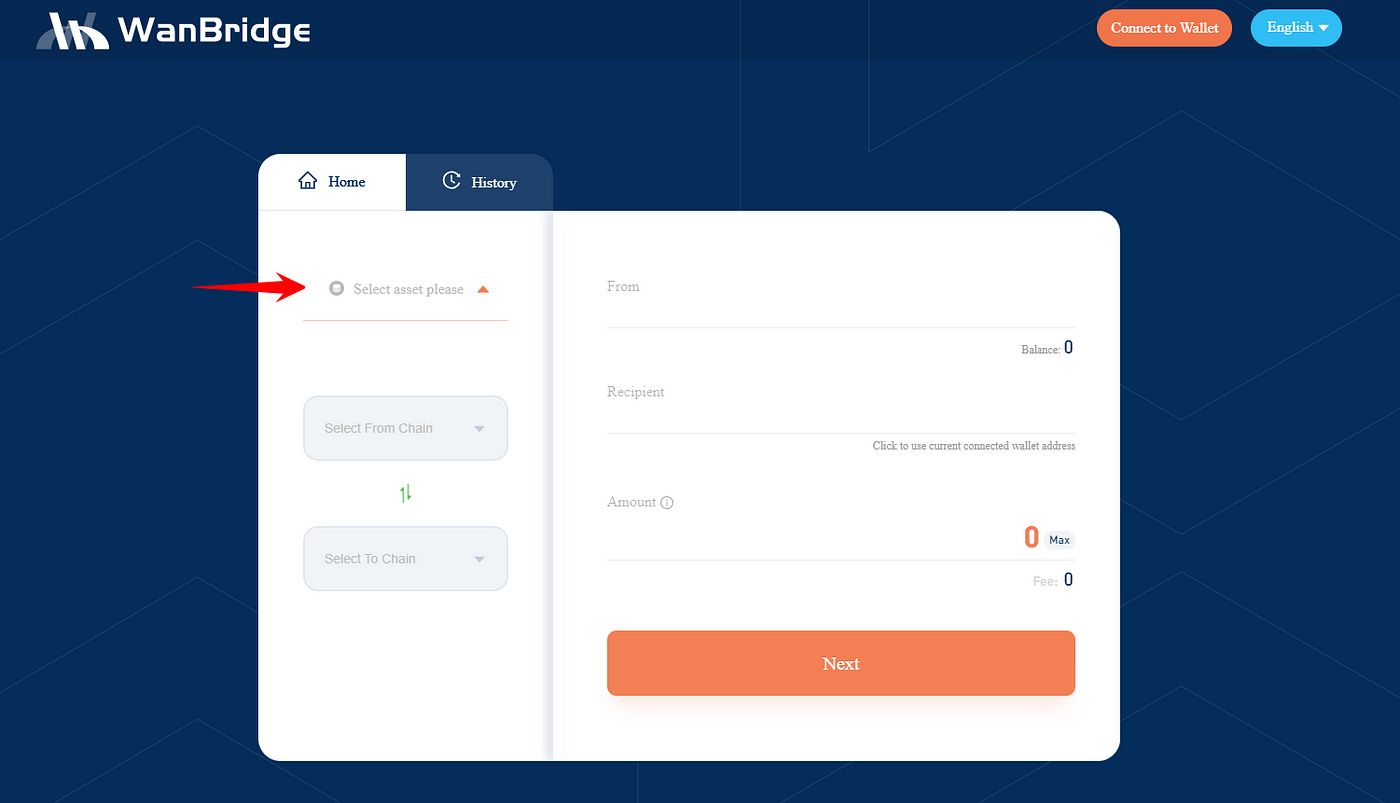
**Step 3:** Select the asset you want to move crosschain from one blockchain network to another.
In this example, we select $ETH because we are moving $ETH.
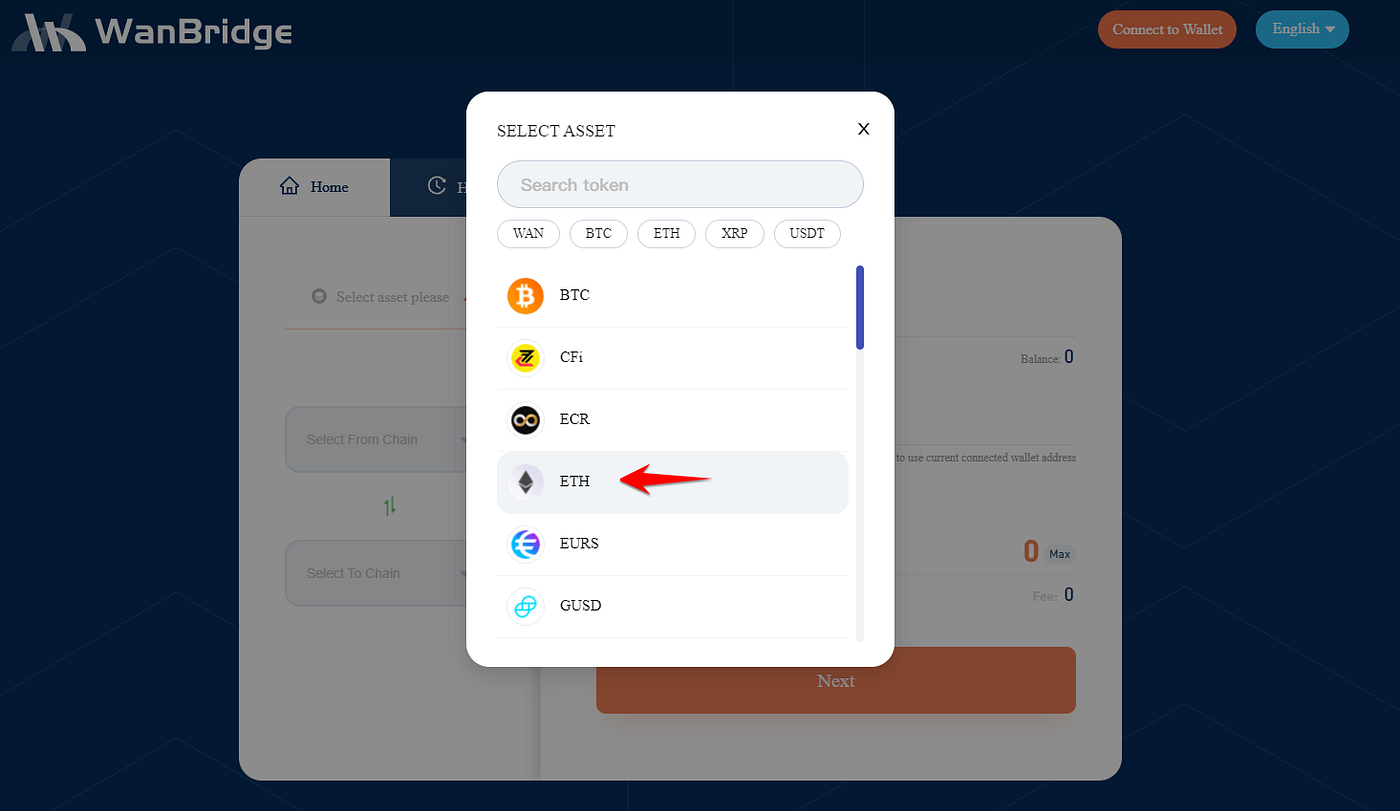
**Step 4:** Click “**Select From Chain**” and select the origin chain.
In this example, the origin chain is Ethereum because the $ETH is currently on Ethereum.
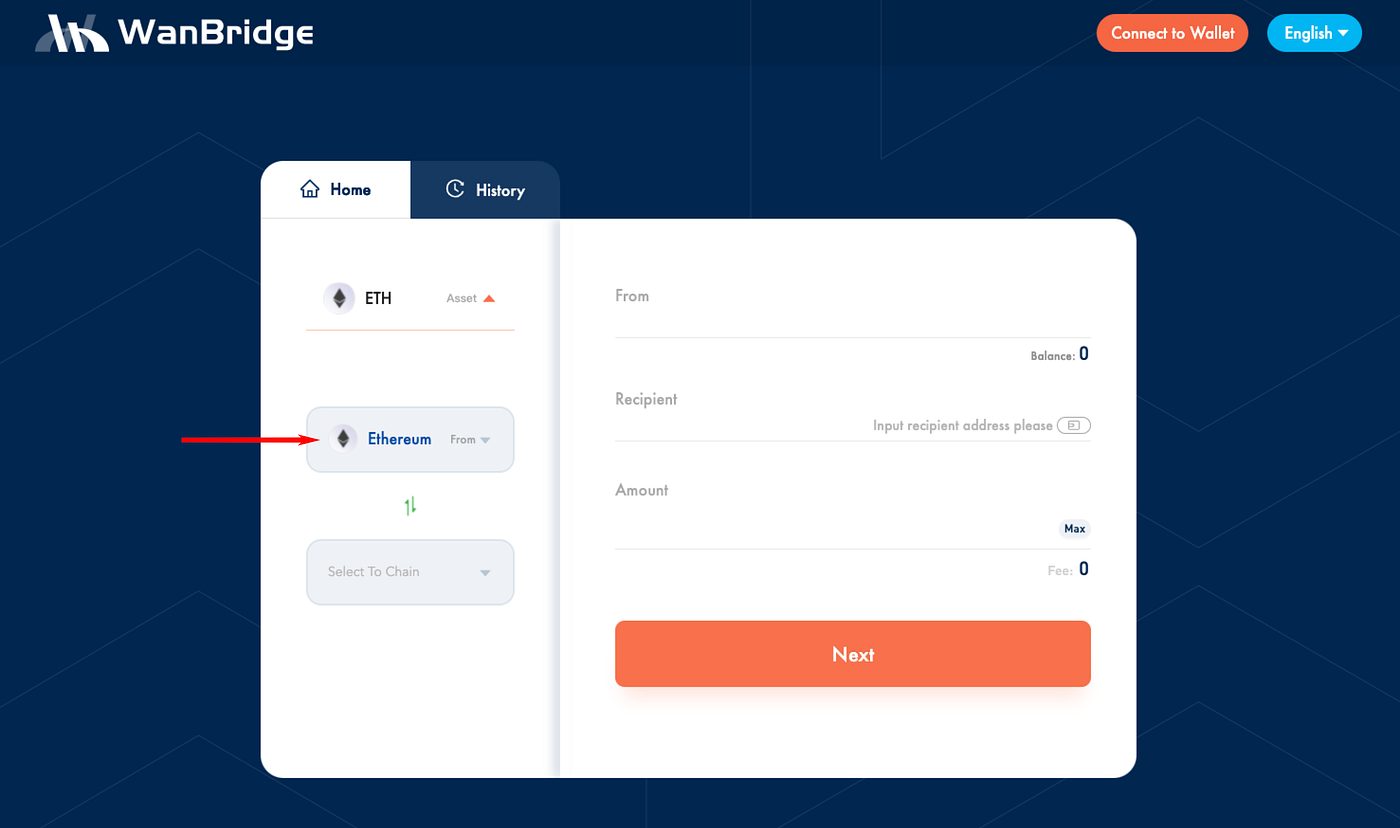
**Step 5:** Click “**Select To Chain**” and select the destination chain.
In this example, we are moving $ETH to Wanchain. So, Wanchain is the destination chain.
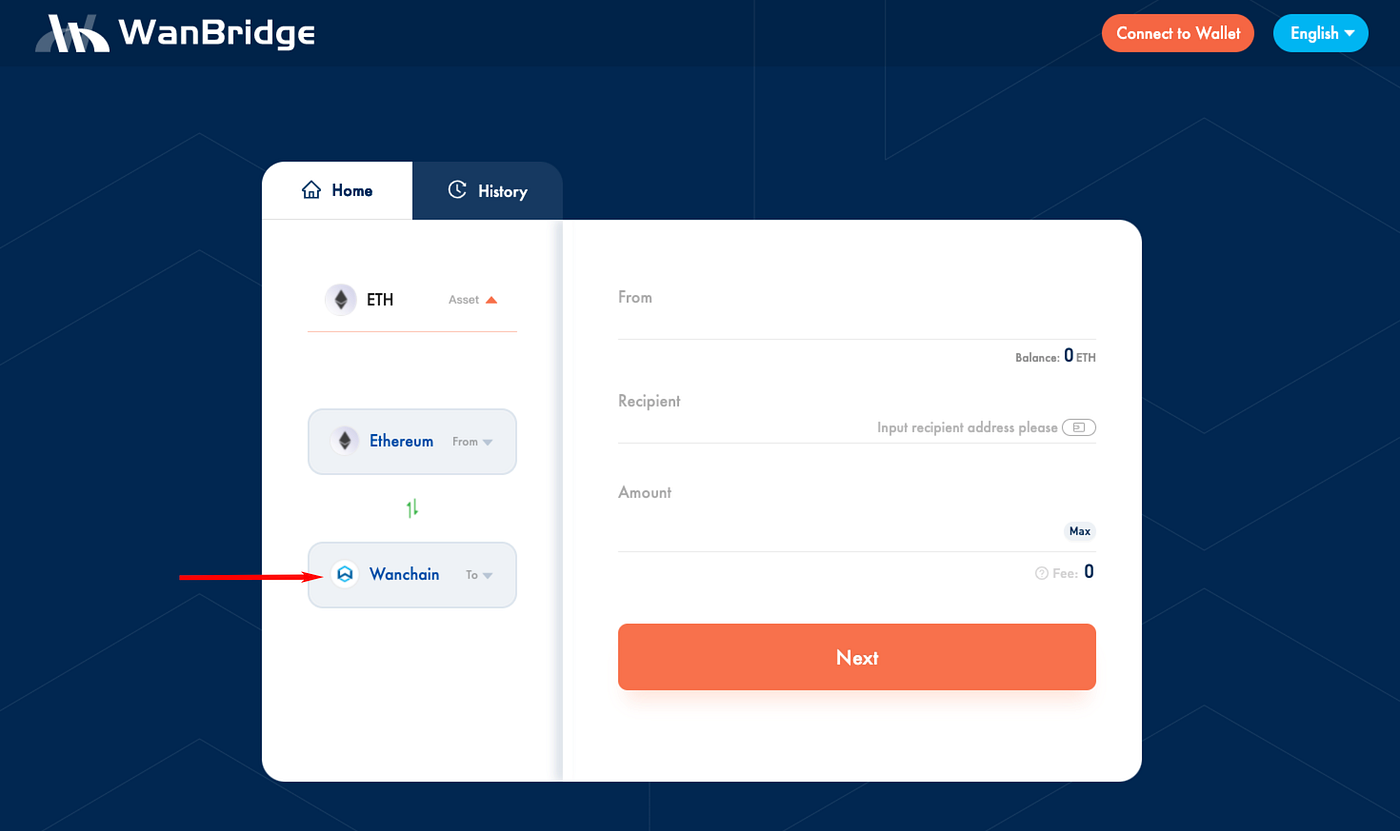
**Step 6.** Click “**Connect to Wallet**” in the top right corner of the window.
**Step 7:** Select the appropriate wallet.
In this example, we are using [MetaMask](https://metamask.io/) connected to the Ethereum network.

When connecting [Metamask](https://metamask.io/) for the first time, you will need to click **connect** in the [Metamask](https://metamask.io/) pop-up window. Your Ethereum wallet address will now be connected to [WanBridge Web](https://bridge.wanchain.org/#/). Your ETH balance should also be visible.
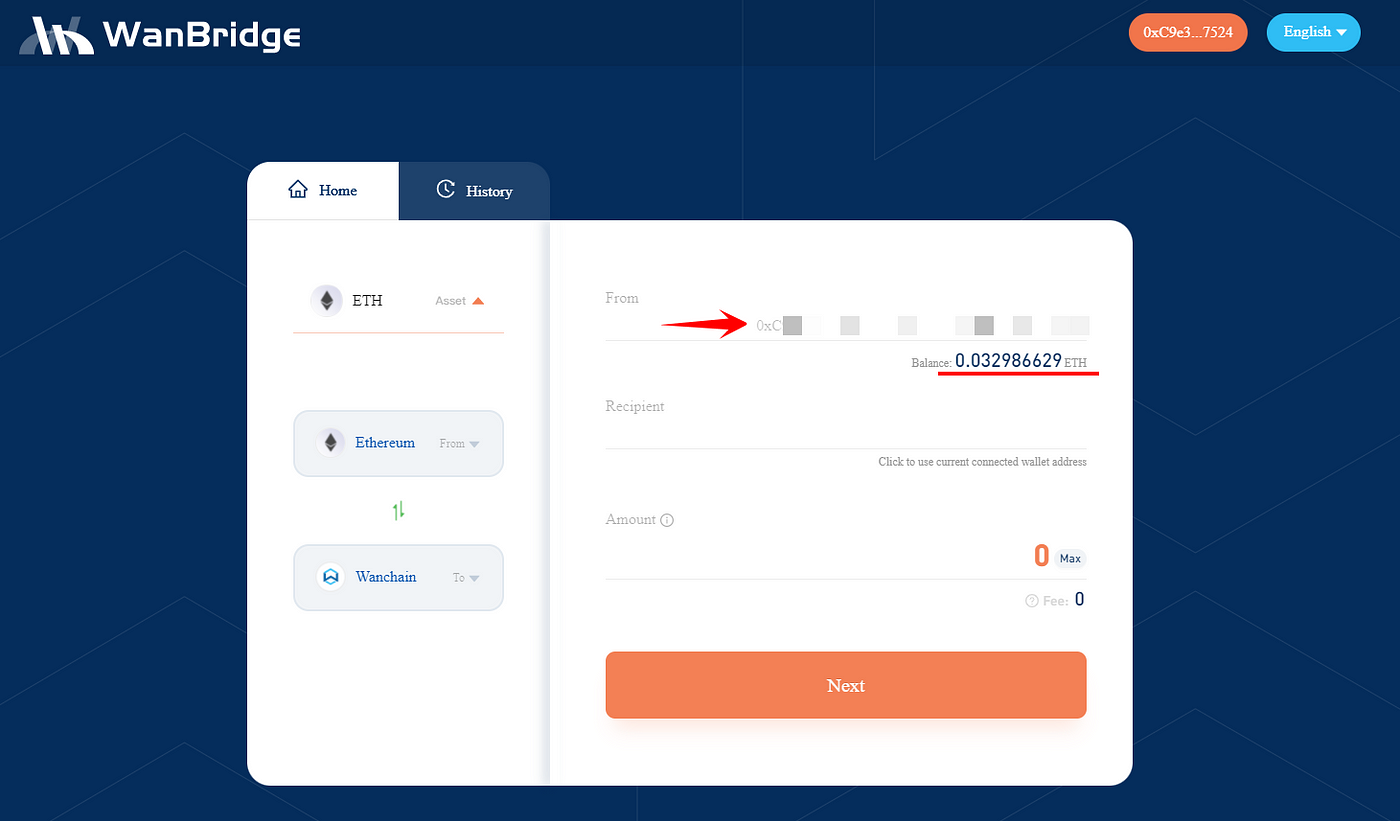
**Step 8:** Enter your recipient address. This is the address that you want to send your assets to on the destination chain.
In this example, as we are moving $ETH to Wanchain, the **Recipient** address is a Wanchain address.
**Step 9:** Enter the amount you wish to convert and then click “**Next**”.
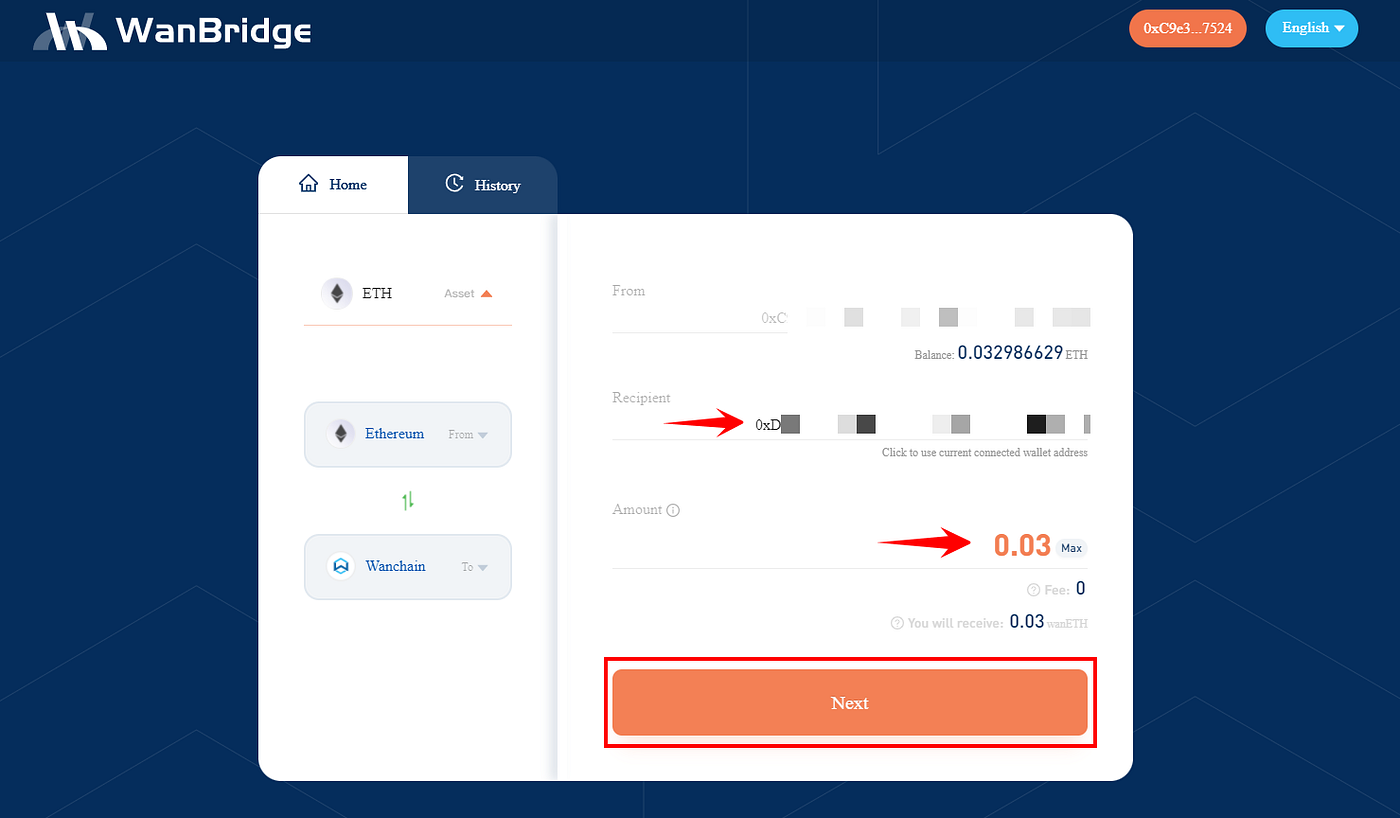
**Step 10:** On the next page, review all the information relating to your crosschain transaction and click “**Confirm**”.

Be sure to double check your **To** address and the **Amount** you are sending crosschain. When using Metamask, you will also need to confirm the transaction in the MetaMask pop-up window. Make sure to use an appropriate gas fee to ensure your ETH transaction doesn’t get delayed.
**Step 11:** Wait.
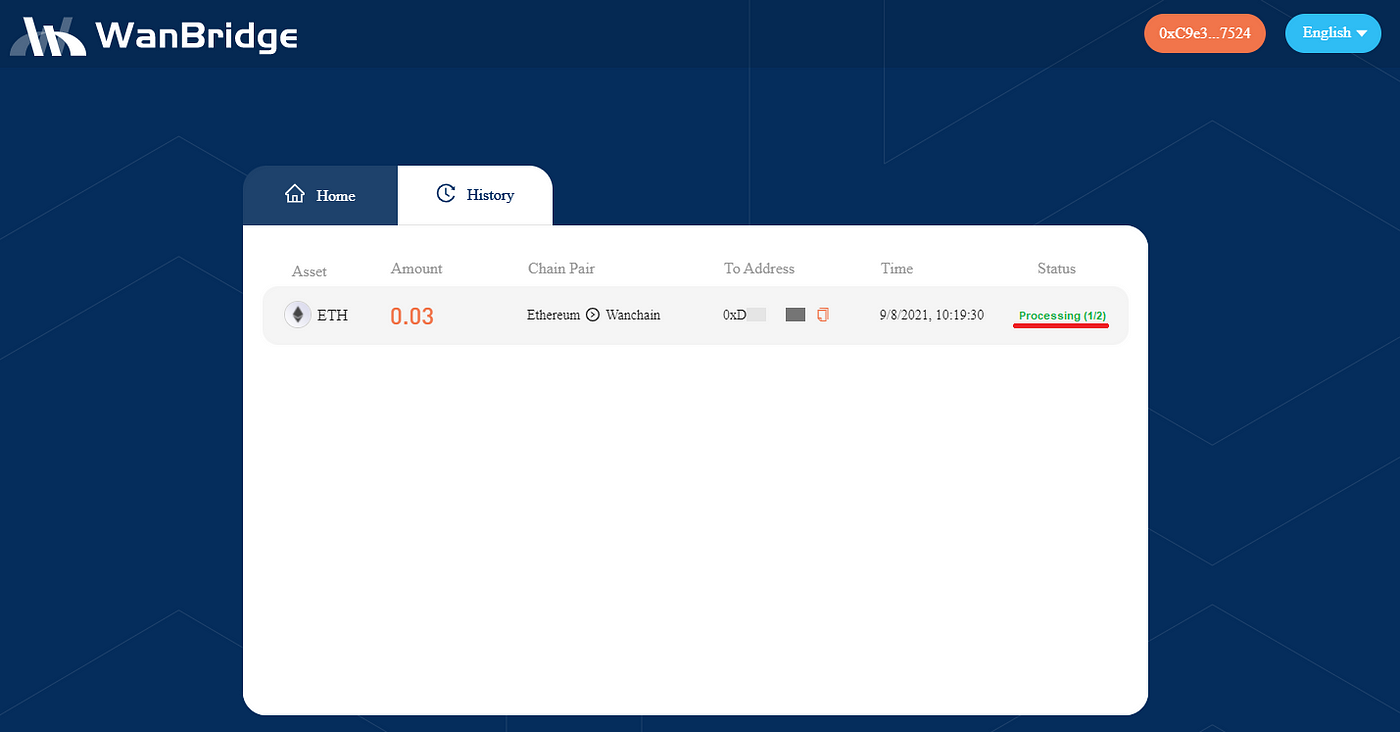
Your crosschain transaction is now being processed. It will appear as **Processing**. The amount of time a crosschain transaction takes is entirely depending on the speed of the blockchain networks involved. For example, an $XRP transaction from XRP Ledger to Avalanche might only take a few minutes while a $BTC transaction from Bitcoin to Binance Smart Chain could take an hour.
**Step 12:** Confirm the receipt of your funds.
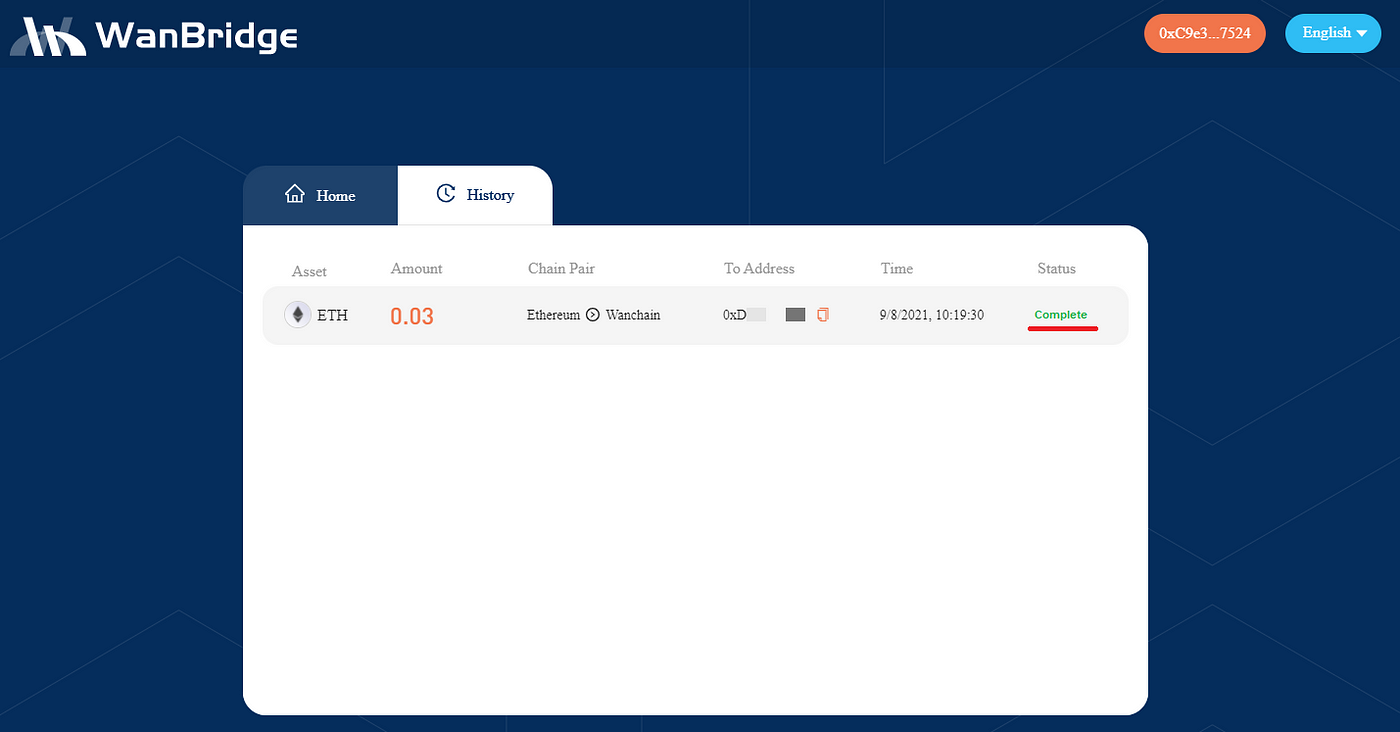
Once your crosschain transaction status changes to **Complete**, you can confirm receipt of funds in your **Recipient** address. In this example, the **Recipient** Wanchain address now has $wanETH.
Congratulations! You have completed a crosschain transaction using Wanbridge Web!
*Note: Crosschain assets use different nomenclature depending on the destination chain. Assets moved to Wanchain use the ‘wan’ prefix (ie. ETH becomes wanETH, XRP becomes wanXRP, etc.). Crosschain assets on different blockchain networks may use a slightly different naming scheme. For instance, crosschain assets on Avalanche use the ‘.a’ suffix (ie. BTC becomes BTC.a, WAN becomes WAN.a).*
# Block Confirmation Requirements on WanBridge
The WanBridge requires a certain number of block confirmations to process cross-chain transactions. This requirement is crucial to ensure the security and integrity of the transactions being processed across different blockchain networks.
The total duration of a single cross-chain transaction is the sum of the timespan for the requisite block confirmations and the processing time on the bridge.
Below are the specifics regarding the number of block confirmations for different chain networks:
| Chain | Block Confirmation Count |
| ----------- | ------------------------ |
| Astar | 3 |
| Avalanche | 12 |
| Arbitrum | 1 |
| BASE | 200 |
| Bitcoin | 3 |
| BNB Chain | 12 |
| Cardano | 30 |
| Dogecoin | 9 |
| Ethereum | 6 |
| Fantom | 12 |
| f(x)Core | 32 |
| Gather | 20 |
| Horizen EON | 100 |
| Litecoin | 5 |
| Polkadot | 2 |
| Polygon | 500 |
| Metis | 30 |
| Moonbeam | 30 |
| Moonriver | 30 |
| OKT Chain | 20 |
| Optimism | 1 |
| Telos | 120 |
| Tron | 20 |
| VinuChain | 10 |
| Wanchain | 12 |
| XDC Network | 32 |
| XRP Ledger | 1 |
The number of block confirmations on WanBridge may be subjected to change in the future, contingent upon external condition alterations.
# Website

**Dear Wanchain community,**
First of all, thank you for your continued support. The Wanchain team has always been committed to the research and development and innovation of cross-chain technology, and has been actively embracing the growth of our cross-chain ecosystem. After months, the brand-new Wanchain official website has been released, providing important news and advanced crosschain technologies for the community. A new website, A new start! We believe that Wanchain will have more fruitful achievements in the year of 2022.
For the new website, we greatly improved the visual style and well categorized the achievments and technoloy features, so that users with different demands can find their own relevant information from the website. Now, let me take you to tour around this new website.
**URL:** [**https://wanchain.org**](https://wanchain.org)
## 1. Clarify the positioning of Wanchain
When you open the website, the first words that catch your eye is Decentralised Blockchain Interoperability. Wanchain has been committed to the development of cross-chain infrastructure since its inception. Through years of pioneering, the position for Wanchain crosschain gets more and more clear. What the team needs to do is to build decentralized cross-chain bridges that connect chains worldwide, so as to provide foundamental crosschain services for the cross-chain transfer of assets in all blockchains.
You can directly experience Wanchain’s safe, fast, low-cost, and responsible bridges via Connect.
## 2. The Homepage focuses on crosschain
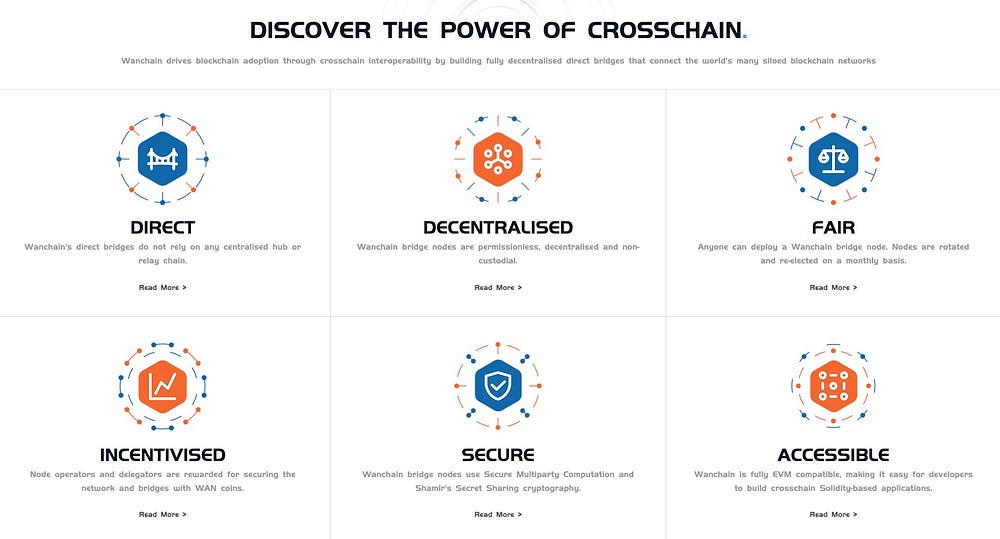
The new homepage clearly shows the Wanchain crosschain positioning, technical features, bridge types, connected chains & assets, as well as the crosschain ecosystem & community. You will have a clear picture of Wanchain’s interoperability after reading through the homepage.
## **3. Diversified entrances to Wanchain**

At the bottom of each page, we provide a series of entrances for developers and users, as well as Wanchain community channels and key documents.
On the Community page, we also provide a series of entrances for users to exchange technologies and ideas with each other and directly contact the team.
## 4. The Technology page focuses on Multi-chain Bridges, Galaxy Consensus, and our Roadmap
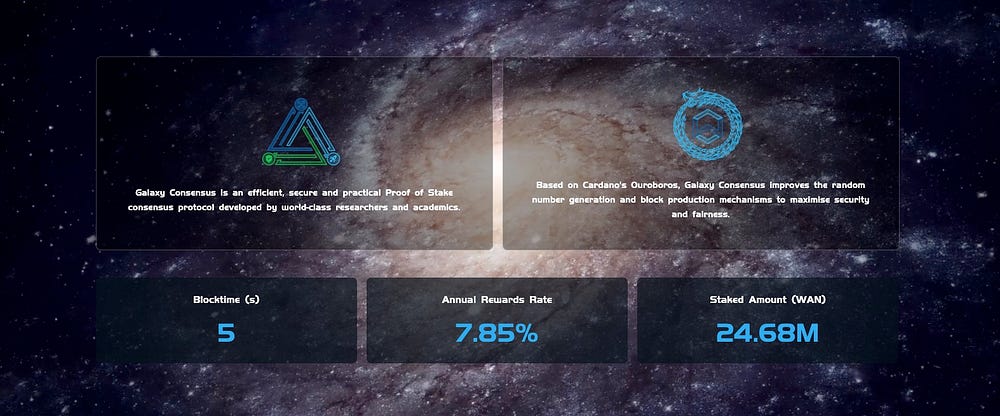
Over the years, Wanchain has achieved many remarkable technical achievements. The most important technical achievements are multichain bridges and PoS consensus.
Relying on the “Universal Multichain Bridges with Staked Sharing Assets”, Wanchain has integrated with 13 public chains, such as Ethereum, Bitcoin, XRP ledger, etc. Meanwhile, the crosschain bridges for Wanchain have been evolved from one-way bridge to two-way bridge, and the bridge types have extended from direct bridges to layer 2 bridges and NFT bridges. Therefore, Wanchain’s cross-chain mechanism has been iteratively evolving, keeping pace with the times.
## 5. Encouraging third parties to build Dapps
At present, the ecosystem dapps on Wanchain cover various fields such as DeFi, GameFi, and NFTs. We are quite open and inclusive to encourage third-party developers to develop applications on Wanchain or using Wanchain’s cross-chain technology. At the same time, for the approved projects by the team, we will display your Dapp on the Ecosystem page.
## 6. The website will continue to improve
According to the progress of the Wanchain project and the feedback from the community, we will continue to modify and improve the new website and the contents of its external links. We hope that the new website will offer colorful cross-chain journeys for each and every user with different demands.
# WanWallet Desktop

## Wallet Features
Wanchain's first official desktop light wallet is available on Mac, Windows, and Linux and currently supports these features:
* WAN asset management
* Standard transfer and receive transactions
* Making and managing delegations under Galaxy Consensus Proof of Stake
* Staking support
* Multi-crypto asset management support
* Private transactions
* Cross chain transactions
## Setup
#### Download and Install
Download [WanWallet Desktop](https://www.wanchain.org/getstarted/).
Double click the install package and follow the on screen instructions to install.
#### Register New Account
When you first open Wan Wallet, you must register a new account. First set your password:

IMPORTANT: Next record your backup mnemonic phrase. Do not take a screenshot, rather you should write it by hand. Do not share your phrase with anyone. This phrase is the only way to recover your account.

*Note: this is a throw away account, NEVER share your seed phrase with anyone Click 'Next' to complete the new account registration process.*
#### Generate a New Address
Wan Wallet supports the creation of multiple addresses for one account, simply click: Wallet > WAN > Create

*Wallet > WAN > Create*
Accounts may also be renamed as you wish.
## Get Testnet WAN
You can get testnet WAN from our [faucet](http://54.201.62.90/). Follow the instructions in the link to have testnet WAN sent to your account.
## Normal Transactions
Click 'Send', enter sending and receiving account information along with the transaction amount, select the service fee, and click next, and then click send again to complete your transaction.
Under 'Advanced Options' are additional parameters which advanced users may adjust.


## Cross Chain Transactions
The Desktop Light Wallet lets you quickly and easily make cross chain transactions.
To get started, click on the 'Cross Chain' tab on the side menu:

Then choose the asset from the drop down menu you would like to make a cross chain transaction with, and click the 'Convert' button:
*(if the asset you wish to make a transaction with is not displayed, you can add additional Wanchain supported assets from the menu in 'Settings' --> 'Config' --> 'Wallet Options')*

After clicking convert, a form will pop up with pre-populated values.
* 'From (Ethereum)' - Shows account type and name of the 'From' address
* 'Balance' - Shows the current balance of the asset in the 'From' address
* 'Storeman' - Shows the address of the Storeman who your transaction will be sent to
* 'Capacity' - Shows the total capacity of cross chain assets which the Storeman is able to manage.
* 'Capacity Left' - Shows the remaining capacity of the Storeman. *For the above five fields, you do not need to change anything. You only need to make certain that your transaction value does not go over the Storeman's capacity.*
* 'To' - Here you can select the target address where the cross chain asset generated from 'From' address will arrive on the target chain.
* 'Estimated Fee' - Shows the estimated fees of the cross chain transaction on both chains.
* 'Amount' - This is the amount of the asset you wish to send in your cross chain transaction.
After carefully filling in the 'To' and 'Amount' fields, click 'Next' to review your information and then 'Send' to begin the transaction.

You may then check your transaction's current state under 'Transaction History' --> 'Status'. The entire transaction should take several minutes, perhaps longer depending on the current network conditions. Immediately after clicking 'Send', the status should say 'Lock Request Sent'.

Shortly after the status will change to 'Locked'.

Next the status will change to 'Redemption Request Sent'*.*

And finally, the transaction status will change to 'Success', and the newly generated cross chain token will be available for you to transact with in your target 'To' address.

The process for returning your asset back to the original chain is the same, except this time click the 'Convert' button on the cross chained asset instead of the native asset, and follow the same instructions as listed above.
## Delegation
Wanchain's newly introduced Galaxy Consensus Proof of Stake has a completely non-custodial delegation mechanism. Users may choose from amongst all available validators the one which they trust to send their delegations too. By delegating their stake to validator nodes in this way, all users have the opportunity to earn consensus rewards. The minimum required amount for delegation is 100 WAN.
Within the delegation interface users may clearly check their amount of staked WAN, their accumulated rewards from delegation, the yearly return rate for the entire network, and pending withdrawals. Users can also check a table of all their previous delegation transaction history.

In order to make a new delegation, click 'New Delegation', choose a validator from the list, under 'My Account', choose the account from which you would like to delegate, and enter the amount you would like to delegate in the 'Amount' field. During the process of delegation, there are several parameters you should pay attention to. First, the validator's 'Quota' represents the amount of WAN that validator is able to accept in delegations. Please also note the 'Fee' parameter. This parameter is the percent fee charged as commission by the validator. For example, if the network reward is 50 WAN and the fee is 15%, then you will receive 42.5 WAN as your reward, and 7.5 WAN will be paid to the validator.
In the images below, a user is delegating 100 WAN to a validator node.


After a completing a delegation, you can see 100 WAN displayed under "My Delegations." Previous delegation details may be viewed from within the delegations history. If the user wishes to increase their delegation, they may click on the 'Top up' button.
**Note:** Users may exit their delegation at any time, but please note there is \~3 epoch unlocking period after which you can withdraw your WAN.
## Validator Node Registration
To access the validator node menu, make sure that you have checked the "Enable Validator" box inside the Settings menu. The "Validator" option will then appear under the "Galaxy PoS" tab on the left.

To register your validator node and start staking, click "Register".

Fill in all the required parameters which were obtained during your validator setup under the "Validator Account" section, and fill in all the information from your funding wallet under "My Account". When selecting locking period, please note that the longer your locking period, the higher your reward rate. Please use the [staking calculator](http://calculator.wandevs.org/) for reward rate estimates.

## Privacy Transaction
Privacy transactions on Wanchain are a way for a user to send WAN to another user without specifying who is the recipient. With a privacy transaction the world can see that a user made a transaction, and upon a deeper inspection of the transaction can see how much WAN was sent in the transaction, but the world cannot see who the recipient will be. Privacy transactions are carried out on Wanchain by way of a smart contract built into the protocol.
Allowed amounts for privacy transactions:
* 10 WAN
* 20 WAN
* 50 WAN
* 100 WAN
* 200 WAN
* 500 WAN
* 1000 WAN
* 5000 WAN
* 50000 WAN
When locking funds into the privacy contract, a user can thus only lock an amount in the list above. Likewise, a user cannot redeem partial amounts, but must redeem the full amount that was locked to the one-time address.
Go to **Wallet** -> **WAN** -> **@Wanchain**, and choose the WAN address that you want to receive WAN with privacy transaction method. Click the arrow to show a "long address" accordingly, and copy this long address.

Choose your sender address, and click **Send**. Paste your long address to the To row. In this case, the **Transaction Mode** will automatically change to **Private Transaction**. Meanwhile, enter the **amount** and select the **Fee**. Click **Next**.

Review the Confirm Transaction window, and click Send.

After around 1 minute, you will receive WAN in the recipient's long address. Click the arrow on the right and then click the button **Redeem**.

After around half a minute, you will finally receive WAN in your recipient's ordinary address.
**Note: Make sure that both of your sender address and recipient address has enough WAN for the gas fees.**
## DApp Store
[Video guide](https://youtu.be/dMpabWAR-iw)
The DApp Store feature of Wan Wallet allows you to experience DApps from creators in the Wanchain ecosystem. In the DApp Store you can find new DApps and add them to your wallet. After adding them to your wallet, you may then directly interact with the DApps through the wallet interface.

## Settings
There are currently three selections under settings, 'Config', 'Backup', 'Import', 'DApps', 'Restore', and 'Network'.
Under 'Config', you may choose to require your password to be input for every transaction.

Under 'Backup', you may enter your password to get your backup mnemonic phrase.

Under 'DApps', you may hide or delete DApps you are not currently using.
Under 'Restore', you may enter your backup phrase to restore a previous wallet.

Under 'Network', you may check network status for troubleshooting purposes.

## Import From Old Desktop Wallet
**IMPORTANT NOTICE:**
*Imports from the old desktop wallet will not be backed up with the passphrase generated in the new desktop light wallet. If you import from the old wallet to this wallet, make certain to keep your keystore or private key so that you can import again in case the wallet file is corrupted or you need to reinstall the wallet.*
**Method 1:** From the top menu under 'Wan Wallet' --> 'Developer' --> 'Assets' --> 'Wanchain' --> 'Import Keystore File' you may import from the old desktop wallet using your keystore file.

**Method 2:** On the sidebar menu under 'Settings' --> 'Import' you may import accounts from the old Wan Desktop Wallet to the new, Light Desktop Wallet using your private key.

## Multilingual Support
Under Settings > Language, you may choose your wallet language. We currently have support for English and Chinese.

Thank you for downloading and testing the new Wan Wallet! If you have any questions, please feel free to get in touch at ****.
# How to Adjust Security Settings When Installing WanWallet v1.6.2 on Mac
To download the WanWallet v1.6.2 Mac version, visit
For enhanced security, it's recommended to verify that the SHA-256 checksum of the downloaded WanWallet file matches the SHA-256 value provided on the [Releases/v1.6.2](https://github.com/wanchain/wan-wallet-desktop/releases/tag/v1.6.2) page.
After installing WanWallet v1.6.2, you might encounter a warning message when you try to open the application.
To resolve this and complete the installation, follow these steps:
1. **Open System Preferences:** Click the Apple menu in the top-left corner of the screen and select "System Preferences."
2. **Select "Security & Privacy":** In the System Preferences window, click on the "Security & Privacy" icon.
3. **Allow the Application:** Under the "General" tab, you should see a message indicating that the application "WanWallet" you tried to open was blocked. Click the "Open Anyway" button.
4. **Confirm Opening:** The system will prompt you again to confirm if you want to open the application. Click "Open" to proceed.
After completing these steps, you won't need to adjust the security settings again. You can open the WanWallet application directly in the future.
# WanWallet Mobile
The all new mobile WanWallet update for Wanchain 5.0 features a new and improved UI/UX, cross-chain Storeman node delegation and staking features, and an improved cross-chain transaction experience.
*Note: Development on both the Google Play Android version and the Apple App Store iOS version is complete, however the Apple version is still under revision according to Apple store policies, so is not yet available for download. Stay tuned for updates on the iOS version.*
## Key Features
* **Asset management** — Currently supporting WAN, BTC, ETH, ERC20, WRC20 and EOS, with more soon to come
* **POS Staking & Delegation**: Participating in Wanchain proof of stake with the mobile WanWallet is as easy as clicking a button
* **Storeman Staking & Delegation:** It’s just as easy to delegate to a cross-chain Storeman node as for POS
* **App Store:** The WanWallet app store is your portal to all the application of the Wanchain ecosystem
## How to Use Mobile WanWallet
### [Download](https://www.wanchain.org/getstarted/) and install
Wallet download links can be found on the [Wanchain official website](https://www.wanchain.org/getstarted/), the [Apple app store](https://apps.apple.com/us/app/wanwallet/id1477039507), or the [Google Play store](https://play.google.com/store/apps/details?id=com.wanchain.WanWallet\&hl=en_US\&gl=US).
### Create and/or import wallet
Simply open the wallet and follow the on screen prompts to create or import your wallet.

**Note:** *Be certain to write down your mnemonic phrase and store it in a safe place, and to not store it digitally on any network connected device.*
### New address
To add a new address, click the “+” icon on the right side of the default address, and set the account name to create a new address.


### Transfer
Simply enter transaction details and click next. You can select from our own accounts in the “From” field, and may enter any account in the “To” field. The “To” field also supports QR code scanning. As for transaction fees, these should generally not be modified except for advanced users.

### PoS Delegation
Notes:
* You can view all current delegation information such as current and historical rewards and delegation actions for your accounts through the wallet interface
* There is a 100 WAN minimum for delegations
**How to delegate — from the main screen:**
Staking →POS →Validators →Select a Validator →Delegate →Fill in delegation amount →Send
**Points to watch out for:**
**Quota Left:** *Check on the individual validator’s information screen that their “Quota Left” is more than the amount you wish to delegate. If it is lower than your delegation amount, you will need to choose another validator to delegate to in addition.*
**Delegation Fee:** *The delegation fee is the percent of your delegation reward which is collected by the validator you stake to, a higher fee means lower rewards for you.*

After completing a delegation, you may modify your delegation or withdraw it from within the wallet interface.
### Storeman Delegation
Notes:
* Unlike POS nodes, Storeman nodes have an election period during which you can delegate to a node, but delegators will not receive rewards at that time — check the Storeman node’s current status to see if you can currently earn rewards or not. If the node you delegate to is not chosen, then you may immediately remove your delegation and move it to a new node.
* Each Storeman group is limited to 21 nodes. Not every node is guaranteed a placement in the next group. Take note of when the “End Time” is in the Storeman node details page, and check at that time if your node successfully is enterned into the next group, or if the node fails and you must delegate to another Storeman node.
* You may delegate in at any time, but you may only remove your stake and earnings at the end of a Storeman group cycle. Check “End Time” in the Storeman details page, and make certain to withdraw before that time if you wish to withdraw that cycle’s deposit and rewards.
**How to delegate:**
From the main screen:
Staking →OpenStoreman→Storeman→Select a Validator →Delegate In →Fill in delegation amount →Send


For technical support, please email [techsupport@wanchain.org](mailto:techsupport@wanchain.org) or contact one of the admins at the official tech support Telegram chat group: [https://t.me/WanchainSupport](https://t.me/WanchainSupport).
# MetaMask

On April 15, 2021, Wanchain completed a major upgrade to the Jupiter version. So far, Wanchain has achieved full compatibility with the EVM. Therefore, MetaMask, the most popular browser plug-in wallet on Ethereum, can also connect to Wanchain (including the support of Ledger and Trezor hardware wallets).
For MetaMask to connect to Wanchain, we provide two configuration methods.
## Method 1: Quick configuration
Using the functions provided by the [chainlist.org](https://chainlist.org) website,you can quickly add the Wanchain network to the MetaMask browser plug-in wallet.
First, open [https://chainlist.org](https://chainlist.org) in Chrome.
Enter **Wanchain** in the search box above

Then click the **Connect Wallet** button below to connect to MetaMask.
Then click the **Add To Metamask** button to complete the add the Wanchain network.

After completing the adding, you can select MetaMask wallet in Wanchain's Dapps.
## Method 2: Manual configuration
### Connect to Wanchain mainnet
Click the network menu at the top of the MetaMask page, and select the **Custom RPC** at the bottom of the pop-up menu.

Then fill in the RPC information as shown in the figure below, and click the **Save** button:

```
Network Name: Wanchain
New RPC URL: https://gwan-ssl.wandevs.org:56891
Chain ID:888
Currency Symbol: WAN
Block Explorer URL: https://www.wanscan.org
```
After adding, you can use MetaMask to connect to the Wanchain mainnet to send transactions.
### Connect to Wanchain test network
Click the network menu at the top of the MetaMask page, and select the **Custom RPC** at the bottom of the pop-up menu.

Then fill in the RPC information as shown in the figure below, and click the **Save** button:

```
Network Name: Wanchain
New RPC URL: https://gwan-ssl.wandevs.org:46891
Chain ID: 999
Currency Symbol: WAN
Block Explorer URL: https://testnet.wanscan.org
```
After adding, you can use MetaMask to connect to the Wanchain testnet to send transactions.
## How to crosschain your assets using WanBridge Web
**Step 0: Make sure you have the appropriate wallets.**
Before completing decentralised crosschain transactions using WanBridge Web, you need to ensure you have access to the correct wallet(s). You must have wallets for each network involved in the crosschain transaction. In other words, if you are moving $BTC from Bitcoin to Ethereum, you need to use Bitcoin and Ethereum wallets. Similarly, if you are moving $LTC from Wanchain to Moonriver, you need Wanchain- and Moonriver-compatible wallets.
This guide demonstrates a crosschain transaction moving $ETH from Ethereum to Wanchain and uses [Metamask](https://metamask.io/). [Metamask](https://metamask.io/) is a fantastic wallet that grants you access to any EVM-compatible blockchain network.
[Download Metamask here](https://metamask.io/).
**Step 1: Visit** [**https://bridge.wanchain.org/**](https://bridge.wanchain.org/#/)
**Step 2:** Click “**Select asset please**” on the left side of the terminal.

**Step 3:** Select the asset you want to move crosschain from one blockchain network to another.
In this example, we select $ETH because we are moving $ETH.

**Step 4:** Click “**Select From Chain**” and select the origin chain.
In this example, the origin chain is Ethereum because the $ETH is currently on Ethereum.

**Step 5:** Click “**Select To Chain**” and select the destination chain.
In this example, we are moving $ETH to Wanchain. So, Wanchain is the destination chain.

**Step 6.** Click “**Connect to Wallet**” in the top right corner of the window.
**Step 7:** Select the appropriate wallet.
In this example, we are using [MetaMask](https://metamask.io/) connected to the Ethereum network.

When connecting [Metamask](https://metamask.io/) for the first time, you will need to click **connect** in the [Metamask](https://metamask.io/) pop-up window. Your Ethereum wallet address will now be connected to [WanBridge Web](https://bridge.wanchain.org/#/). Your ETH balance should also be visible.

**Step 8:** Enter your recipient address. This is the address that you want to send your assets to on the destination chain.
In this example, as we are moving $ETH to Wanchain, the **Recipient** address is a Wanchain address.
**Step 9:** Enter the amount you wish to convert and then click “**Next**”.

**Step 10:** On the next page, review all the information relating to your crosschain transaction and click “**Confirm**”.

Be sure to double check your **To** address and the **Amount** you are sending crosschain. When using Metamask, you will also need to confirm the transaction in the MetaMask pop-up window. Make sure to use an appropriate gas fee to ensure your ETH transaction doesn’t get delayed.
**Step 11:** Wait.

Your crosschain transaction is now being processed. It will appear as **Processing**. The amount of time a crosschain transaction takes is entirely depending on the speed of the blockchain networks involved. For example, an $XRP transaction from XRP Ledger to Avalanche might only take a few minutes while a $BTC transaction from Bitcoin to Binance Smart Chain could take an hour.
**Step 12:** Confirm the receipt of your funds.

Once your crosschain transaction status changes to **Complete**, you can confirm receipt of funds in your **Recipient** address. In this example, the **Recipient** Wanchain address now has $wanETH.
Congratulations! You have completed a crosschain transaction using Wanbridge Web!
*Note: Crosschain assets use different nomenclature depending on the destination chain. Assets moved to Wanchain use the ‘wan’ prefix (ie. ETH becomes wanETH, XRP becomes wanXRP, etc.). Crosschain assets on different blockchain networks may use a slightly different naming scheme. For instance, crosschain assets on Avalanche use the ‘.a’ suffix (ie. BTC becomes BTC.a, WAN becomes WAN.a).*
# Wanchain Explorer
## 0. Introduction
Go to [wanscan.org](https://www.wanscan.org/) to see Wanchain Blockchain Explorer. You can query all the data on the blockchain, including the balance of any address, transaction records; check node status, various tokens issued, and cross-chain data, etc.
The homepage displays data such as the block height, the total staked assets of PoS and Storemen, the average APY, and the top ten nodes, the latest blocks, the latest transactions and other information.
At the same time, in the text box at the upper right corner of the page, you can enter block height, Txhash, wallet address, token address and other information for direct query. The blockchain browser is very convenient and will automatically recognize and output the corresponding results.

## 1. View account
If you are inquiring about the account balance, historical transaction data of the account, etc., it is recommended to directly enter the wallet address to query; In addition, you can also see the balance and transaction data of various tokens, cross-chain data, node rewards, delegated rewards and other information.

## 2. View a single transaction
If you are querying the detailed information of a certain transaction, the most convenient way is to enter the transaction hash.
You can clearly see the status of the transaction, block height, timestamp, sender and receiver addresses, gas data, transaction amount and other information.

## 3. Query block
On this page, you can see all the information about the block, including the block height, block hash, block time (time stamp), block details, and the corresponding byte size of the block.

## 4. View PoS nodes
On the right side of the top 10 nodes on the homepage, you can view all nodes (View All). There are two types of nodes: delegated validator and non-delegated validator, which are distinguished by whether they can accept delegations.
When a user wants to participate in the Galaxy Consensus PoS to get more WAN, he usually finds a validator with a low delegation ratio and a large amount WAN staked. For the delegation fee ratio, you can refer to the current fee rateand the maximum fee rate of the node.

You can click on the name of the node to enter and view the detailed information of the node, such as Address, Start Time, Lock Period, Total Reward and Validator Reward, Delegations and the Delegator List and other information.

You can also find the status of each node on [https://wanstats.io/](https://wanstats.io/)

## 5. View Storeman node
In the list of Storeman Group, you can see the name of each node group (Identity), cross-chain pair (Cross Chain), number of deposit assets (Deposit), current status (Status), delegate fee (Delegate Fee) , and start (Start Time) and end time (End Time).

Click on the name of a node group to view the details of the Storeman group. In addition to the information mentioned above, there are also Selecting Time, Negotiating Time, Working Time, Address, Power Weight, Rank, Auto Renew, Activity, etc.

## 6. View token information
Click "TOKENS" on the top navigation bar to see a list of all tokens issued on Wanchain.
Click on the token name to view the detailed information of the token, such as the total issuance, the number of transactions and the detailed list, the address of the holder, etc.

## 7. View the transaction list
Click "TRANSACTIONS" on the top navigation bar, you can see all transaction records.

And click "CROSS-CHAIN" to see all cross-chain transactions.

## 8. View Wanchain's GitHub information
Click "GITHUB" on the top navigation bar, you can see Wanchain's GitHub information. Or directly enter [https://github.com/wanchain](https://github.com/wanchain) in the browser to view.
Thank you for using [wanscan.org](https://www.wanscan.org/). If you have any questions, you can send an email to , or send feedback directly to our WeChat group or Telegram group.
# WanWallet Offline
The Offline wallet can be used for extra security, and is also required for certain features such as the “partner-in” method of adding stake to POS and Storeman nodes.
## Features
The v3.0.0 version of the hardware wallet primarily features updates related to the newly added latest features such as the new Storeman node and wanBridge systems.
The wallet may be downloaded from the [Wanchain Website](https://www.wanchain.org/getstarted/).
The Offline wallet does not need to be connected to the Internet to generate valid signed transactions. The user simply fills in all the transaction parameters and then uses their private key to generate a signed transaction offline. The signed transaction may then be sent through a regular online wallet on another machine. The Wanchain desktop wallet supports the sending of transactions generated on the offline wallet.
## Main functions of WanWallet Offline
* Initiating staking, adding stake, adding “partner in” stake, and withdrawal from staking for Storeman nodes
* Initiating staking, adding stake, adding “partner in” stake, and withdrawal from staking for POS nodes
## Partner-in To Storeman
The “partner in” function allows multiple addresses to set up a node together. After the first person sets up their node with at least 10,000 WAN, anyone else may contribute stake to that node using the partner in function. Even though partnered in stake is contributed to another person’s node, it is still in control of the person who sent it. It is never in custody of the person who set up the main node address. The staking rewards, however, will all be sent to the main node address, and there is no on chain distribution of rewards. So please only partner in with friends you trust to fairly share the reward with you!
Partner in funds will earn rewards at the same rate as regular stake, which is higher than delegated stake.
For partner in, minimum amount that can be partnered in is 10,000 WAN, there is no maximum amount, and maximum of 5 addresses can partner in.
*Read on to learn how to partner in stake…..*
### Prepare an Air Gapped Computer
Prepare a computer which has a clean install of your operating system of choice and which has never been connected to the internet or connected to any device with internet connection capabilities. Ensure that no cords are connected to your machine, and that all wireless connections are turned off, including bluetooth, wifi, or any other wireless communication methods.
Ensure that your computer is password protected and the contents are [encrypted](https://theintercept.com/2015/04/27/encrypting-laptop-like-mean/).
### Prepare the Offline Wallet
A) Download Offline Wallet on Another Computer
[Download the Wanchain offline wallet installer](https://www.wanchain.org/getstarted/) on another computer and copy it to a new and unused usb flash drive.
B) Install the Wallet
Transfer the wallet to your air gapped computer using the usb drive, and use the wallet installer to install it to your computer.
C) Create an Account
Click the Create button to create a new account.
Remember the account name and password.
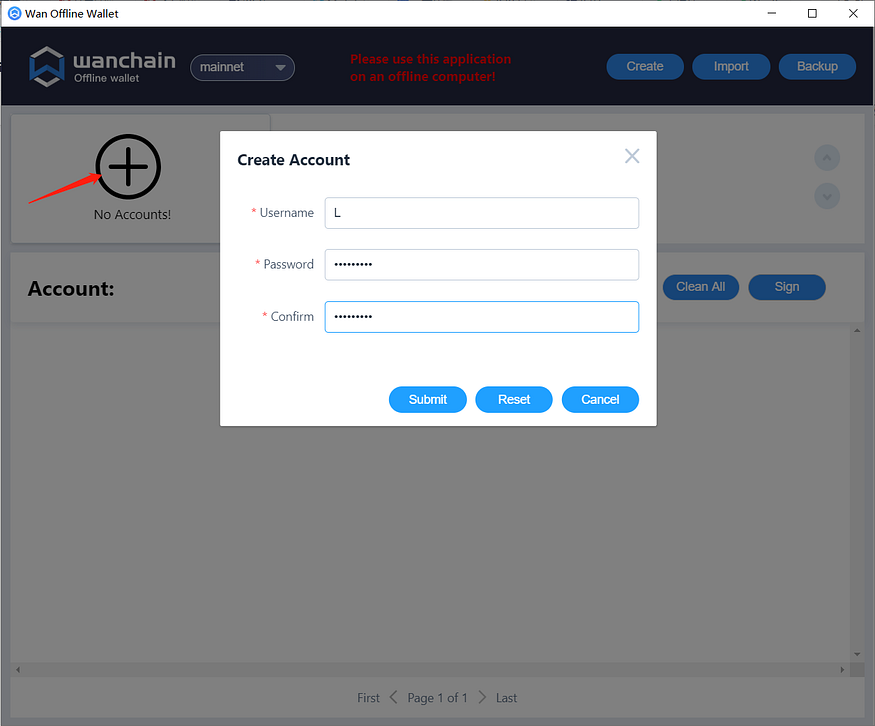
After clicking “Submit”, a new account will be generated, in this example we have chosen the username of “L”.
### Back up the keystore file
Click the “Backup” button in the upper right corner, there you can see the directory where the keystore file is located.
In the file explorer, open the directory and back up the keystore file to your USB flash drive. After transferring the keystore to the flash drive, you should never re-connect the drive to a network connected device.
Save your USB drive in a safe place. We recommend you make several backup USB drives especially in case you are securing a large amount of assets as there is a small chance the drive may become corrupted.
### Transfer WAN to Your Address
The minimum amount of WAN required for “partner in” stake is 10,000. Don’t forget to also include some WAN for paying gas fees. 10 WAN should be plenty for gas.
### (DESKTOP WALLET) Get Your Transaction Nonce
Open the desktop light wallet on another internet-connected computer, and in the settings menu, select “Enable offline wallet”.
The offline wallet menu will appear, click “Offline Wallet” from the left menu.
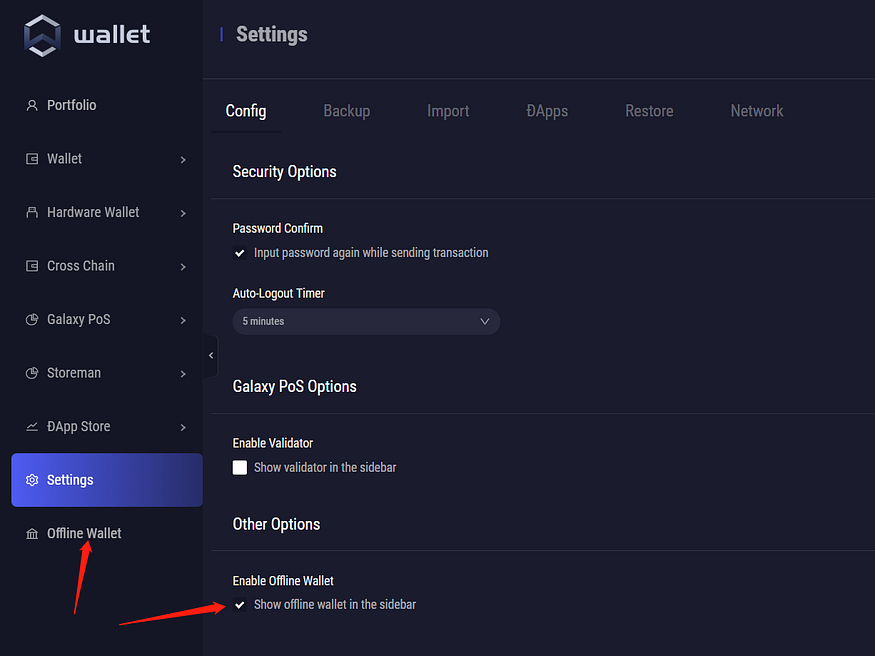
In the first step, enter the address from the offline wallet which you are sending from using to send partner in funds (the one we have named “L”), and click the “Generate” button.
At this time, you can see the Nonce value.
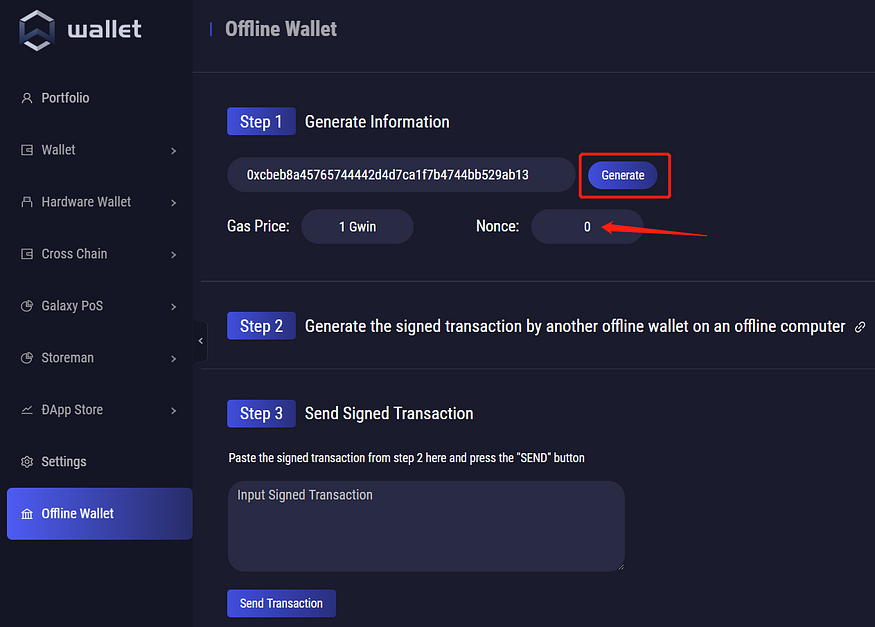
### (OFFLINE WALLET) Generate Signed Transaction
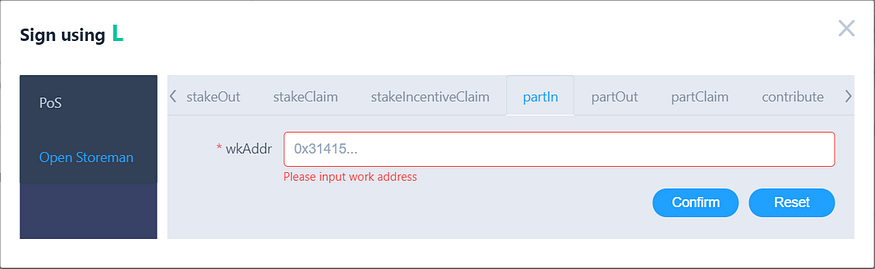
1. Click the “Sign” button to begin the signing process.
2. Enter the Nonce you got in the previous step
3. In the “To” field, Enter the Storeman smart contract address. [Check the official Wanchain Twitter account to confirm the address](https://twitter.com/wanchain_org/status/1327182410119835650).
4. In the “Value” field, enter the number of WAN you wish to partner in with
5. Click the “Customize” button, then click “Open Storeman”, then click “partIn”
6. In the “wkAddr” field, enter the Work Address of the node you want to partner in to, then click the “Confirm” button.
Then change the value of Gas limit to 1000000. (At this time, the transfer fee should be 0.001 Wan)

After confirming that the information is correct, click the “Sign” button, enter the account password and wait for the “Signed successfully!” prompt to appear.
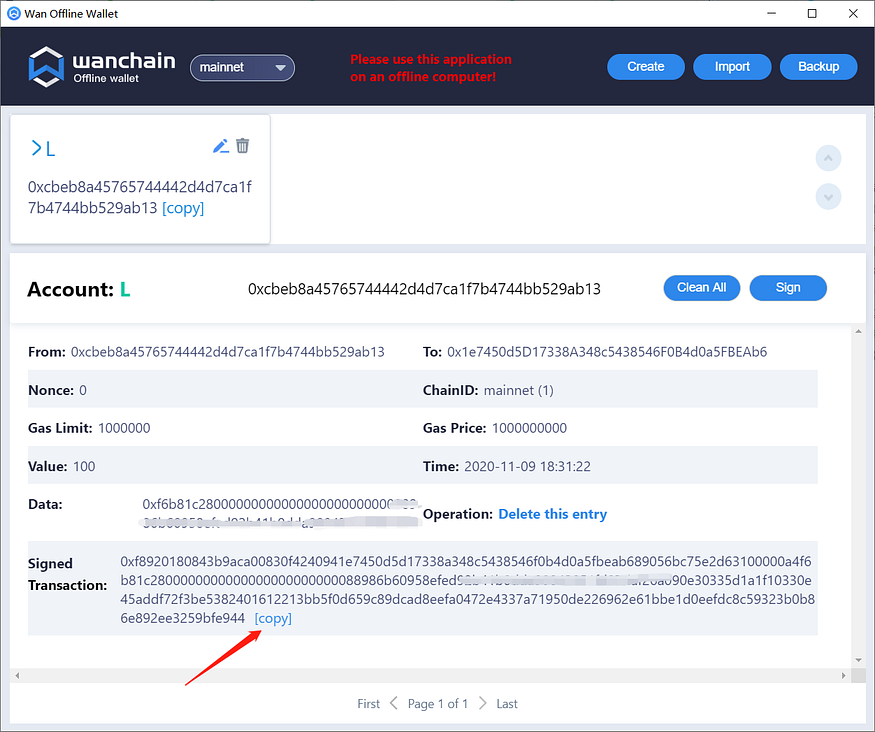
Copy the signed transaction data to a text file and transfer the file to an empty USB flash drive.
### (DESKTOP WALLET) Broadcast Signed Transaction
Connect your USB drive with the signed transaction to your computer with the desktop wallet open.
Copy the signed transaction and paste it into the empty field under “Step 3”
Click “Send Transaction”.

After completing the transaction, you will be able to view it in your transaction history.
# Trezor Support
## Supported Products
Here are the Wanchain products which support WAN by using Trezor:
* [WanWallet Desktop](https://www.wanchain.org/getstarted/)
* [WanMask](https://wanmask.io/)
* [MetaMask](https://metamask.io/)
* [MyWanWallet](https://mywanwallet.com)
## Workarounds for Trezor Model T connecting to WanWallet Desktop
WanWallet desktop wallet currently does not support Trezor Model T with firmware version V2.4.3 and above. It should be noted that this is only for Trezor Model T series hardware wallets. For other Trezor series wallets, the latest version of firmware is compatible with WanWallet Desktop.
There are currently two workarounds to solve this issue: one is to switch to Prompt mode in Trezor Suite; the other is to downgrade the firmware version.
### Workaround 1: Switch to Prompt mode in Trezor Suite
Download and install Trezor Suite:
Connect the Trezor Model T to the Trezor Suite, and check the firmware version.
Click the **Settings** button in the upper right corner, and click **Device** -> **Edit**
Select **Prompt** in the pop-up window and click **Confirm**. (Note that the Prompt mode will lower the level of your Trezor Model T.)
Now, WanWallet Desktop can send transactions via Trezor Model T.
**It should be noted that this switch from Strict mode to Prompt mode will weaken the security level of the hardware wallet, causing potential and unknown risks. Therefore, when you complete transactions on the Wanchain, you must immediately switch it back to the Strict mode. You should make your own judgments and bear any risks that may occur in this process.**
### Workaround 2: Downgrade the firmware version
Download and install Trezor Suite:
Connect the Trezor Model T to the Trezor Suite, and check the firmware version.
Currently, WanWallet Desktop supports firmware version 2.4.2 and below.
About how to downgrade the firmware version to 2.4.2 and below, the Trezor official guide is given for reference:
## Step by Step Guide in MyWanWallet
*DISCLAIMER: MyWanWallet.com is a Wanchain community project. The Wanchain Foundation does not maintain the project or make any guarantees about its security or functionality, and takes no responsibility for any loss or damages incurred through use of MyWanWallet.com.*
1. Connect your Trezor to your PC by USB and navigate to [https://mywanwallet.com/](https://mywanwallet.com/). Double check the address to make sure that it is correct, including 'https' and the 'com' domain.
2. Double check that you are on the Wanchain Mainnet and not on the Testnet or any other network.
3. Select "Trezor" from the radio menu
4. Click "Connect to Trezor"
5. Allow your browser to redirect you by popup to the url beginning with `https://connect.trezor.io`.
6. Wait for the page to load.
7. Click the blue button with the text "Allow once for this session" to allow MyWanWallet.com permission to read the public keys from your Trezor device.
8. Click the green button with the text "Export" to export your Trezor device's public keys to MyWanWallet.
9. Using the numbers displayed on your Trezor device together with the number pad displayed in your browser, input your Trezor device's passcode in order to export your public key.
10. Select the address with the WAN balance you would like to use, and then click the button with the text "Unlock your Wallet".
11. You will now be redirected to your wallet details on MyWanWallet.
12. Input the address you want to send to in the "To Address" field.
13. Input how many WAN you want to send in the "Amount to Send" field.
14. You may leave the "Gas Limit" at the default of 21000, and then click click the green "Generate Transaction" button to generate your transaction.
15. Allow your browser to redirect you by popup to the url beginning with `https://connect.trezor.io` and wait for the page to load.
16. Click the blue button with the text "Allow once for this session" to allow MyWanWallet.com permission to sign the transaction with your Trezor device.
17. Confirm the transaction on your Trezor device by clicking the right button:
18. Confirm again:
19. You will be redirected back to the MyWanWallet page where you should click the green button with the text 'Send Transaction' to begin sending your transaction.
20. Finally a pop-up window will display all of your transaction details. Please check all the details to make sure they are correct, and click the green button with the text "Yes, I am sure! Make transaction." to complete your transaction.
# Ledger Support
To use your Ledger for operations, install the Ethereum app on your Ledger device. Then, connect to a supported wallet (such as MetaMask or Rabby Wallet) and choose the Ethereum app, and configure the correct Wanchain RPC in the wallet. This will enable you to perform operations with your Ledger.
# MyWanWallet (legacy)
The “Partner-in” model allows for multiple node operators / addresses to jointly operate a node and receive delegations & rewards as a group
## 0. Preliminary Notes
As a Storeman node operator, you should understand the following:
* Partner-in is non-custodial, each partner’s fund will always be returned to the original partner when the node exits
* If the Storeman is dishonest, all partners will be slashed
* The leader partner receives all network rewards, and distribution happens offline (assumes the joining partners know and trust the leader partner to distribute rewards)
* A node can have 5 partners at most
* Each partner must have a minimum of 10,000 WAN
## Step by Step Instructions
*If you don’t have a Ledger or Trezor hardware wallet, please refer to “Wanchain Offline Wallet Partner In Usage Method” .*
**1. Access contract page of the MyWanWallet website**
Access: [https://mywanwallet.com/#contracts](https://mywanwallet.com/#contracts)
**2. Verify that you are using the correct network (Mainnet / Testnet)**
At the top right of the page, confirm that you have selected Network WAN Mainnet (mywanwallet.com):
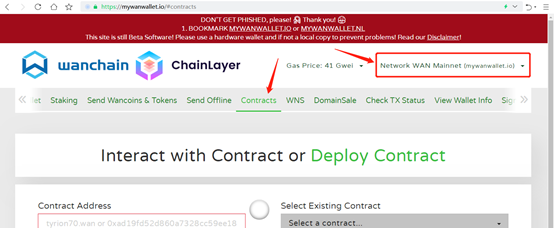
**3. Enter the Storeman contract address in Contract Address**
Enter the OSM contract address of mainnet in Contract Address: 0x1e7450d5D17338A348c5438546F0B4d0a5FBEAb6
**4. Enter ABI / JSON Interface information**
Copy and paste the ABI / JSON Interface.
[Download ABI](https://github.com/wanchain/explore-wanchain/blob/master/_media/storeman_contract_ABI.json)
**5. Click the “Access” button**
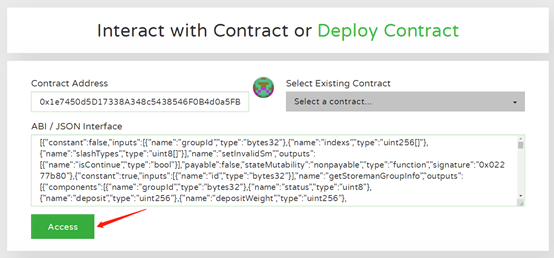
**6. In the Read / Write Contract drop-down box that appears, select “partIn”**
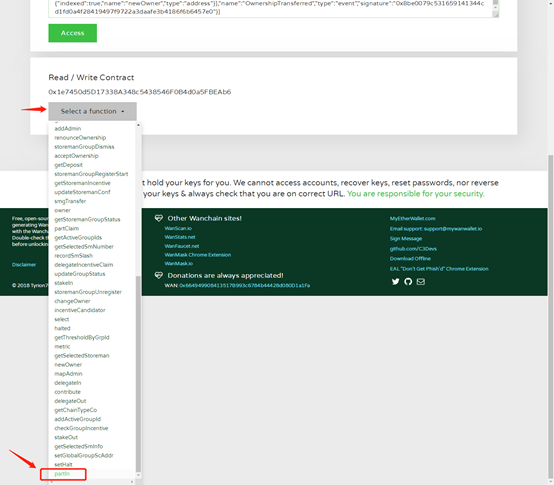
**7. Enter the Work Address of the node you want to participate in**
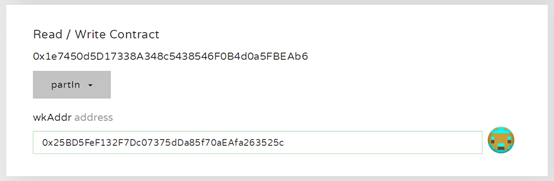
**8. Choose your hardware wallet and connect**
First select your hardware wallet, and click the connect button;
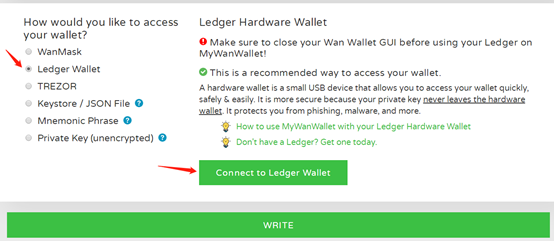
Choose your participating address and click “Unlock your Wallet”;
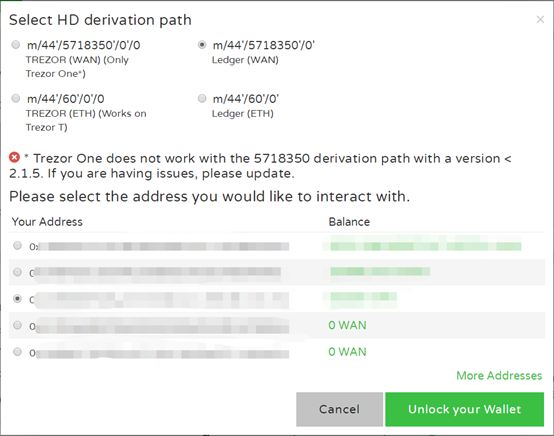
After connecting to the wallet and selecting the address successfully, click the “WRITE” button;
**9. Enter the number of WAN you want to partner-in and confirm**
Enter the number of WAN (at least 10,000) you want to partner in with, and after the Gas Limit is automatically refreshed (wait until it does not show -1), click the “Generate Transaction” button. Then confirm the authorized transaction on the hardware wallet.

After the transaction signature information is generated, click “Yes, I am sure! Make transaction.”
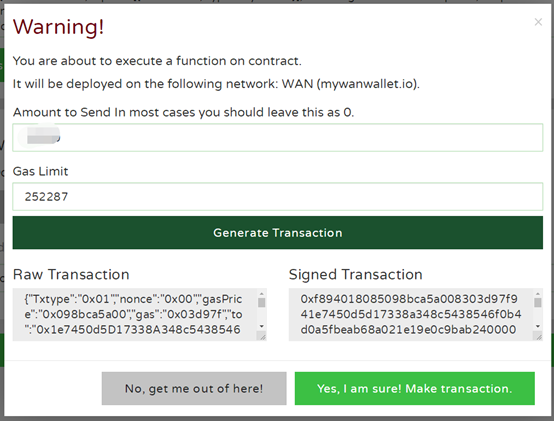
At this time, at the bottom of the page, there will be a prompt that the transaction has been broadcast online.

**10. View the results on the Wanscan browser**
Open the [Storeman group list pag](https://www.wanscan.org/storemangroups)e and click onthe Storeman group that is being joined, find the node you are participating in, and click its name or address to enter, there you can check whether your operation was successful.
**11. partOut & partClaim**
**Please note:** PartOut can only be carried out after the selection of the Storeman Group is completed, and partClaim can be carried out after disbandment.
The process is the same as steps 1\~10 above, **except that in step 6, the selection is no longer “partIn”, but “partOut” or “partClaim”.**
**In step 9, the “Amount to Send…” input value must be 0, and 1000000 in “Gas Limit”.**
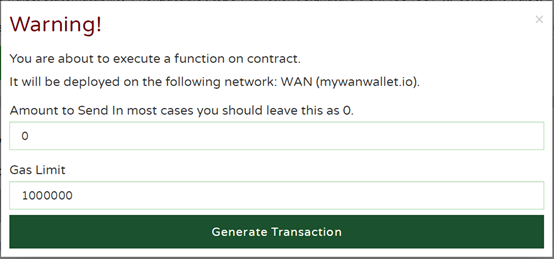
# WalletConnect
"WalletConnect", maybe you have never noticed the name, but when you are using imToken wallet, MetaMask mobile version, TrustWallet, etc., you will scan a pop-up QR code at a Dapp (such as UniSwap) on the screen, and you then connect to your wallet and perform subsequent transaction operations. As a digital player, I believe you will be familiar with such steps.

*The picture above is from WalletConnect official website. If copyright issue, we will delete it*
For "WalletConnect", let's take a look at the official definition: Open protocol for connecting Wallect to Dapps, which means that it is an open source protocol for connecting wallets and dApps. To put it more bluntly, WalletConnect is like a bridge through which the digital wallets on the users' mobile phones can be seamlessly connected to the dapps on the PCs.
But generally speaking, WallectConnect only supports dapps that connect to the Ethereum-based applications. On April 15th, Wanchain completed a major upgrade of the "Jupiter" version, achieving full compatibility with the EVM, which also means that Wanchain can fully adapt to the Ethereum-based dapps and tools. After the improvement and adaptation by R\&D team, you can use the mobile version of MetaMask by configuring parameters and switching to Wanchain network, in this case, MetaMask mobile can fully support Wanchain-based Dapps via WallectConnect, such as WanSwap, Zookeeper, Jack's Pot, etc. In the future, we plan to allow more mobile wallets to support WalletConnect and scan QR codes to connect to more Wanchain applications.
## How to use MetaMask mobile version to scan the QR code to connect to WanSwap?
Let's take the mobile version of MetaMask to connect to WanSwap as an example. Here are the specific steps.
### 1. Configure Wanchain network on MetaMask mobile
Click the network menu at the top of the MetaMask, and select the **Custom RPC** at the bottom of the pop-up menu.
Then fill in the RPC information as shown in the figure below, and click the **Add** button:

```
Network Name: Wanchain
New RPC URL: https://gwan-ssl.wandevs.org:56891
Chain ID:888
Currency Symbol: WAN
Block Explorer URL: https://www.wanscan.org
```
After completed the above step, you can use MetaMask to connect to the Wanchain mainnet to send transactions.

### Scan the QR code to connect to WanSwap
Visit [WanSwap official website](https://wanswap.finance/) on your computer, and click the Connect button at the top right to connect to the wallet

Select the **WalletConnect**
Click the scan button at the upper right of MetaMask and scan the QR code that pops up on the computer. After scanning, the connection between MetaMask and the WanSwap will be completed.
# Other Wallets & Tools
### Desktop and Browser Wallets
[WanWallet](https://github.com/wanchain/wan-wallet-desktop/releases) *- Wanchain official secure desktop wallet*\
[Wanmask](https://wanmask.io/) *- Browser Extension Wallet*\
[MyWanWallet](https://mywanwallet.nl/) *- Open source web wallet with Wancoin and WRC20 support*
### Mobile Wallets
[WanWallet (Android)](https://play.google.com/store/apps/details?id=com.wanchain.WanWallet)\
[WanWallet (iOS)](https://apps.apple.com/us/app/wanwallet/id1477039507)\
[Trust Wallet](https://trustwallet.com/) *- Binance's official wallet supports WAN*
### Hardware Wallets
[Trezor](https://trezor.io/)\
[Ledger Nano S](https://www.ledger.com/products/ledger-nano-s)
### Ecosystem Tools
[Wanscan](https://www.wanscan.org/) *- The official Wanchain explorer*\
[Tokenview](https://wan.tokenview.com/en/) *- Tokenview built Wanchain explorer*\
[Wanchain.Guide](http://wanchain.guide/) *- Community built Wanchain wallet and staking guide*\
[Wanscan (Testnet)](http://testnet.wanscan.org/)\
[Wanstats](http://wanstats.io/) *- Network statistics*\
[Wanstats (Testnet)](http://testnet.wanstats.io/) *- Network statistics*\
[WanStakeInsight](https://www.wanstakeinsight.com) *- A staking explorer built by community member* [*Cryptofennec*](https://www.cryptofennec.com/)
# Overview: Crosschain DeFi
Wanchain is quite fond of using the metaphor of Wide Area Networks vs Local Area Networks (“WAN vs LAN”), to describe the incredible potential which will be unleashed when the crypto industry’s currently mostly isolated blockchains and their assets finally become connected. In the early days of the internet, knowledge was siloed in local university and library LAN networks. The advent of WAN, which connected all of those local networks in order to form the incredible network of knowledge and data which is the internet as everyone knows it today, unleashed an incredible torrent of creativity, new businesses, new financial opportunities, even entirely new cultures and ways of life. It is in fact from this metaphor that Wanchain takes its name — WAN+chain.
Wanchain’s goal is to unleash the incredible power of connectivity by building the infrastructure for the universal connection of all blockchains and their assets. What WAN networks did for data and knowledge, Wanchain predicts their cross-chain infrastructure will do for decentralized financial applications (DeFi).
For the past several years Wanchain has been building the infrastructure to power cross-chain DeFi use cases in a decentralized and trustless way. Their ultimate goal is not ONLY to connect various blockchains and digital assets together, but also to connect the world of decentralized finance together with traditional finance and assets. This new world where value flows freely from blockchain to blockchain, and between DeFi and traditional ecosystems, and where trustless applications can be built to take advantage of all this different interoperable value, Wanchain believes will be just as revolutionary a step forward as the introduction of the global Internet.
## Lack of Standardization Leads to “Value Islands”
As unglamorous and dry as rules and standards may seem at first, there is a certain magic to them which gives them great transformative power. There have been countless examples of the power of standardization over and over through history.
In 221 BC, the Chinese Emperor Qin Shihuang conquered his six neighboring nations to establish the Qin Dynasty. After firmly establishing his rule, Emperor Qin set about enforcing the standardization of currency, weights, measures, the transport system and the writing system.
Prior to Emperor Qin’s enforcement of standards, each local area had their own individual standard, and some places would even mix multiple standards together! Take, for example, the seemingly simple and rudimentary technology of horse carriage tracks. These were not the modern roads or cast iron train tracks of later years, but were rather simply furrows set in the earth at a set width apart. Before the unification of the Qin Dynasty, the width of the carriages used by the six nations was different from each other, resulting in different widths of tracks throughout the region. Therefore, it was extremely inconvenient for the carriages to go from one country to another. After standardizing the transport system, goods could be transported from one place to another more efficiently and conveniently, which allowed for the entire domain that used the shared track standard to share in the economic benefits of unifying the transport standard of the region.
The situation of track widths prior to the Qin dynasty is mirrored in the world of blockchain today. There are countless different public chains, consortium chains, and private chains. Each has their own different underlying frameworks, data structures, and APIs. Therefore, connecting one chain with another chain, especially for heterogeneous chains (those with significantly different technical infrastructure), is a major challenge.
### The Phenomena of Value Islands Limits the Potential of DeFi
Due to the lack of standards, the phenomena of “value islands” has arisen. Value islands refer to the different assets and applications which operate on various different blockchains, and cannot easily connect with other different chains. The most obvious example of this value isolation is, of course, that of Ethereum. While it is true that a number of real world assets and assets from other chains have been issued on Ethereum through a variety of mechanisms with different levels of security and decentralization, the value island problem is still very severe. Only a select few assets are able to find their way to Ethereum from elsewhere, with USD stablecoins and BTC pegged or backed tokens being the most prominent of these. Aside from these few assets, next to none are able to find their way onto Ethereum. Not only is it difficult for value to get onto the Ethereum island, it’s just as difficult for it to leave! While there may currently be some experimental solutions for bringing ETH to other chains, none are currently widely used or accepted.
This innovation vacuum brings the crypto space to the peculiarly lopsided DeFi market that has evolved today. The DeFi ecosystem in the public chains represented by Ethereum is prosperous, while the DeFi ecosystem in other public chains are cared for by few people. Wanchain has counted the top 40 DeFi projects on CoinMarketcap. You may get a general whole picture of DeFi world from those top 40 DeFi projects.
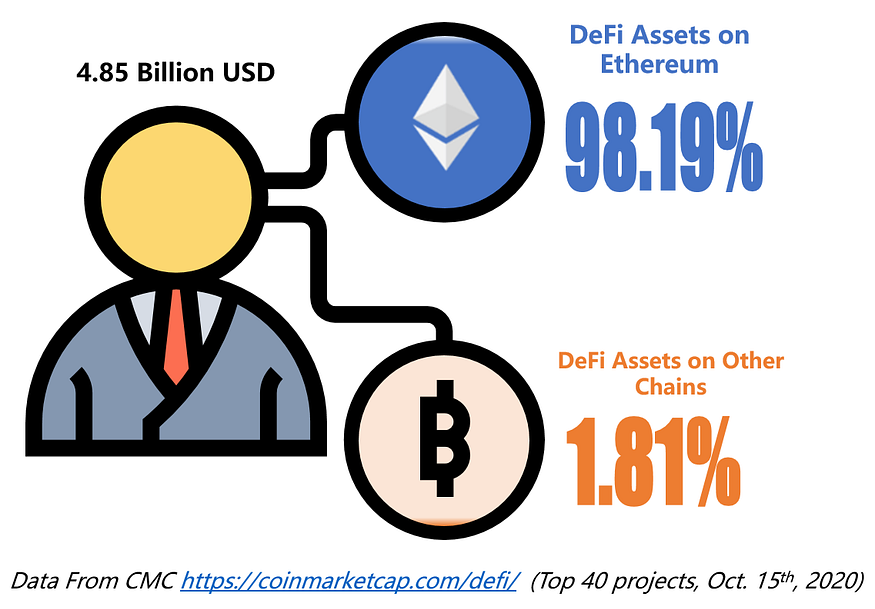
Billions of dollars worth of assets are trapped on other blockchains, unable to participate in the recent DeFi boom on Ethereum.
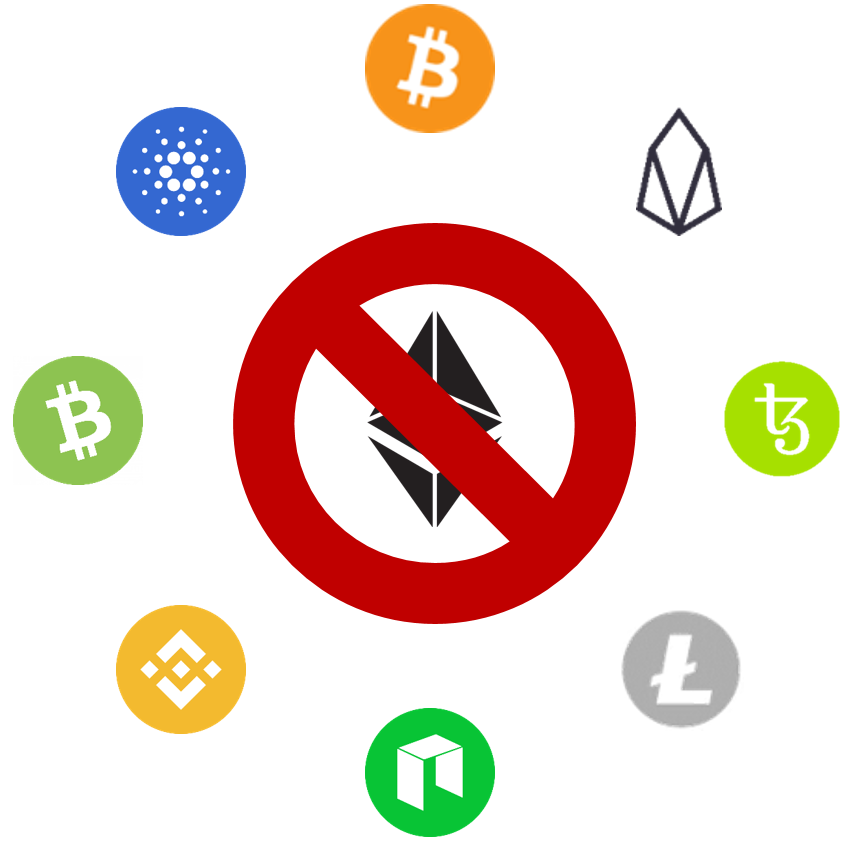
## WanBridge — Wanchain’s Decentralized, Universal Solution for Trustless and Permissionless Cross-chain Value Transfer
Since Wanchain published their whitepaper over 3 years ago, their focus has stayed set on building infrastructure for cross-chain value transfer in order to enable new decentralized financial use cases. After years of intense research and development, engineering breakthroughs, and lots of blood, sweat, and tears, the Wanchain team is about to unveil the product that realizes many of the primary goals which were laid out in their original whitepaper — ***The WAN Bridge***.
The introduction of WAN Bridges allows for assets to begin to flow freely between different heterogeneous blockchains, ***despite the lack of standardized blockchain infrastructure.***

## WanBridge Development History
In 2018, Wanchain successfully implemented a cross-chain value transfer solution which allowed BTC, ETH and ERC20 tokens to move back and forth from their native chain to Wanchain. In 2019, Wanchain integrated with EOS and proposed a universal cross-chain framework protocol T-Bridge for cross-chain integration with consortium chains.
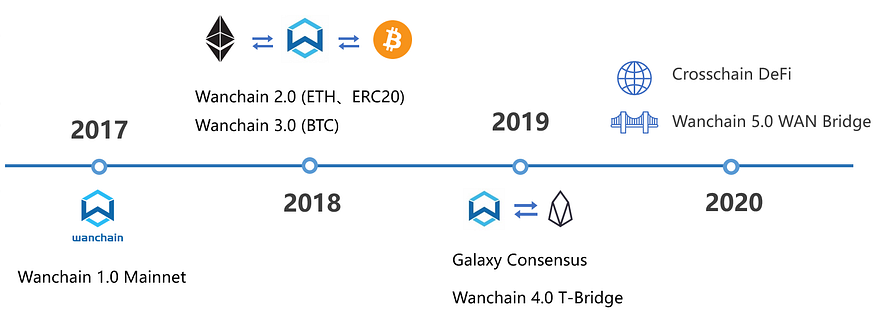
2020 brought along Wanchain 5.0 and the WAN Bridge. The WAN Bridge is a major step forward from Wanchain’s previous cross-chain implementations in practically every important dimension including decentralization, trustlessness, and security. Most prominent of these advances is that WAN Bridges are ***universal*** which means they allow for the transfer of value back ***and*** forth between ***any*** two connected chains.
WAN Bridge is the core product of Wanchain 5.0, and is a major upgrade based from our previous cross-chain mechanism. It is an affordable and scalable solution which allows for native assets and tokens to flow securely and rapidly back and forth between ***ANY*** two chains connected by a bridge.
## First Ethereum…and then the World!
As each pair of chains to be connected requires its own bridge, WAN Bridges will be set up one by one after the launch of Wanchain 5.0, starting with the most prominent public blockchains, and eventually expanding to include a large array of popular public blockchains. Naturally, the first bridge to be set up will connect Wanchain with Ethereum. Through this bridge, Wanchain’s native WAN and WRC20 tokens may travel back and forth between Wanchain and Ethereum. Likewise, the bridge also allows for ETH and ERC20 tokens to flow freely back and forth between the two chains.
### A Note on Nomenclature:
One of the unique challenges brought by cross-chain asset transfer is that of taxonomy. As more and more tokens become available on more and more different chains, the problem arises of how to refer to the various cross-chain formats of the same asset. Wanchain has proposed their own nomenclature for cross-chain tokens using the @ symbol and lowercase token symbol prefixes.
**“@” nomenclature:**
The “@” symbol is used to specify which blockchain a token currently resides on. For example, WAN\@Ethereum refers to the ERC20 version of the native WAN asset which has been issued on Ethereum.
**Lower case token symbol prefix nomenclature:**
This nomenclature is used to specify which service provider has issued a cross-chain token. For example, wanETH refers to the native ETH asset which has been issued as a wrapped token by Wanchain. It DOES NOT specify which chain the token resides on. In order to do that, you would need to combine the nomenclatures. For example, wanETH\@Wanchain refers to tokens on Wanchain, while wanETH\@EOS would refer to the same underlying tokens, only now on the EOS blockchain.
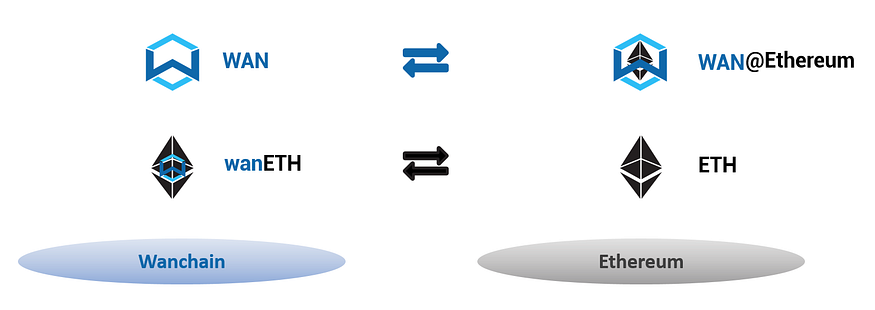
*Regarding the naming rules of cross-chain assets, Wanchain will have a more in depth discussion in future articles.*
## Wanchain 5.0 Cross-chain System’s Foundational Concepts:
### Roles
Wanchain 5.0’s Cross-chain system includes a variety of different actors who fill different roles in the system. Below is a diagram summarizing the different roles:
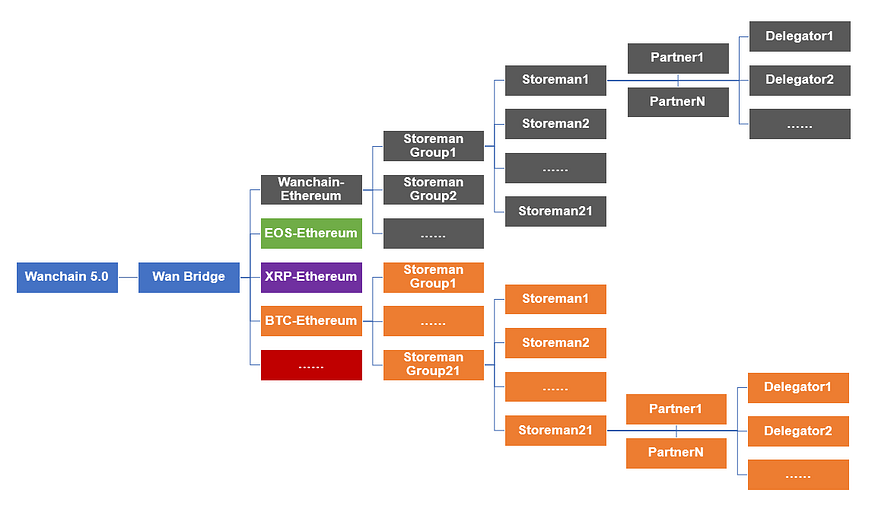
Wanchain will be releasing more articles exploring the various roles and functions at a later stage
### Cross-chain value transfer core mechanism
Wanchain’s cross-chain approach is to set up one or more decentralized **WAN Bridges** in order to connect blockchain pairs. Each Wan Bridge has a **Storeman Group** consisting of 21 **Storeman Nodes** (nodes that manage the cross-chain value transfer process).
### Security Mechanism
In order to ensure the safe and stable operation of the entire cross-chain system, Storeman Node operators must pledge a certain amount of collateral to be put up as stake. Meanwhile, node operators can also attract deposits from partners and delegators to increase their total stake and obtain more rewards during node operation.
*Future articles will cover staking, delegation, and the rewards from each in greater depth.*
WAN Bridges uses a [threshold signature scheme combined with multiparty computation (TSS + MPC)](https://www.wanchain.org/blog/secure-multiparty-computation-and-shamirs-secret-sharing-on-wanchain/) in order to guarantee the security of the locked assets and the smooth functioning of the cross-chain value transfer system.
Cryptoeconomic incentives are also used to guard against malicious behavior. Node operators are required to over-collateralize the value of the cross-chain assets they issue. In cases of malicious behavior, that collateral may be slashed. In this way, the cost of malicious behavior is greater than the rewards set to be gained by it, so Wanchain can ensure that node operators are always incentivized to behave honestly.
*Wanchain will release a future article explaining incentives and slashing in greater detail.*
## Wanchain 5.0 Highlights
> *WAN Bridges are Wanchain’s decentralized, universal solution for trustless and permissionless cross-chain value transfer.*
>
> *BTC, EOS, WAN, and more will be brought to Ethereum, and Ethereum assets will brought to Wanchain.*
>
> *The first decentralized cross-chain bridge will be from EOS to Ethereum.*
## Where Wanchain goes from here…
Wanchain’s long term goal is the establishment of a distributed cross-chain bank which will provide global users with a one-stop shop that offers a variety of decentralized financial products to fulfill all their needs.
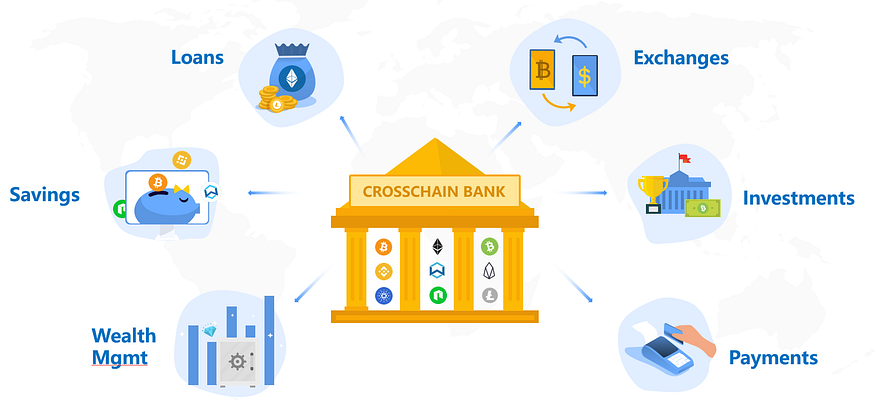
*Wanchain’s long term goals will be discussed in greater depth in a future article.*
Wanchain looks forward to these next few months as they have been preparing for this moment since they first combined blockchain technology with the concept of the Wide Area Network (WAN) to form WANchain.
# Economic Incentives
## Introduction
Wanchain 5.0’s economic incentives serve two primary purposes
First, community members are rewarded to act as Storeman nodes building bridges to provide the cross-chain functionality. Second, malicious behaviors are punished by slashing bonded stake.
**CHANGES FROM PREVIOUSLY ANNOUNCED REWARDS MECHANISM:**
Before digging into the details of the reward and slashing mechanism, please note that several previously announced incentives details have been changed:
1. The Stake to Delegation ratio has been changed from 1:5 to 1:1 (This is a temporary security measure to limit total stake locked in the system during the first couple MPC cycles. By the end of the 1st or 2nd MPC cycle it will be upgraded as long as no security issues have come up.)
2. The MPC cycle length has been changed from 3 months to 30 days
3. The delegation fee has been modified from 5% to 10%
4. Minimum stake for a Storeman node is 10k WAN
## Rewards
The basic principle of the Storeman rewards mechanism is that Storeman operators expend resources and take risks in order to ensure the smooth and secure operation of cross-chain transactions. Delegators contribute stake to storeman nodes, and are thus also rewarded.
### Overall design
* No cross-chain service fee (temporarily subsidized by Wanchain Foundation)
* Incentive paid to cross-chain Storeman Node operators who run nodes
* Incentive paid to delegators who contribute stake to Storeman nodes
* Total Storeman reward is limited with a **hard cap** to ensure that the high rate of return doesn’t cause too large an amount of funds to move away from Proof of Stake
The total reward of the Storeman system is defined by this formula (this is the sum of the rewards paid out to ALL storeman from all bridges combined):
> r₁ = r₂ × **α**
`r1` denotes reward rate of PoS consensus, `r2` denotes reward rate of crosschain, and `α`denotes zoom coefficient. In the initial stage, we set `α=1.5`, which means the average reward rate of crosschain is 1.5x that of PoS consensus. At present, `r1=7.67%`, so we have `r2=11.5%`.
Second, to achieve a balance between cross-chain reward and PoS consensus reward, we set a hard cap for cross-chain daily reward as
> **HardCap = PoSDR**
`HardCap` is the maximum daily rewards for the Storeman system, and `PoSDR`denotes PoS dail rewards. At present, `HardCap=6027 WAN`.
Assuming the total deposit for crosschain is `w`, then crosschain daily reward `CDR`is computed as

From the above formula we know, as `w`increases, `CDR`grows linearly. When it
reaches 19.1 M, `CDR`equals 6027 WAN and remains unchanged.
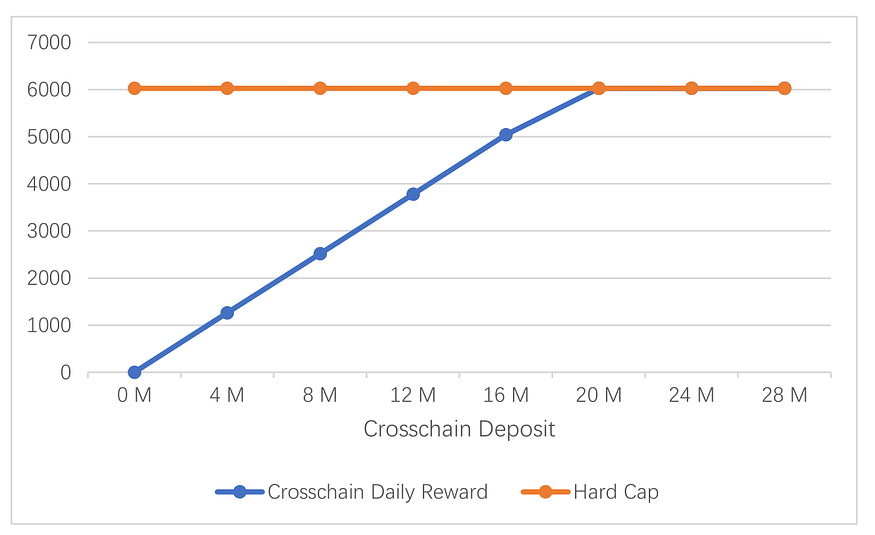
The cross-chain reward rate `r2`is 1.5 times PoS consensus reward rate `r1`before `CDR`reaches hard cap. When `CDR`reaches the hard cap, `r2`decreases linearly as `w`grows. Finally, `r1=r2`, when `w=28.6M WAN`.

In summary, the cross-chain reward rate is higher than the PoS consensus reward rate in the initial stage, which encourages the development of the cross-chain ecosystem. As cross-chain deposits grow, the cross-chain reward rate decreases due to the hard cap. An equilibrium will be reached when the cross-chain and PoS reward rates are equal.
### Reward division between Storeman and delegators
In Wanchain 5.0, cross-chain bridges are built and run by groups of Storeman nodes. Storeman operators stake a security deposit in to ensure honest behavior. Delegators may contribute additional stake to Storeman nodes in order to increase the cross-chain asset transfer limits and share in network reward.s
As described above, `r2`is the crosschain reward rate, which is the average of the Storeman’s reward and thedelegator’s reward. As for reward division, Storeman operators earn more due to node operation costs.
`w1`is the Storeman node deposit, `w2`denotes the deposit of delegators, `Fr` denotes the delegation fee rate, and `μ`denotes the weight. Storeman daily reward(`CDRs`) and delegators’ daily reward(`CDRd`) are calculated as
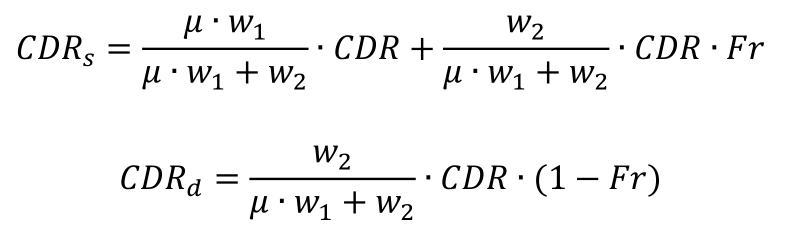
Storeman’s reward rate `rs`and delegators’ reward rate `rd`are calculated as

Assuming w1=2M, w2=10M, Fr=5%, μ=1.5, then we know CDR=3780, rs=18.57%, rd=10.08%

### Activeness Index of Storeman Nodes
To evaluate the activeness of Storeman Pi’s participation in the cross-chain process, the activeness index is defined as:

`n` denotes the total number of cross-chain events in Storeman Pi’s work cycle, `m`denotes the number of crosschain events which Pi participates in.
Besides, we set a threshold `τ`for Storeman’s activeness index. Storeman will not get reward if its activeness index is below `τ`. Assuming Storeman Pi has a deposit of `ws`, then its reward `R`is calculated as

## Slashing
### Overall design
To ensure security and reliability, malicious behaviors will be punished by the slashing of stake.
The slashing mechanism detects Storeman’s malicious behaviors in a decentralized way without the need of any trusted third party. Specifically, in the keygen stage, Storeman nodes exchange data with each other on chain. Invalid data will be detected by a challenge / response process, which takes the on-chain data as input. In the signing stage, a enhanced version of Shamir’s secret sharing is used with the inclusion of Feldman’s VSS protocol. Any Storeman node is able to verify the validity of the received data. The invalid data will be uploaded to the smart contract to trigger the slashing process. In summary, the detection of malicious behavior is based on on-chain data and smart contracts. So it is publicly verifiable and ensures the correctness and fairness of theslashing mechanism.
### Malicious behaviors and the corresponding slashing methods

# Cryptography Supported
## Introduction
There are two fundamental problems to be solved in any cross-chain solution, one — how to lock and manage cross-chain assets, and two — how to verify cross-chain information. Wanchain 5.0 solves these two problems in a decentralized way using cryptographic techniques. In this article, we will introduce Wanchain 5.0’s solutions to these two problems and their advantages compared to other existing solutions.
## Management of Locked Cross-chain Assets
### Overview of Options for Managing Locked Cross-chain Assets
There are three commonly used methods for locking cross-chain assets, protocol-based methods, multi-signature based methods, and Multiparty Computation with Threshold Signatures Scheme (MPC / TSS) based methods. Wanchain makes use of a MPC / TSS based method.
Compared to other methods, it has the following advantages:
* **Universal —** It is applicable for any blockchain system without changing underlying mechanisms
* **Efficient —** Only one valid signature is needed to control the locked account, which reduces storage and computation
* **Flexible —** it allows any number of nodes to control the locked account and is adjustable to suit different needs
Wanchain applies different TSS (threshold signature schemes) according to the technical structures of blockchain systems. Specially, for blockchain systems that do not support smart contracts (such as Bitcoin), we use an ECDSA TSS scheme. For blockchain systems that support smart contracts (such as Ethereum, EOS), we use a Schnorr based TSS scheme. Wanchain 5.0 includes major upgrades to our previous TSS schemes, which ensures the security and decentralization of the whole system.
### Wanchain 5.0’s Improved Threshold-optimal ECDSA TSS
We will first explain the concept of “threshold optimal”. Generally, in a `(t,n)` TSS scheme, there is a total number of `n`participants, of which `t` participants are required to generate a valid signature. “Threshold optimal” indicates that `t` can range from 1 to n, i.e. `t∈[1,n]`. The ECDSA TSS scheme most commonly used by blockchain projects is from tjepaper “Robust Threshold DSS Signatures” published in 1996. This scheme is not threshold-optimal, for `t∈[1,(n+1)/2]`. Because in this scheme, the secret key is divided into secret shares by Shamir secret sharing. When performing the MPC multiplication operation in the signing process, degree of the polynomial which shares the multiplication result will increase to `2t-2`. The formulae are as follows:
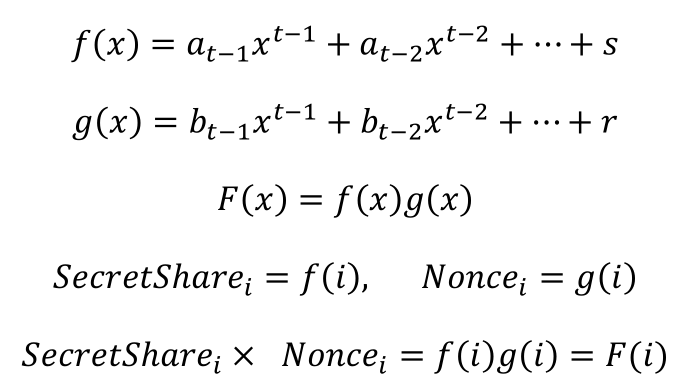
`s` denotes the secret key, `f(x)` denotes the polynomial used to share `s`, `r` denotes the nonce in ECDSA scheme, `g(x)` denotes the polynomial used to share `r`. In the signing process, shares of `s` multiplicate with shares of `r`. Then `F(x)` is the polynomial that shares `sr`, of which the degree is `2t-2`. So in order to recover `sr`, the least number of participants is `2t-1`, which should be less than `n`:
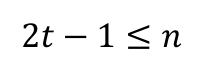
Then we know `t∈[1,(n+1)⁄2]`.
Wanchain 5.0 employs the latest research into ECDSA TSS schemes to improve our cross-chain solutions for Bitcoin. Our ECDSA TSS scheme is from the paper “Fast Multiparty Threshold ECDSA with Fast Trustless Setup” published in 2018, which uses homomorphic encryption and the MtA (Multiplication to addition) protocol to ensure the solution is threshold optimal. The property of threshold-optimal is vital to any cross-chain solution’s security and stability. We discuss this in two aspects:
* When `t` is fixed, regular ECDSA TSS schemes require no less than `2t-1` participants working together to generate a valid signature. But for threshold-optimal ECDSA TSS scheme, only `t` participants are required. For example, assuming 5 participants are enough to reconstruct the private key. Then in regular ECDSA TSS schemes, in order to generate the valid signature in the way of MPC, the secret key has to be spread to at least 9 nodes. If the adversary succeeds in attacking 5 of the 9 nodes, then he is able to reconstruct the secret key and steal the assets in the locked account. But in threshold-optimal ECDSA TSS scheme, the secret key is spread to 5 nodes. The adversary has to attack all of the nodes successfully to steal the assets in the locked account. To make a summary, when `t` is fixed, the secret key has a wider spread in regular ECDSA TSS schemes than threshold-optimal ECDSA TSS scheme, which raises the risk to be attacked. So threshold-optimal ECDSA TSS scheme is more secure.
* When `n` is fixed, in regular ECDSA TSS schemes `t∈[1,(n+1)⁄2]`, but in threshold-optimal ECDSA TSS scheme `t∈[1,n]`. So the range of `t` in threshold-optimal ECDSA TSS scheme is almost one time bigger than that in regular ECDSA TSS schemes. When `t=(n+1)/2`, the valid signature cannot be generated in regular ECDSA TSS schemes if one of the nodes is offline. But in threshold-optimal ECDSA TSS scheme, the valid signature can always be generated as long as the number of offline nodes is less than `(n+1)/2`. So threshold-optimal ECDSA TSS scheme has the property of fault-tolerance and is more stable.
### Improve Shamir secret sharing to Feldman verifiable secret sharing
Wanchain applies Schnorr TSS scheme in blockchain systems that support smart contract. Compared to ECDSA TSS scheme, Schnorr TSS scheme has less computation consumption and fewer interaction rounds, which improves the efficiency of managing locked account. Wanchain 5.0 opens all the Storeman nodes to community, so a precise slashing mechanism is needed to punish the malicious nodes to ensure the security of cross-chain process. The basis for such a slashing mechanism is a method to verify the validity of data sent during the TSS signing process. So we improve the original Schnorr TSS scheme by replacing the Shamir secret sharing with Feldman verifiable secret sharing. After the improvement, any node can verify the validity of its data received from other nodes. One the data is invalid, the node can upload it to a special smart contract, which will verify the data and punish the corresponding sender.
## Solution To Verifying The Cross-chain Information
There are two ways to verify cross-chain information — proof-based methods and consensus-based methods. In proof-based methods, the sender of cross-chain information has to provide an extra proof to prove the validity of the related cross-chain information. In consensus-based methods, a group of nodes consensus on the cross-chain information, of which the result determines the validity of the cross-chain information. Wanchain 5.0 adopts a consensus-based method to verify the cross-chain information. Based on the idea of “signature is consensus”, we combine the verification of cross-chain information with the management of locked account. The Storeman node verifies the cross-chain transaction in the original chain locally, generates the corresponding signature share, and sends to the destination chain. Once the number of signature shares exceeds the threshold (such1/2, 2/3 ), it means that the Storeman nodes have reached consensus on that cross-chain transaction. At the same time, these signature shares are constructed into the complete signature, which triggers the cross-chain assets generation and release. Compared to the proof-based method, our solution is user-friendly because of the fact that users have to send only one single transaction, which reduces cost and time.
# Security Mechanism
## Introduction
Security is always the foremost consideration in the design of blockchain systems. Without security, any design or implementation becomes meaningless. However, the concept of security in the blockchain domain is complex, as blockchain is a combination of cryptography, computer networking, and economics. Consequently, security is manifested in multiple aspects within the blockchain. Wanchain 5.0 relies on the Storeman group to provide cross-chain functionality, including locking cross-chain assets and verifying cross-chain information. Therefore, the security of the cross-chain mechanism can be simplified to the security of the Storeman group. In the remainder of this article, we demonstrate how Wanchain 5.0 ensures the security of the Storeman group from both cryptographic and economic perspectives.
## Cryptography
### A distributed randomness generation algorithm with provable security -SecRand
Storeman nodes, also known as cross-chain nodes, are chosen through a community selection process. Every 25 Storeman nodes form a group and build a cross-chain bridge. In two specified WAN Bridges between two public chains (e.g., to build 10 Wanchain-Ethereum bridges, a total of 10 Storeman groups with 210 Storeman nodes are needed), the grouping results of all involved Storeman nodes directly affect cross-chain security. For instance, if all Storeman nodes controlled by an adversary are assigned to the same group, there is a high probability that the secret will be reconstructed, and the locked assets will be stolen. Thus, the grouping result must satisfy unpredictability and bias-resistance. Unpredictability ensures that the adversary cannot predict the grouping result and execute a targeted attack. Bias-resistance ensures the adversary cannot influence the grouping result to their advantage. Wanchain 5.0 uses a random number as the input for the grouping algorithm to achieve unpredictability and bias-resistance. The random number is generated by SecRand, a distributed randomness generation algorithm with provable security that provides high-quality entropy in the grouping process.
### Threshold Optimal TSS scheme
Most cross-chain projects use TSS schemes that are not threshold-optimal, which increases the risk of collusion, as explained in the article "[Wanchain 5.0 Cryptographic Foundation](https://medium.com/wanchain-foundation/chapter-3-wanchain-5-0-cryptographic-foundation-a0dfbe23755d)". With a fixed threshold, a non-threshold-optimal TSS scheme requires distributing the secret key to about twice the threshold nodes. For example, if the threshold is 5, a total of 9 nodes are needed to complete the threshold signature in non-threshold-optimal TSS schemes, whereas only 5 nodes are needed in threshold-optimal TSS schemes. Clearly, the probability of collusion among 5 out of 9 nodes is higher than that of 5 out of 5 nodes. Therefore, Wanchain 5.0 employs a threshold-optimal TSS scheme to increase the difficulty of collusion and ensure the security of assets in locked accounts.
### Publicly verifiable exchanged data
Wanchain 5.0 enhances Shamir's secret sharing used in the TSS scheme to Feldman secret sharing, ensuring that exchanged data between Storeman nodes are publicly verifiable. As a result, malicious Storeman nodes that send invalid data during the TSS scheme will be filtered out. The invalid data will not be used in signature reconstruction and will not affect the signing process. Finally, the malicious Storeman node will be penalized for their malicious behavior.
## Economy
### Scientific deposit mechanism
Deposits increase the cost of malicious behavior for Storeman nodes and reduce the motivation to act maliciously. The higher the deposits, the more secure the cross-chain assets are. However, excessive deposits raise the "participation threshold", which may lead to most Storeman nodes being controlled by wealthy individuals. The deposit calculation formula in Wanchain 5.0 is shown below:
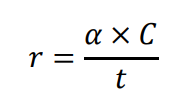
where `C` is the capacity of the bridge (The capacity of the bridge refers to a reasonable maximum amount threshold at which Storeman nodes still don’t have the motivation to directly give up the deposits and take the cross-chain assets for profits because the cross-chain assets value in total is equal or less than the deposits value when this capacity hits. ), `t` is the threshold in TSS scheme, `r` is the amount of required deposits, `α` is the adjustment factor and is bigger than 1. Obviously, the cost of stealing the assets in the locked account is `r x t`, which equals to `α x C`. With `α>1`, the adversary’s profit `C` is always less than its cost `α x C`.
### A Comprehensive Incentive Mechanism
Wanchain 5.0 offers a comprehensive incentive mechanism to ensure Storeman nodes strictly follow the protocol. Specifically, good behaviors will be rewarded, and malicious behaviors will be punished. Under the assumption of rationality, Storeman nodes will act honestly to maximize their reward.
### A Falling-Price Auction
Even there is little chance that the assets in the locked account is stolen, we still provide a solution for this extreme case — a falling-price auction, which is used to pay the users for their lost assets in the locked account. Once the assets in the locked account are moved Illegally, then all Storeman nodes’ deposits will be locked and will not be returned to their accounts after the working cycle. These deposits will be sold through a falling-price auction, and the money will be used to pay the users who have assets in the locked account. Due to the adjustment factor `α`, the deposits are always enough to pay user’s loss. The remainder will be rewarded to the person who triggers this mechanism. So anyone can audit behaviors of the Storeman nodes.
# Two-Way Bridge & Direct Bridge
Wanchain is a blockchain project that focuses on building bridges to connect with public or private, homogeneous or heterogeneous, blockchains. From Wanchain 2.0 to Wanchain 5.0, Wanchain has connected with various blockchains such as Ethereum, Bitcoin, and EOS. For 5.0, Wanchain releases two-way bridge to connect with Ethereum blockchain through the Open Storeman mechanism. This has achieved the technical framework as laid out in the Wanchain whitepaper. Going beyond that, Wanchain has been working on direct bridge that will connect two public blockchains without the need of routing through a hub blockchain as shown in the following architectural diagram extended from Wanchain’s original whitepaper.
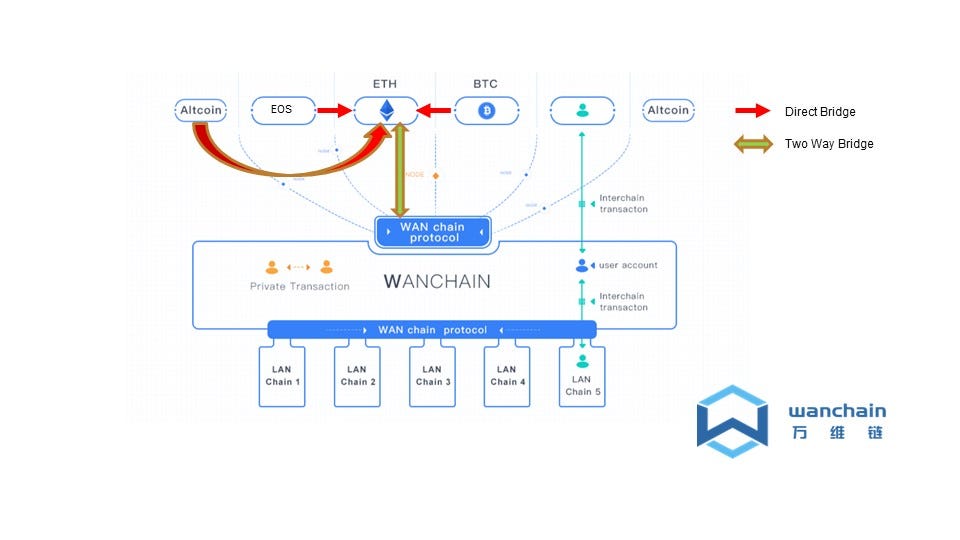
Wanchain expands crosschain architecture to two way bridge and direct bridge
In this article, we describe in details some basic concepts, features, and processes for two-way bridge and direct bridge.
## Two-Way Crosschain Bridge
Not all bridges are the same. A bridge in the context of this article is a platform that can transfer assets from one blockchain to another blockchain. There are three elements that are important to describe a crosschain bridge: a) who provides the bridge; b) what assets are transferred in a bridge; c) on what blockchain the assets reside. As crosschain technology and applications are still at an early stage and there are only a few applications that provide solutions for bridging assets in different blockchains, there are many conceptions that need to be clarified to better understand crosschain bridges. For example, we used the word “wrapped ether” to represent ether in its ERC20 format and “wrapped BTC” for BTC in its ERC20 format. This is very inaccurate as the first one is on its native chain and the other is crossed from another blockchain. It is very important to differentiate an asset crossed from another blockchain as the value of this asset depends on the security of the existing chain, the source chain, and the bridges that connect the two.
We would also think intuitively that all bridges are two-way bridges, as assets transferred from blockchain A to blockchain B should be able to be redeemed back to its original chain. However, if we look at all the solutions that are provided for crosschain bridges, the asset transfers are only unidirectional as almost all solutions are to bring assets to Ethereum blockchain. It is very rare for Ether to be transferred to other blockchains.
To better understand a two-way bridge, it is important to know that assets in crosschain system can have two distinct forms: one is native assets that are generated from its source blockchain, and another is transformed assets that are minted after locking assets in its parent blockchain. For example, in Ethereum blockchain, Ether and most of the ERC20 tokens, are native assets, while wrapped ERC20 tokens, such as wBTC and wanBTC, are transformed assets. Transformed assets are created through crosschain bridges, most of them centralized. Native assets can exist standalone in its source blockchain, while transformed assets cannot exist independent of its locked native assets. Here, we use the term “transformed asset” to mean an asset that is locked in its source chain and minted in the target chain. Several other terms such as “derived asset,” “wrapped asset,” or “foreign asset” can also be used to describe this important conception in the crosschain bridge.
Due to different blockchains having different consensus, cryptography, and smart contract support, not all crosschain asset-transfers are supported. For example, it is easy to transform a BTC asset from bitcoin blockchain to Ethereum blockchain, but it is not easy to transfer an Ether from Ethereum blockchain to bitcoin blockchain due to lack of smart contract support on Ethereum blockchain. Hence, we call this a one-way bridge. A one-way bridge is a bridge that allows a user to transfer a native asset one-directionally from a source blockchain to a transformed asset in a target blockchain and redeem the asset back to its source form. A one-way bridge does not support transferring a native asset in a target blockchain to another asset in source blockchain. This is currently the case for most of the bridges that support asset transfer.
Before Wanchain 5.0, all Wanchain bridges were one-way bridges, as Wanchain could transfer native assets in Bitcoin, Ethereum, and EOS blockchain to Wanchain, but did not support transferring native Wancoin from Wanchain to external blockchains. Wanchain 5.0 expands this feature to support two-way bridges, meaning that Wancoin assets can be transferred to Ethereum blockchain, and Ethereum assets can be transferred to Wanchain blockchain. This allows Wanchain assets to participate in decentralized applications in Ethreum and vice-versa, allowing Ethereum native assets to be transferred to Wanchain for dapps that are faster and with lower gas fees.
## Wanchain <-> Ethereum two way bridge supported assets
Wanchain 5.0 supports two-way bridge asset transfer for Wanchain and Ethereum blockchain. The following table shows the supported asset types. To better understand the table, we briefly mention the notation used in the Wanchain crosschain representation. This set of notations is also in discussion in the Enterprise Ethereum Alliance (EEA) Crosschain Interoperability Task Force as a candidate to describe crosschain assets.
In the crosschain assets representation, three factors need to be described: the provider of the token, the taken symbol, and the blockchain in which the asset resides. A crosschain asset is represented as: \[provider]TOKENSYMBOL\@Chainname
Here, TOKENSYMBOL is the conventional token symbol, such as ETH for Ether, BTC for Bitcoin Classic, WAN for Wancoin, etc. “Provider” represents a project team name or a mechanism that creates the token. The “provider” can be omitted if it is unique and the same as the token symbol. “@Blockchain” is to represent the assets’ blockchain.
In this table, WAN\@Wanchain means WAN token in Wanchain blockchain. This is a native asset of Wanchain and is what we normally call “WAN.” WAN\@Ethereum is a transformed asset of WAN on Ethereum blockchain. WAN\@Ethereum is in ERC20 format. Similarly, ETH\@Ethereum is the native asset of Ether in Ethereum blockchain. And wanETH\@Wanchain represents transformed ETH onto Wanchain by Wanchain bridge. If in the future, another project team called me2 creates another bridge to transfer ETH to Wanchain, then the transformed asset would be named as me2ETH\@Wanchain.

From the supported asset transfer table above, it is shown that native assets of WAN\@Wanchain can be transferred to asset of WAN\@Ethereum on Ethereum blockchain. Also, native assets of ETH on Ethereum blockchain can be transferred to wanETH\@Wanchain on Wanchain blockchain. Hence, we call the bridge that enables mutual transfer of native assets between two blockchains as “Two-Way Bridge.”
## Two-way bridge asset transfer with Wanwallet
Using two-way bridge to transfer assets crosschain through Wanwallet is very straightforward. The Wanwallet provides a multi-chain wallet that stores assets for both Ethereum blockchains. User just need to pick a source asset from the account list, choose the target chain, choose the bridge provider (open storeman), choose or enter the target account address, enter the amount to transfer, and then confirm to start a transfer.
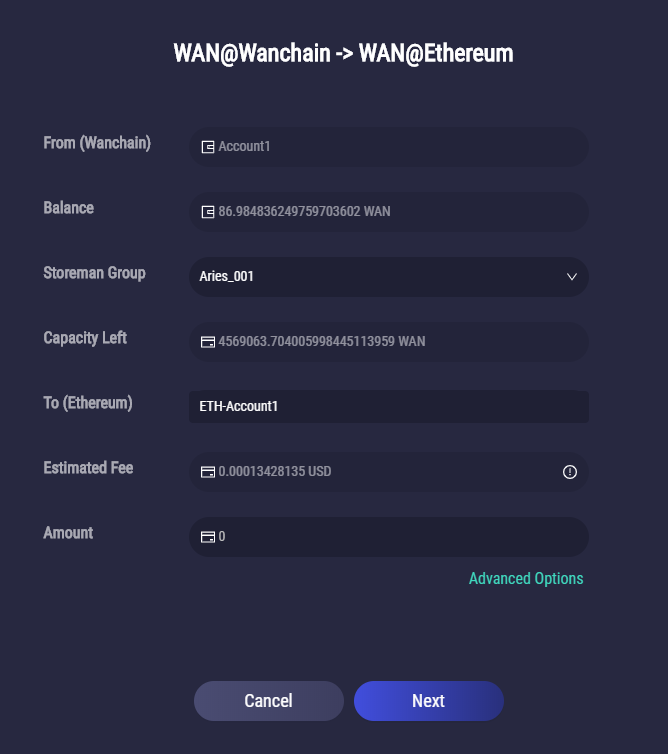
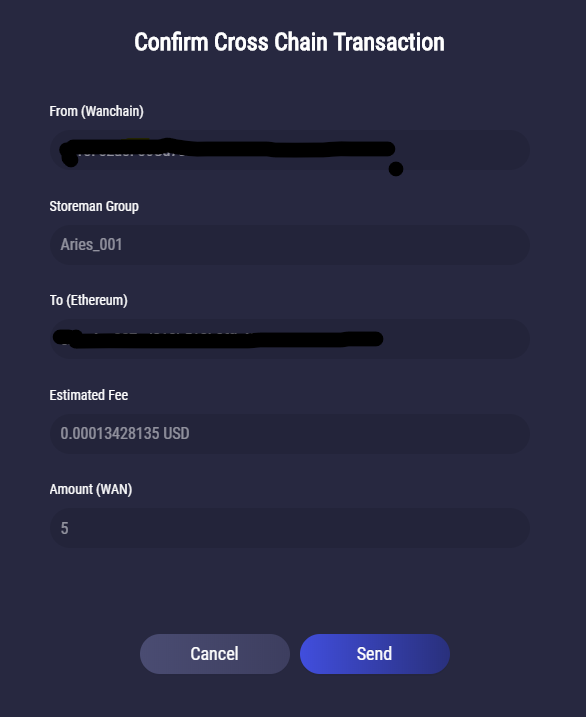
From the above description of scenarios, it is clear that with Wanchain 5.0, assets can transferred from Wanchain to Ethereum blockchains back and forth with a simple user experience and work flow.
## Wanchain Direct Bridge
Up to Wanchain 5.0, all crosschain transfers supported by Wanchain were about transferring assets through Wanchain. A direct bridge platform is to expand the Wanchain platform to support asset transfer between two blockchains without the need of routing through Wanchain. This will allow Wanchain to provide a technical mechanism to bridge Bitcoin, Ethereum, Polkadot, and EOS blockchains directly. Using similar crosschain asset transfer syntax, we should support the following crosschain transfer use cases for Ethereum and Bitcoin direct bridge:
BTC\@Bitcoin->wanBTC\@Ethereum
This is to transfer native Bitcoin from bitcoin blockchain to wanBTC ERC20 format token in Ethereum Blockchain. wanBTC can then be used for DeFi applications in Ethereum blockchain that supports ERC20 format tokens.
wanBTC\@Ethereum->BTC\@Bitcoin
This is to transfer the transformed BTC in Ethereum blockchain back to its native BTC in Bitcoin blockchain.
## Other questions about direct and two-way bridges
*Will direct bridge still leverage Wanchain blockchain?*
Wanchain will not be involved in the transaction data flow in a direct bridge. However, the staking of bridge assets will be done on Wanchain. The security of a bridge is guaranteed by staking assets onto Wanchain through smart contracts. The registration for staking and delegation will remain the same. There is a possibility that multiple assets can be used as collaterals for staking.
*How are crosschain transaction fee calculated?*
For direct bridge, there are two crosschain fees, one is the transaction fee on the native blockchain: this fee is paid in its native gas fee. The other one is crosschain fee: this can be decided by the community and might be waived initially.
*Are two-way bridge and direct bridge mutually exclusive?*
No. A direct bridge can be a one-way direct bridge or two-way direct bridge. Two-way bridge deals with asset transfer directions for NATIVE assets, rather than transformed assets. If a bridge connects blockchain A and B, and native assets can be transferred from blockchain A to B as well as from blockchain B to A, this bridge is called a two-way bridge. Whereas, if a native asset can only be transferred from blockchain A to B, but not the other way, then this bridge is called one-way bridge. Note that when we define one-way or two-way bridge, we only take native asset transfer into consideration, because transformed assets can always be redeemed back to its native asset form.
*Aren’t all bridges two-way bridges? Otherwise, how can we redeem the assets back to its source chain?*
Not all assets are the same. Here, we introduce the concept of native assets and transformed assets. For a crosschain transfer, the asset in the source chain is locked, rather than destroyed. The value of the transferred assets still reside in the locked assets in the source chain. One-way bridge means that a native asset in blockchain A can be transferred to transformed asset in blockchain B, while the transfer in the other direction is not allowed. For example, several projects provide transferring Bitcoin to Ethereum blockchain, but no project provides transferring Ether to Bitcoin blockchain. So all bridges between Bitcoin and Ethereum blockchain are one-way bridge only so far. A two-way bridge means that native assets can transfer from blockchain A to B and vice versa from blockchain B to A.
## Feedback
We are collecting feedback for direct bridge. If you have any comments, please send them to Wanchain, and we will address them properly.
# Universal Multichain Bridges

## Background
Wanchain is a project focusing on bridging homogeneous and heterogeneous blockchains to allow assets to transfer across multiple ecosystems. Recently Wanchain released Wanchain 5.0 with a fully permissionless and decentralized crosschain mechanism to include the following advantages:
• Wanchain 5.0 achieves the first implementation of open storeman meaning that anyone can join as a permission-less storeman. Wanchain community members know that Wanchain uses storeman to connect two blockchains for asset transfer. Wanchain 5.0 is the first release that makes storeman fully decentralized and changes from storeman to open storeman. Technically this is achieved through open MPC. MPC is a core technology of Wanchain to decentralize the ownership of accounts through a group of nodes, each owning a portion of a private key. At least over two-thirds of the nodes need to sign a transaction with their respective key share in order to transfer funds from an account. The MPC method combined with staking and slashing effectively prevents collusion by the storeman nodes.
• The reward rate for open storeman is coupled with the reward rate of Wanchain validator’s proof of stake. This is to present staking all going to the node validator or all going to storeman. As far as we know, Wanchain is the first project to implement this coupling mechanism. It increases the stability of staking for both the block validator and the storeman validator.
* Wanchain provides a holistic open source crosschain suite for the 5.0 release. The Wanchain crosschain mechanism, storeman agents, P2P discovery, wallet, and browser have all been redesigned and implemented to increase performance and improve user experience.
## Next Steps: Scaling Wanchain Crosschain Platform
With the release of permissionless and decentralized Wanchain 5.0, Wanchain has accomplished the basic infrastructure as laid down in Wanchain’s whitepaper. The next phase of Wanchain’s platform is to expand its crosschain capacity to support larger total crosschain values and scale up the crosschain bridges. The major problems for scaling crosschain bridges include the following:
**· Security issue**
Since Wanchain’s bridges are decentralized and permissionless, the security of the crosschain assets is safeguarded by assets staked by the Storeman nodes to ensure that there is no collusion among them and any wrongdoing by the bridge operators will be slashed with the stakes deposited for the bridges. As the number of bridges increases, the stakes needed to secure a bridge increases accordingly. Hence the limited amount of stakes to secure bridges hinder the crosschain transaction’s scalability.
**· Bridge capacity issue**
Bridge capacity describes how many crosschain assets can be transferred and secured for a bridge. Today, stakes to secure crosschain transactions are bridge-based, meaning that each bridge has its own stake and the total crosschain value (TCV) should not exceed the amount of assets staked for that bridge. Since TCV is a changeable value for each bridge while stakes are allocated and attached to individual bridges, it is very likely that some bridges might have overflow of staking assets while others might hit the maximum crosschain transaction cap and need to be halted until more assets are allocated. The disparity of bridge capacities will negatively impact the overall security of the crosschain ecosystem.
**· Multi-Bridge compatibility issues**
Wanchain has started to support multi-bridge crosschain operations. One type of transferred asset in a blockchain can come from various source blockchains. For example, btc\@ethereum can come from btc\@bitcoin or btc\@wanchain. Hence, problems arise as how we can guarantee that btc transferred from both sources are equivalent. To ensure that assets from different bridges are equivalent, the smart contract logic should be the same and the bridges should be secured. Furthermore, the operators that carry out the transfer will also be the same group of nodes that run compatible crosschain codes.
To overcome the challenges mentioned above to improve scalability of the Wanchain crosschain platform, we introduce the Universal crosschain mechanism that allows a common pool of Storeman nodes to use shared staking funds to manage multi-chain bridges.
## Universal Crosschain Mechanism
**Universal Crosschain platform Overview**
Wanchain Universal Crosschain platform is depicted in Figure 1 with the following components: a) set client devices such as a handheld mobile device, a device having a web browser, or a desktop with applications; b) a cross-chain API gateway that is connected to client devices and various blockchains, bridges, and blockchain hubs; c) homogenous or heterogeneous blockchains; and d) universal cross-chain bridges that connect blockchains to provide native or cross-chain transactions. Cross-chain API gateways as shown in the diagram may be implemented with different technologies. For example, an API gateway may have an HTTP server as a front end that communicates with client devices. In another embodiment, the API gateway may have a peer-to-peer connection with a client device and receives messages from the clients. The API gateway may also implement a load balancing server to increase the scalability and reliability of the gateway. The backend of the API gateway connects to native blockchains, bridge links, or blockchain hubs. A native blockchain is a blockchain that supports single chains and protocols, such as bitcoin, Ethereum, quorum, EOS, tron, corda, ripple, and hyperledger. A blockchain hub is a blockchain that has functions to perform cross-chain operations to transfer and aggregate assets, data, and value across blockchains. Blockchains such as Wanchain, Polkadot, and Cosmos may be classified as blockchain hubs.

Figure 1 Overview of Universal Crosschain Platform
In this architectural diagram, a blockchain bridge is a connector that connects two homogeneous or heterogeneous blockchains to allow data, value, and assets to flow across blockchains. The Wanchain bridge solution is implemented via Storeman nodes. A Storeman mechanism is a component node that is used to listen to events on multiple blockchains and processes and relays the transaction to the corresponding blockchains. A storeman node may have multiple running programs to form a cluster and each shares part of the secret for unlocking the accounts that stage the cross-chain values. The storeman mechanism will support staking that allows users to lock a portion of their assets through a smart contract to fund the running node and receive a reward for the cross-chain transaction.
**Storeman Nodes**
Storeman node components can be shown in Figure 2. A cross-chain bridge or Storeman may have two or more ports connecting to corresponding blockchains. A port may contain executable codes such as smart contracts, chain code, or scripts that may be used to perform operations on a blockchain to which it is attached. The executable code then transfers the operation and data to the bridge for further processing through the services in the cross-chain bridge. These services may include a validation agent to validate a cross-chain transaction, a sync agent to synchronize data and states among bridges, and an event agent to listen to and process events. Storeman nodes also network with each other to form a multi-party computing (MPC) group to control a shared key to lock and unlock accounts on both source and target blockchains.
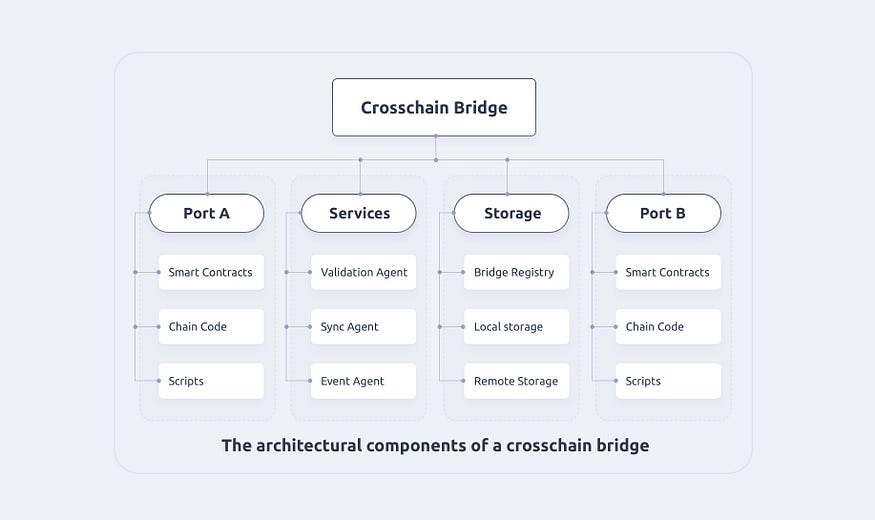
Figure 2 The architectural components of a crosschain bridge
**Shared staking funds for Storeman nodes**
In a universal crosschain platform, accounts in the blockchains may fund a bridge by locking a certain amount of assets in the blockchains in return for a reward of cross-chain transaction fees. This may be done by implementing smart contracts on a blockchain for a staking function such as stake\_deposit as a function of blockchain\_id, account address, amount, Bridge\_id, duration, and signatures to fund a bridge. Here, blockchain\_id represents a blockchain where the account is located, the account is a blockchain EOA (external owned account) from which a fund will be withdrawn or locked to support a bridge to process cross-chain transactions, the amount is the amount of the asset that will be deposited, bridge\_id represents the bridge for which the fund will be deposited, the duration is the length of time when the asset will be locked in the account, and signature is a signed message from the account owner to enhance the authenticity of the staking request.
Once account owners deposit their assets to the bridges, they accumulate stakes for the bridge fund (Figure 3). A bridge fund is the aggregation of the assets and value deposited to bridges in a bridge group. A bridge stake is a total stake deposited to a particulate bridge. A stake and an asset do not need to have a 1-to-1 matching relationship. For example, a stake may be a function of asset value with modifiers such as length of deposit time and other promotional factors such as deposit time or even a random lucky number. These multi-bridge stakes form the basis for the selection of bridges for processing cross-chain transactions as well as the basis for rewards. In general, the larger the stake a bridge has, the more chance for it to be selected as a Storeman node. Similarly, the larger the stake an account has, the larger the portion of the reward that account will receive.
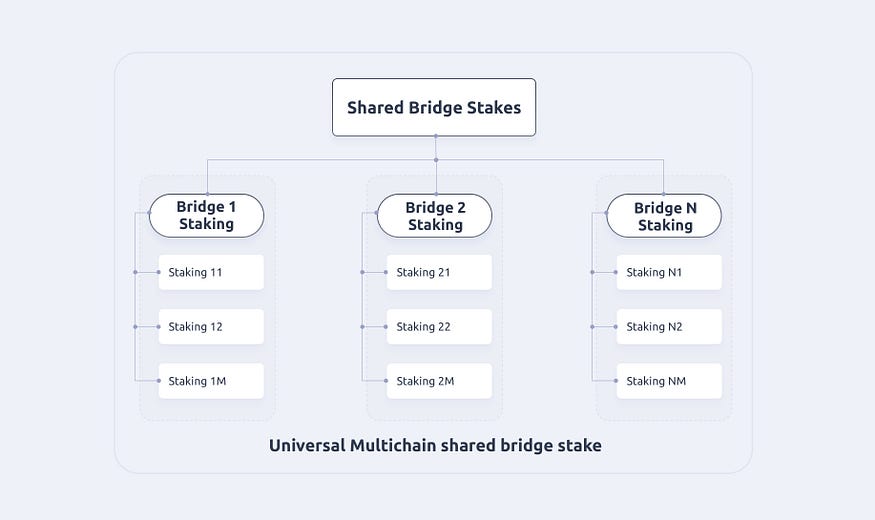
Figure 3 Shared Bridge Stakes
One important change for a universal crosschain platform is that the staked funds are shared among bridges and hence are “need-based” and can be dynamically allocated to bridges that carry out the transfer of crosschain assets.
## Advantages of Universal Crosschain
When compared with the existing Storeman node solution that Wanchain has, the shared Storeman node mechanism has several advantages in security, crosschain transfer capability, and scalability as shown below:
**Much simple process of transferring tokens from chain to chain**

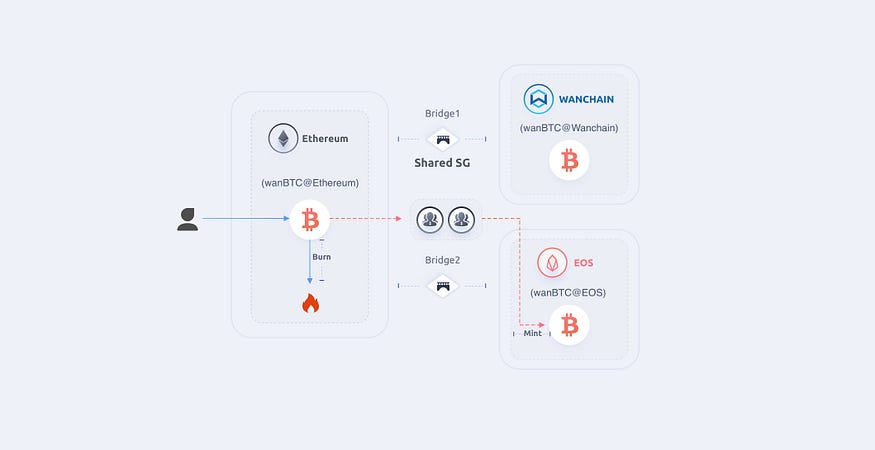
Figure 4 Schematic diagram showing differences of crosschain transfer via regular storeman nodes (top) and shared storeman nodes (bottom)
Shared storeman group makes the asset management and information verification between different blockchains much easier and the process of transferring tokens from chain to chain simpler as shown below.
The diagram shows a scenario where there are three blockchains of Ethereum, EOS and Wanchain respectively. Each blockchain has transferred bitcoin marked as wanBTC. For the regular storeman node (top of diagram) mechanism, two storeman groups are created with storeman group 1 (SG1) for the Ethereum and Wanchain bridge and storeman group 2 (SG2) for the Wanchain and EOS bridge. The workflow of transferring wanBTC from the Ethereum blockchain to the EOS blockchain follows the steps below:
Step1: User burns his wanBTC on Ethereum;
Step2: SG1 receives this event and mints the same amount of wanBTC for the user on Wanchain;
Step3: User burns the received wanBTC on Wanchain;
Step4: SG2 receives this event and mints the same amount of wanBTC for the user on EOS;
In the above procedure, a total number of 4 transactions are required, including 1 transaction on Ethereum, 2 transactions on Wanchain, and 1 transaction on EOS. Among these 4 transactions, the user is required to send 2 transactions — 1 transaction on Ethereum and 1 transaction on Wanchain.
With the shared Storeman group (shared SG), the procedure is simplified as follows:
Step1: User burns his wanBTC on Ethereum;
Step2: shared SG receives this event and mints the same amount of wanBTC tokens on EOS;
In the above procedure, a total number of 2 transactions are required, including 1 transaction on Ethereum and 1 transaction on EOS. Among the 2 transactions, the user is required to send 1 transaction on Ethereum.
**Low cross-chain transaction fee for users**
From the above we know, using the shared storeman group, that the user is required to send only one transaction to transfer his tokens between two different chains with no direct bridges. Thus the cross-chain transaction fee is 50% lower than before.
**Low cost of building bridges**
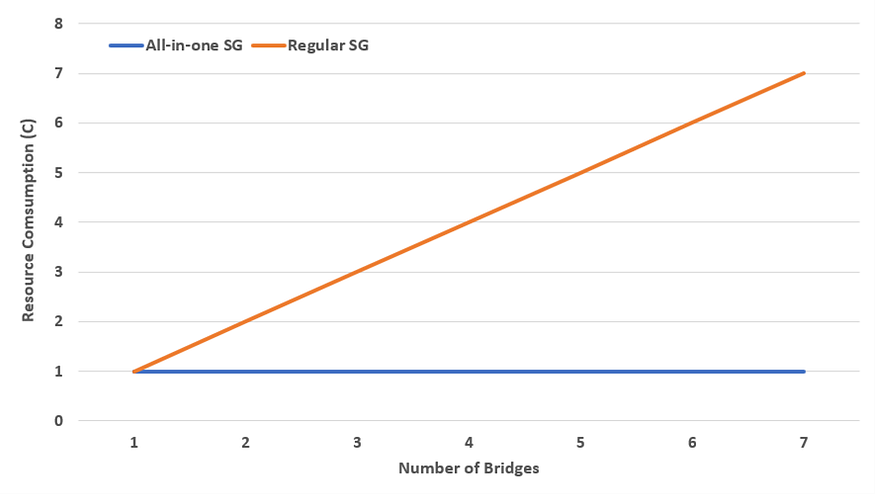
Figure 5 Comparison of resource consumption between regular and shared storeman groups
In Wanchain 5.0, the locked account is generated jointly by the members of the Storeman group, which is denoted as the KeyGen process. This process requires all the members to participate and is both time and computationally consuming. Specifically, the total runtime and computation resource consumption grows linearly as the number of bridges increases. Using the shared Storeman group, only one KeyGen process is required, for the locked account is shared by the bridges. Thus, the total runtime and computation resource consumption remains constant as the number of bridges increases. Assuming the resource consumption in building one direct bridge is C, then the relationship of the total resource consumption and the number of building bridges is shown in Figure 5 above. Per this graph, the resource consumption for a regular storeman group increases in proportion to the number of bridges while the consumption for a shared storeman group remains constant.
**Better security**
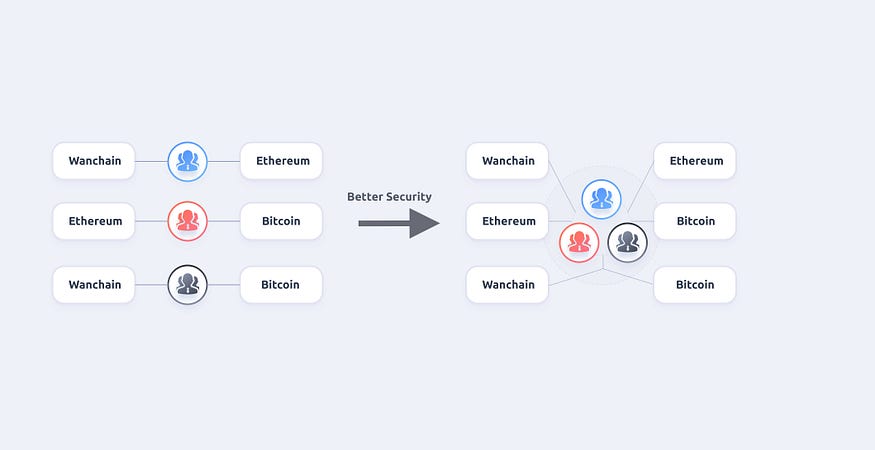
Figure 6 Difference of regular storeman group and shared storeman group for security consideration
Compared to separating the Storeman nodes into different groups, a single Storeman group with more members offers better security. We show this fact through a simple example.
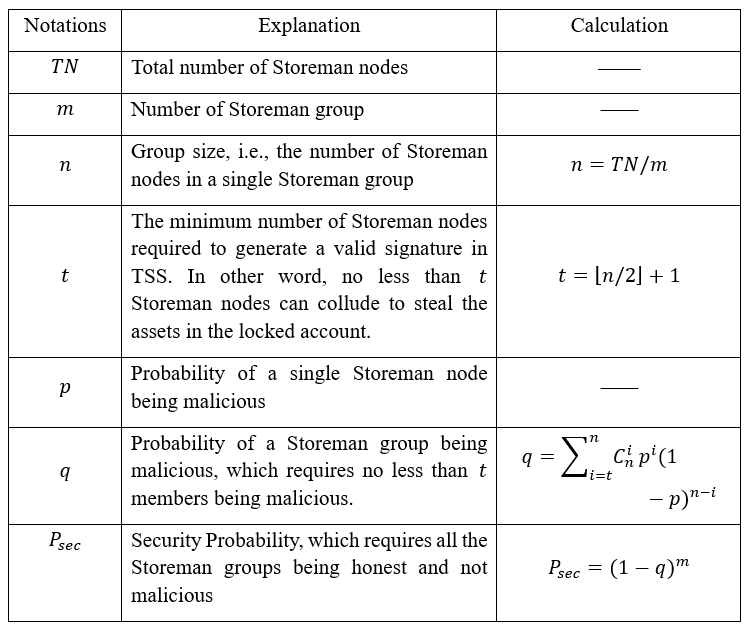
Figure 7 Relationship of overall security of storeman groups versus affecting parameters
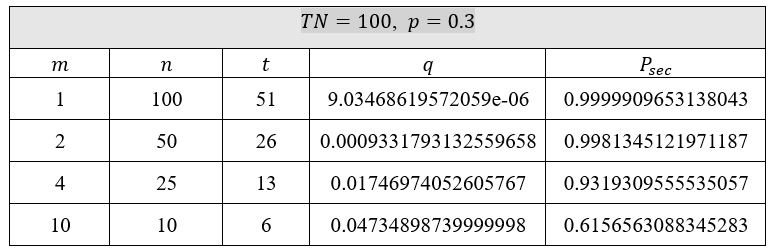
Figure 8 Security computation for p=0.3 and TN=100

Figure 9 Security computation for p=0.2 and TN=100

Figure 10 Security computation for p=0.1 and TN=100
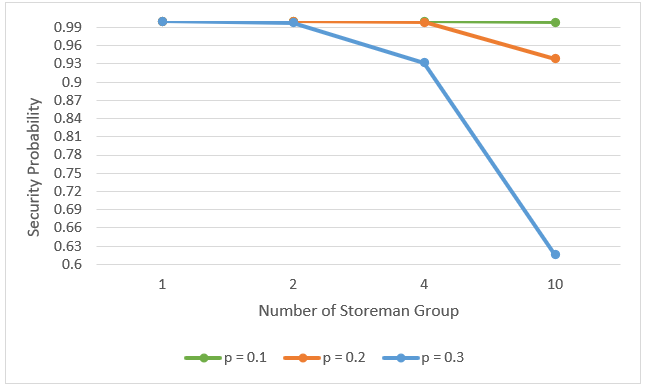
Figure 11 Graph showing how the level of security is impacted by number of storeman groups nodes
From the above diagram, it is clear when the individual probability p of a Storeman node being hacked is high, the shared Storeman node mechanism shows improvement in security. When p values decrease, the security improvement is not as significant, but it still shows theoretical advantages for shared Storeman nodes.
The diagram from Figure 11 also shows that the lower number of storeman groups, the higher the security level for the overall system.
**Better flexibility**
Storeman group’s collateral is used to ensure the security of cross-chain assets; therefore, the value of cross-chain assets must not exceed the Storeman group’s collateral. Problems arise when the Storeman group’s collateral does not match the cross-chain demand, which results in poor collateral usage. An adjustment factor can be introduced into the Storeman reward mechanism to relieve this problem. But this factor is fixed during Storeman’s working cycle, so this solution is not that perfect. Using the shared Storeman group, different bridges share the same collateral pool. Bridges with more cross-chain demand will “occupy” more collateral, while bridges with less cross-chain demand will “occupy” less collateral. All this happens naturally according to the real cross-chain demand. We show this through a simple example.
Assuming there are three Storeman groups, each of which builds a direct bridge and has the same collateral of value 1000 USDT, the Actual Cross-chain Value is calculated as:
Actual Cross-chain Value = Min{Collateral, Cross-chain Demand}
The details are shown in the figure below. Then we can calculate the Collateral Usage Rate:
Collateral Usage Rate = (Total cross-chain value)/(Total collateral)
\= (500+1000+800)/(1000+1000+1000)
\= 76.7%

Figure 12 computation of collateral usage for regular storeman groups
By shared Storeman group, we have a higher cross-chain value, which is shown in the figure below.
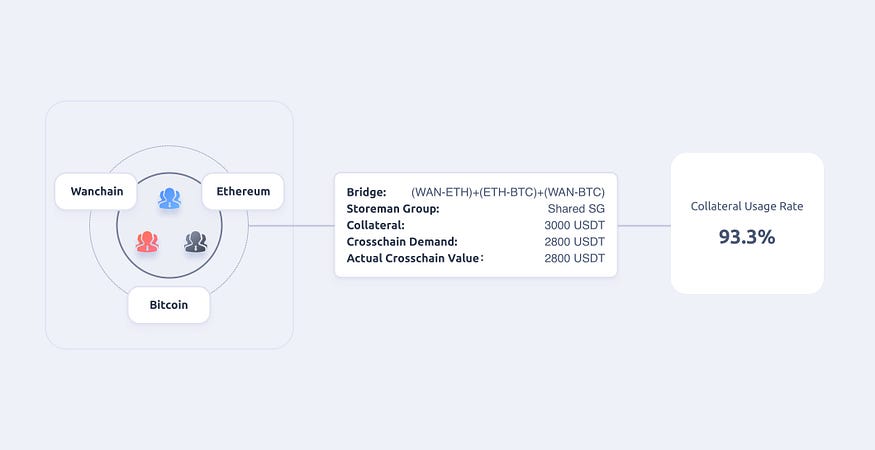
Figure 13 computation of collateral usage for shared storeman groups
Then we can calculate the Collateral Usage Rate:
Collateral Usage Rate = (Total crosschain value)/(Total collateral)
\= 2800/(1000+1000+1000)
\= 93.3%
**Higher crosschain capacity for a single bridge**
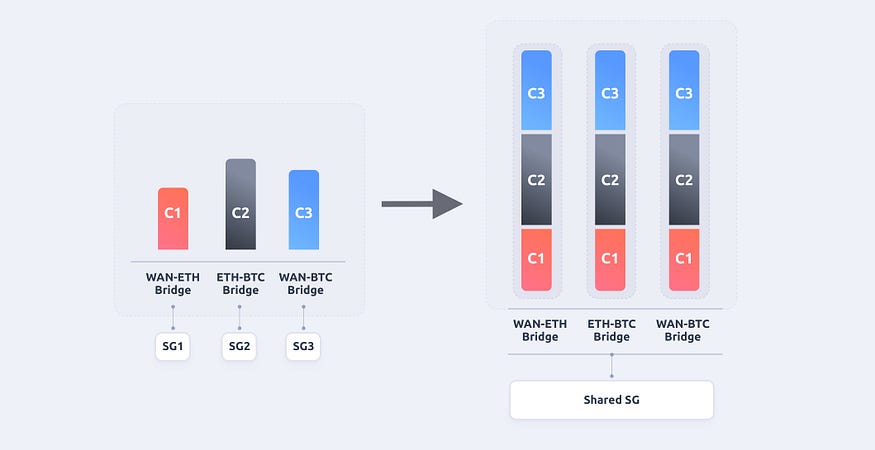
Figure 14 comparison of crosschain capacity of regular and shared storeman groups
Through the shared Storeman group, all the bridges share the same collateral pool. While the total cross-chain capacity remains unchanged, the maximum cross-chain capacity for a single bridge increases to the value of the total collateral. This improvement helps us handle the situations where the value of cross-chain assets exceeds the collateral behind a single bridge.
**Conclusion**
Using shared storeman group, Wanchain will develop a universal crosschain mechanism to dramatically improve the scalability and security of crosschain bridges. This project is in process and there should be a shared storeman group release in the coming quarters.
# Cross-Chain Overview

## Introduction to Cross-chain
With the rapid rise of blockchain technology, there are now thousands of public and private blockchains and blockchain platforms being used across the globe. However, these blockchains exist largely in isolation, unable to exchange information or value with one another. This severely limits their world-shaping potential. The purpose of a cross-chain solution is to connect different blockchains, like a bridge between islands. These connections will provide innumerable benefits, including enabling the near-instant and automated exchange of information and value across platforms, enhancing liquidity in the market and providing a distributed clearing mechanism.
## The Technical Problems
At present, there is no universally accepted cross-chain mechanism due to two difficult-to-overcome technical roadblocks that any viable cross-chain solution must solve for. The first is ensuring that the total number of tokens on the original blockchain do not decrease or increase following a cross-chain transaction - also known as the law of value conservation. We'll call this Problem Alpha.
As an example, when transferring value from Ethereum to Wanchain, you must ensure that the value that is transferred to the Wanchain blockchain is no longer accessible on the Ethereum blockchain - otherwise, a user could use the same finite amount of Ethereum to unlock unlimited new value on Wanchain. At the same time, you cannot destroy the Ethereum being transferred, as Ethereum is a limited and exhaustible resource. Destroying the transferred Ethereum would prevent two-way transactions, as Wanchain would be unable to generate new Ethereum tokens when the tokens need to cross back to the Ethereum blockchain.
As a result, when a cross-chain transaction is executed, the value that is made available on the destination chain must simultaneously be made unavailable, but not destroyed, on the original chain.
The second roadblock is finding a way to verify a cross-chain transaction on the blockchain on which it was initiated, in a trustless manner. We'll call this problem Beta.
This issue arises when developing any solution to Problem Alpha. As we've just established, when a cross-chain transaction is executed, the value that is made available on the destination chain must be simultaneously made unavailable on the original chain. For this to be executed properly, however, the original chain must receive immutable, trustless verification that the desired value has been made available to the recipient on the destination chain, before making that same value unavailable on the original chain.
As an example, if a user initiates a cross-chain transaction from Ethereum to Wanchain, and the value is made unavailable on Ethereum before there is definitive verification that the corresponding value has been made available on Wanchain, the user would have no access to either his original Ethereum or the corresponding value that was supposed to be made available on Wanchain - effectively losing their funds for good. This issue is difficult to solve for, because different blockchains have different protocols for verifying transactions. As a result, it is difficult for any one blockchain to directly read another blockchain and determine if a transaction has been verified, unless those blockchains have been intentionally developed to be compatible.
## Wanchain's Solutions
To solve for Problem Alpha and ensure that the total number of tokens on each blockchain remains static when being transferred from one chain to the next, Wanchain's specialized nodes - also known as Storemen - employ an innovative, secure multi party computation method with a threshold-protected secret key to process cross-chain transactions.
For every cross-chain transaction, Wanchain's Storemen nodes create a locked account that holds the funds being sent from the original blockchain indefinitely, while an equivalent value is made available on the destination blockchain in the form of a corresponding mapping token. The original funds can then only be released when the value of the corresponding mapping tokens is sent back to the original chain, and the mapping tokens themselves are destroyed.
For example, when executing a transaction from Ethereum to Wanchain, the funds being sent from the Ethereum chain will be held in a locked account, while a corresponding amount WETH - Wanchain's Ethereum mapping token - will be made available to the recipient. The locked Ethereum is only made available again when the WETH holder sends that WETH to a HTLC account on Wanchain monitored by the cross chain Storeman nodes. At that point, the WETH is destroyed and the locked Ethereum is released to the target Ethereum account.
When any cross-chain transaction is initiated, the owners of each Storeman node must jointly participate in the generation of the related locked account's public and private keys. The shared account's private key is not actually a static string of numbers and letters, but a series of key fragments that is scattered amongst the account participants present at the time the private key is generated.
In order to release funds from these locked accounts, the operators of a Storemen node must jointly agree to do so by contributing their respective pieces of the node's private key to generate a signature. This is the secure multiparty computation piece of the transaction processing procedure, and it prevents any one bad Storeman actor from being able to carry out a double spend attack by unlocking tokens being held in any locked account generated from a cross-chain transaction.
In order to guarantee that a transaction can be executed at any given time, it is not necessary for all participants to fully engage in the process of releasing funds from a locked account - instead, the number Storemen account participants must be above a set threshold (M out of N participants, M<=N). This is the threshold key-sharing piece of Wanchain's solution. This solution ensures that, for the funds in a locked account to be wrongfully released, a very high percentage of Storemen must agree to collaborate as bad actors. In conjunction with the significant economic incentives to not act in bad faith, this system projects to be an extremely effective system for deterring fraudulent behavior.
To solve for Problem Beta, verifying transactions on the original blockchain in a trustless manner, Wanchain eventually plans to implement a new third-party consensus mechanism called The Voucher. The Voucher will be a consensus group that is economically incentivized to verify the finality of the transactions sent to the destination chain on the original chain.
To ensure Wanchain is viable as a cross-chain solution while the Wanchain team works towards perfecting the implementation of the more elegant and dynamic Voucher mechanism, the system outlined above is executed using atomic swaps - circumventing the need for cross-chain verification. When ETH is transferred to Wanchain as WETH, a user is essentially exchanging their ETH for WETH in an atomic swap, where the other party is the Storeman node group. While atomic swaps are not the most scalable or efficient solution, they are a reliable and effective means of transferring value across chains that will allow Wanchain to be an immediately functional cross-chain platform.
# Smart Contracts
Wanchain supports smart contracts written in Solidity and can be developed using the same tools developers are familiar with from working on Ethereum. This allows blockchain developers with experience developing on Ethereum to quickly and easily leverage Wanchain's cross-chain capabilities since there is no need to learn a new smart contract scripting language or figure out new developers tools. For developers who are interested in learning more about getting started writing smart contracts using Wanchain, please navigate to our [developer portal](https://wandevs.org/).
# Gwan
Gwan is the GO implementation of Wanchain and the command line interface for running a full Wanchain node. Gwan allows users to interact with the Wanchain network, create accounts, transfer funds, deploy and interact with contracts. To learn more, check out the [Github page](https://github.com/wanchain/go-wanchain) or navigate to our [developer portal](https://wandevs.org/).
# iWan
iWan is the "interface to Wanchain", which provide users with secure, dependable access to the full array of Wanchain full node services, including the Wanchain main network and test network. Through the API and developer tools provided by iWan, developers now have access to both native Wanchain and cross chain services including cross chain transactions, account management, smart contract querries, and much more. iWan provides the core Wanchain interface for developers so that they can focus on building their business layer without worrying about the cost and complexity of setting up their own full node. Learn more at the official [iWan site](https://iwan.wanchain.org/).
---
[Next Page](/llms-full.txt/1)